
1. Introduction
The BAOFENG UV-5R Mini is a compact and powerful dual-band walkie talkie designed for reliable communication in various environments. Featuring 5W power output, 999 channel capacity, Bluetooth APP programming, NOAA weather warning, and USB-C fast charging, this device is suitable for outdoor activities, emergency preparedness, and professional coordination. Its intuitive design and advanced features ensure clear and efficient communication.
2. Package Contents
Before proceeding, please verify that all items are present in your package:
- BAOFENG UV-5R Mini Walkie Talkie Unit (2 Packs)
- Antenna (2)
- 2200mAh Lithium Battery (2)
- USB-C Charging Cable (2)
- Power Adapter (2)
- Belt Clip (2)
- Earpiece (2)
- User Manual
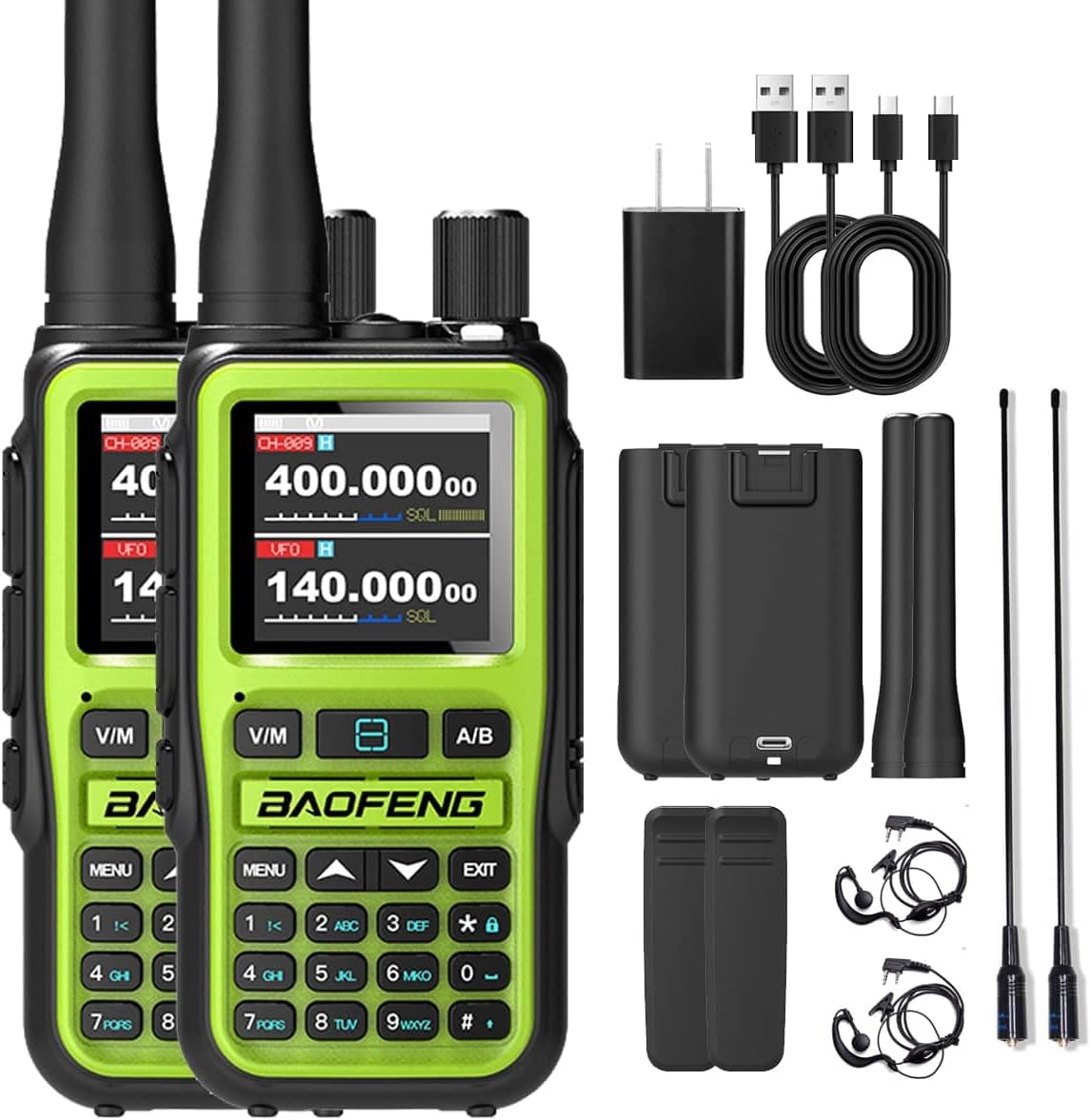
Figure 2.1: Complete package contents of the BAOFENG UV-5R Mini Dual Band Walkie Talkie set.
3. Product Overview: Controls and Display
Familiarize yourself with the various parts and controls of your UV-5R Mini walkie talkie.

Figure 3.1: Detailed diagram of the UV-5R Mini's controls and display.
- Antenna: For transmitting and receiving radio signals.
- Volume Knob / Power Switch: Rotate to adjust volume; press to power on/off.
- Indicator Light: Shows status (e.g., transmitting, receiving, charging).
- LED Flashlight: Built-in light for illumination.
- PTT Emission Key A/B: Push-to-Talk buttons for transmitting on main/sub channels.
- V/M Key: Switches between Frequency (VFO) mode and Channel (Memory) mode.
- Side Key: Programmable function key.
- Keypad: Numeric and function keys for input and menu navigation.
- LCD Display Screen: 1.44-inch full-color screen displaying frequency, channel, battery, and other status indicators.
- Headphone Jack: For connecting external audio accessories.
- Type-C Interface: For charging the device.
- A/B Key: Switches between the main and sub-display frequencies/channels.
4. Setup and Charging
4.1 Battery Installation and Charging
The UV-5R Mini is equipped with a 2200mAh lithium battery. For optimal performance, fully charge the battery before first use.
- Ensure the radio is powered off.
- Align the battery pack with the grooves on the back of the radio and slide it into place until it clicks securely.
- To charge, connect the provided USB-C cable to the Type-C port on the side of the radio and plug the other end into a USB power adapter or a power bank.
- The indicator light will show charging status. A full charge typically takes approximately 3 hours.

Figure 4.1: USB-C fast charging port on the UV-5R Mini.
4.2 Antenna Attachment
Screw the antenna clockwise into the connector on the top of the radio until it is finger-tight. Do not overtighten.
5. Operating Instructions
5.1 Power On/Off and Volume Control
- To power on, rotate the Volume Knob clockwise until you hear a click.
- To power off, rotate the Volume Knob counter-clockwise until you hear a click.
- Adjust the volume by rotating the Volume Knob.
5.2 Bluetooth APP Programming
The UV-5R Mini supports wireless programming via a dedicated Bluetooth APP (available for iOS and Android), eliminating the need for cables or a PC.
- Download the official BAOFENG programming app from your device's app store.
- Enable Bluetooth on your smartphone and open the app.
- Follow the in-app instructions to pair with your UV-5R Mini.
- Once connected, you can wirelessly customize frequencies, CTCSS/DCS codes, power settings, and channel names.
- The app allows for batch modification and synchronization of parameters across multiple devices, significantly speeding up setup for teams.

Figure 5.1: Wireless programming via Bluetooth APP.
5.3 Channel Management (999 Channels)
The radio supports up to 999 independent channels, each configurable with specific transmission/reception frequencies, privacy tones (CTCSS/DCS), and power profiles.
- Direct Channel Entry: Use the numeric keypad to directly enter channel numbers (e.g., "128").
- Channel Browsing: Use the knob or arrow keys to scroll through stored channels.
- Frequency Matching: The device supports one-click frequency matching for quick setup with other radios.

Figure 5.2: One-click frequency matching feature.
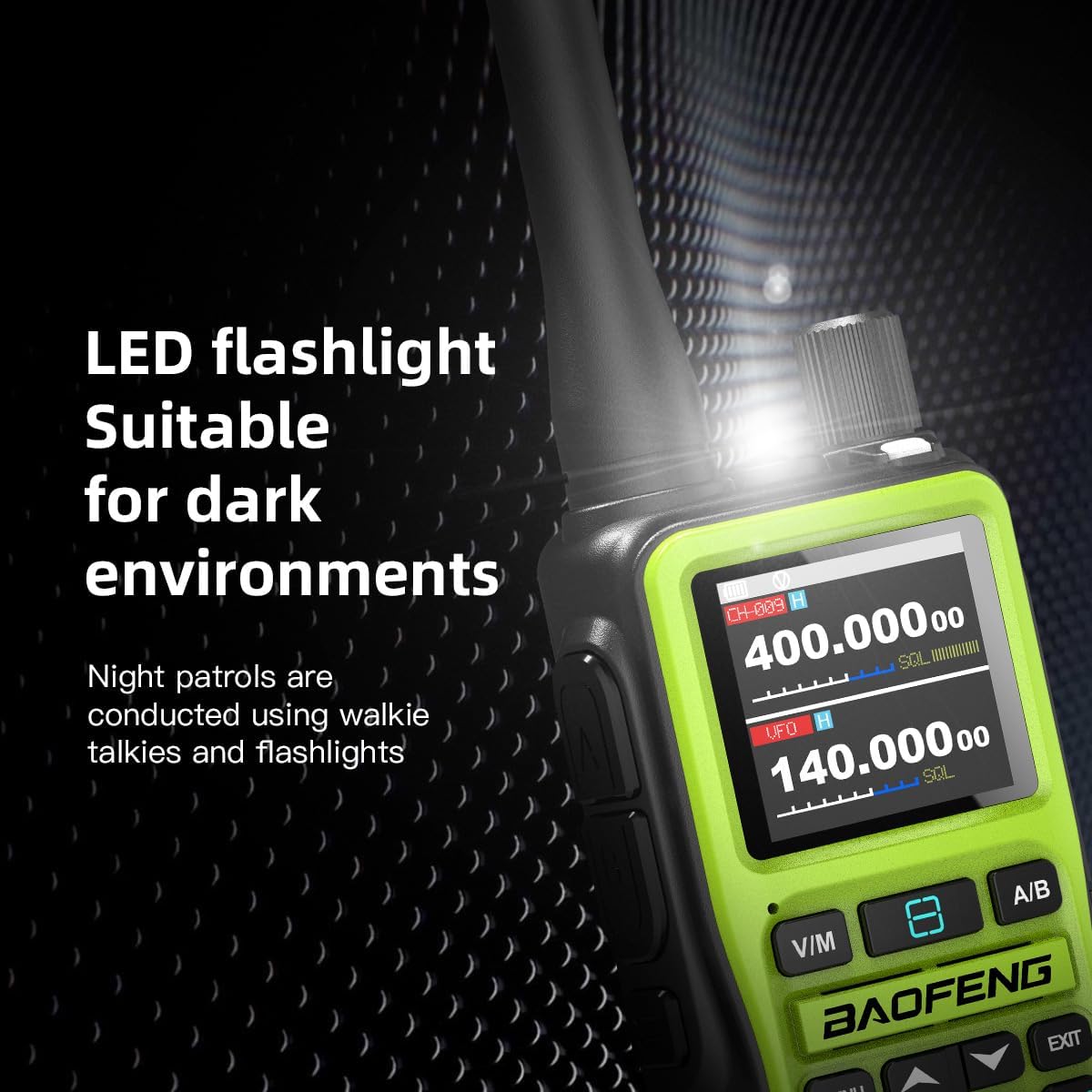
Figure 5.3: Overview of advanced operating features.
5.4 NOAA Weather Warning
The UV-5R Mini can receive real-time disaster warnings from ten official meteorological stations on the 162.400 – 163.275MHz frequency band.
- One-Click Scanning: Long press the '#' key to automatically scan and lock onto the strongest weather signal. This feature provides advance warning for outdoor safety.
5.5 Dual Frequency Dual Display Dual Standby
The radio allows simultaneous monitoring of two frequencies (VHF/UHF) and automatically switches to the active channel. The main screen (144-148MHz) and sub screen (420-450MHz) operate concurrently.
- Relay Mode Enhancement: Compatible with professional relay stations, extending communication range to over 15 kilometers in complex terrain.
- Dual PTT Emission: The main/secondary channel adopts a dual button design for independent transmission.
5.6 Adjustable Power Output
The UV-5R Mini supports adjustable transmitting power (5W/2W) to optimize battery life and communication range based on your needs.
5.7 LED Flashlight
The built-in LED flashlight is useful for night patrols or in dark environments.

Figure 5.4: LED flashlight in operation.
6. Maintenance
- Cleaning: Wipe the radio's surface with a soft, damp cloth. Do not use harsh chemicals or abrasive cleaners.
- Battery Care: Avoid fully discharging the battery frequently. Store the radio and battery in a cool, dry place when not in use for extended periods.
- Antenna: Ensure the antenna is securely attached but do not overtighten. Avoid bending or stressing the antenna.
- Water Resistance: This product is not water resistant. Avoid exposure to rain, splashes, or submersion.
7. Troubleshooting
| Problem | Possible Cause | Solution |
|---|---|---|
| Radio does not power on. | Battery is low or not installed correctly. | Charge the battery. Reinstall the battery securely. |
| Cannot transmit or receive. | Incorrect frequency/channel, antenna not attached, or out of range. | Verify frequency/channel settings. Ensure antenna is attached. Move closer to other radios. |
| Bluetooth APP connection fails. | Bluetooth not enabled, radio not in pairing mode, or app issue. | Ensure Bluetooth is on. Restart radio and app. Check app instructions for pairing mode. |
| Poor audio quality. | Low battery, weak signal, or interference. | Charge battery. Move to an area with better signal. Check for sources of interference. |
8. Technical Specifications
- Model: UV-5Rmini
- Brand: BAOFENG
- Color: Green
- Number of Channels: 999
- Special Feature: Dual Band, Bluetooth Programming, NOAA Weather Warning, USB-C Charging
- Talking Range Maximum: 10 Kilometers (up to 15km with relay)
- Water Resistance Level: Not Water Resistant
- Battery: 2200mAh Lithium Battery
- Power Output: 5W/2W (Adjustable)
- Frequency Range: VHF (144-148MHz), UHF (420-450MHz), NOAA (162.400-163.275MHz)
- Manufacturer: Fujian Baofeng Electronics Co., Ltd
- UPC: 755745371266
9. Warranty and Support
This BAOFENG UV-5R Mini walkie talkie comes with a 2-year warranty from the date of purchase, covering manufacturing defects.
For technical support, troubleshooting assistance, or warranty claims, please visit the official BAOFENG Store on Amazon: BAOFENG Official Store.
Please retain your proof of purchase for warranty validation.