1. Product Overview
The ACEMAGIC M1 Mini PC is a compact and powerful desktop computer designed for various applications, from office work and multimedia consumption to light gaming and creative tasks. Featuring an Intel Core i9-11900H processor, ample memory, and fast storage, it offers robust performance in a small form factor.
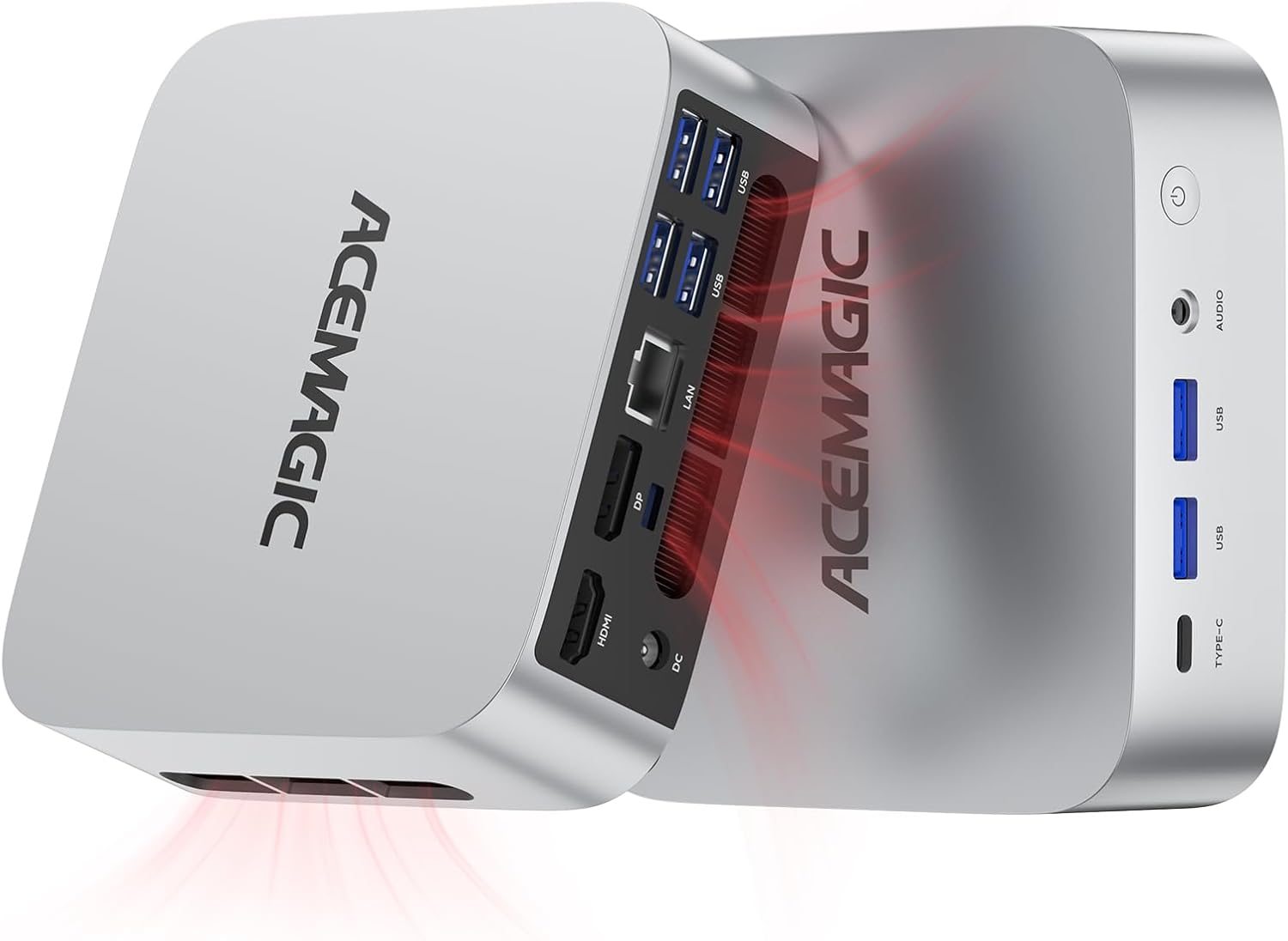
Image 1.1: The ACEMAGIC M1 Mini PC, showcasing its compact design and internal cooling system.
Key Features:
- Processor: Intel Core i9-11900H (8 Cores/16 Threads, up to 4.9GHz)
- Memory: 32GB DDR4 RAM (expandable up to 64GB)
- Storage: 1TB M.2 PCIe 3.0 SSD (expandable up to 4TB)
- Graphics: Integrated Intel UHD Graphics for 11th Gen Intel Processors
- Display Output: Triple 4K display support via HDMI 2.0, DisplayPort 1.4, and USB3.2 Gen2 Type-C
- Network: WiFi 6, Bluetooth 5.2, 2.5Gbps RJ45 LAN
- Operating System: Pre-installed Windows 11 Pro
Package Contents:
- 1 x ACEMAGIC M1 Mini PC
- 1 x HDMI Cable
- 1 x User Manual
- 1 x Power Adapter
- 1 x VESA Mount with Screws
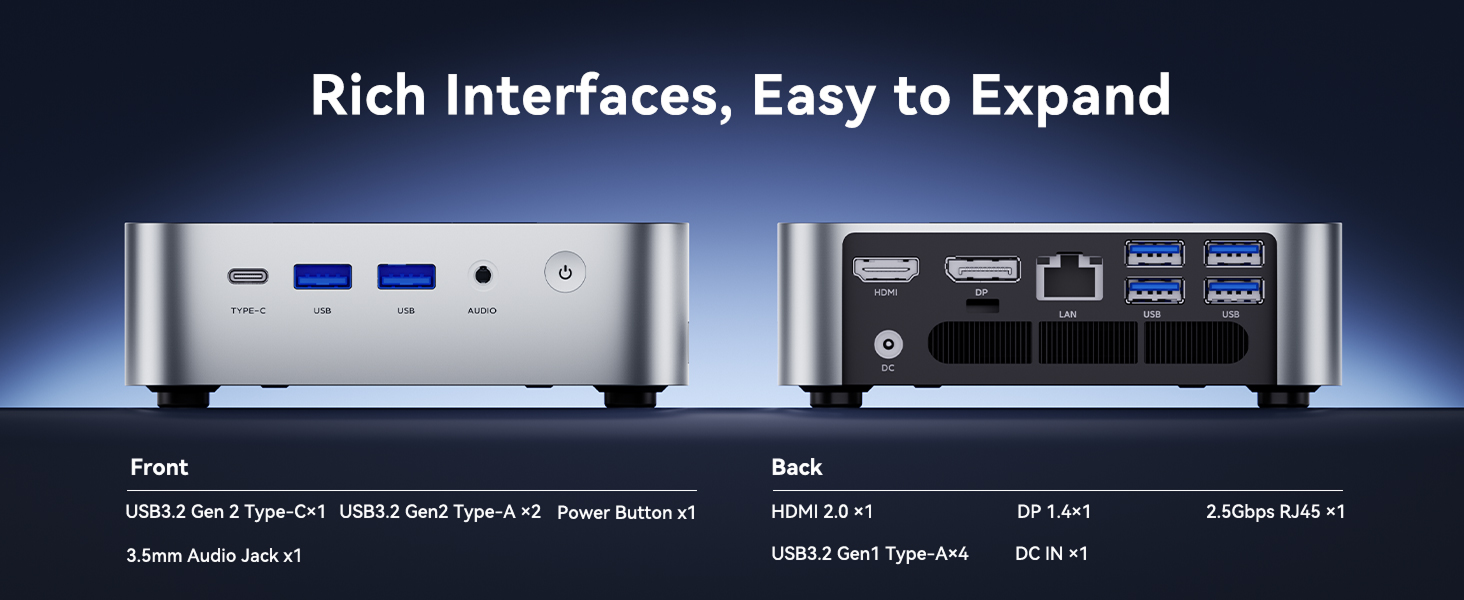
Image 1.2: Contents included in the ACEMAGIC M1 Mini PC package.
2. Product Layout and Ports
The ACEMAGIC M1 Mini PC features a variety of ports on its front and rear panels for comprehensive connectivity.
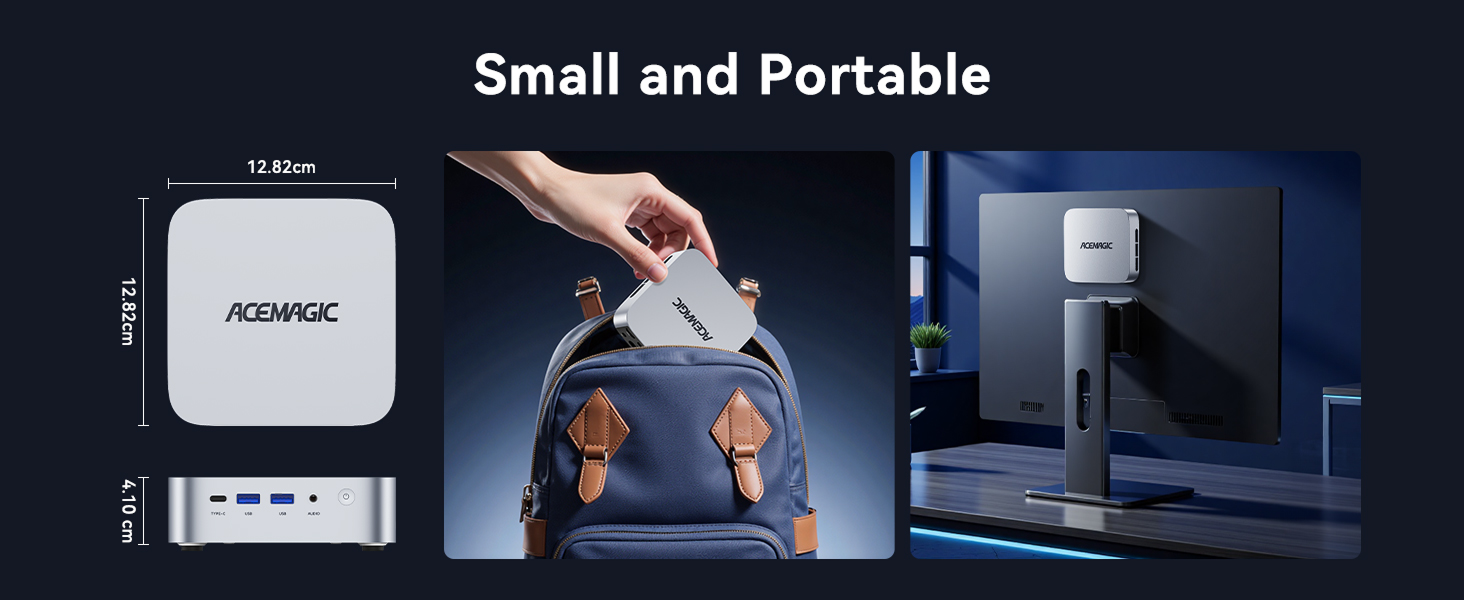
Image 2.1: Front and rear port configurations of the ACEMAGIC M1 Mini PC.
Front Panel:
- USB3.2 Gen 2 Type-C x 1: For data transfer and 4K@60Hz video output.
- USB3.2 Gen 2 Type-A x 2: High-speed data transfer ports.
- 3.5mm Audio Jack x 1: For headphones or external speakers.
- Power Button x 1: To power on/off the device.
Rear Panel:
- HDMI 2.0 x 1: For 4K@60Hz video output.
- DisplayPort 1.4 x 1: For 4K@60Hz video output.
- 2.5Gbps RJ45 x 1: For high-speed wired network connection.
- USB3.2 Gen 1 Type-A x 4: Standard data transfer ports.
- DC IN x 1: Power input port.
3. Setup Instructions
Follow these steps to set up your ACEMAGIC M1 Mini PC.
- Connect Peripherals: Connect your monitor(s) to the HDMI, DisplayPort, or USB-C video output ports. Connect your keyboard and mouse to the available USB ports.
- Network Connection: For a wired connection, connect an Ethernet cable to the 2.5Gbps RJ45 port. For wireless, ensure your WiFi network is available during initial setup.
- Power Connection: Connect the power adapter to the DC IN port on the rear panel, then plug the adapter into a power outlet.
- Power On: Press the power button on the front panel. The system will boot up.
- Initial Windows Setup: Follow the on-screen instructions to complete the Windows 11 Pro setup, including language, region, network, and user account creation.

Image 3.1: The ACEMAGIC M1 Mini PC running Windows 11 Pro with a triple monitor setup.
4. Operating Instructions
Triple Display Setup:
The M1 Mini PC supports up to three 4K displays simultaneously. Connect your monitors to the HDMI, DisplayPort, and USB-C ports. Windows will automatically detect the displays. You can configure display settings (e.g., extend, duplicate) via the Display Settings in Windows.
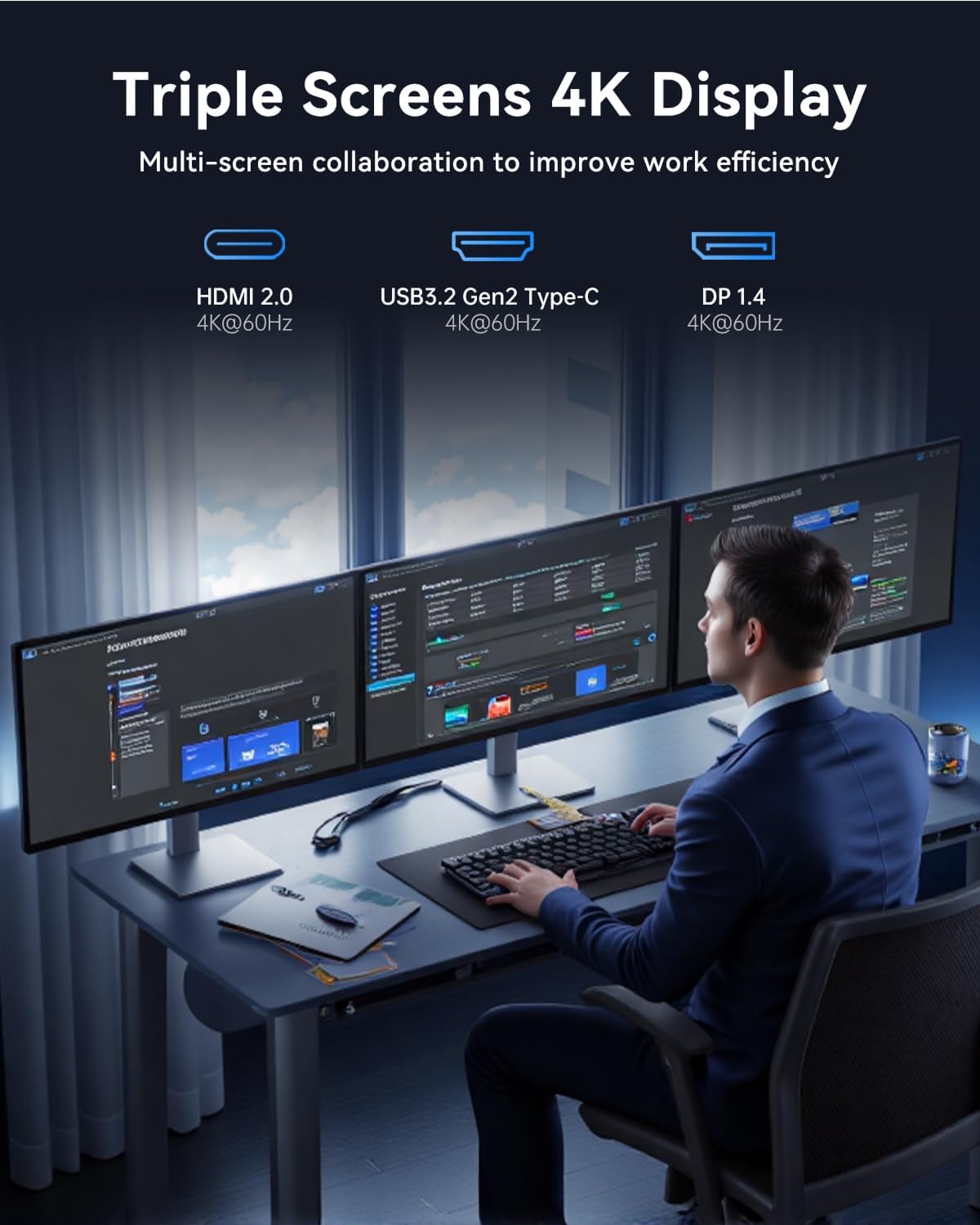
Image 4.1: Example of a triple 4K display configuration for enhanced productivity.
Network Connectivity:
- WiFi 6: For high-speed wireless internet access. Connect via Windows network settings.
- Bluetooth 5.2: For connecting wireless peripherals such as keyboards, mice, and headsets. Pair devices through Windows Bluetooth settings.
- 2.5Gbps LAN: Provides a stable and fast wired network connection, ideal for demanding network tasks.
Storage Expansion:
The M1 Mini PC allows for storage expansion. It includes a 1TB M.2 PCIe 3.0 SSD and supports an additional M.2 PCIe 3.0 SSD slot, allowing for up to 4TB of total storage. Consult the detailed hardware manual for instructions on installing additional storage.

Image 4.2: Internal components illustrating the DDR4 RAM and M.2 SSD expansion capabilities.
5. Maintenance
Cooling System:
The ACEMAGIC M1 Mini PC features an upgraded silent high-speed centrifugal fan, two cooling copper tubes, double cooling fins, and an optimized double air duct design to ensure efficient heat dissipation. To maintain optimal performance and longevity, ensure the air vents are not obstructed.

Image 5.1: Detailed view of the M1 Mini PC's advanced cooling system.
General Care:
- Keep the device in a clean, dust-free environment.
- Avoid exposing the Mini PC to extreme temperatures or humidity.
- Clean the exterior with a soft, dry cloth. Do not use liquid cleaners directly on the device.
6. Troubleshooting
This section addresses common issues you might encounter with your ACEMAGIC M1 Mini PC.
- No Display Output:
- Ensure all display cables (HDMI, DisplayPort, USB-C) are securely connected to both the Mini PC and the monitor.
- Verify the monitor is powered on and set to the correct input source.
- Try connecting to a different display port or monitor to isolate the issue.
- No Power:
- Check that the power adapter is firmly connected to the Mini PC and the wall outlet.
- Ensure the power outlet is functional by testing it with another device.
- Slow Performance:
- Close unnecessary applications running in the background.
- Check for sufficient free storage space on the SSD.
- Ensure the cooling vents are clear to prevent thermal throttling.
- Update drivers and Windows 11 Pro to the latest versions.
- Network Connectivity Issues:
- For WiFi, ensure you are connected to the correct network and the password is entered correctly.
- For wired LAN, check the Ethernet cable connection and router status.
- Restart your router/modem and the Mini PC.
7. Technical Specifications
Detailed specifications for the ACEMAGIC M1 Mini PC.
| Feature | Specification |
|---|---|
| Processor | Intel Core i9-11900H (8C/16T, 24M Cache, up to 4.9GHz) |
| RAM | 32GB DDR4 (2x16GB Dual Channel, expandable to 64GB) |
| Storage | 1TB M.2 PCIe 3.0 SSD (expandable up to 4TB via additional M.2 slot) |
| Graphics | Integrated Intel UHD Graphics for 11th Gen Intel Processors |
| Operating System | Windows 11 Pro |
| Video Output | HDMI 2.0 (4K@60Hz), DisplayPort 1.4 (4K@60Hz), USB3.2 Gen2 Type-C (4K@60Hz) |
| Network | WiFi 6, Bluetooth 5.2, 2.5Gbps RJ45 LAN |
| USB Ports | Front: 2x USB3.2 Gen2 Type-A, 1x USB3.2 Gen2 Type-C Rear: 4x USB3.2 Gen1 Type-A |
| Audio | 3.5mm Audio Jack |
| Dimensions | Approximately 12.82 x 12.82 x 4.10 cm (5.05 x 5.05 x 1.61 inches) |
| Weight | Approximately 1.33 kg (2.93 pounds) |
8. Warranty and Support
The ACEMAGIC M1 Mini PC is backed by FCC, ROHS, and CE certifications, ensuring product quality and safety standards are met.
Warranty Information:
This product comes with a 1-year limited warranty from the date of purchase. The warranty covers manufacturing defects and hardware malfunctions under normal use conditions. It does not cover damage caused by misuse, accidents, unauthorized modifications, or external factors.
Customer Support:
For technical assistance, warranty claims, or any product-related inquiries, please contact ACEMAGIC customer support. Refer to the contact information provided with your purchase documentation or visit the official ACEMAGIC website for support resources.


