
1. Product Overview
The Cuifati Compact AM Transmitter is a versatile device designed for various applications including radio testing, audio experiments, and establishing small-scale AM broadcasting stations. It features a wide amplitude modulation frequency range and a standard 3.5mm headphone interface for audio input.

Image 1: Cuifati AM Transmitter highlighting its amplitude modulation frequency range and 3.5mm headphone jack.
Key Features:
- Versatile Connectivity: Equipped with a 3.5mm headphone jack for connecting audio devices.
- Dual Power Supply: Operates on 2 x AA lithium batteries (not included) or an external 5-12V DC power supply.
- Wide Frequency Range: Supports an amplitude modulation range of 600KHz-1500KHz.
- Compact Design: Portable size for easy transport and use.
- Multiple Applications: Suitable for radio testing, audio experiments, and personal AM broadcasting.
2. Package Contents
Please verify that all items are present upon opening the package:
- 1 x Cuifati Compact AM Transmitter
3. Safety Information
To ensure safe operation and prevent damage, please observe the following:
- Do not expose the device to moisture or extreme temperatures.
- Use only the specified power supply voltage (5-12V).
- Keep the device away from strong magnetic fields.
- Do not attempt to disassemble or modify the transmitter.
4. Setup
4.1 Power Supply Connection
The AM Transmitter can be powered in two ways:
- Battery Power: Insert 2 x AA lithium batteries (not included) into the designated battery power supply board.
- External DC Power: Connect an external DC power supply (5-12V) to the DC socket on the transmitter board.
4.2 Audio Input Connection
Connect your audio source to the 3.5mm headphone interface:
- Use a standard 3.5mm audio cable to connect your audio player, mobile phone, or computer to the 'AUDIO' input jack on the transmitter.

Image 2: Diagram illustrating power supply options and audio input connections for the AM transmitter.
5. Operating Instructions
5.1 Basic Operation
- Ensure the transmitter is powered on. The LED indicator light should illuminate.
- Connect your audio source to the 3.5mm audio input.
- Adjust the frequency using the rotary knob on the transmitter. The frequency range is 600KHz to 1500KHz.
- Tune your AM radio receiver to the frequency selected on the transmitter.
- You should now hear the audio from your source through the AM radio.
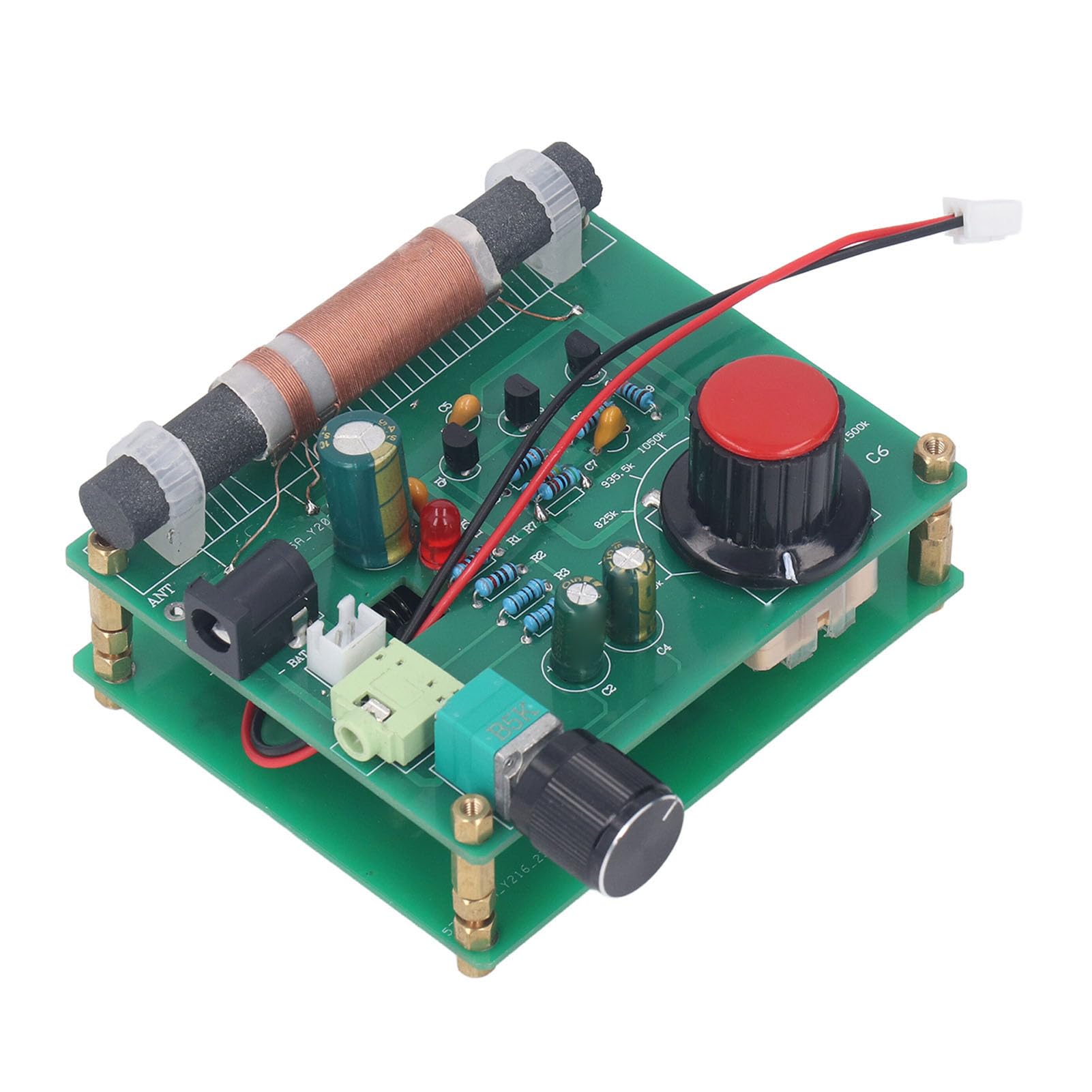
Image 3: Detailed view of the transmitter board, showing the audio input and frequency adjustment knob.

Image 4: The compact AM transmitter being used to broadcast to a car radio.
6. Maintenance
To ensure the longevity and optimal performance of your AM Transmitter:
- Keep the device clean and free from dust. Use a soft, dry cloth for cleaning.
- Store the transmitter in a dry environment, away from direct sunlight and extreme temperatures.
- If using batteries, remove them if the device will not be used for an extended period.
7. Troubleshooting
If you encounter issues with your AM Transmitter, refer to the following common problems and solutions:
- No Power / LED Not Lit:
- Check battery installation and ensure batteries are charged.
- Verify the external DC power supply connection and ensure it provides 5-12V.
- No Audio Transmission:
- Confirm the audio source is properly connected to the 3.5mm input.
- Ensure the audio source is playing and its volume is adequate.
- Verify that your AM radio receiver is tuned to the exact frequency set on the transmitter.
- Check the distance between the transmitter and receiver; for low power transmission, an effective distance of about 5 meters is typical.
- Poor Signal Quality / Static:
- Adjust the frequency slightly on both the transmitter and receiver to find a clearer channel.
- Reduce the distance between the transmitter and receiver.
- Ensure there are no major obstructions or sources of interference between the devices.
8. Specifications
| Item Type | AM Transmitter |
| Material | PCB, Brass |
| Amplitude Modulation Frequency Range | 600KHz-1500KHz |
| Headphone Interface Specification | 3.5mm |
| Power Supply Voltage | 5-12V |
| Power Supply Options | 2 x AA lithium battery (not included), External DC socket |
| Connectivity Technology | AUX |
| Manufacturer | CUIFATI |
9. Warranty Information
This Cuifati Compact AM Transmitter is covered by a manufacturer's warranty for 90 days from the date of purchase. This warranty covers defects in materials and workmanship under normal use. Please retain your proof of purchase for warranty claims.
10. Customer Support
For technical assistance, troubleshooting not covered in this manual, or warranty inquiries, please contact Cuifati customer service. Refer to your purchase documentation or the retailer's website for specific contact details.