
1. Product Overview
The Roinvou Android 15 Radio is a 9-inch car stereo system designed for Nissan Murano models from 2008 to 2014. It features a 1280x720 HD capacitive touch screen, offering a clear visual experience. This unit supports wireless CarPlay and Android Auto, allowing seamless smartphone integration for navigation, music, and communication. Advanced audio features include a 32-band EQ for sound customization and FM/RDS radio. Additional functionalities include GPS navigation, Bluetooth 5.0, Wi-Fi connectivity, and support for a backup camera and steering wheel controls.

Figure 1.1: Roinvou Android 15 Radio installed in a Nissan Murano dashboard.
2. Installation Guide
2.1 Vehicle Compatibility
This car radio stereo is specifically designed for Nissan Murano models manufactured between 2008 and 2014. Before installation, verify your vehicle's model and year. If unsure, consult with a professional installer or contact customer support with your car's details and a dashboard picture.
2.2 Wiring Connections
Proper wiring is crucial for the functionality of your Roinvou Android 15 Radio. Refer to the following diagrams for connecting the main power, USB, camera, radio antenna, and GPS antenna.

Figure 2.1: Wiring Port Diagram. Connect the Power Cable, RCA Cable, USB Cable, Camera Input, Radio Antenna, and GPS Antenna to their respective ports.
2.3 Reversing Camera and CANBUS Wiring
For optimal performance, ensure the reverse input cable is connected, even if a reverse camera is not immediately used, as it can affect Bluetooth and Wi-Fi signal reception.

Figure 2.2: Reversing Camera Wiring. Connect the Red Cable (1) to the positive terminal of the car's reverse light cable and the Black Cable (2) to the negative terminal. The other two red extension cables (3 and 4) are not always required.
CANBUS Decoder Instructions:
- Without CANBUS Decoder: Connect the plugs or steering wheel control wires (Key1/Key2) in the power cable to the corresponding port or wire of your original car. Then, navigate to "SteeringWheel Key" in the settings to manually match and activate the button functions.
- With CANBUS Decoder: Connect the CANBUS before powering on the machine. Then, follow this path: Apps > Settings > Factory Settings (password: 8888 or 8317) > Vehicle > Automotive type. Select the brand of the CANBUS decoder and the matching model and year according to your specific situation to ensure Steering Wheel Control (SWC) works correctly.
3. Operating Instructions
This section details the operation of various features of your Roinvou Android 15 Radio. The unit features a responsive 9-inch 1280x720 HD capacitive touch screen for intuitive control.

Figure 3.1: Visual representation of the Roinvou Android 15 Radio installed in a Nissan Murano, showing the modern interface.
3.1 Wireless CarPlay & Android Auto
Connect your smartphone wirelessly via Bluetooth to access CarPlay or Android Auto. Once connected, your phone will automatically link to the stereo upon entering the vehicle. This allows for easy access to phone calls, music, GPS navigation, and voice assistant functions for app control.

Figure 3.2: Wireless CarPlay and Android Auto interfaces displayed on the Roinvou Android 15 Radio.
3.2 Bluetooth 5.0 Connectivity
The unit features Bluetooth 5.0 for stable and fast wireless connections. Use it for hands-free calling, audio streaming, and connecting to other Bluetooth-enabled devices.

Figure 3.3: Bluetooth 5.0 interface for calls and music streaming.
3.3 FM/RDS Radio
Enjoy clear radio reception with the built-in FM/RDS tuner. Preset your favorite stations and receive real-time traffic and weather updates via RDS.

Figure 3.4: FM/RDS Radio interface with station presets.
3.4 32-Band EQ Settings
Customize your audio experience with the 32-band equalizer. Adjust sound frequencies to compensate for original speaker limitations and achieve optimal lossless sound quality.

Figure 3.5: 32-Band Equalizer interface for fine-tuning audio output.
3.5 GPS Navigation & Wi-Fi
The unit includes built-in GPS navigation. Download offline maps from the Play Store, or use online maps when connected to Wi-Fi. The system supports 5G Wi-Fi for fast internet access.

Figure 3.6: GPS Navigation interface and Wi-Fi connectivity options.
3.6 Mirror Link Function
Synchronize your Android or iOS smartphone screen to the car stereo display using the Mirror Link function. This allows you to view your phone's content on the larger screen.
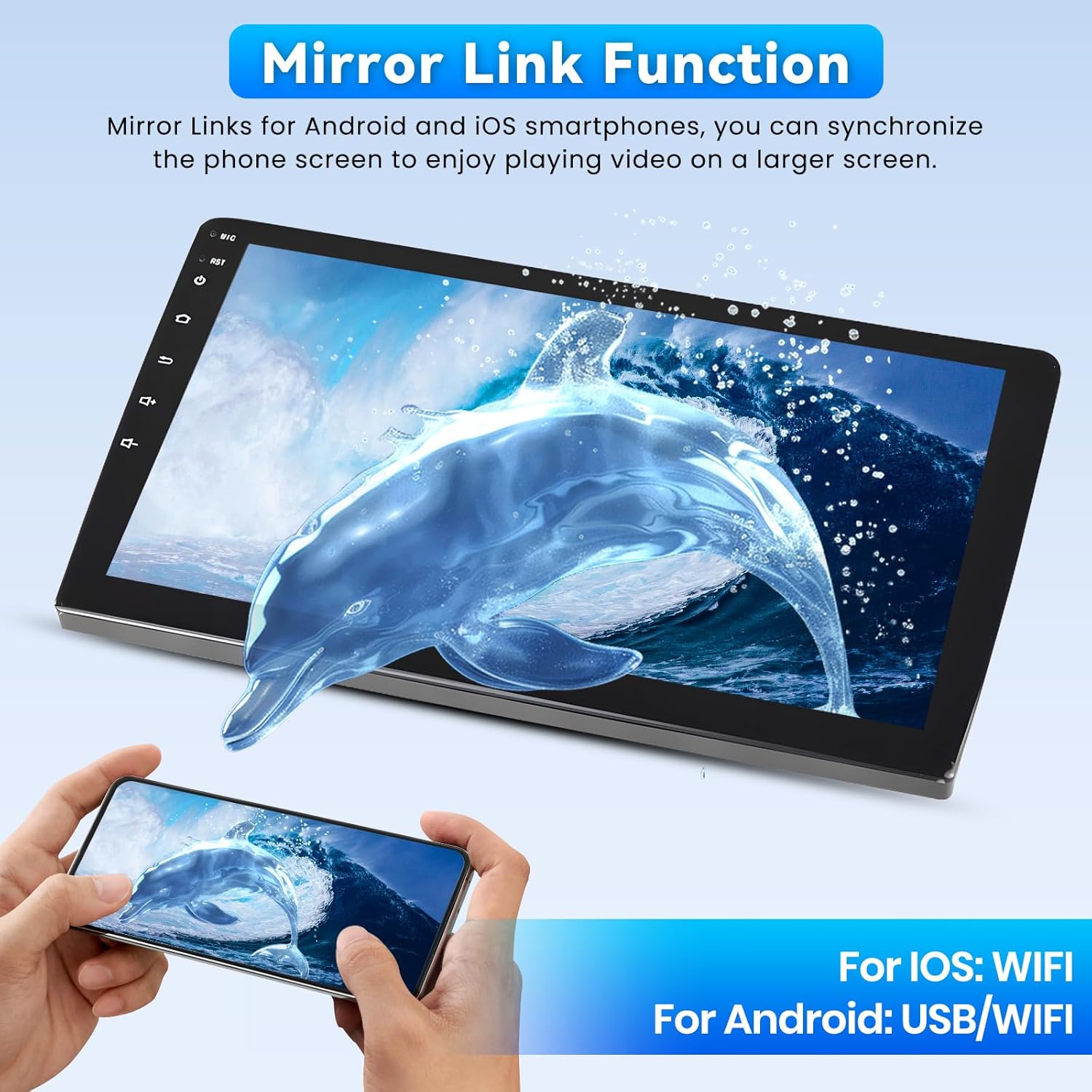
Figure 3.7: Mirror Link in action, showing a smartphone screen duplicated on the car stereo.
3.7 Split Screen and Shortcuts
Utilize the split-screen feature to run two applications simultaneously. Create custom shortcuts for quick access to frequently used functions.

Figure 3.8: Split-screen view and customizable shortcuts on the home page.
3.8 Backup Camera & Steering Wheel Control
The radio screen automatically displays the backup camera image when shifting into reverse gear, enhancing parking safety. The unit also supports existing car steering wheel controls, allowing you to quickly switch functions without taking your hands off the wheel.

Figure 3.9: Steering wheel controls and AHD backup camera display.
3.9 Functionality Demonstration Video
Watch this video for a comprehensive demonstration of the Roinvou Android 15 Radio's features, including navigation settings, music playback, audio adjustments, Bluetooth calls, radio, video playback, car information, web browsing, file management, and app usage. It also covers CarPlay and Android Auto connection procedures.
Video 3.1: Detailed demonstration of the Roinvou Android 15 Radio's user interface and core functions.
3.10 Wireless Car Stereo Overview Video
This video provides an overview of the wireless car stereo, highlighting its physical features, internal components like the smart chip and independent Bluetooth module, RCA outputs, touchscreen capabilities, sound field adjustment, dashcam integration, reversing image assistant, wireless CarPlay/Android Auto, smart voice control, steering wheel control support, FM/AM radio, charging features, and wired mirror link.
Video 3.2: Overview of the Roinvou wireless car stereo's features and design.
4. Maintenance
To ensure the longevity and optimal performance of your Roinvou Android 15 Radio, follow these general maintenance guidelines:
- Cleaning: Use a soft, dry cloth to clean the screen and exterior. Avoid abrasive cleaners or solvents that could damage the display or finish.
- Software Updates: Periodically check for and install software updates to ensure the system runs efficiently and has the latest features and security patches.
- Environmental Conditions: Avoid exposing the unit to extreme temperatures, direct sunlight for prolonged periods, or excessive moisture.
- Cable Connections: Ensure all cables are securely connected to prevent intermittent issues.
5. Troubleshooting
If you encounter any issues with your Roinvou Android 15 Radio, consider the following basic troubleshooting steps:
- No Power: Check all power connections and ensure the vehicle's ignition is on. Verify the fuse.
- No Sound: Check volume levels, audio settings (EQ, balance), and speaker connections. Ensure the correct audio source is selected.
- Bluetooth/CarPlay/Android Auto Connection Issues: Ensure Bluetooth is enabled on both the stereo and your phone. Try forgetting the device on both ends and re-pairing. For Android Auto, ensure USB debugging is enabled on your phone if using a wired connection.
- GPS Not Working: Ensure the GPS antenna is properly installed and has a clear view of the sky. Check GPS settings in the unit.
- Touch Screen Unresponsive: Try restarting the unit. If the issue persists, a factory reset might be necessary (note: this will erase all user data).
- Backup Camera Not Displaying: Verify the camera's power and video connections. Ensure the reverse input cable is correctly connected.
For persistent issues, refer to the detailed troubleshooting section in the full manual (if available) or contact Roinvou customer support.
6. Specifications
| Feature | Specification |
|---|---|
| Operating System | Android |
| Display Size | 9 Inches |
| Resolution | 1280*720 |
| Connectivity Technology | Bluetooth, USB, Wi-Fi |
| Special Features | Latest Android System, Wireless CarPlay, Wireless Android Auto, Mirror Link, Bluetooth 5.0, Touchscreen, GPS Navigation, WiFi Connection, FM RDS Radio, Support Reverse Input, Split Screen, EQ Setting, SWC |
| Audio Output Mode | Stereo |
| Mounting Type | Dashboard Mount |
| Item Weight | 5.94 pounds |
| Package Dimensions | 17.72 x 7.87 x 5.91 inches |
| Map Type | North America |
| Voice Command | Touchscreen |
7. What's in the Box
The Roinvou Android 15 Radio package includes the following components:
- Nissan Murano Car Stereo Unit
- 2 x Power Cables
- 1 x CCD Cable
- 1 x CVBS Out Cable
- 1 x Video Output Line
- 1 x Canbus
- 2 x RCA Harnesses
- 1 x GPS Antenna
- 1 x AHD Backup Camera
- 1 x External Microphone
- 1 x Rear Camera Input Cable
- 3 x USB Cables
- 1 x Installation Tool

Figure 7.1: All components included in the Roinvou Android 15 Radio package.
8. Warranty and Support
8.1 Warranty Information
The Roinvou Android 15 Radio comes with a 1-Year Warranty from the date of purchase. Please retain your proof of purchase for warranty claims.
8.2 Customer Support
For any questions, technical assistance, or support, please contact Roinvou customer service. You can typically find contact information on the seller's store page or through the platform where you purchased the product.

Figure 8.1: Customer support contact information.