
LE-IDEA IDEA36LCD
LE-IDEA IDEA36LCD GPS Drone User Manual
Model: IDEA36LCD
1. Introduction
Welcome to the LE-IDEA IDEA36LCD GPS Drone user manual. This document provides essential information for the safe and effective operation of your new drone. The LE-IDEA IDEA36LCD is a high-performance quadcopter equipped with a 4K camera, 5G WiFi FPV transmission, brushless motors, and advanced positioning systems. Please read this manual thoroughly before your first flight to ensure proper setup, operation, and maintenance.
2. Package Contents
Verify that all items listed below are included in your package. If any items are missing or damaged, please contact customer support.
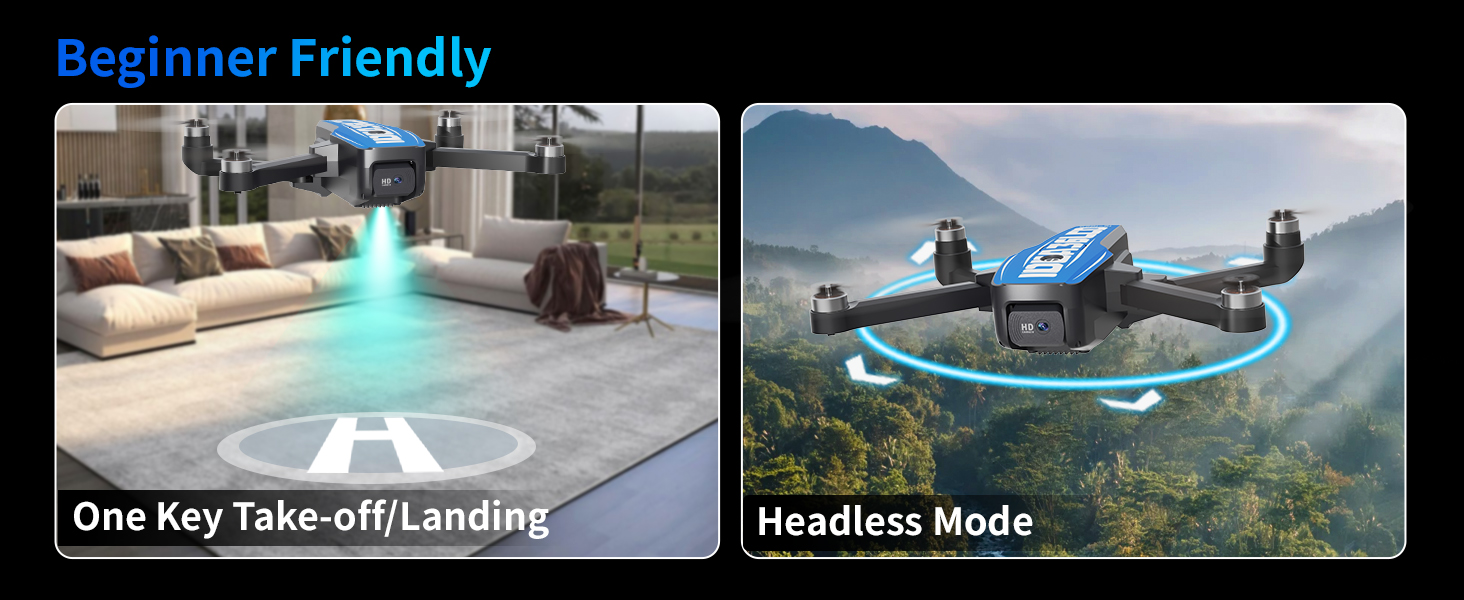
Image: All components included in the LE-IDEA IDEA36LCD drone package.
- 1x IDEA36LCD Drone
- 1x 4.5-inch Screen Remote Control
- 1x Modular Battery
- 4x Propeller (Spare)
- 1x Screwdriver
- 1x Type-C Charging Cable
- 1x Instruction Manual
- 1x Carrying Case
3. Product Overview
The LE-IDEA IDEA36LCD drone is designed for both beginners and experienced pilots, offering a range of features for an enhanced flight and photography experience.
3.1 Key Features
- 4K HD Camera: Equipped with a 45° electric adjustable camera for high-resolution aerial photography and video.
- 5G WiFi FPV Transmission: Provides real-time image feedback with low latency for an immersive first-person view.
- Brushless Motors: Ensures stable flight, strong wind resistance (up to level 3), and quiet operation.
- 4.5-inch LCD Screen Controller: Displays real-time flight data and camera views directly on the remote control, eliminating the need for a smartphone during flight.
- 32GB SD Card Support: Built-in slot for recording 4K videos and high-resolution photos directly to an SD card (up to 32GB).
- Optical Flow & GPS Dual Positioning: Achieves centimeter-level indoor hovering with optical flow and precise outdoor positioning with GPS.
- Intelligent Return Functions: Includes One-Key Return, Signal Loss Return, and Low Power Return for enhanced safety.
- Diverse Flight Functions: Features One-Key Takeoff/Landing, Headless Mode, Follow Me, Waypoint Flight, and Circle Flight.
- Foldable Design: Lightweight and portable for easy transport.
3.2 Drone and Remote Control

Image: The LE-IDEA IDEA36LCD drone and its dedicated remote control.
The drone features a sleek, foldable design with four powerful brushless motors. The remote control is ergonomically designed with a built-in 4.5-inch LCD screen for direct viewing of flight data and camera feed.
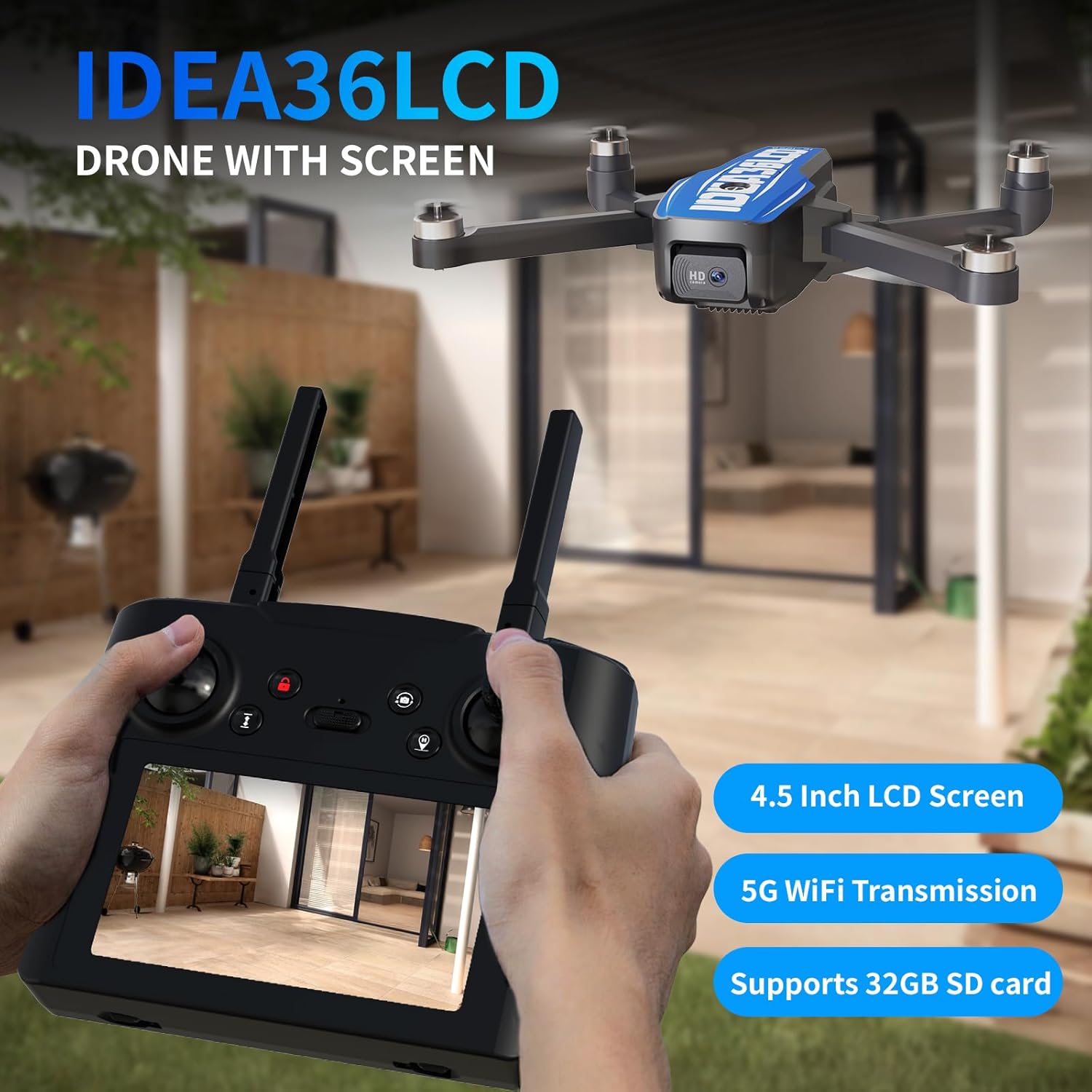
Image: The remote control with its integrated 4.5-inch LCD screen, showing a live camera view.
4. Setup
4.1 Charging the Battery
The drone is powered by a 2500mAh modular battery. Ensure the battery is fully charged before each flight.
- Connect the Type-C charging cable to the battery.
- Plug the other end of the cable into a USB power adapter (not included).
- The charging indicator on the battery will show its status. A full charge typically takes approximately 2-3 hours.
- Once fully charged, disconnect the battery.
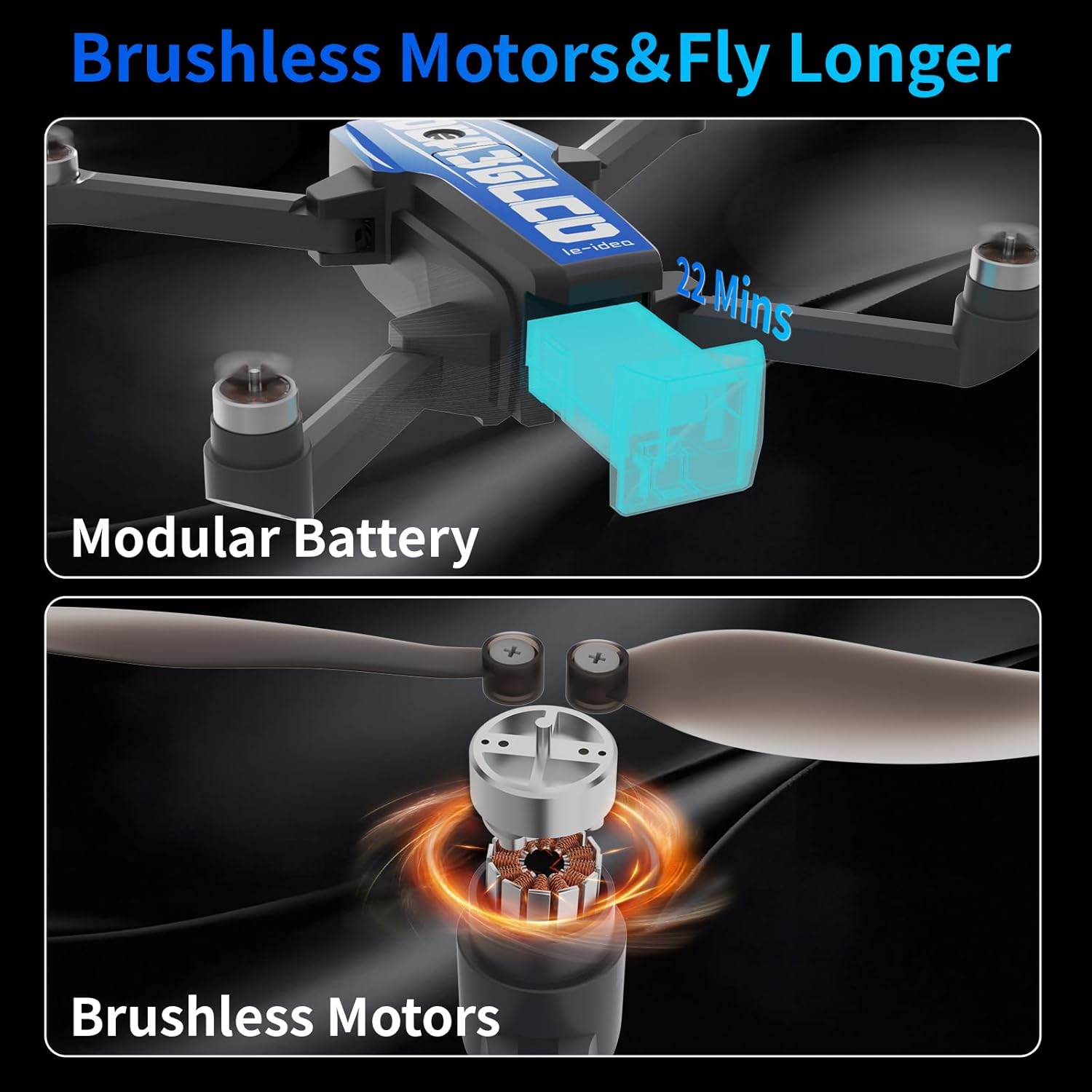
Image: Illustration of the modular battery and brushless motors, highlighting the 22-minute flight time.
4.2 Propeller Installation
The propellers are crucial for flight. Ensure they are installed correctly and securely.
- Identify the 'A' and 'B' marked propellers and their corresponding motor arms.
- Attach each propeller to its designated motor shaft, ensuring a snug fit.
- Use the provided screwdriver to secure the propellers with the small screws.
- Verify that all propellers spin freely without obstruction.
4.3 Remote Control Preparation
Insert batteries into the remote control and power it on.
- Open the battery compartment on the back of the remote control.
- Insert the required batteries (check specifications for type, usually AA).
- Close the battery compartment.
- Press the power button to turn on the remote control.
4.4 Pairing the Drone and Remote Control
Follow these steps to establish a connection between the drone and the remote control.
- Place the drone on a flat, level surface.
- Power on the drone. The indicator lights will flash.
- Power on the remote control.
- Push the left joystick up and then down to complete the pairing process. The drone lights will become solid, indicating a successful connection.
- Perform gyroscope calibration by pushing both joysticks to the bottom-left or bottom-right corners (refer to specific remote control diagram in the quick start guide for exact motion).
5. Operating Instructions
5.1 Basic Flight Controls
Familiarize yourself with the basic flight controls before attempting advanced maneuvers.
- One-Key Takeoff/Landing: Press the dedicated button to automatically take off or land the drone.
- Altitude Hold: The drone maintains a stable altitude, allowing for easier control of horizontal movement.
- Headless Mode: In this mode, the drone's orientation is relative to the pilot, simplifying control regardless of the drone's front direction.

Image: Visual guide for One Key Start/Land, Altitude Hold, and Headless Mode.
5.2 Advanced Flight Functions
The IDEA36LCD offers several intelligent flight modes for creative aerial photography and dynamic flight experiences.
- Follow Me: The drone will automatically track and follow the remote control (or a designated subject if using an app, refer to app instructions).
- Waypoint Flight: Draw a custom flight path on the app (if applicable) or set waypoints, and the drone will follow the pre-programmed route.
- Circle Flight: The drone will fly in a circular path around a designated point or the remote control.

Image: Depiction of advanced flight functions: Follow Me, Waypoint Flight, and Circle Flight.
5.3 Intelligent Return Functions
These features ensure the drone's safe return to its takeoff point.
- One-Key Return: Press the return button, and the drone will automatically fly back to its recorded home point.
- Signal Loss Return: If the connection between the drone and remote control is lost, the drone will automatically initiate a return to home.
- Low Power Return: When the drone's battery level is critically low, it will automatically return to its home point to prevent a crash.

Image: The drone utilizing GPS for intelligent return functions.
5.4 Camera Operation
The 4K HD camera captures high-quality photos and videos.
- Adjusting Camera Angle: Use the dedicated button or dial on the remote control to adjust the camera's tilt angle (45° electric adjustment).
- Taking Photos: Press the photo button on the remote control. Images will be saved to the inserted SD card.
- Recording Videos: Press the video button on the remote control to start/stop recording. Videos will be saved to the inserted SD card.
- SD Card: Ensure a 32GB SD card is inserted into the drone's slot for recording.

Image: Demonstration of the 4K UHD camera's clarity and dual camera capability.
6. Safety Guidelines
Adhering to safety guidelines is crucial for preventing accidents and ensuring a pleasant flight experience.
- Pre-Flight Check: Always inspect the drone, propellers, and battery before each flight.
- Environmental Conditions: Avoid flying in strong winds, rain, snow, or fog. Maintain clear line of sight.
- Flight Area: Fly in open areas, away from people, animals, buildings, and power lines. Do not fly near airports or restricted airspace.
- Battery Safety: Use only approved chargers and batteries. Do not overcharge or puncture batteries.
- Respect Privacy: Be mindful of privacy laws when using the camera.
- Age Recommendation: This drone is intended for adults and experienced users.
7. Maintenance
Regular maintenance helps prolong the lifespan and performance of your drone.
- Cleaning: Gently wipe the drone and remote control with a soft, dry cloth after use. Avoid water or harsh chemicals.
- Propeller Inspection: Regularly check propellers for cracks, bends, or damage. Replace damaged propellers immediately using the provided spares.
- Motor Care: The brushless motors require minimal maintenance. Keep them free from dust and debris.
- Storage: Store the drone and its components in a cool, dry place, away from direct sunlight and extreme temperatures. Ensure batteries are partially charged (around 50%) for long-term storage.
8. Troubleshooting
This section addresses common issues you might encounter.
| Problem | Possible Cause | Solution |
|---|---|---|
| Drone does not power on. | Battery not charged or incorrectly inserted. | Ensure battery is fully charged and correctly inserted. |
| Remote control does not connect to drone. | Not paired correctly; drone/remote too far apart; interference. | Re-pair the drone and remote control. Ensure they are close during pairing. Avoid areas with strong signal interference. |
| Drone drifts during flight. | Gyroscope not calibrated; uneven takeoff surface; wind interference. | Perform gyroscope calibration on a flat surface. Fly in calm conditions. |
| Poor camera image quality or no video feed. | SD card issues; 5G WiFi interference; camera lens dirty. | Ensure SD card is correctly inserted and formatted. Clean camera lens. Fly in an area with minimal 5G WiFi interference. |
| Drone does not respond to controls. | Low battery on drone or remote; out of range; signal interference. | Check battery levels. Fly within operational range. Move to an area with less interference. |
If you encounter issues not listed here or require further assistance, please refer to the customer support section.
9. Specifications
Detailed technical specifications for the LE-IDEA IDEA36LCD drone.
| Feature | Detail |
|---|---|
| Brand | LE-IDEA |
| Model Name | IDEA36LCD |
| Video Capture Resolution | 4K |
| Connectivity Technology | Wi-Fi (5G) |
| Battery Capacity | 2500 Milliamp Hours (Li-Po) |
| Flight Time | Approximately 22 minutes |
| Control Type | Remote Control with 4.5-inch LCD Screen |
| Material | Plastic |
| Product Dimensions | 22.5"L x 18.5"W x 5.5"H |
| Item Weight | 2.35 pounds |
| Optical Sensor Technology | CMOS |
| Max SD Card Support | 32GB |
10. Warranty and Customer Support
LE-IDEA is committed to providing quality products and excellent customer service.
10.1 Warranty Information
Please refer to the warranty card included in your package or visit the official LE-IDEA website for detailed warranty terms and conditions. The warranty typically covers manufacturing defects for a specified period from the date of purchase.
10.2 Customer Support
If you encounter any problems during drone operation, debugging, function settings, or equipment maintenance, the LE-IDEA professional support team is available to assist you.
- Contact Information: Please find the most up-to-date contact details (email, phone, website) on the LE-IDEA official website or in your product packaging.
- Online Resources: Check the LE-IDEA website for FAQs, video tutorials, and software updates.
Related documentsIDEA36LCD

Ask a question about this manual
Ask about setup, troubleshooting, compatibility, parts, safety, or missing instructions. Manuals+ will review the question and use this page’s manual context to help answer it.