
Introduction
This manual provides detailed instructions for the safe and effective use of your Yacumx Electric Sourdough Starter Kit. Please read this manual thoroughly before operating the device and retain it for future reference.
Product Overview
The Yacumx Electric Sourdough Starter Kit is designed to provide a controlled environment for dough proofing and fermentation. It features an electric heating element with temperature control and a timer, housed within a foldable silicone bowl. This kit includes essential tools for sourdough baking.
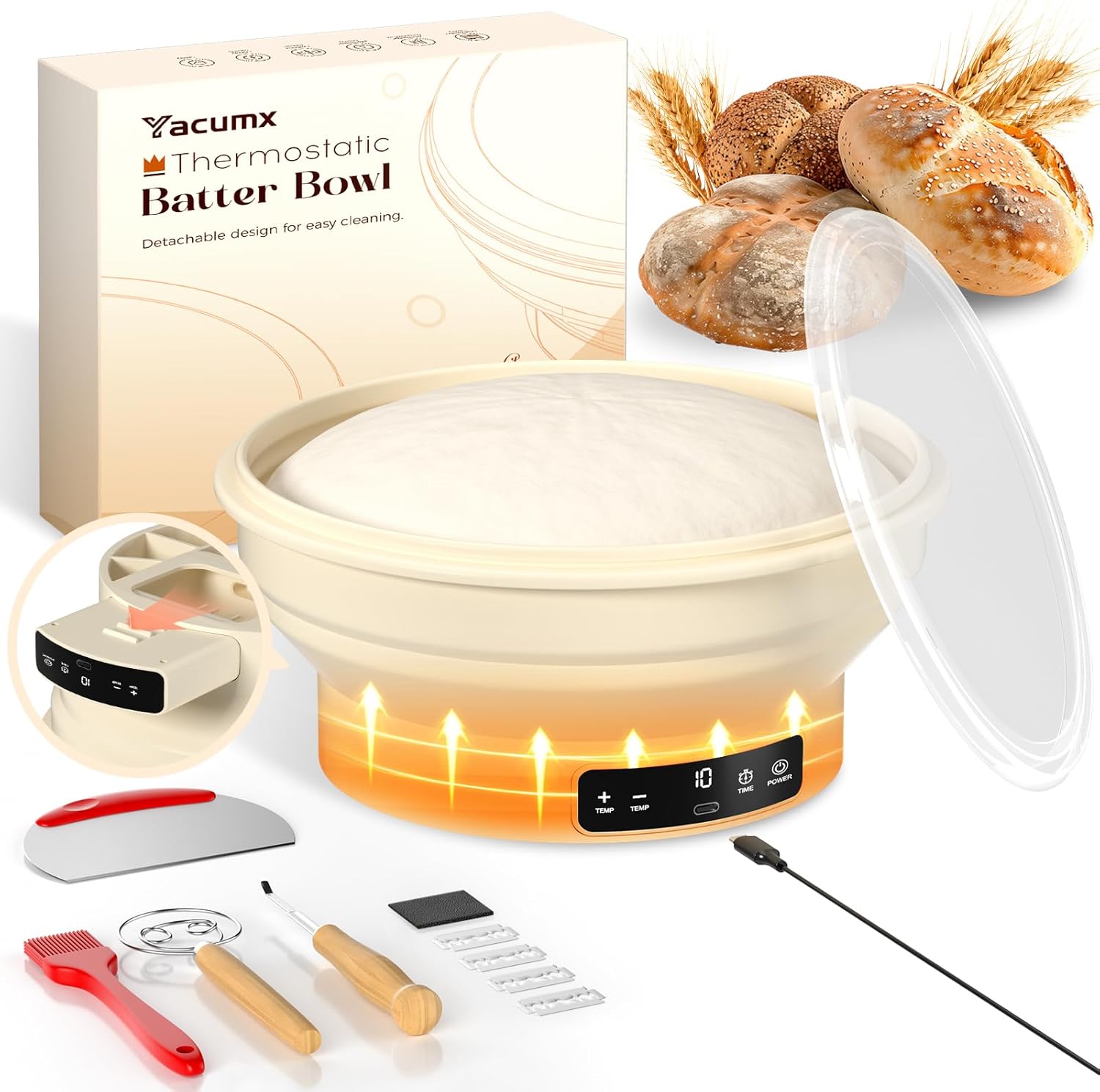
Image: The Yacumx Electric Sourdough Starter Kit, showcasing the main bowl, lid, and various included accessories.
Package Contents
Verify that all items listed below are present in your package:
- Electric Silicone Proofing Bowl (9-inch / 2L capacity)
- Silicone Bowl Cover
- Dough Whisk
- Silicone Brush
- Dough Scraper
- Bread Lame with 5 Blades
- USB Power Cable
- Instruction Manual
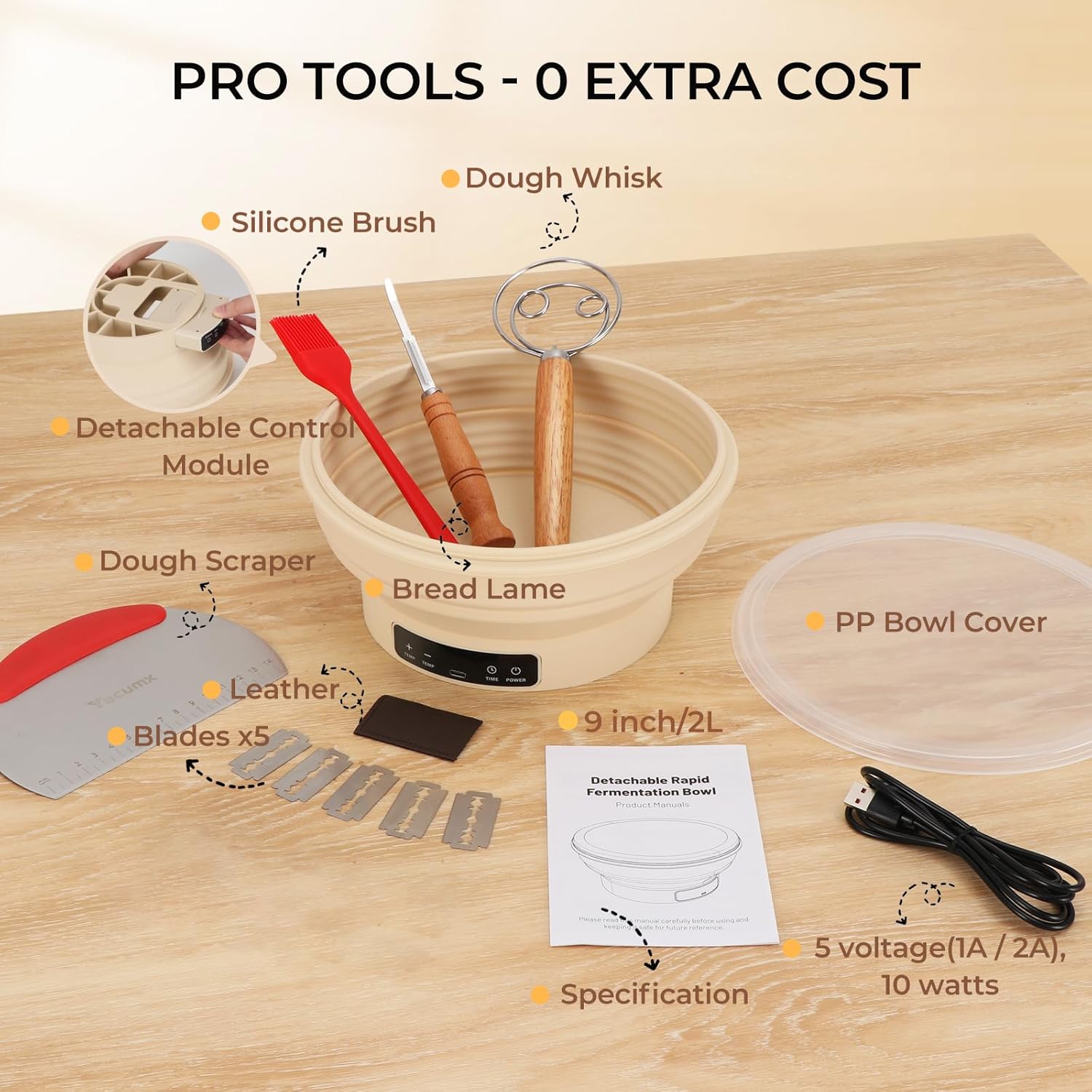
Image: A visual representation of all items included in the Yacumx Electric Sourdough Starter Kit, such as the bowl, lid, whisk, brush, scraper, and lame.
Important Safety Instructions
To reduce the risk of fire, electric shock, or injury, always follow these basic safety precautions:
- Read all instructions before use.
- Do not immerse the electrical control module in water or other liquids.
- Ensure the power cable is securely connected and not damaged.
- Keep out of reach of children.
- Use only with the provided USB power cable and a compatible power adapter (not included).
- Do not operate if the device or cable appears damaged.
- Unplug the device when not in use and before cleaning.
- Use on a stable, heat-resistant surface.
- The silicone bowl is food-grade; however, ensure it is clean before each use.
- Exercise caution when handling the bread lame blades as they are sharp.
Setup Guide
- Unpack Components: Carefully remove all items from the packaging.
- Inspect: Check all components for any signs of damage.
- Clean: Before first use, wash the silicone bowl, lid, and all accessories with warm soapy water. Rinse thoroughly and dry completely. The electrical control module should only be wiped clean with a damp cloth.
- Assemble: Ensure the detachable control module is securely attached to the base of the silicone bowl.
- Connect Power: Plug the USB power cable into the control module and connect the other end to a compatible 5V (1A/2A) USB power source.
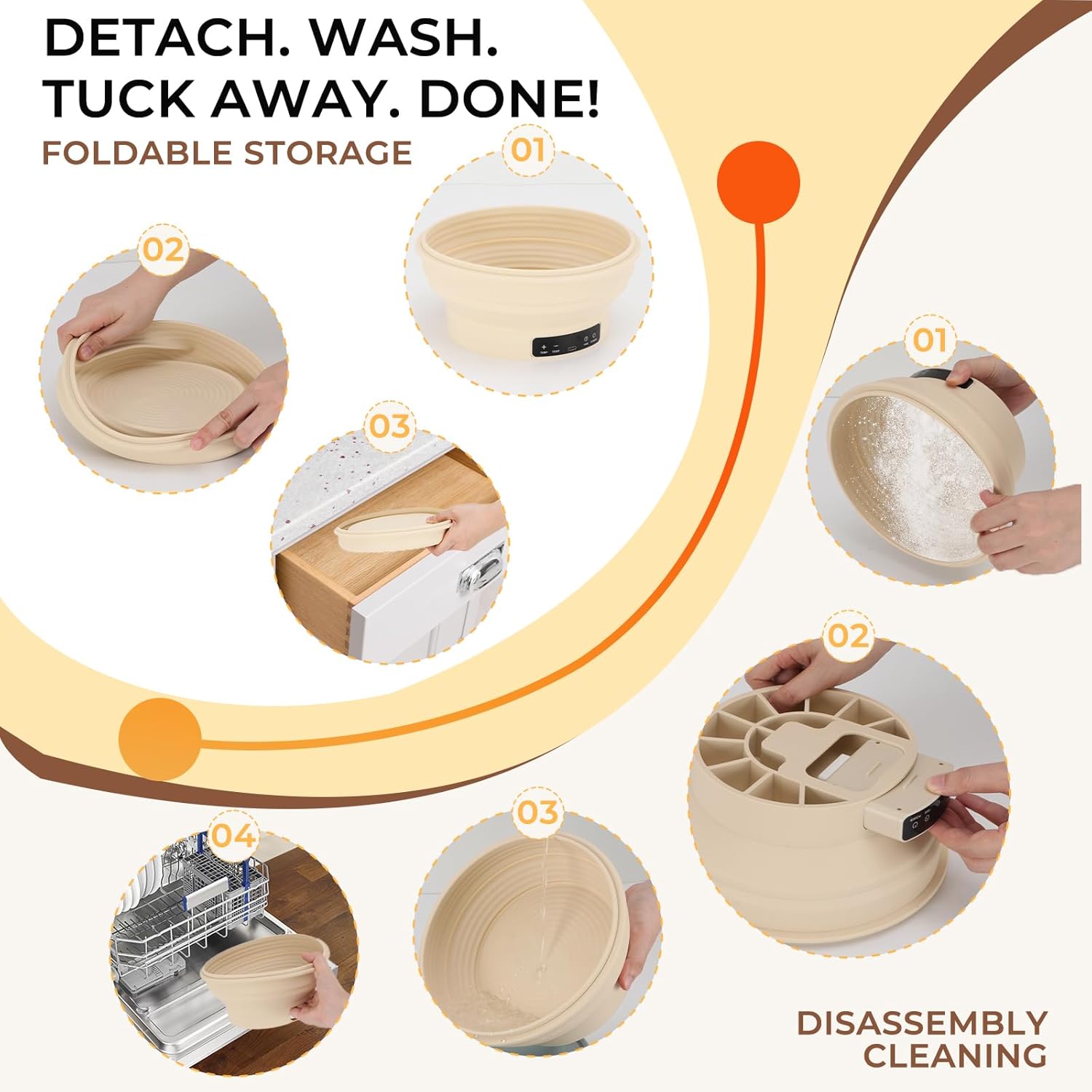
Image: Close-up view of the detachable control module and the USB power port on the Yacumx proofing bowl.
Operating Instructions
The Yacumx Electric Sourdough Starter Kit offers precise temperature and time control for optimal fermentation.
Control Panel Functions:
- POWER Button: Press to turn the device ON/OFF.
- TEMP Buttons (+/-): Use to adjust the desired temperature.
- TIMER Button: Press to set the operating time.
Setting Temperature and Time:
- Power On: Press the POWER button. The display will illuminate.
- Select Temperature: Use the TEMP + or - buttons to cycle through the available temperature settings: 77°F (25°C), 86°F (30°C), 95°F (35°C), 104°F (40°C), 113°F (45°C), 122°F (50°C). The selected temperature will be displayed.
- Set Timer: Press the TIMER button. Use the TEMP + or - buttons to set the desired operating time from 1 to 6 hours. Each press increases/decreases the time by one hour.
- Start Operation: Once temperature and time are set, the device will begin heating. The display will show the remaining time.
- Monitoring: The device will maintain the set temperature for the duration of the timer.
- Completion: When the timer expires, the device will automatically turn off.
Typical Applications:
- Sourdough Fermentation (Slow): Set to 77°F (25°C) for extended, slow fermentation.
- Bread Proofing: Set between 86°F (30°C) and 95°F (35°C) for optimal dough rise.
- Yogurt Making: Set between 104°F (40°C) and 122°F (50°C) for culturing yogurt.
- Chocolate Tempering: Set between 104°F (40°C) and 122°F (50°C) for precise chocolate melting and tempering.

Image: The Yacumx proofing bowl demonstrating its versatility for different applications, including sourdough fermentation, bread proofing, yogurt making, and chocolate tempering, each with recommended temperature ranges.
Maintenance and Cleaning
Regular cleaning and proper maintenance will ensure the longevity and hygiene of your Yacumx Electric Sourdough Starter Kit.
- Disconnect Power: Always unplug the USB power cable from the control module before cleaning.
- Detach Control Module: Gently detach the electrical control module from the silicone bowl.
- Silicone Bowl and Lid: The silicone bowl and lid are dishwasher safe. Alternatively, wash them by hand with warm soapy water, rinse thoroughly, and allow to air dry completely before reassembly or storage.
- Control Module: Wipe the control module with a damp cloth. Do not immerse it in water or place it in a dishwasher. Ensure it is completely dry before reattaching it to the bowl.
- Accessories: Wash the dough whisk, silicone brush, and dough scraper with warm soapy water. Rinse and dry. Store the bread lame blades safely.
- Storage: The silicone bowl is foldable for compact storage. Once clean and dry, gently collapse the bowl and store it in a dry place.

Image: A step-by-step guide illustrating how to detach the control module, clean the silicone bowl, and fold it for compact storage.
Troubleshooting
If you encounter any issues with your Yacumx Electric Sourdough Starter Kit, please refer to the following common problems and solutions:
| Problem | Possible Cause | Solution |
|---|---|---|
| Device does not power on. | No power supply or loose connection. | Ensure the USB cable is securely plugged into both the control module and a working power source. Try a different USB port or adapter. |
| Device heats inconsistently or not at all. | Incorrect temperature setting or faulty connection. | Verify the temperature setting on the control panel. Ensure the control module is firmly attached to the bowl. |
| Dough is not rising as expected. | Incorrect temperature, insufficient time, or issues with yeast/starter. | Confirm the temperature and timer settings are appropriate for your recipe. Check the viability of your sourdough starter or yeast. Ensure the lid is properly sealed to maintain warmth. |
| Control panel display is not working. | Power issue or internal malfunction. | Check power connection. If the issue persists after checking power, contact customer support. |
Specifications
- Model: ZC-640
- Brand: Yacumx
- Material: Food-Grade Silicone
- Color: Cream White
- Shape: Round
- Product Dimensions: 9.25"D x 9.25"W x 4.13"H (23.5 cm D x 23.5 cm W x 10.5 cm H)
- Capacity: 2 Liters (approx. 9-inch diameter)
- Item Weight: 1.27 Pounds (approx. 0.58 kg)
- Temperature Control: 6 preset temperatures (77°F, 86°F, 95°F, 104°F, 113°F, 122°F)
- Timer: 1-6 hours
- Power Input: 5V (1A/2A) USB
- Power Consumption: 10 Watts
- Special Features: Dishwasher Safe (bowl and lid), Foldable, Detachable Control Module
- UPC: 762949886960
Warranty and Customer Support
Yacumx products are manufactured with quality and reliability in mind. For information regarding warranty coverage, please refer to the warranty card included with your purchase or visit the official Yacumx website.
If you have any questions, require technical assistance, or need to report an issue, please contact Yacumx customer support through the retailer's platform or the contact information provided on the product packaging.