
CUBOT CUBOT KingKong Power 5
CUBOT KingKong Power 5 Rugged Phone User Manual
Model: CUBOT KingKong Power 5
Brand: CUBOT
1. Product Overview
The CUBOT KingKong Power 5 is a rugged smartphone designed for durability and extended use in challenging environments. It features a large 15300mAh battery, a 6.88-inch display with a 120Hz refresh rate, and robust protection against water, dust, and drops. This device is equipped with a powerful processor, ample memory, and a versatile camera system, making it suitable for both daily tasks and outdoor adventures.
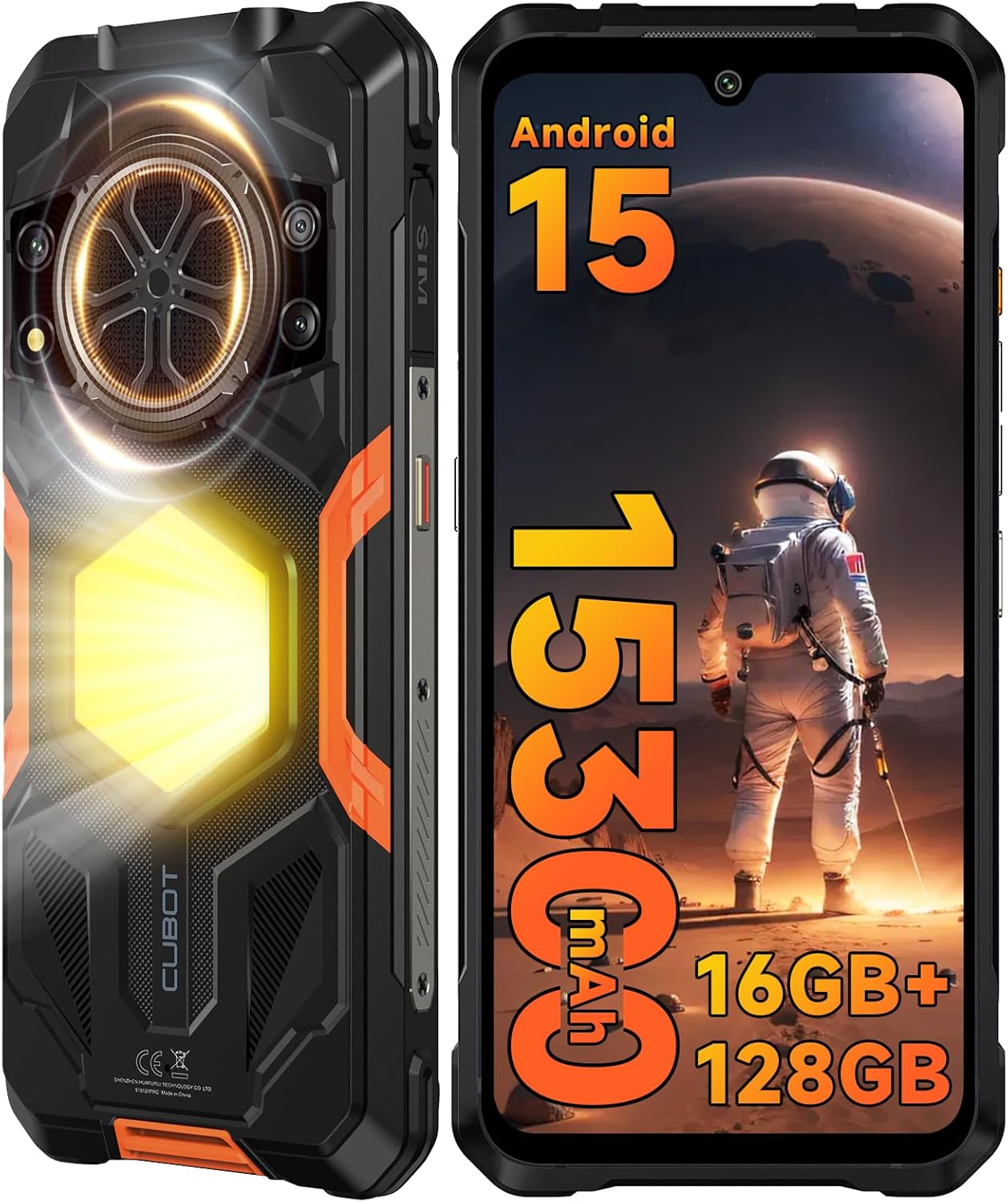
Figure 1.1: Front and back view of the CUBOT KingKong Power 5, highlighting its rugged design and large rear light.
Video 1.1: An overview of the CUBOT KingKong Power 5, showcasing its unboxing and key features like durability, large battery, and powerful speaker.
2. What's in the Box
Upon opening the package, verify that all the following items are included:
- 1x CUBOT KingKong Power 5 Cell Phone
- 1x USB Cable (Type-C)
- 1x PD33W Charger
- 1x Cue card
- 1x User Manual
- 1x Lanyard
- 1x SIM Ejector Tool

Figure 2.1: The CUBOT KingKong Power 5 phone alongside its accessories, including the charger, USB cable, and documentation.
3. Setup
3.1 Inserting SIM Card and TF Card
- Locate the SIM card tray on the side of the phone.
- Use the provided SIM ejector tool to open the tray.
- Carefully place your 4G Dual SIM cards and/or TF card (up to 1TB) into the designated slots. Ensure correct orientation.
- Gently push the tray back into the phone until it clicks into place.
3.2 Powering On/Off
- To power on: Press and hold the Power button (located on the side) until the CUBOT logo appears.
- To power off: Press and hold the Power button, then select "Power off" from the options displayed on the screen.
- To restart: Press and hold the Power button, then select "Restart" from the options.
3.3 Initial Setup
Upon first power-on, the phone will guide you through the initial setup process. This includes selecting your language, connecting to Wi-Fi, setting up your Google account, and configuring security features like Face ID or fingerprint unlock.
4. Operating Instructions
4.1 Basic Functions
- Calls: Tap the Phone icon, dial the number, and press the call button.
- Messages: Tap the Messages icon to compose and send text messages.
- Internet: Connect to Wi-Fi or enable mobile data to browse the internet.
4.2 Display and Navigation
The KingKong Power 5 features a 6.88-inch display with a 120Hz refresh rate for smooth visuals and navigation. The screen is fortified with Corning Gorilla Glass for enhanced durability.

Figure 4.1: The phone's 6.88-inch display demonstrating the smooth 120Hz refresh rate compared to a standard 60Hz display.
4.3 Camera Operation
Capture high-quality photos and videos with the 64MP main camera, 16MP front camera, and 2MP macro camera.
- Open the Camera app.
- Select desired mode (Photo, Video, Macro, etc.).
- Tap the shutter button to capture.
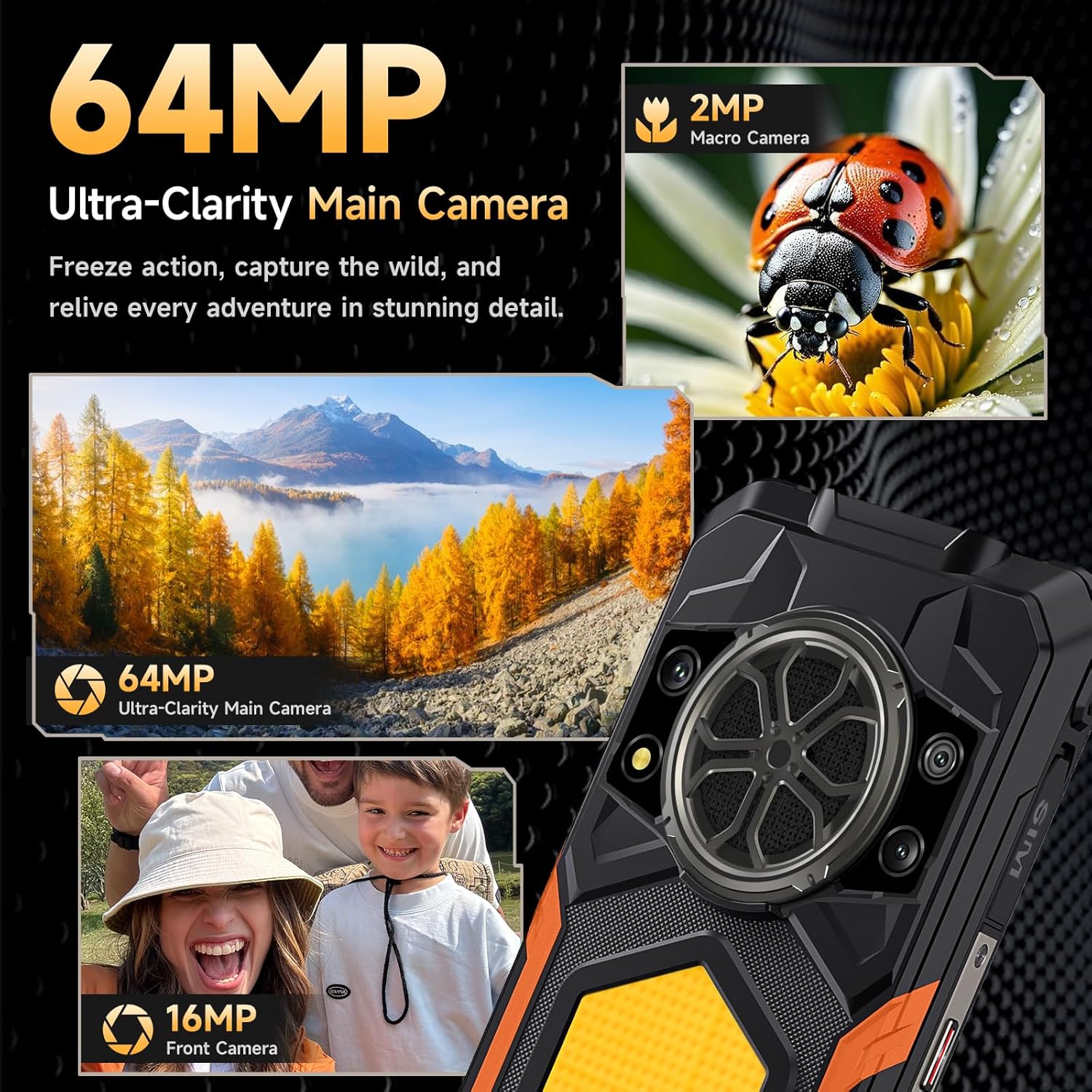
Figure 4.2: Visual representation of the 64MP main camera, 16MP front camera, and 2MP macro camera capabilities.
4.4 Special Features
Camping Light & Dual LED Flashlight
The phone features a powerful 1200 lumens camping light and dual 1000 lumens LED flashlights. The camping light offers adjustable brightness and duration, while the dual LED flashlights can be activated by pressing the side button.

Figure 4.3: The CUBOT KingKong Power 5 showcasing its integrated 1200 lumens camping light and dual LED flashlights for various lighting needs.
Loudspeaker
Equipped with a powerful 5W loudspeaker, the device delivers an impressive 136dB speak loudness, ensuring clear audio even in noisy environments.
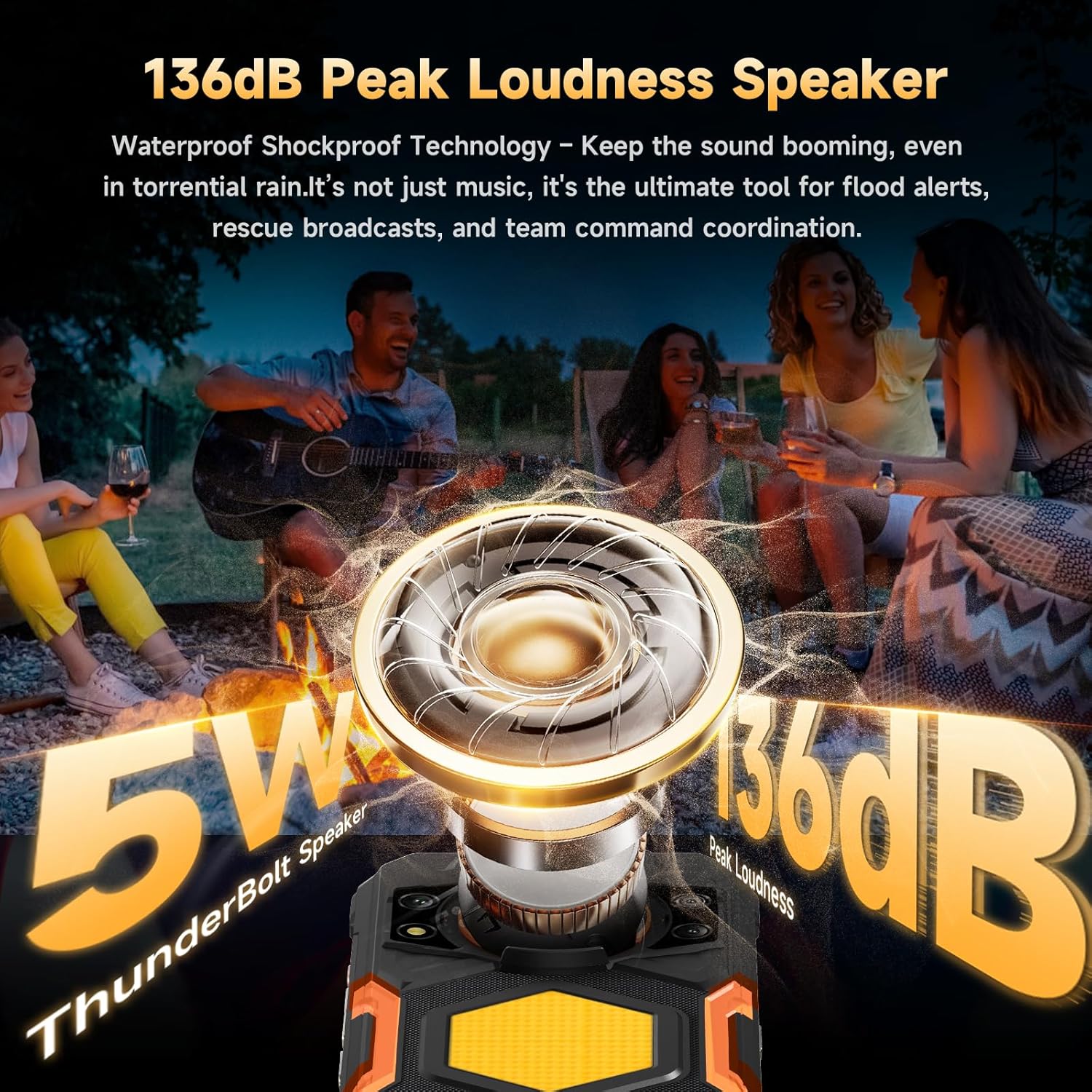
Figure 4.4: Illustration of the CUBOT KingKong Power 5's 136dB peak loudness speaker, designed for clear audio in challenging conditions.
5. Durability Features
The CUBOT KingKong Power 5 is built to withstand harsh conditions, featuring IP68, IP69K, and MIL-STD-810H certifications.
- IP68 Waterproof: Submersible in up to 1.5 meters of water for 30 minutes.
- IP69K Dustproof: Provides complete protection against dust ingress.
- MIL-STD-810H Shockproof: Designed to withstand drops from up to 1.5 meters.

Figure 5.1: The CUBOT KingKong Power 5 highlighting its IP68, IP69K, and MIL-STD-810H certifications for water, dust, and shock resistance.
6. Performance and Storage
The device is powered by an MTK G100 Octa-Core Processor, ensuring smooth performance for multitasking and demanding applications.
- RAM: 16GB (6GB physical + 10GB virtual) for efficient multitasking.
- Internal Storage: 128GB ROM.
- Expandable Storage: Supports up to 1TB via TF card.
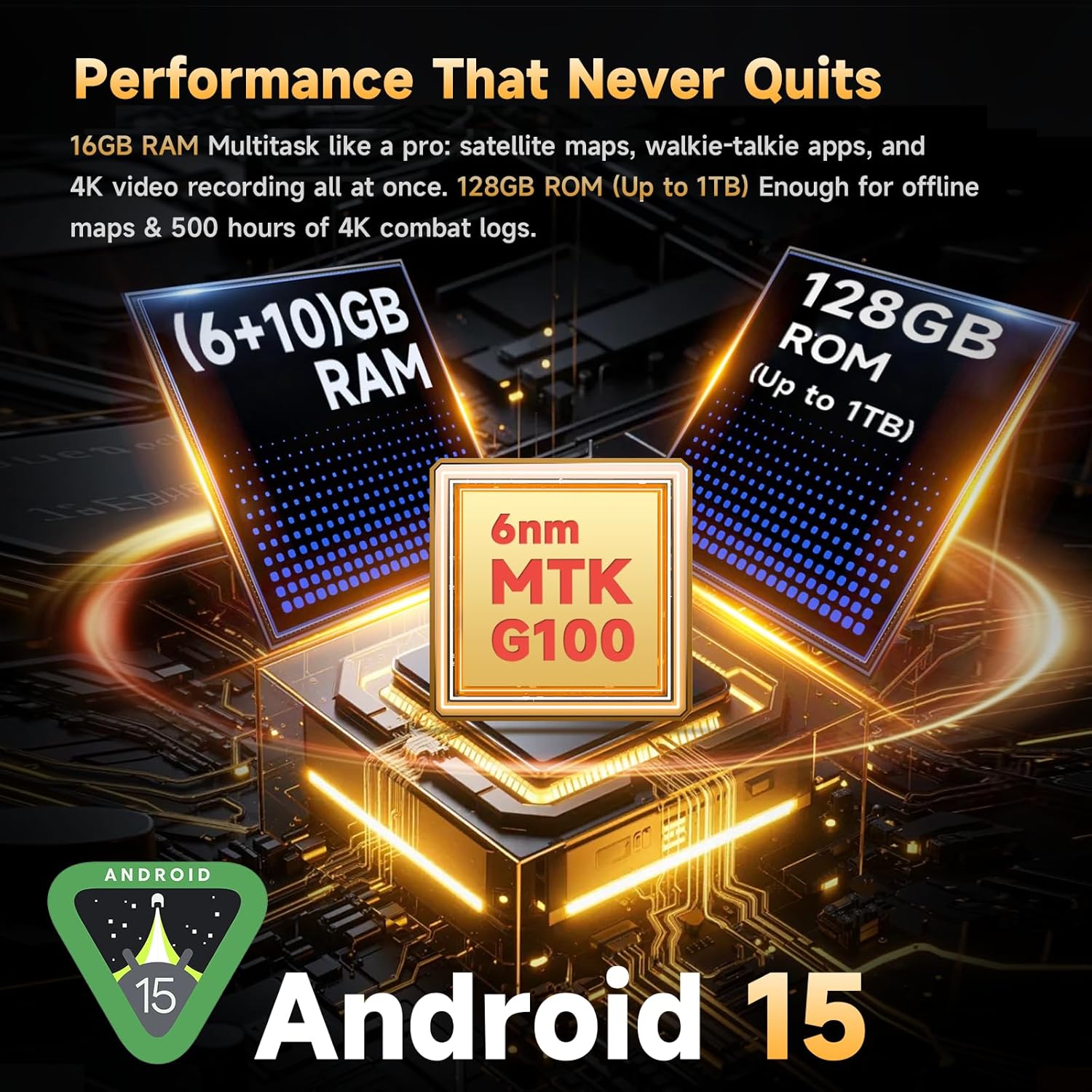
Figure 6.1: An illustration of the MTK G100 processor, 16GB RAM, and 128GB ROM (expandable to 1TB) of the CUBOT KingKong Power 5.
7. Connectivity
The KingKong Power 5 offers comprehensive connectivity options:
- 4G Dual SIM: Supports GSM, WCDMA, FDD, and TDD frequency bands. (Note: At&t, Cricket, and Verizon are not supported. Please confirm carrier compatibility before purchase.)
- Bluetooth 5.2: For wireless accessory connections.
- NFC: Enables convenient mobile payments via Google Pay.
- GPS: Supports GPS+GLONASS+Galileo+BEIDOU for accurate positioning.
- Wi-Fi: Supports 2.4G/5G Wi-Fi.
8. Battery and Charging
The device is equipped with a massive 15300mAh battery and supports 33W fast charging.
- Battery Capacity: 15300mAh.
- Standby Time: Up to 1824 hours.
- Call Time: Up to 121 hours.
- Music Playback: Up to 54 hours.
- Video Playback: Up to 23 hours.
- GPS Navigation: Up to 48 hours.
- Fast Charging: Supports 33W fast charging.
- OTG Reverse Charging: 7.5W (cable not included) to charge other devices.
Figure 8.1: The CUBOT KingKong Power 5 highlighting its 15300mAh battery and 33W fast charging capability, along with estimated usage times.
9. Maintenance
- Cleaning: Use a soft, damp cloth to clean the phone's exterior. Avoid harsh chemicals.
- Battery Care: To prolong battery life, avoid extreme temperatures and do not fully discharge the battery regularly. Use the provided charger for optimal charging.
- Storage: Store the phone in a cool, dry place when not in use for extended periods.
10. Troubleshooting
| Problem | Possible Cause | Solution |
|---|---|---|
| Phone does not power on. | Low battery; software crash. | Charge the phone for at least 30 minutes. Press and hold the Power button for 10-15 seconds to force restart. |
| Cannot connect to Wi-Fi. | Incorrect password; router issue; Wi-Fi disabled. | Check Wi-Fi password. Restart router. Toggle Wi-Fi off and on in phone settings. |
| Poor call quality. | Weak signal; network congestion. | Move to an area with better signal. Try again later. |
| Apps are slow or crashing. | Too many apps running; low storage. | Close background apps. Clear app cache. Free up storage space. |
11. Specifications
| Feature | Detail |
|---|---|
| Model Name | CUBOT KingKong Power 5 |
| Operating System | Android 15 |
| CPU Model | MTK G100 Octa-Core Processor |
| RAM | 16 GB (6GB physical + 10GB virtual) |
| Memory Storage Capacity | 128 GB (Expandable up to 1TB) |
| Screen Size | 6.88 Inches |
| Resolution | 720x1640 |
| Refresh Rate | 120 Hz |
| Battery Power Rating | 15300 mAh |
| Main Camera | 64 MP |
| Front Camera | 16 MP |
| Macro Camera | 2 MP |
| Special Features | 1200LM Camping Light, Dual LED Flashlight, 136dB Loudspeaker, IP68/IP69K/MIL-STD-810H, NFC, GPS |
| Connectivity | Bluetooth 5.2, NFC, Wi-Fi 2.4G/5G, 4G Dual SIM |
| Item Weight | 1.79 pounds |
12. Warranty and Support
For warranty information and technical support, please refer to the official CUBOT website or contact their customer service directly. Keep your purchase receipt as proof of purchase for warranty claims.
Official CUBOT Store: CUBOT Store on Amazon