
1. Introduction
Thank you for choosing Eumspo JH-A490 In-Ear Rechargeable Hearing Aids. These devices are designed to enhance auditory clarity for individuals with mild to moderate hearing loss. Featuring an ergonomic in-ear design, automatic power on/off, intelligent noise reduction, and anti-howling technology, they aim to provide a comfortable and effective listening experience. Please read this manual thoroughly before using your hearing aids to ensure proper operation and maintenance.
2. Package Contents
Verify that all items are present in your package:
- Hearing Aids x 2 (Left and Right)
- Charging Case x 1
- Eartips x 6 (various sizes)
- USB Cable x 1
- Cleaning Tool x 1
- Instruction Manual x 1 (this document)
- Quick Start Guide x 1

Figure 2.1: Package Contents Overview
3. Product Overview
Familiarize yourself with the components of your Eumspo JH-A490 hearing aids and charging case.

Figure 3.1: Hearing Aid and Charging Case Components
- Eartip: Soft silicone tips for comfortable fit and sound delivery. Available in multiple sizes.
- Charging Contacts: Connect the hearing aids to the charging case.
- Sound Inlet: Where sound enters the hearing aid.
- Multi-function Button: Used for volume adjustment and mode switching.
- Charging Slots: Designated spaces in the case for left (L) and right (R) hearing aids.
- Charging Indicators: LEDs on the case show charging status for the case and individual hearing aids.
- Charging Port: USB-C port on the case for external power.
4. Charging
Before first use, fully charge the hearing aids and the charging case.
- Charge the Charging Case: Connect the provided USB cable to the charging port on the case and a suitable power adapter (not included). The charging indicators on the case will illuminate to show charging progress.
- Charge the Hearing Aids: Place the left (blue) and right (red) hearing aids into their respective charging slots in the case. Ensure the charging contacts align. The hearing aids will begin charging automatically. A full charge takes approximately 2 hours.
Once fully charged, the hearing aids provide up to 16 hours of continuous use. The portable charging case allows for multiple recharges on the go.
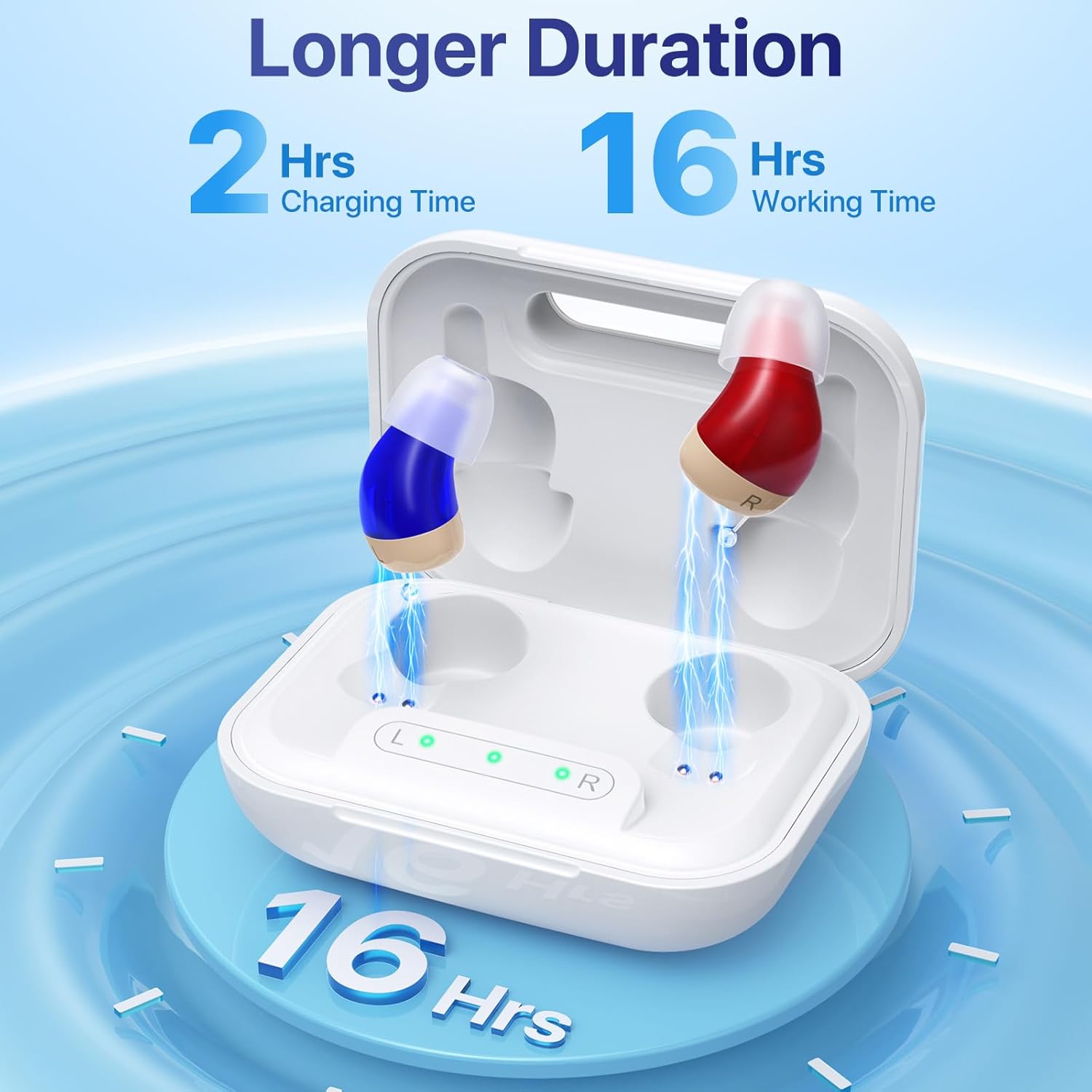
Figure 4.1: Charging and Battery Duration
5. Fitting and Wearing
Proper fit is crucial for comfort and optimal sound quality, and to prevent whistling.
- Select Eartips: Choose the eartip size (S, M, L) that provides a snug yet comfortable seal in your ear canal. Experiment with different sizes to find the best fit.
- Identify Left and Right: The left hearing aid is typically marked with blue, and the right with red.
- Insert Hearing Aid: Hold the hearing aid with two fingers and gently insert it into your ear canal. Rotate slightly until it feels secure and comfortable. Ensure the eartip forms a good seal.

Figure 5.1: How to Use and Fit the Hearing Aids
Note: Hearing aids may produce a whistling sound if not worn correctly. If this occurs, reinsert them into the ear canal, ensuring a proper seal.
6. Operation
The Eumspo JH-A490 hearing aids are designed for simple, one-button control.
- Power On/Off: The hearing aids automatically power on within 10-15 seconds when removed from the charging case. They power off automatically when placed back into the charging case.
- Adjust Volume: Short press the multi-function button to cycle through 5 volume levels. Each press increases the volume. The device will remember your last setting.
- Switch Modes: Quickly press the multi-function button twice to switch between listening modes. The default mode at startup is Standard Mode. The second mode is Restaurant Mode.
- Standard Mode: Enhances daily conversations and general listening.
- Restaurant Mode: Reduces background noise to improve speech clarity in noisy environments.
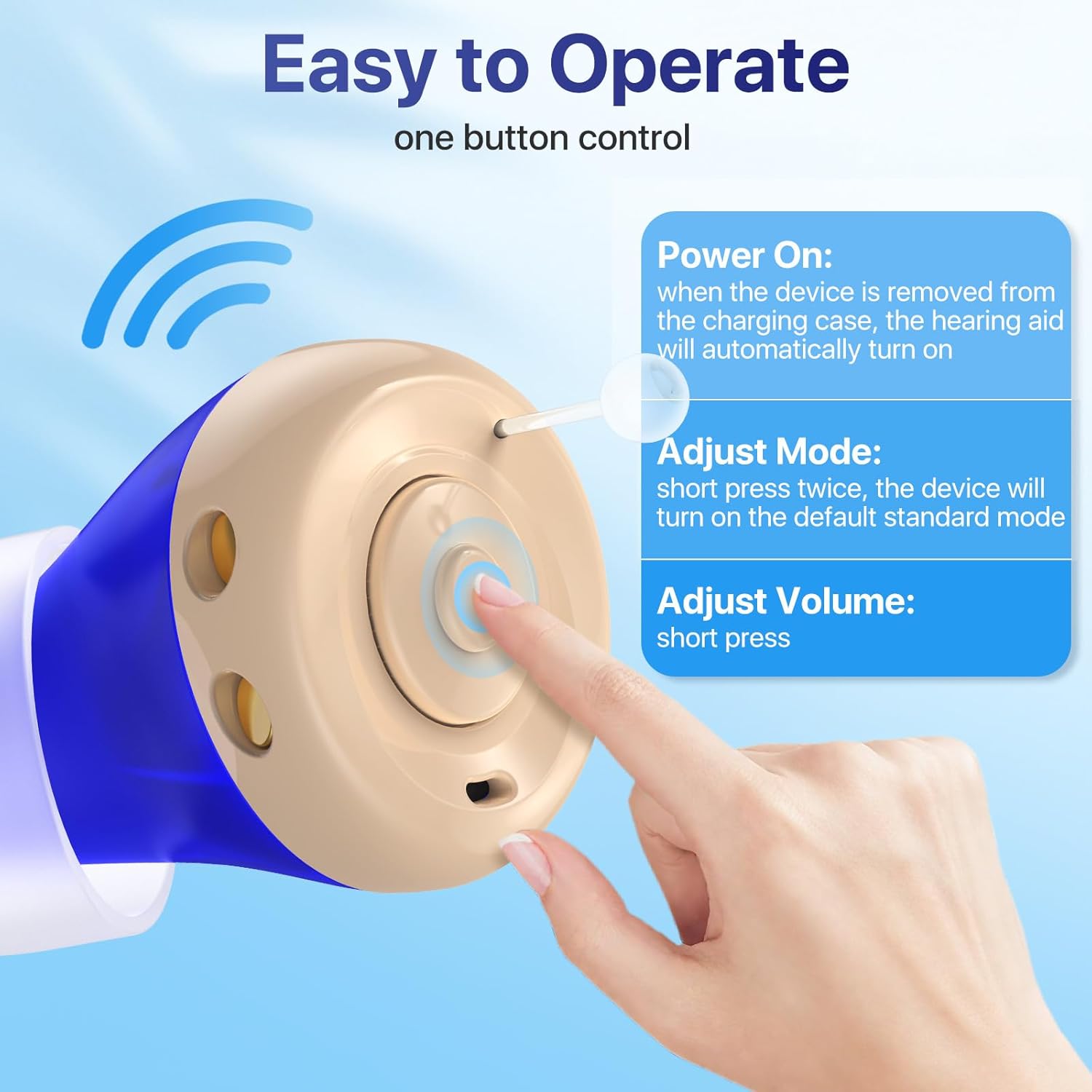
Figure 6.1: Easy One-Button Control

Figure 6.2: Volume Adjustment Levels
7. Maintenance
Regular cleaning and proper care will ensure the longevity and optimal performance of your hearing aids.
- Daily Cleaning: After each use, gently wipe the hearing aids with a soft, dry cloth. Use the provided cleaning tool to remove any earwax or debris from the eartips and sound inlet.
- Eartip Care: Periodically remove the eartips and clean them with a mild soap solution. Rinse thoroughly and ensure they are completely dry before reattaching.
- Storage: When not in use, store the hearing aids in their charging case to protect them from dust and damage.
- Avoid Moisture: Keep the hearing aids and charging case away from water and excessive humidity. Do not submerge them in liquid.
8. Troubleshooting
If you encounter any issues, refer to the following common problems and solutions:
| Problem | Possible Cause | Solution |
|---|---|---|
| No sound or low sound | Low battery; Volume too low; Eartip blocked by earwax; Device not powered on. | Charge the hearing aids; Increase volume; Clean eartip and sound inlet; Ensure device is removed from charging case. |
| Whistling/Feedback sound | Improper fit; Eartip too small or loose; Earwax buildup in ear canal. | Reinsert the hearing aid for a snug fit; Try a larger eartip size; Consult a healthcare professional for earwax removal if necessary. |
| Hearing aid not charging | Poor contact with charging pins; Charging case battery low; Faulty USB cable/adapter. | Ensure hearing aids are correctly seated in the case; Charge the charging case; Try a different USB cable or power adapter. |
| Difficulty hearing in noisy environments | Incorrect listening mode. | Switch to Restaurant Mode by double-pressing the multi-function button. |
If the problem persists after trying these solutions, please contact customer support.
9. Specifications
| Feature | Detail |
|---|---|
| Model Number | JH-A490 |
| Design Type | In-Ear (ITE) |
| Target Hearing Loss | Mild to Moderate |
| Charging Time | Approximately 2 hours |
| Working Time (Single Charge) | Up to 16 hours |
| Noise Reduction | Smart Noise Reduction Chip, Dual Modes (Standard, Restaurant) |
| Feedback Control | Intelligent Anti-Howling Technology |
| Volume Levels | 5 adjustable levels |
| Automatic Features | Auto On/Off |
| Manufacturer | LIKELINKS TRADING LIMITED |
| Country of Origin | China |
10. Important Safety Information
- Consult a healthcare professional before using hearing aids if you experience sudden hearing loss, ear pain, discharge, or dizziness.
- Do not attempt to repair or modify the device yourself. Contact customer support for assistance.
- Keep out of reach of children and pets. Small parts may pose a choking hazard.
- Avoid exposing the devices to extreme temperatures, direct sunlight, or strong magnetic fields.
- Clean your ears regularly to prevent earwax buildup, which can affect hearing aid performance.
11. Customer Support
For any questions, technical assistance, or warranty inquiries regarding your Eumspo JH-A490 Hearing Aids, please contact our dedicated customer service team. Refer to the contact information provided in your Quick Start Guide or on the product packaging.
We are committed to providing detailed guidance and solutions to ensure your complete satisfaction.