Rii RK805

Rii RK805 Wireless Mechanical Keyboard Instruction Manual

Model: RK805

1. Introduction

The Rii RK805 is a versatile 75% gasket-mounted mechanical keyboard designed for gaming and office use. It features tri-mode connectivity (Bluetooth, 2.4G wireless, and USB Type-C), a smart TFT display screen with a multi-function knob, full RGB backlighting, and hot-swappable switches. This manual provides detailed instructions for setup, operation, and maintenance to ensure optimal performance.

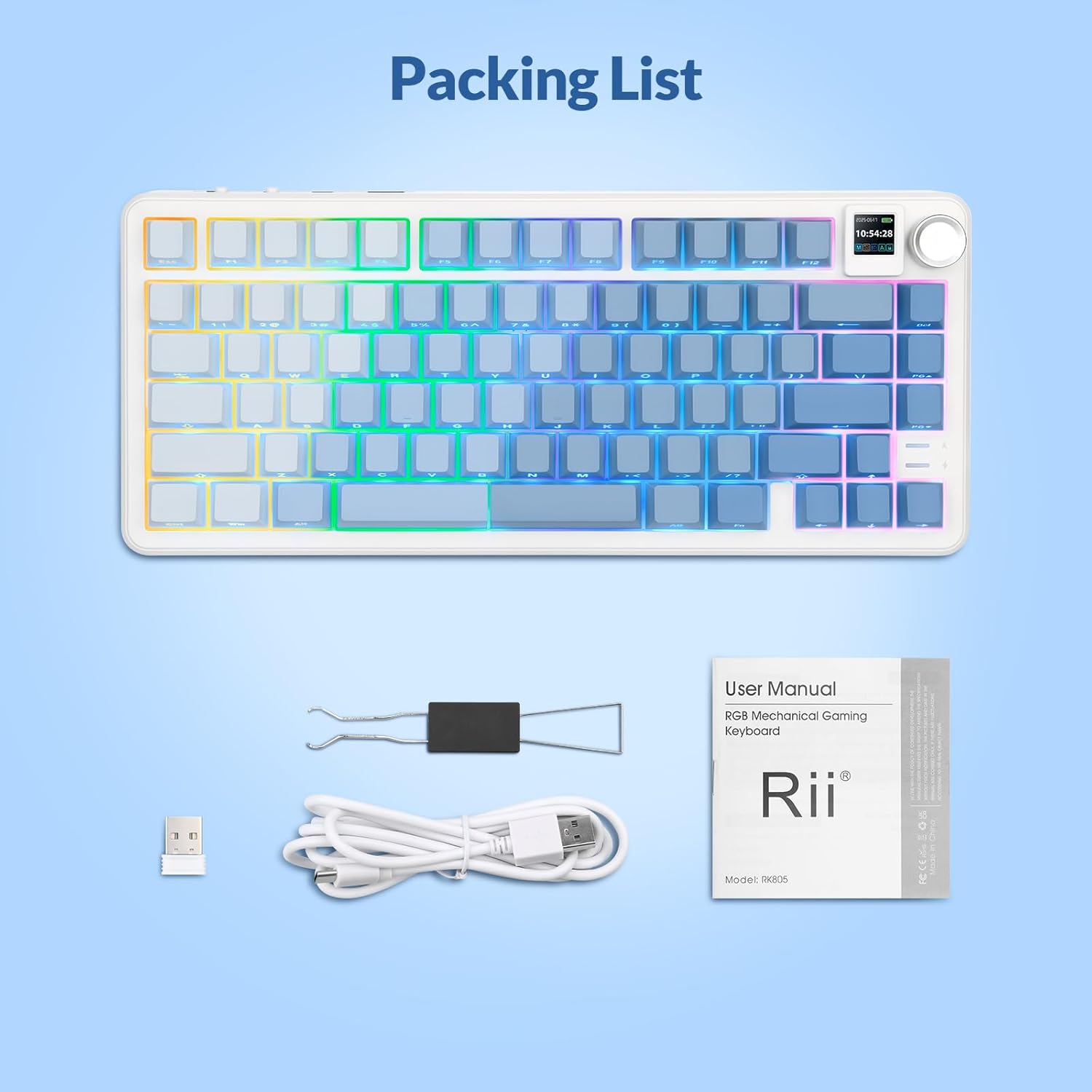
2. Package Contents

Please verify that all items are present in your Rii RK805 package:

  • Rii RK805 Wireless Mechanical Keyboard
  • USB Type-C to USB-A Charging Cable (1.8 meters)
  • 2.4G Wireless Receiver (USB dongle)
  • Keycap/Switch Puller
  • Extra Switches (pre-lubricated linear switches)
  • User Manual
Rii RK805 Keyboard and accessories
Image: Rii RK805 keyboard with included accessories including USB cable, 2.4G receiver, keycap/switch puller, and user manual.

3. Setup

3.1. Tri-Mode Connectivity

The Rii RK805 supports three connection modes: Bluetooth, 2.4G wireless, and USB Type-C wired. This allows for multi-device compatibility with computers, tablets, and smartphones.
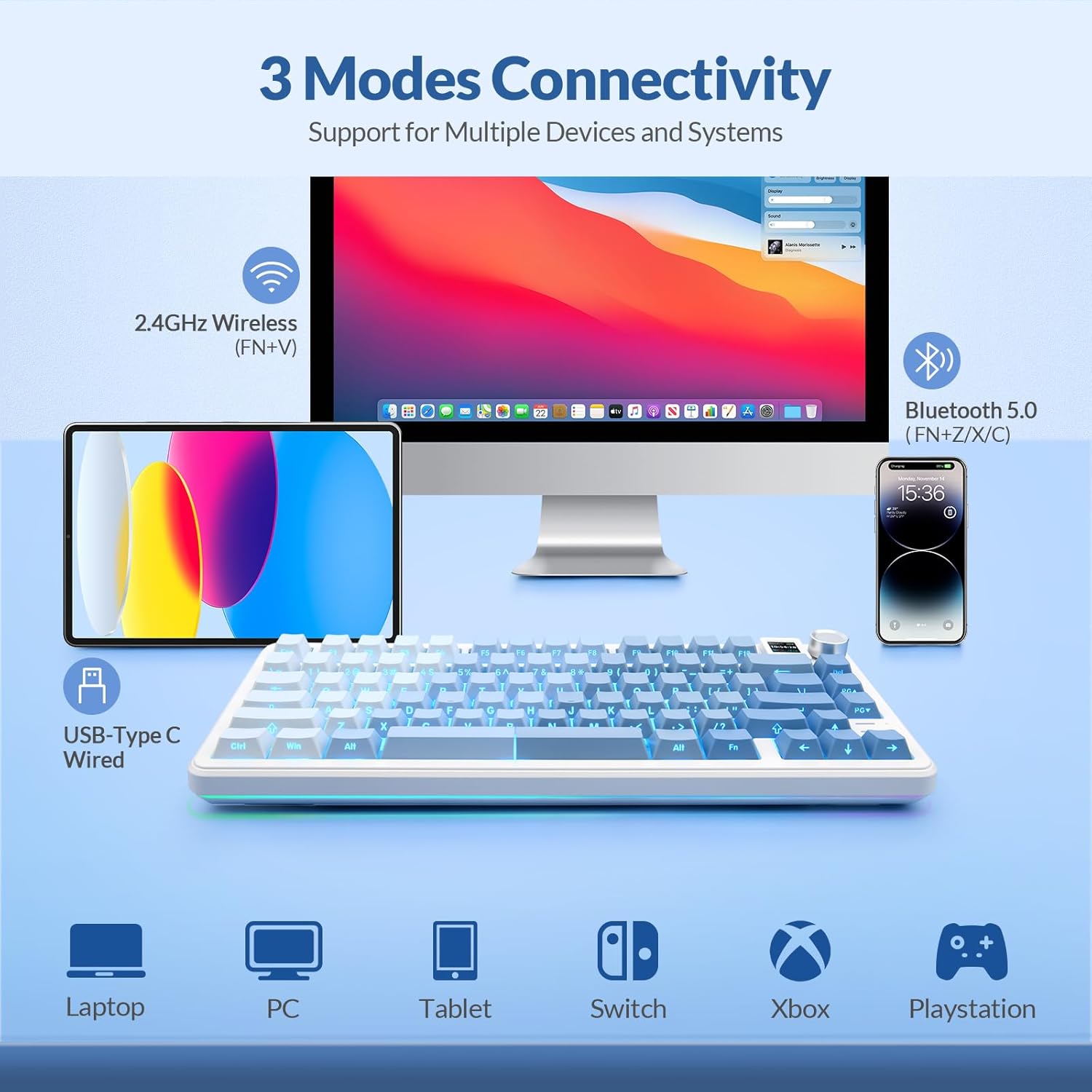
Rii RK805 3 Modes Connectivity
Image: Diagram illustrating the three connectivity modes: 2.4GHz Wireless, Bluetooth 5.0, and USB Type-C Wired, compatible with Laptop, PC, Tablet, Switch, Xbox, and PlayStation.
3.1.1. 2.4G Wireless Connection
  • Locate the 2.4G wireless receiver (USB dongle) from the package.
  • Plug the 2.4G receiver into an available USB port on your computer or device.
  • On the keyboard, switch the mode selector to 2.4G. The keyboard will automatically connect.
3.1.2. Bluetooth Connection
  • On the keyboard, switch the mode selector to Bluetooth (BT).
  • Press and hold the Fn + Z/X/C keys to enter pairing mode for BT1, BT2, or BT3 respectively. The indicator light will flash.
  • On your device, search for

    Related Documents - RK805

    Preview Rii RK100 Colourful LED Backlit Multimedia Gaming Keyboard - Product Overview
    Explore the Rii RK100, a colourful LED backlit multimedia gaming keyboard. This document details its specifications, system requirements, interface, LED backlight controls, and multimedia key functions. Includes package contents and contact information for Delton.
    Preview Rii i8 Plus Mini Keyboard: Features, Layout, and Usage Guide
    A comprehensive guide to the Rii i8 Plus Mini Keyboard, detailing its multimedia functions, touchpad gestures, special keys, and full QWERTY layout for optimal use.
    Preview Rii i8+ Mini Wireless Keyboard Touchpad Combo: Installation & User Manual
    Get detailed instructions and specifications for the Rii i8+ Mini Wireless Keyboard Touchpad Combo. This guide covers setup, system requirements, features like auto-sleep, multi-finger touchpad, backlit LED, and troubleshooting for seamless connectivity with PCs, smart TVs, and more.
    Preview Rii RK909 Wireless Keyboard User Manual
    User manual for the Rii RK909 Wireless Keyboard, detailing its features, specifications, connectivity options (wired, 2.4G, Bluetooth 5.0), multimedia functions, LED backlight controls, and Mac system layout settings. Includes FCC compliance information.
    Preview Rii RT518S Dual Mode Multimedia Keyboard User Manual
    User manual for the Rii RT518S Dual Mode Multimedia Keyboard, detailing features, specifications, setup, operation, and troubleshooting for use with Smart TVs, PCs, tablets, and mobile devices.
    Preview Rii RT721 Wireless and Bluetooth Dual Mode Keyboard User Manual
    Comprehensive user manual for the Rii RT721, a 2.4G Wireless and Bluetooth Dual Mode Multimedia Keyboard with Touchpad. Includes setup, features, troubleshooting, and specifications.