
1. Introduction
The vebiliki CS770 2K Window Camera is designed to provide enhanced home security with advanced features. This indoor camera offers 2K (2304p) ultra-HD video resolution, AI Starlight Color Night Vision, and intelligent AI Person & Motion Detection. It supports both 5GHz and 2.4GHz WiFi for stable connectivity and includes a 32GB memory card for 24/7 continuous recording. Its flexible installation options allow for discreet monitoring of outdoor areas from inside your home.
2. What's in the Box
Verify that all components are present in your package:
- Window Camera (1 unit)
- Power Adapter & Cable (1 set)
- Indoor Camera Bracket (1 unit)
- Mounting accessories (including window stickers, cable clips, positioning sticker, mounting screws)
- User Manual (1 copy)
- 32GB Micro SD Memory Card (pre-installed)
- Lens Cleaning Cloth (1 unit)

Figure 2.1: Package Contents. The image displays the camera, power adapter, USB cable, indoor camera bracket, window stickers, cable clips, mounting screws, lens cleaning cloth, and user manual.
3. Setup
3.1. App Download and Account Registration
- Scan the QR code provided in the User Manual or on the product packaging to download the O-KAM Pro app from your smartphone's app store.
- Follow the in-app instructions to register a new account and log in.
3.2. Camera Placement and Mounting
The vebiliki CS770 camera offers flexible installation options. It can be mounted directly to a window or placed on a flat surface using the included indoor camera bracket.
- For Window Mounting:
- Clean both the inside and outside of the window surface where the camera will be placed to ensure optimal adhesion and clear viewing.
- Peel off the protective film from one side of the mounting sticker and firmly apply it to the back of the camera, ensuring the camera lens is not obstructed.
- Peel off the protective film from the other side of the mounting sticker.
- Carefully attach the camera firmly to the window glass, ensuring it is positioned correctly to capture the desired outdoor view. Ensure the camera is close to the glass without leaving gaps to prevent glare and reflection.
- Use the included cable clips to manage the power cable neatly along the window frame or wall.
- For Indoor Placement (using bracket):
- Attach the camera to the indoor camera bracket.
- Place the camera with the bracket on a stable flat surface, such as a shelf or table, near a window or in any indoor area you wish to monitor.
- Alternatively, use the mounting screws to secure the bracket to a wall or ceiling.
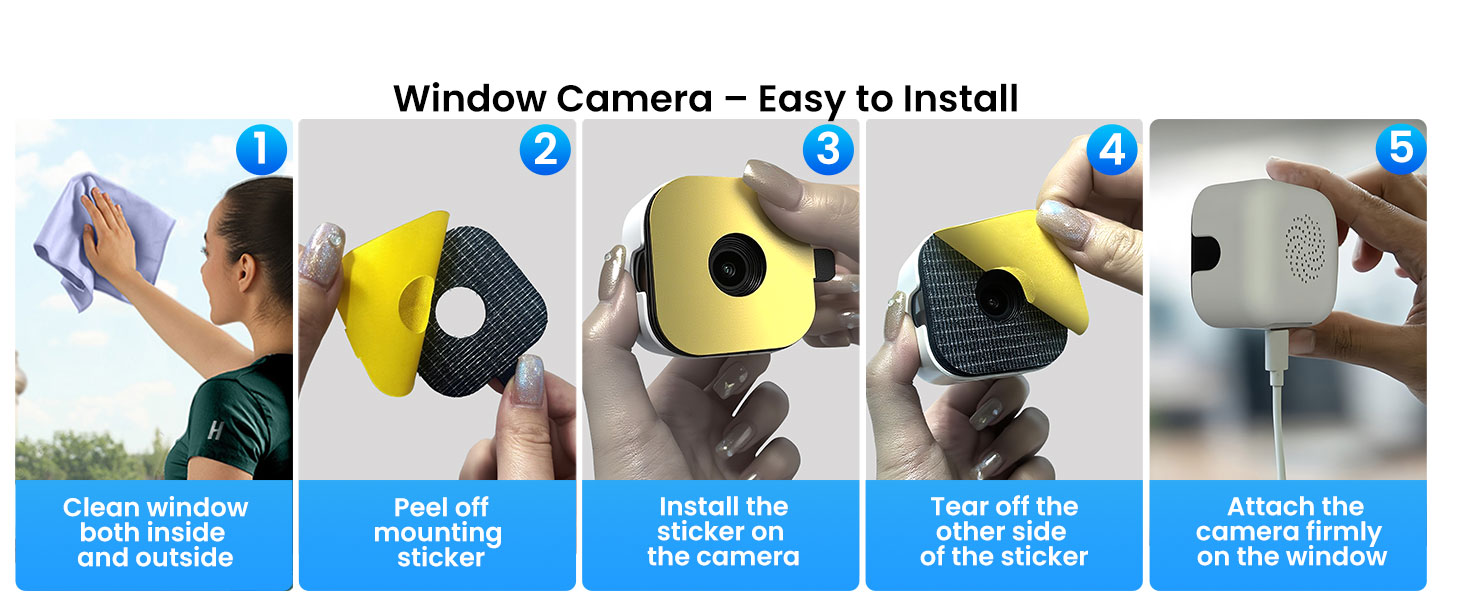
Figure 3.1: Easy Window Installation Steps.

Figure 3.2: Flexible Installation for Window and Indoor Use.
3.3. Power and Network Connection
- Connect the camera to the power adapter using the provided USB cable. Plug the adapter into a power outlet.
- The camera supports both 5GHz and 2.4GHz WiFi networks. Use the O-KAM Pro app to quickly connect the camera to your home WiFi network via Bluetooth. Ensure your WiFi signal is stable for optimal performance.
- The 32GB memory card is pre-inserted. For first-time use, format the memory card through the app settings to ensure proper functionality.
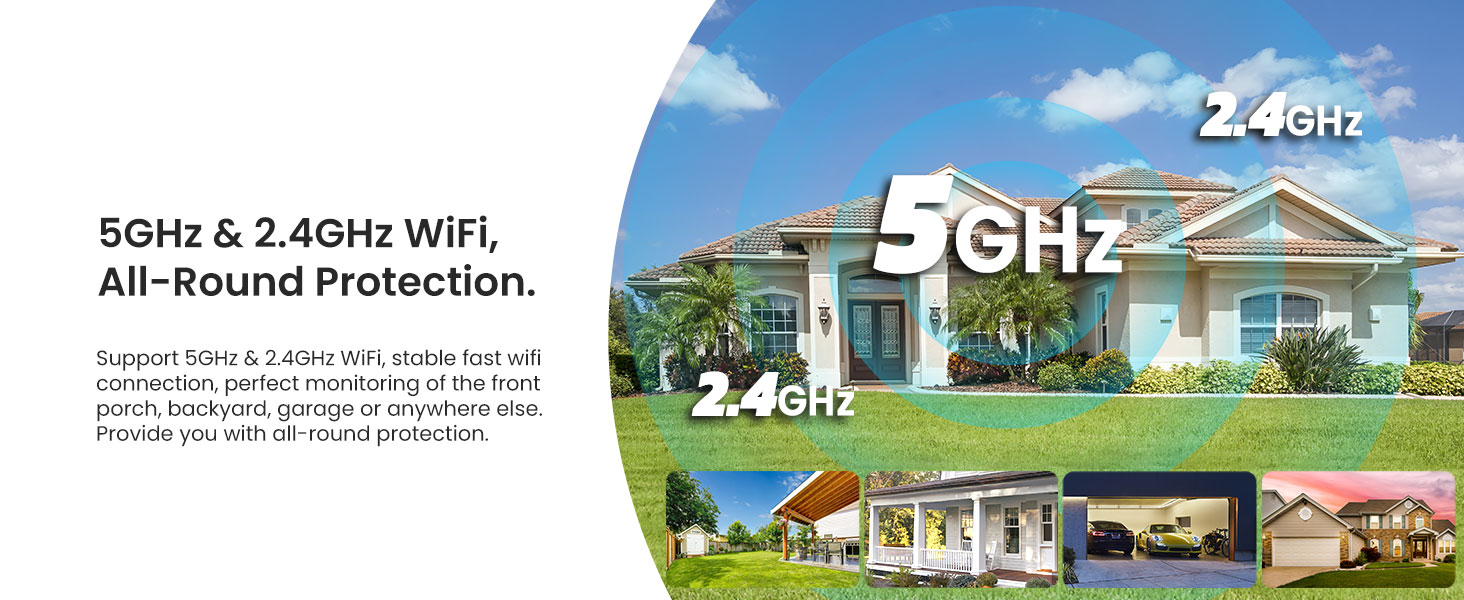
Figure 3.3: Dual-Band WiFi Connectivity.
4. Operating Instructions
4.1. Live View and Recording
- Open the O-KAM Pro app on your smartphone to access the live video feed from your camera.
- The camera supports 24/7 continuous recording to the included 32GB memory card. Motion detection events will be automatically highlighted within the app's timeline for easy review.
- You can simultaneously monitor up to 4 camera feeds on your smartphone.

Figure 4.1: Continuous Recording and Memory Card.
4.2. AI Person & Motion Detection
- The camera features upgraded AI human detection, which is enabled by default to minimize false alarms.
- When unusual activity or a person is detected, the intelligent motion detection system will send an instant notification to your phone.
- Recorded footage of detected events will be highlighted in the app for quick access.
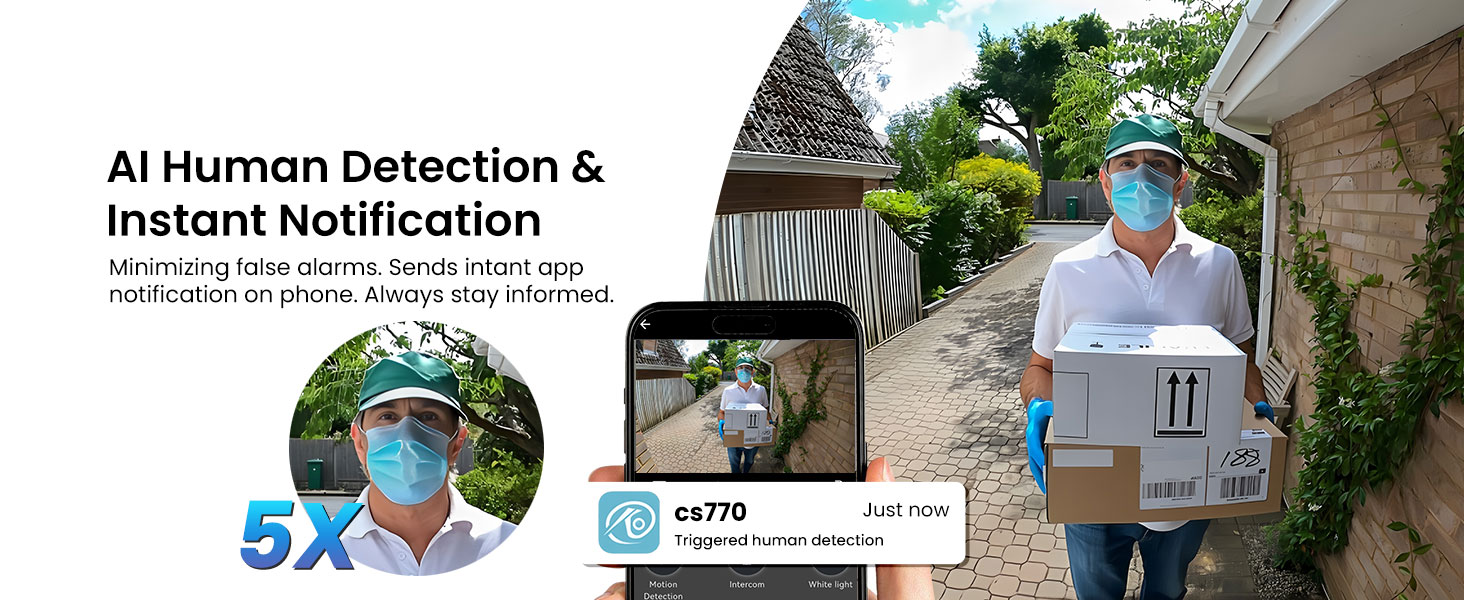
Figure 4.2: AI Human Detection in Action.
4.3. Starlight Color Night Vision
- The camera is equipped with a 2K 3MP upgraded lens specifically designed for window cameras, reducing glare and reflection.
- Experience true full-color night vision even in low-light conditions thanks to the Starlight Color Night Vision technology.
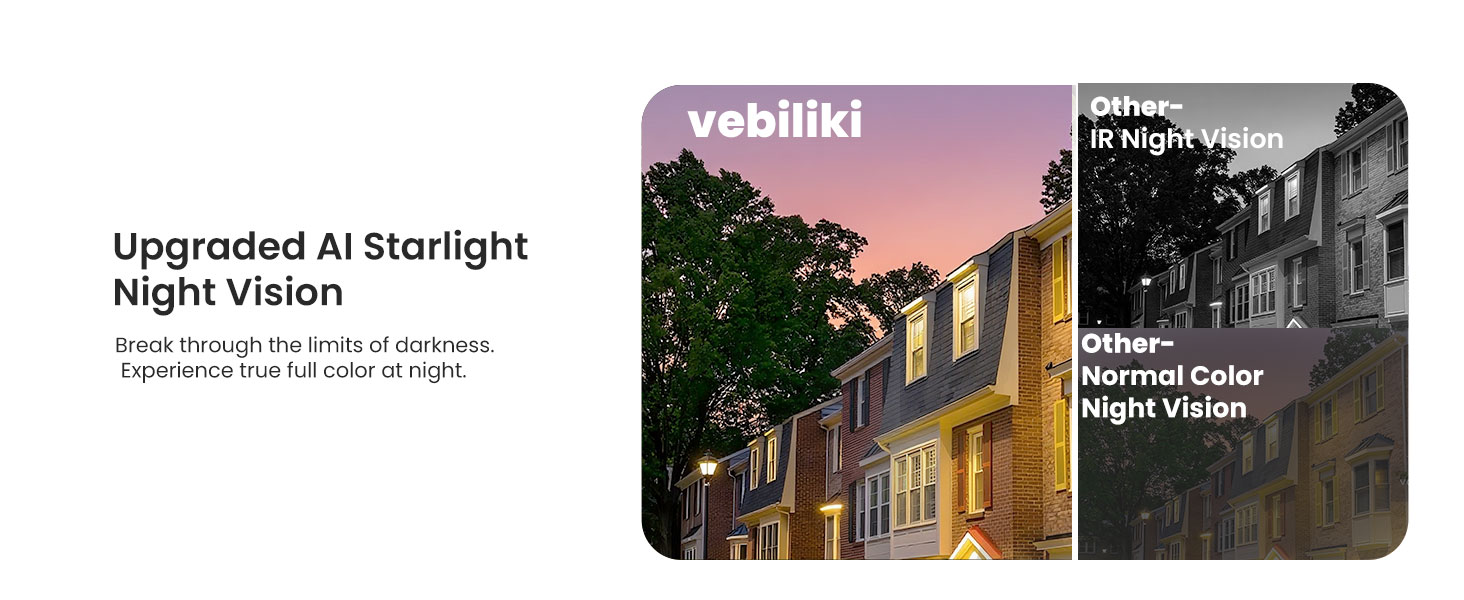
Figure 4.3: Starlight Color Night Vision.
4.4. Two-Way Audio
- Utilize the two-way audio feature to communicate with individuals on the other side of the camera through the app.
4.5. Cloud Storage
- Optional cloud storage is available, which automatically uploads motion detection videos (each video is approximately 1 minute).
- Supports 7-day loop storage to prevent data loss. A subscription may be required for this service.

Figure 4.4: Cloud Storage Options.
5. Maintenance
- Regularly clean the camera lens with the provided lens cleaning cloth to ensure clear image quality.
- Ensure the camera remains securely attached to the window or its mounting surface.
- Maintain a stable power supply and WiFi connection for uninterrupted operation.
- If using the included memory card for the first time, format it via the O-KAM Pro app. Periodically check the memory card status in the app.
6. Troubleshooting
6.1. Camera Not Connecting to WiFi
- Ensure the camera is within range of your WiFi router.
- Verify that your WiFi network is operating on either 5GHz or 2.4GHz.
- Restart your router and the camera, then attempt to reconnect via the app.
- Check for any obstructions that might interfere with the WiFi signal.
6.2. Poor Image Quality / Glare
- Ensure the camera lens and the window surface are clean.
- Verify that the camera is installed correctly and is positioned as close to the glass as possible without leaving gaps to minimize reflection and glare.
- Adjust the camera's angle slightly if glare persists.
6.3. False Motion Detection Alerts
- The camera uses AI human detection by default. If you are receiving excessive alerts, check the app settings to ensure AI human detection is enabled.
- Adjust the motion detection sensitivity settings within the O-KAM Pro app.
- Define specific activity zones in the app to focus detection on critical areas and ignore irrelevant movements.
6.4. No Recording / Footage Missing
- Ensure the 32GB memory card is properly inserted and formatted through the app.
- Check the memory card's storage capacity. If full, older footage may be overwritten (in loop recording mode).
- Verify that continuous recording or motion-triggered recording settings are correctly configured in the app.
- If using cloud storage, ensure your subscription is active and the camera is connected to the internet.
7. Specifications
| Feature | Detail |
|---|---|
| Model Name | CS770 |
| Indoor/Outdoor Usage | Indoor (for monitoring outdoor) |
| Video Capture Resolution | 2304p (2K 3MP) |
| Connectivity Technology | Wireless WiFi Connection with Cord (5GHz & 2.4GHz) |
| Power Source | Corded Electric (5 Volts, 3 watts) |
| Mounting Type | Window Mount |
| Viewing Angle | 110 Degrees |
| Night Vision Technology | Starlight Color Night Vision (Range: 33 Feet) |
| Flash Memory Included | 32 GB Micro SD |
| Max Supported Flash Memory | 256 GB |
| AI Features | AI Person & Motion Detection |
| Audio | Two-Way Audio |
| Control Method | App (O-KAM Pro) |
| Smart Home Compatibility | Amazon Alexa, Smart Home Compatible |
| Dimensions (L x W x H) | 2.15 x 1.37 x 2.15 inches |
| Material | Plastic |
| Water Resistance Level | Not Water Resistant |
8. Warranty and Support
8.1. Customer Support
vebiliki provides 24/7 online customer support. If you have any questions regarding the connection, setup, or operation of your camera, please contact the seller, liuruiguomm, through Amazon's messaging system. They aim to provide a solution within 24 hours.

Figure 8.1: Customer Support Information.
8.2. Warranty Information
- Return Policy: Enjoy a 100-day return policy for any reason.
- Warranty: The product includes an extra 1-year warranty, totaling 2 years of coverage.
- Technical Support: Lifetime technical support is provided.