
Important Safety Information
Always read and understand all safety warnings and instructions before using this product. Failure to do so may result in injury or damage.
- Always unplug the massager when not in use.
- Do not use if you have any serious health conditions or injuries without consulting a doctor.
- Keep the massager dry to prevent electrical hazards.
- Do not use on broken skin or areas with infections.
- Always follow the instructions provided with the massager.
Product Overview
The LifePro VibraFlow Foot Massager is designed to provide soothing massage for your feet and calves. It features vibration and acupressure therapy, along with an optional heat function, to help alleviate discomfort and promote circulation.
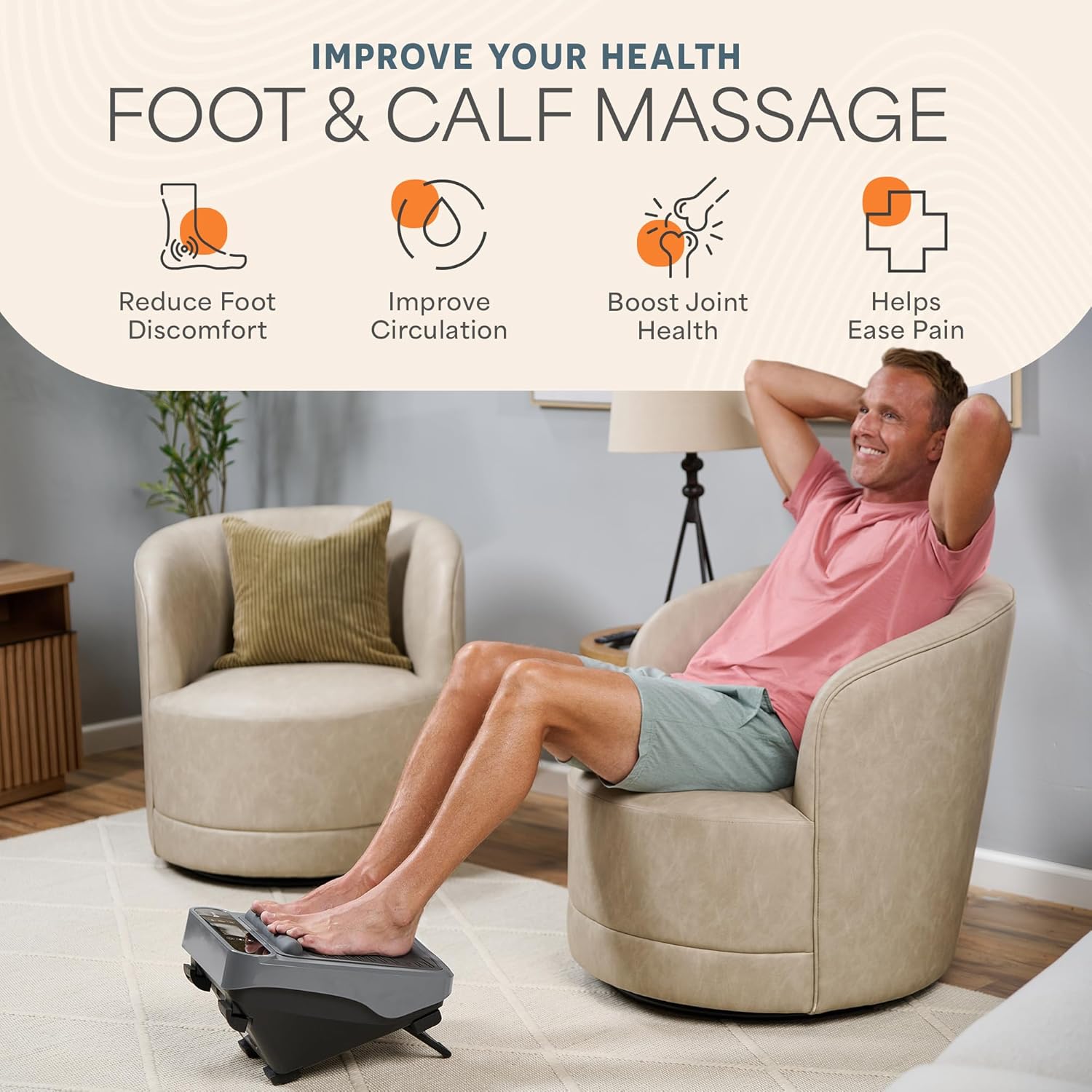
Image: The LifePro VibraFlow Foot Massager in use, demonstrating its application for both foot and calf massage. The device is gray with a textured footpad.
Key Features:
- Vibration and Acupressure Therapy: Targets specific points on the feet and calves to help reduce discomfort and improve circulation.
- Heat Function: Provides additional soothing relief.
- Multiple Programs and Intensity Levels: Offers 5 preset massage programs and 30 intensity levels for personalized therapy.
- Wireless Remote Control: Allows for easy adjustment of settings without bending over.
- Versatile Use: Can be used for feet and calves.
- Compact Design: Easily fits under a desk and is simple to store and move.
Video: Official product overview of the LifePro Vibrating Foot Massager, demonstrating its features and usage.
Setup and Assembly
- Unpack the Device: Carefully remove the massager and all accessories from the packaging. Ensure all components are present: the main unit, power cable, and wireless remote control.
- Position the Device: Place the massager on a flat, stable surface. The device includes rubber stoppers on the bottom to prevent scratching floors.
- Connect Power: Insert the power cable into the designated port on the massager and then plug the other end into a standard electrical outlet.
- Adjust Stand (Optional): The massager features a foldable stand at the bottom. For a sharper angle during foot massage, fold the stand down. For a flatter position, keep the stand folded up.

Image: The LifePro VibraFlow Foot Massager with its wireless remote control, highlighting the ease of use and various settings.
Operating Instructions
The LifePro VibraFlow Foot Massager is designed for intuitive operation using either the control panel on the device or the wireless remote.
- Power On: Press the power button (⏻) on the control panel or remote to turn on the device. The default timer is 15 minutes.
- Select Program: Use the 'P' button on the control panel or remote to cycle through the 5 preset massage programs (P1-P5). Each program offers a different vibration pattern.
- Adjust Intensity: Use the '+' and '-' buttons to increase or decrease the vibration intensity. There are 30 intensity levels available.
- Activate Heat Function: Press the heat button (♨) to turn the heat function on or off. An indicator light will confirm activation.
- Set Timer (Optional): Adjust the massage duration using the 'Time' buttons if you wish to deviate from the default 15-minute setting.
- Foot Massage: Place your bare feet or feet with socks on the textured footpads. Ensure your feet are comfortably positioned.
- Calf Massage: Position the massager so your calves rest on the textured pads. Adjust your seating to ensure comfortable contact.
- Power Off: The device will automatically shut off after the set time. You can also manually turn it off by pressing the power button.

Image: The LifePro VibraFlow Foot Massager positioned under a desk, illustrating its compact design for use during work or relaxation.
Maintenance and Care
Proper maintenance ensures the longevity and optimal performance of your LifePro VibraFlow Foot Massager.
- Cleaning: Disconnect the power cord before cleaning. Wipe the surface of the massager with a soft, damp cloth. Do not use abrasive cleaners or immerse the device in water.
- Storage: Store the massager in a cool, dry place away from direct sunlight and extreme temperatures. Ensure the power cord is neatly wrapped and not kinked.
- Inspection: Regularly inspect the power cord and the device for any signs of damage. If damage is found, discontinue use and contact customer support.
Troubleshooting
If you encounter any issues with your LifePro VibraFlow Foot Massager, refer to the following common problems and solutions:
| Problem | Possible Cause | Solution |
|---|---|---|
| Device does not power on. | Power cord not properly connected or no power from outlet. | Ensure the power cord is securely plugged into both the device and a working electrical outlet. Test the outlet with another device. |
| No vibration or weak vibration. | Intensity level is too low or a program is not selected. | Increase the intensity level using the '+' button. Select a massage program (P1-P5). |
| Heat function not working. | Heat function is not activated. | Press the heat button (♨) to activate the heat function. Check for the indicator light. |
| Remote control not responding. | Batteries are low or depleted, or line of sight is obstructed. | Replace the batteries in the remote control. Ensure there is a clear line of sight between the remote and the device's sensor. |
If the problem persists after attempting these solutions, please contact LifePro customer support for further assistance.
Specifications
- Model Number: LP-VBRCP-GRY
- Product Dimensions: 15.35 x 13 x 10.43 inches
- Item Weight: 14.3 Pounds
- Power Source: Power Cable
- Material: ABS plastic housing, Ethylene Vinyl Acetate, Metal
- Manufacturer: LifePro
Warranty and Support
LifePro products typically come with a lifetime warranty. For specific warranty details, product support, or to register your product, please visit the official LifePro website or contact their customer service department.
Contact Information: Refer to the contact details provided in your product packaging or on the official LifePro website.

