Introduction
The MARS HYDRO iHub-4AC Power Strip is an expansion module designed to integrate seamlessly with your existing MARS HYDRO iControl system. It provides four additional smart outlets, allowing for expanded control over various devices in your grow environment. This manual provides essential information for the proper setup, operation, and maintenance of your iHub-4AC Power Strip.
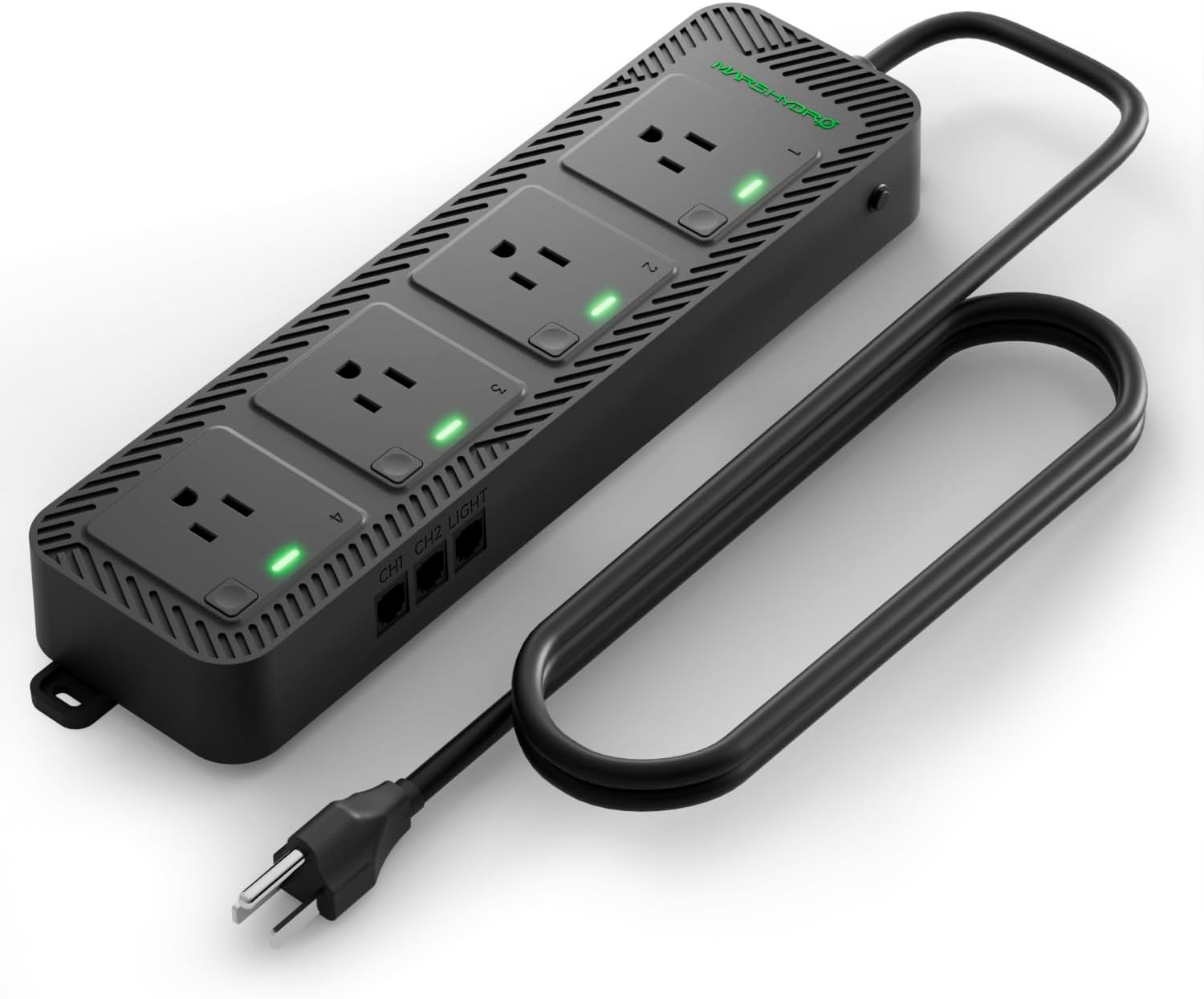
Image: MARS HYDRO iHub-4AC Power Strip, showcasing its four outlets and connection ports.
Package Contents
Before proceeding with installation, please verify that all items are present in your package:
- 1 × iHub-4AC Power Strip
- 1 × RJ12 T-Shape Splitter
- 1 × 8.2ft (2.5m) RJ12 Cord
- 1 × User Manual (this document)

Image: Visual representation of the iHub-4AC Power Strip, RJ12 T-Shape Splitter, and RJ12 Cord included in the box.
Setup and Installation
The iHub-4AC Power Strip is designed as an add-on module for the MARS HYDRO iControl system. It requires an iControl controller to operate.
Connecting to iControl
- Ensure your MARS HYDRO iControl controller is powered off.
- Connect one end of the provided RJ12 cord to an available RJ12 port on your iControl controller.
- Connect the other end of the RJ12 cord to the 'CH1' or 'CH2' port on the iHub-4AC Power Strip. If connecting multiple iHub-4AC units, use the RJ12 T-Shape Splitter to daisy-chain them.
- Plug the iHub-4AC Power Strip into a standard AC power outlet.
- Power on your iControl controller. The iHub-4AC should be recognized by the iControl system.

Image: Diagram illustrating the connection of the iHub-4AC Power Strip to the iControl controller within a grow tent setup, showing various devices connected.
Daisy-Chaining Multiple Units
For larger grow operations, up to 40 iHub-4AC units can be daisy-chained together. Use the RJ12 T-Shape Splitter to connect multiple iHub-4AC units to a single RJ12 port on your iControl controller, or connect them in series.

Image: Visual representation of multiple iHub-4AC units connected in a daisy-chain configuration, demonstrating scalability for large grow setups.
Video: All About Mars Hydro Intelligent iControl System
Video: An overview of the Mars Hydro Intelligent iControl System, explaining its components and functionalities, including how the iHub-4AC integrates into the ecosystem for comprehensive environmental control.
Operating Instructions
The iHub-4AC Power Strip's four outlets can be individually controlled and programmed via the MARS HYDRO iControl controller and its associated mobile application.
4 Smart Outlet Modes
Each outlet on the iHub-4AC offers four programmable control modes:
- Manual: Turn the outlet ON or OFF directly.
- Timer: Schedule specific ON/OFF times for the connected device.
- Cycle: Set repeating ON/OFF intervals.
- Environment: Automate control based on environmental sensor data (Temperature, Humidity, CO₂).

Image: A visual guide to the four smart outlet modes (Manual, Timer, Cycle, Environment) available through the iControl app for customizing each outlet's function.
Environment Mode for Smart Automation
Utilize the Environment Mode to enable intelligent automation. This mode allows each outlet to respond to real-time sensor data from your iControl system. You can assign dynamic control to devices such as humidifiers, dehumidifiers, or exhaust fans based on:
- Temperature
- Humidity
- CO₂ levels
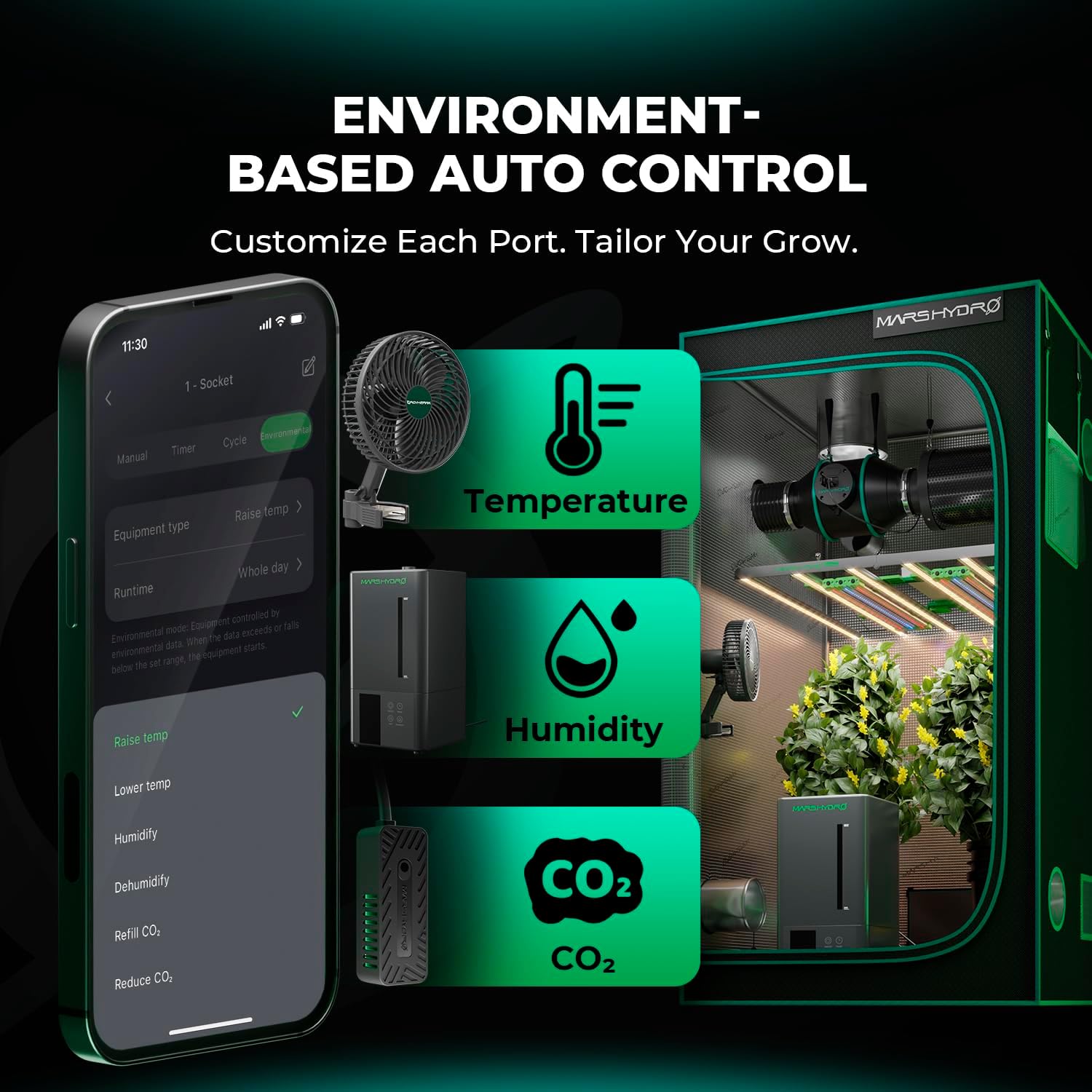
Image: Illustration of the iControl app interface demonstrating environment-based auto control, with options for temperature, humidity, and CO2 settings to tailor your grow environment.
Smart Control for Adlite Bars
The iHub-4AC can also facilitate smart control for MARS HYDRO Adlite Bars, allowing independent scheduling of red, blue, UV, and IR bars to optimize light spectrum for different growth stages.

Image: Depiction of the iHub-4AC providing smart control for Adlite bars, with example schedules for UV, IR, and Deep Red lighting during vegetative and flowering stages.
Maintenance
To ensure the longevity and optimal performance of your iHub-4AC Power Strip, follow these maintenance guidelines:
- Keep the unit clean and free from dust and debris. Use a soft, dry cloth for cleaning.
- Avoid exposing the unit to excessive moisture or direct water spray.
- Regularly check all cable connections (RJ12 and power) to ensure they are secure.
- Do not attempt to open or repair the unit yourself. Refer to qualified service personnel for any repairs.
Troubleshooting
If you encounter issues with your iHub-4AC Power Strip, please refer to the following common troubleshooting steps:
- Unit not powering on: Ensure the power cord is securely plugged into both the iHub-4AC and a functional AC outlet. Check if the iControl controller is powered on and properly connected.
- Outlets not responding: Verify the RJ12 connection between the iHub-4AC and the iControl controller. Check the settings for the specific outlet in the iControl app to ensure it's configured correctly (e.g., not in a 'Manual Off' state).
- Device connected to outlet not working: Ensure the device itself is functional and properly plugged into the iHub-4AC outlet. Test the device in a different power outlet if possible.
- iHub-4AC not recognized by iControl: Disconnect and reconnect the RJ12 cable. Restart the iControl controller. Ensure the iControl app is updated to the latest version.
For further assistance, please contact MARS HYDRO customer support.
Specifications
| Brand | MARS HYDRO |
| Model Number | iHub-4AC (4 Outlets) |
| Color | Black |
| Total Power Outlets | 4 |
| Special Feature | Surge Protection, Durable, On And Off Switch, Mountable, Lightweight, Short Circuit Protection |
| Item Weight | 2.55 pounds (1.16 Kilograms) |
| Package Dimensions | 15.63 x 7.99 x 2.76 inches |
| Manufacturer | MARS HYDRO |
| Date First Available | July 1, 2025 |
Warranty and Support
Your purchase includes 2 years of support services. MARS HYDRO is committed to ensuring a smooth and worry-free experience from installation to daily use. Our dedicated support team is available to assist you with any questions or issues.
For warranty claims or technical support, please refer to the contact information provided on the official MARS HYDRO website or your purchase documentation.


