
Introduction
Thank you for choosing the FINOTI LU30 Drone. This professional 8K GPS brushless HD camera drone is designed for aerial photography enthusiasts, offering advanced features such as 6K HD video recording, GPS positioning, visual obstacle avoidance, and a 1000m remote control range. This manual provides essential information for the safe and effective operation, maintenance, and troubleshooting of your drone. Please read it thoroughly before your first flight.

Image: The FINOTI LU30 drone and its remote control, highlighting GPS positioning, 1000m range, dual cameras, and support for a Microdrive 64GB card.
Setup
1. Unboxing and Component Check
Carefully remove all components from the packaging. Ensure the following items are present:
- FINOTI LU30 Drone
- Remote Control with 4.5-inch screen
- Flight Battery (Single Battery variant)
- USB Charging Cable
- Spare Propellers
- User Manual
2. Battery Installation and Charging
- Insert the flight battery into the designated compartment on the drone. Ensure it clicks securely into place.
- Connect the USB charging cable to the flight battery and a suitable USB power adapter (not included). The charging indicator will show the charging status.
- Charge the remote control using its dedicated charging port and cable.
- Ensure both drone and remote control batteries are fully charged before first use.
3. Propeller Attachment
Attach the propellers according to the markings on the drone arms and propellers (e.g., A to A, B to B). Ensure they are securely fastened but not overtightened.
4. Initial Calibration
Before the first flight, perform a gyroscope and geomagnetic calibration. Refer to the 'Operating' section for detailed steps on how to perform these calibrations using the remote control or companion app.
Operating Instructions
1. Remote Control Overview

Image: Detailed layout of the remote control, showing the functions of each button and stick, including throttle, steering, camera controls, and GPS switch.
The remote control features a 4.5-inch LCD screen for real-time flight data and FPV operation. Key controls include:
- Throttle Stick: Controls altitude (up/down).
- Steering Sticks: Controls drone direction (forward/backward, left/right).
- Take Photos/Videos Button: Initiates photo capture or video recording.
- One-Click Return Button: Activates the Smart Return to Home function.
- Speed/Obstacle Avoidance Switch: Toggles flight speed modes and obstacle avoidance.
- GPS Switch: Activates or deactivates GPS positioning.
- Gyro/Geomagnetic Calibration: Button to initiate calibration procedures.
- Take-off/Landing/Emergency Stop: One-button for automated take-off, landing, or emergency shutdown.
- Lens Adjustments: Controls for camera angle.
- Screen Switch: Toggles display modes on the remote screen.
- Menu/Confirm/Select Up/Down: Navigation buttons for the remote control's menu system.
2. Pre-Flight Checklist
- Ensure drone and remote control batteries are fully charged.
- Check that propellers are securely attached and undamaged.
- Verify that the camera lens is clean.
- Choose an open area free from obstacles, people, and electromagnetic interference.
- Power on the remote control, then the drone. Wait for GPS signal acquisition (if GPS mode is enabled).
3. Flight Modes and Features

Image: The LU30 drone and remote, emphasizing ESC dual camera, obstacle avoidance, brushless motor, optical flow hovering, and 4.5-inch remote screen.
- GPS Positioning: Provides stable hovering and precise navigation. Essential for features like Return to Home.
- FPV Operation: View real-time footage from the drone's camera directly on the remote control screen or connected smartphone via the app.
- Visual Obstacle Avoidance: The drone is equipped with visual sensors for four-way intelligent perception, helping to detect and avoid obstacles during flight.
- Optical Flow Hovering: Assists with stable hovering in environments where GPS signal may be weak or unavailable.
- Smart Return to Home (RTH): The drone can automatically return to its take-off point under various conditions:
- Low-power Return: Returns when battery is critically low.
- Over-the-top Return: Returns if it flies beyond a set distance.
- Out of Control Return: Returns if connection with remote is lost.
- One-click Return: Initiated manually by the user.
- Waypoint Definition (Intelligent Flight): Plan a flight path on the app map using GPS satellite positioning. The drone will then follow the drawn waypoint path automatically, providing an intelligent flight experience without constant manual control.
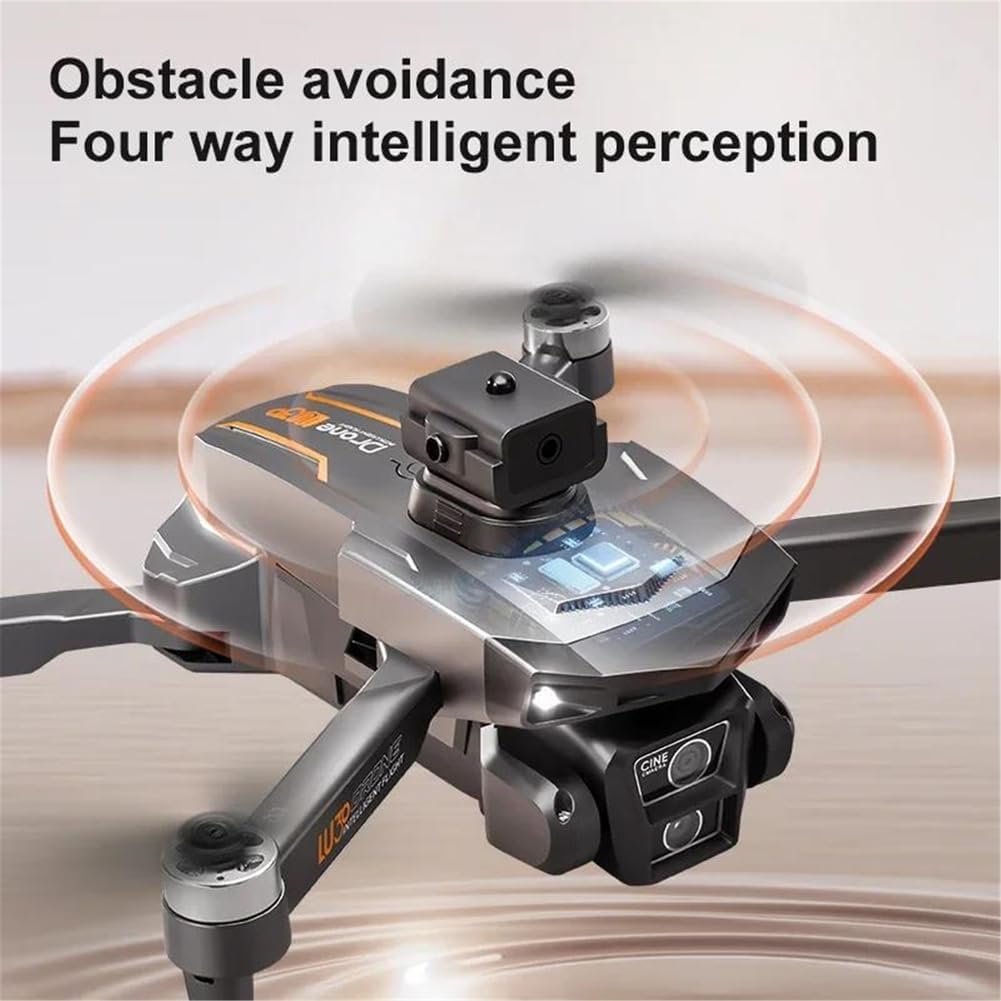
Image: Close-up of the drone's obstacle avoidance sensor, illustrating its four-way intelligent perception capability.

Image: The drone in flight, with icons illustrating the various GPS Smart Return to Home functions: low-power, over-the-top, out of control, and one-click return.

Image: The drone flying along a pre-defined waypoint path, demonstrating the intelligent flight feature where the drone follows a route set on the app map.
4. Camera Operation
The LU30 drone is equipped with a 6K HD camera featuring a 1/1.9-inch sensor, capable of capturing stunning videos (5780x2890 pixels) and high-resolution photos. The camera mount is fixed for stability, but the lens angle can be adjusted remotely up to 90 degrees.

Image: Close-up of the drone's camera, illustrating its ability to be remotely controlled for a 90-degree angle adjustment.
- Photo/Video Capture: Use the dedicated buttons on the remote control or the app interface to start/stop recording or take photos.
- Storage: The drone supports expandable storage, typically via a Micro SD card (up to 64GB recommended, as shown in product images). Ensure a high-speed card is used for 6K recording.
- Remote Camera Angle Adjustment: Use the lens adjustment controls on the remote to change the camera's vertical angle during flight.
Maintenance
1. Battery Care
- Always use the provided charging cable and a compatible adapter.
- Do not overcharge or over-discharge batteries.
- Store batteries in a cool, dry place away from direct sunlight and heat sources.
- If the drone will not be used for an extended period, charge the batteries to approximately 50-60% before storage.
2. Cleaning
- Use a soft, dry cloth to clean the drone body and remote control.
- For the camera lens, use a specialized lens cleaning cloth and solution to avoid scratches.
- Ensure no dust or debris accumulates in the motor areas or propeller mounts.
3. Propeller Inspection
- Regularly inspect propellers for cracks, bends, or other damage.
- Replace damaged propellers immediately to ensure safe and stable flight.
- Ensure propeller screws are tight before each flight.
Troubleshooting
| Problem | Possible Cause | Solution |
|---|---|---|
| Drone does not power on | Low battery; Incorrect battery installation | Charge battery fully; Reinstall battery correctly. |
| Remote control not connecting | Low remote battery; Pairing issue | Charge remote control; Refer to pairing instructions in manual. |
| Unstable flight/Drifting | Improper calibration; Damaged propellers; Strong wind | Perform gyroscope and geomagnetic calibration; Replace damaged propellers; Fly in calm conditions (<10km/h wind). |
| GPS signal loss | Flying indoors; Obstructions; Electromagnetic interference | Fly in open outdoor areas; Avoid areas with tall buildings or strong signals. |
| Obstacle avoidance not working | Sensors blocked; Feature disabled | Clean sensors; Ensure obstacle avoidance is enabled via remote/app. |
| Poor camera image quality | Dirty lens; Insufficient lighting; SD card issue | Clean lens; Fly in well-lit conditions; Use a high-speed Micro SD card. |
Specifications
- Model: LU30
- Drone Weight: 192g
- Flight Time: Approximately 18 minutes
- Remote Distance: Up to 1000m
- Camera: 6K HD Video Recording (5780x2890), 1/1.9-inch sensor, Fixed Camera Mount, Remote 90° control
- Motor Type: Brushless Motor
- Obstacle Avoidance: Visual avoidance (four-way intelligent perception)
- Max Wind Speed Resistance: <10km/h
- Max Takeoff Weight: <1kg
- Aircraft Operating Frequency: 2.4GHz
- Connectivity: APP Controller, Remote Control, Wi-Fi Connection
- GPS: Yes
- Display Control: Yes (on remote control)
- FPV Operation: Yes
- Expandable Storage: Yes (supports Micro SD card, e.g., 64GB)
- Battery: Removable/Replaceable
Warranty Information
FINOTI provides a warranty for this product during the specified warranty period. For detailed information regarding warranty terms, conditions, and duration, please refer to the product description on the purchase platform or contact the seller directly. Keep your proof of purchase for warranty claims.
Customer Support
For technical assistance, troubleshooting, or any inquiries regarding your FINOTI LU30 Drone, please contact our customer support team:
- Email: 92991@qq.com
- Online Resources: Visit the FINOTI brand store or product page on the platform where you made your purchase for additional resources and FAQs.
Please provide your product model (LU30) and purchase details when contacting support to ensure a prompt and efficient response.