
VOPLLS G3
Contents
VOPLLS G3 Smart Google TV Projector User Manual
Model: G3
Brand: VOPLLS
Introduction
This manual provides detailed instructions for the setup, operation, and maintenance of your VOPLLS G3 Smart Google TV Projector. Please read this manual thoroughly before using the product to ensure proper functionality and to maximize your viewing experience.
The VOPLLS G3 is a 4K smart projector featuring Google TV and Netflix official licensing, WiFi 6, Bluetooth 5.2, Dolby Audio, and automatic focus and keystone correction. It is designed for versatile use in various environments, from home theaters to outdoor movie nights.
Package Contents
Upon unpacking, please verify that all the following items are included:
- VOPLLS G3 Google TV Projector with WiFi and Bluetooth
- 360° Rotating Stand (x1)
- HDMI Cable (1.5M/4.92ft) (x1)
- Power Cord (x1)
- User Manual (this document)
- Remote Control (batteries not included)

Image: The VOPLLS G3 projector shown with its Google TV interface displaying various streaming apps.
Setup Guide
1. Placement and Power Connection
Place the projector on a stable surface. The 360° rotating stand allows for flexible positioning, including ceiling projection. Connect the power cord to the projector and then to a power outlet.
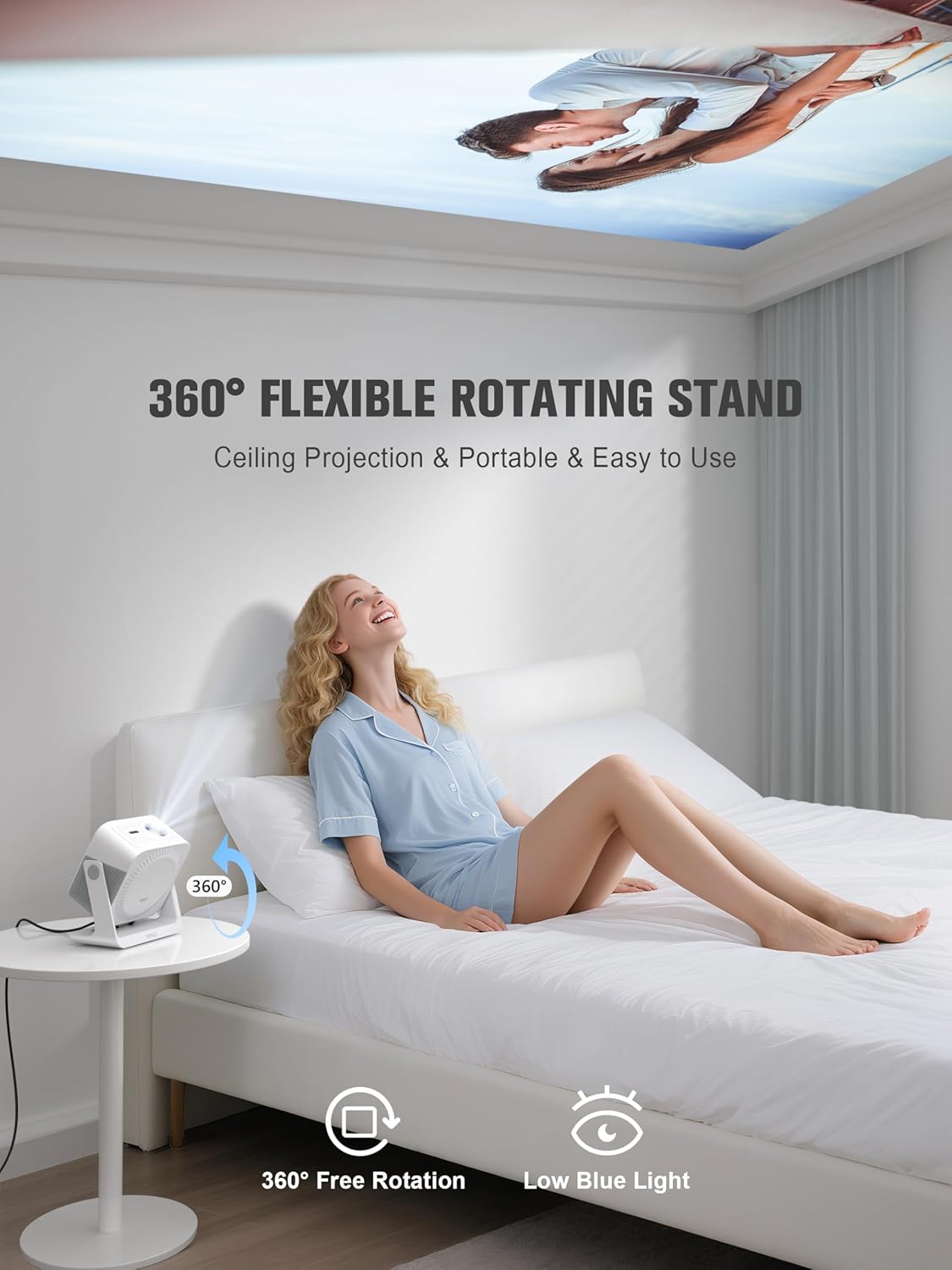
Image: The VOPLLS G3 projector positioned on a table, demonstrating its 360° rotating stand for ceiling projection.
2. Initial Power On and Google TV Setup
Press the power button on the projector or remote control. Follow the on-screen prompts to complete the initial Google TV setup, including connecting to your Wi-Fi network (WiFi 6 supported for faster streaming) and logging into your Google account. The system is designed for zero setup complexity.

Image: The projector displaying the Google TV interface, showcasing available streaming services and content.
3. Automatic Image Adjustment
The VOPLLS G3 features automatic image adjustments for convenience:
- Auto Focus: Ensures a crisp image within seconds, even after minor movements.
- Auto Keystone: Automatically corrects tilted frames to maintain a rectangular projection.
- Smart Avoidance: Detects and adjusts the projection to avoid obstacles like wall outlets or picture frames.
- Screen Fit: Automatically scales the image to fit your projection surface perfectly.
These features minimize the need for manual adjustments, providing an optimal viewing experience instantly.

Image: Visual representation of the projector's automatic image adjustment capabilities, including auto-focus and keystone correction.
4. Connecting External Devices
The projector offers multiple connectivity options:
- HDMI: Connect gaming consoles (e.g., PS5, Switch), laptops, or other HDMI-enabled devices.
- USB: Plug in USB drives for media playback.
- Bluetooth 5.2 (Two-way): Connect to external Bluetooth speakers for enhanced audio or use the projector as a Bluetooth speaker for your phone.
- Wi-Fi 6: For high-speed wireless streaming and internet access.
- Wireless Casting: Supports AirPlay, Miracast, and Chromecast protocols for casting content from iPhone, Android, PC, or Mac devices.
Operating Instructions
1. Google TV Interface Navigation
The home screen, powered by Google TV AI, organizes movies, shows, and live content based on your viewing habits. It provides tailored recommendations and access to over 10,000 apps and 800+ free live channels via the built-in Google Play Store.

Image: The Google TV interface, highlighting its comprehensive streaming capabilities and app integration.
2. Voice Control with Google Assistant
Press the microphone button on your remote control and speak naturally to use the built-in Google Assistant. Examples of commands include:
- "Play Stranger Things on Netflix"
- "Lower volume"
- "What’s the weather?"
- "Open Netflix"
- "Find Movies"
This allows for hands-free control of content search, playback, and smart features.

Image: The remote control with its voice command feature, illustrating how to interact with Google Assistant.
3. Audio Settings and Dolby Atmos
The projector features dual speakers with Dolby Atmos support for immersive, multi-directional sound. Bluetooth 5.2 bidirectional ensures lossless audio/video synchronization.
- Movie Mode: Experience Dolby Atmos audio through the integrated speakers.
- Party Mode: Switch the projector to act as a Bluetooth speaker for music playback without screen projection.
- Private Listening: Pair zero-lag wireless headphones (iPhone/Android compatible) for personal audio.

Image: A visual depiction of the projector's dual-channel Dolby Audio creating an immersive sound experience.
4. Personalized Profiles and Kid-Safe Mode
Create personalized profiles for each user, allowing for separate watch histories and tailored content recommendations. The Kid-Safe Mode offers content rating filters, viewing time limits, and bedtime lock screen activation for child-friendly usage.
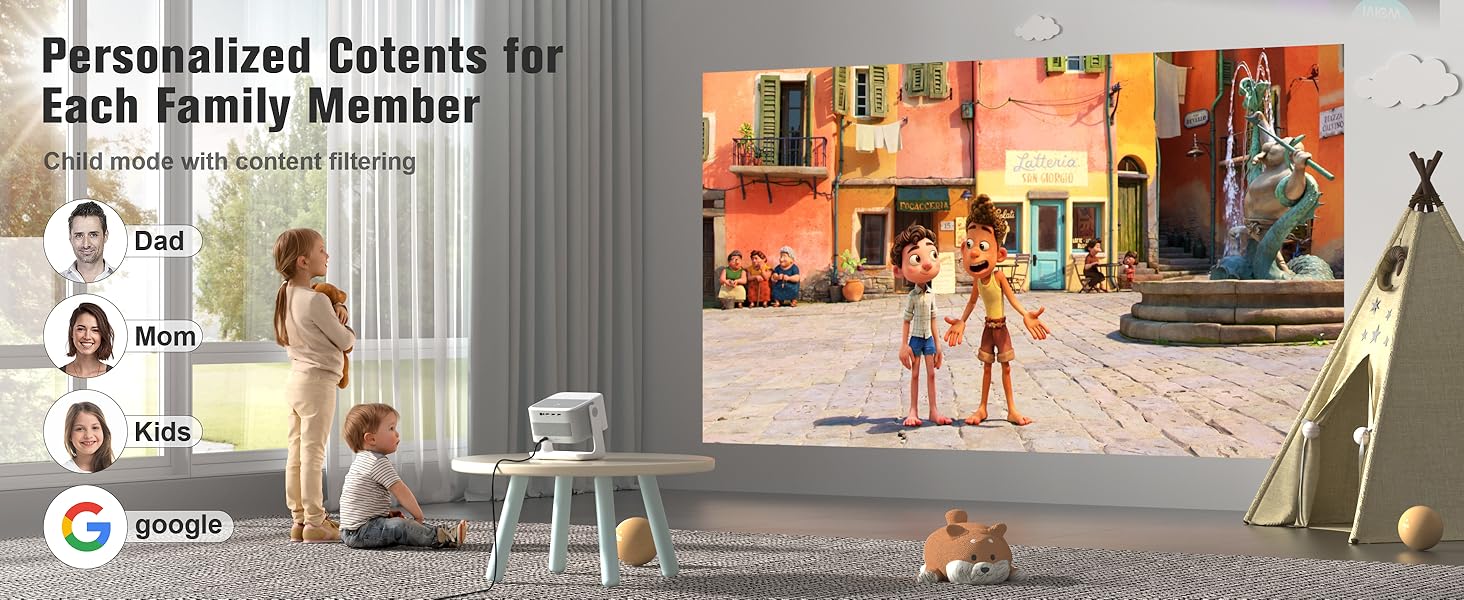
Image: Illustration of personalized user profiles and the Kid-Safe Mode for family viewing.
Maintenance
1. Cleaning
To maintain optimal performance, periodically clean the projector lens with a soft, lint-free cloth. Ensure the projector is powered off and unplugged before cleaning. Avoid using abrasive cleaners or solvents.
2. Cooling System
The projector features a whisper-quiet dual-fan cooling system (30dB) with temperature sensors. Ensure that the ventilation openings are not obstructed to allow for proper airflow and prevent overheating. No user maintenance is required for the internal cooling system.
3. LED Light Source
The advanced LED light source is designed for longevity, with an estimated lifespan of up to 100,000 hours, significantly reducing the need for lamp replacement.
Troubleshooting
This section addresses common issues you might encounter. Many potential display issues are automatically resolved by the projector's intelligent features.
- No Image / Blurry Image:
Ensure the projector is powered on and the lens cap is removed. The projector's Auto Focus feature should automatically provide a clear image. If the image remains blurry, gently clean the lens. Check that the input source is correctly selected.
- Distorted Image (Trapezoid Shape):
The Auto Keystone correction feature should automatically adjust the image. Ensure the projector is placed as directly as possible in front of the screen. If manual adjustment is needed, refer to the on-screen display settings.
- Image Obstructed by Objects:
The Smart Avoidance feature is designed to automatically adjust the projection area to avoid obstacles. Reposition the projector slightly if an object consistently interferes with the projection.
- No Sound / Low Sound:
Check the volume settings on both the projector and any connected external devices. Ensure external speakers are properly connected via Bluetooth or the audio port. Verify that the correct audio output is selected in the projector's settings.
- Wi-Fi Connectivity Issues:
Ensure your Wi-Fi router is within range and functioning correctly. Restart the projector and your router. Verify the Wi-Fi password. The projector supports WiFi 6 for stable connections.
- Remote Control Not Responding:
Replace the batteries in the remote control. Ensure there are no obstructions between the remote and the projector's IR receiver.
Specifications
| Brand | VOPLLS |
| Model Number | G3 |
| Display Resolution | 1920 x 1080 (Native 1080p, supports 4K input) |
| Brightness | 2000 ANSI Lumens |
| Connectivity Technology | 3.5mm Jack, Bluetooth 5.2 (Two-way), HDMI, USB, Wi-Fi 6 (5G+2.4G) |
| Special Features | Google TV (Officially Licensed), Dolby Audio, Kid-Safe Mode, Smart Recommendations Powered by AI, HDR10+, 98% NTSC, Lifetime OTA Support, 360° Portable Rotating Stand, Auto Focus/Keystone, Smart Avoidance, Airplay/Miracast/Chromecast, Voice Control (Google Assistant), Google Home app Control |
| Recommended Uses | Home Cinema, Gaming, Indoor/Outdoor |
| Item Weight | 5.29 pounds |
| Product Dimensions | 10 x 8 x 11 inches |
| LED Light Source Lifespan | Up to 100,000 hours |
Warranty and Support
The VOPLLS G3 Smart Google TV Projector comes with a 3-year protection plan and lifetime customer support. For any inquiries or assistance, please contact VOPLLS customer service. 24/7 support is available to address your needs.
Please retain your purchase receipt and the guarantee card included in the package for warranty claims.
Documents and downloads
Ask a question about this manual
Ask about setup, troubleshooting, compatibility, parts, safety, or missing instructions. Manuals+ will review the question and use this page’s manual context to help answer it.