
1. Introduction
Thank you for choosing the Basike FON249 OWS Bluetooth 5.4 Earbuds. These open-ear wireless earbuds are designed for comfort and high-quality audio, suitable for various activities including sports, office work, and daily commutes. This manual provides detailed instructions for setup, operation, and maintenance to ensure optimal performance.
Package Contents
- 2x OWS P-G1 Earbuds (Left + Right)
- 1x Charging Case with Color Screen
- 1x USB-C Charging Cable
- 1x User Manual
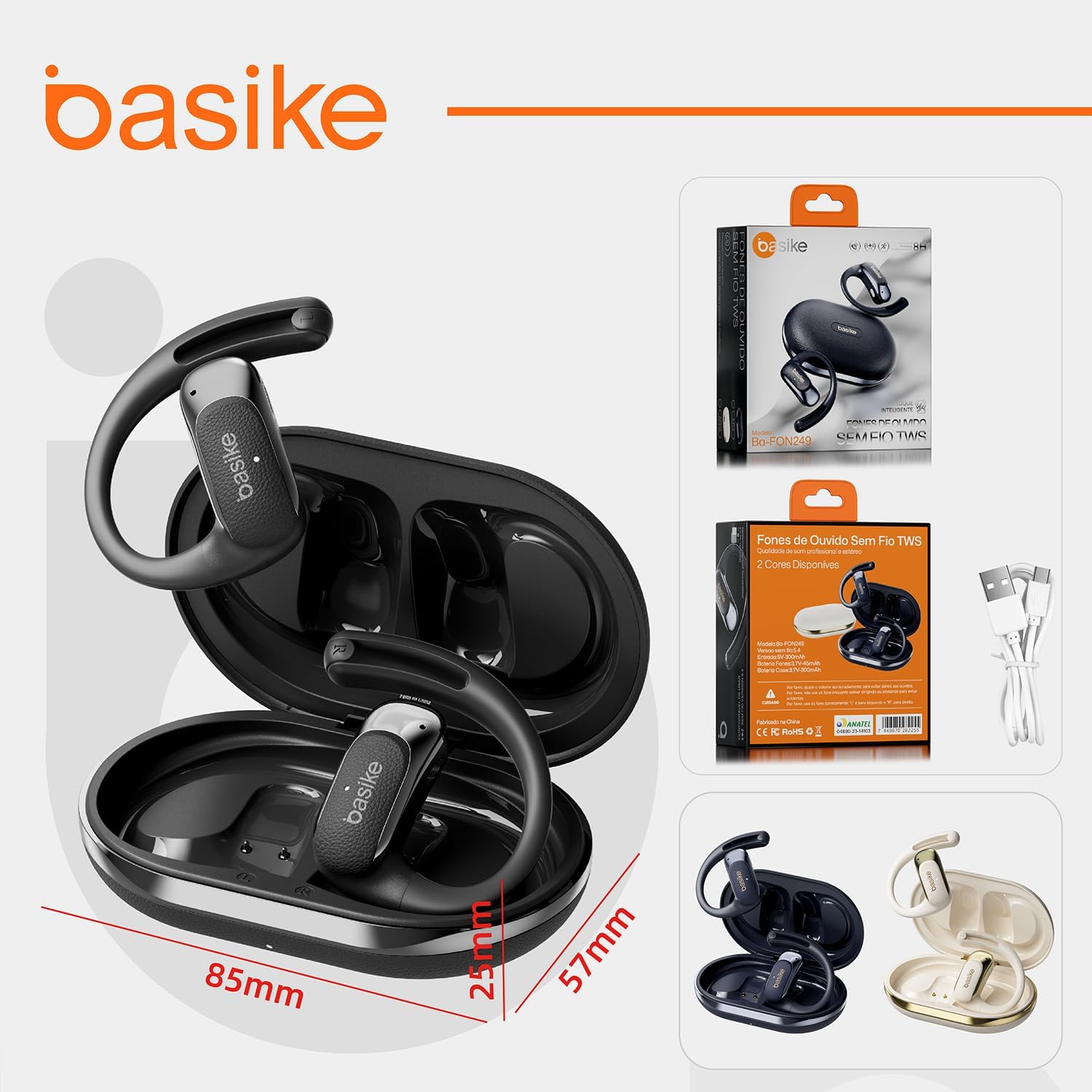
Image: The Basike FON249 earbuds, charging case, USB-C cable, and product packaging, illustrating the complete contents.
2. Product Overview
Familiarize yourself with the components of your Basike FON249 earbuds and charging case.

Image: A detailed diagram showing the Basike FON249 earbuds and charging case. Key components are labeled: 1. Indicator Light, 2. Microphone, 3. Charging Area, 4. Sound Outlet, 5. Indicator Light, 6. USB-C Port.
Ergonomic Design
The FON249 features an open-ear design (OWS) for comfort during prolonged use and to maintain environmental awareness. The lightweight design (63.8g) ensures a secure and comfortable fit.

Image: A woman wearing the Basike FON249 earbuds, highlighting their ergonomic design with flexible stems for a comfortable and light fit, suitable for extended wear.
3. Setup and Pairing
Initial Connection
- Open the charging case lid or remove both the left and right earbuds. The white indicator lights on both earbuds will flash slowly. One indicator light will then turn off, while the other continues to flash white, indicating successful automatic pairing between the left and right earbuds.
- On your phone, go to Settings > Bluetooth. Search for "fon249" in the list of available devices.
- Tap "fon249" to connect. The earbud indicator light will turn off, confirming successful connection to your phone.
Re-pairing (Troubleshooting One-Sided Audio)
If you experience sound from only one earbud after connection, follow these steps to re-pair:
- Place both the left and right earbuds back into the charging case and close the lid.
- On your phone, delete "fon249" from your Bluetooth paired devices list.
- Turn off your phone's Bluetooth, then turn off your phone screen.
- Remove the earbuds from the case again and repeat the "Initial Connection" steps above.
4. Operating Controls
The Basike FON249 earbuds feature intuitive touch controls for easy management of calls and music playback.
- 1 Tap: Answer/End Call, Play/Pause Music
- 2 Taps: Next Track (Right Earbud), Previous Track (Left Earbud)
- 3 Taps: Volume Up (Right Earbud), Volume Down (Left Earbud)
- 4 Taps: Activate Voice Assistant
The earbuds will automatically power off after 3 minutes of inactivity.
5. Charging
The Basike FON249 earbuds and charging case provide extended battery life for continuous use.
- Earbud Battery: 45mAh/3.7V (approximately 5 hours of continuous use)
- Charging Case Battery: 400mAh (provides an additional 15 hours of charge, totaling 24 hours of autonomy)
- Charging Time: Approximately 1.5 hours for a full charge via USB-C.
- Input: 5V/400mA
A low battery alert will activate when the battery level reaches 3.3V. The system includes OVP (Over Voltage Protection) at 28-30V and automatically shuts down at 3.1V to protect the battery.

Image: The Basike FON249 charging case, showing its display with battery information and the USB-C charging port, indicating fast charging capabilities.
6. Maintenance and Durability
To ensure the longevity of your Basike FON249 earbuds, follow these maintenance guidelines:
- Temperature Range: Operate the earbuds between -20°C and 55°C.
- Drop Resistance: Tested to withstand drops from 1.2m onto concrete.
- ESD Protection: Features ±8kV ESD protection (EN61000-4-2).
- Connector Durability: Connectors are tested for 3,000 cycles.
- Salinity Test: Passed 24-hour salinity test (5% NaCl).
- Hinge Durability: Charging case hinge tested for 3,000 cycles.
- Water Resistance: The product is water-resistant, suitable for sports and humid conditions.

Image: The Basike FON249 earbuds are depicted with water droplets, emphasizing their IPX8 water resistance and shock-resistant build, making them ideal for active use.
7. Specifications
| Brand | Basike |
| Model Number | FON249 |
| Color | Khaki (Cáqui) |
| Ear Placement | Open-Ear |
| Headphone Form Factor | Circumaural |
| Impedance | 16 Ohms |
| Frequency Response | 20Hz-20kHz |
| Microphones | 4 Microphones, -42dB sensitivity, 20Hz-10kHz range, 59dB SNR |
| Bluetooth Version | 5.4 |
| Bluetooth Range | 10 meters (stable) |
| Audio Codecs Supported | AAC/FLAC/APTX/MP3/WMA |
| Earbud Battery Capacity | 45mAh |
| Charging Case Battery Capacity | 400mAh |
| Total Playtime | Up to 24 hours (with charging case) |
| Charging Port | USB-C |
| Water Resistance Level | Water-resistant |
| Compatible Devices | Mobile Phones, Tablets, Laptops (Android/iOS/HarmonyOS) |
| Control Method | Touch, Voice |
| External Test Certification | ANATEL: 04880-23-14103 |
Audio Features
The earbuds are equipped with 16Ω dual-layer PU+SWZ drivers for HD stereo sound, delivering deep bass and clear treble. The 4 microphones contribute to effective noise reduction for calls.
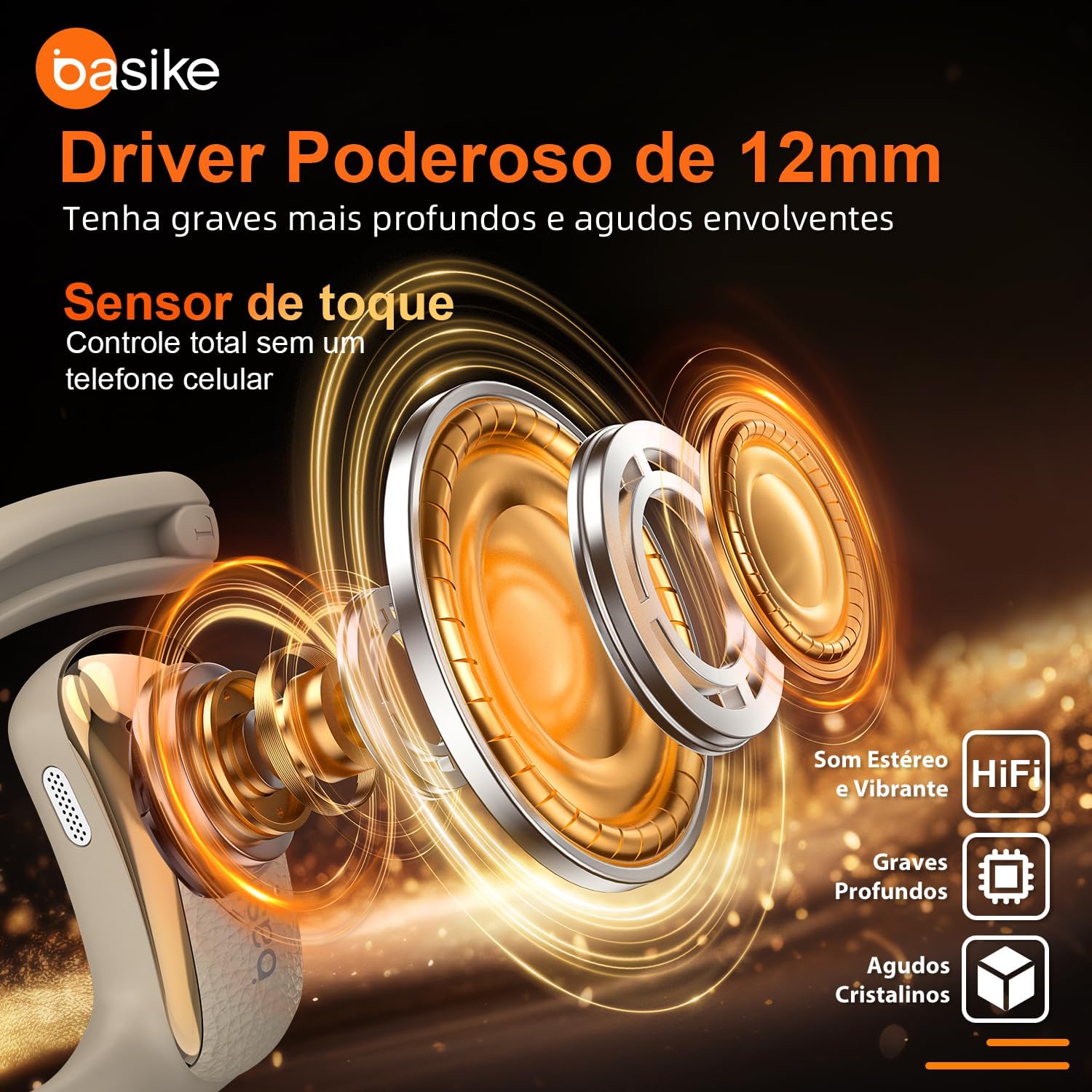
Image: An exploded view illustrating the 12mm powerful driver of the Basike FON249 earbuds, designed to produce rich bass and crisp high frequencies for a superior stereo sound experience.

Image: A visual representation of the Basike FON249 earbuds' noise cancellation capabilities and frequency response range of 20Hz-20kHz, highlighting stable connections and longer transmission distances.
8. Troubleshooting
No Sound from One Earbud
If you only hear sound from one earbud, follow the re-pairing steps outlined in the Setup and Pairing section.
Connection Issues
- Ensure the earbuds are charged.
- Make sure Bluetooth is enabled on your device.
- Keep the earbuds within 10 meters of your device.
- Try restarting your device and the earbuds.
9. Warranty and Support
Basike products are manufactured with high-quality standards. For warranty information, technical support, or service inquiries, please refer to the warranty card included in your package or visit the official Basike website. Keep your purchase receipt as proof of purchase for any warranty claims.