
WINONS WFC0013
WINONS Hot Knife Foam Cutter Tool WFC0013 User Manual
Model: WFC0013
1. Introduction
This manual provides detailed instructions for the safe and effective operation, setup, and maintenance of your WINONS Hot Knife Foam Cutter Tool, model WFC0013. This tool is designed for precise cutting of various foam materials, including EPS, XPS, EPE, EVA, and other foamed plastics.
2. Safety Information
WARNING: Always prioritize safety when operating this tool. Failure to follow these instructions may result in injury or damage to the tool.
- Ventilation: Use the tool in a well-ventilated area, preferably outdoors or in a garage with open doors. Cutting foam produces smoke and fumes which can be toxic.
- Personal Protective Equipment (PPE): Always wear appropriate PPE, including eye goggles, gloves, and a face mask, to protect against fumes and hot debris.
- Continuous Operation Limit: Limit continuous operation to a maximum of 60 minutes to prevent overheating and ensure tool longevity. Allow the tool to cool down after extended use.
- Cutting Pressure: Apply minimal pressure. Let the hot blade do the work. Excessive force can bend or break the blade and lead to uneven cuts.
- Hot Surfaces: The blade and surrounding areas become extremely hot. Avoid direct contact with skin.
- Cleaning: Clean the blade only when hot, but do so carefully. Do not apply side pressure to the blade while scraping to avoid snapping it. Support the blade on a scrap piece of wood during cleaning. Never allow the hot blade to contact metal surfaces, as this can short out the induction coil.
- Storage: Store the tool and accessories in the provided plastic box in a dry, safe place, out of reach of children.
- Power Source: Ensure the power source matches the tool's requirements (AC/DC, 250 watts).

3. Package Contents
Verify that all items are present in your WINONS Hot Knife Foam Cutter Tool kit:
- 1x 210W Powerful Handle (Main Unit)
- 2x 6-inch (15cm) Blades
- 2x 8-inch (20cm) Blades
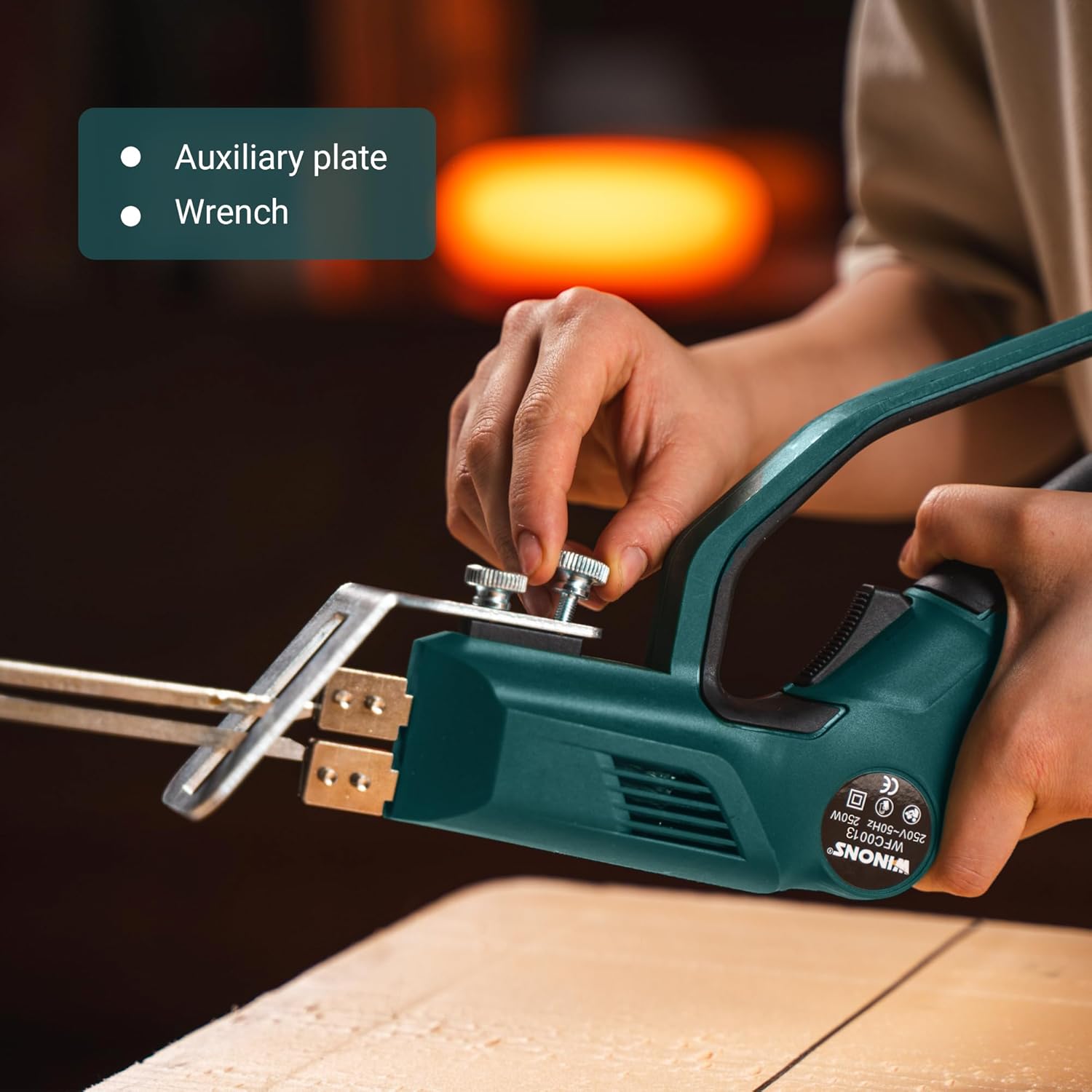
- 1x Auxiliary Plate
- 1x Wrench
- 1x Cleaner (Scraper)
- 1x User Manual (This document)
- 1x Warranty Card
- 1x Plastic Storage Box

4. Setup
- Unpacking: Carefully remove all components from the plastic storage box.
- Blade Installation:
- Select the appropriate blade size (6-inch or 8-inch) for your project.
- Loosen the two screws on the blade holder at the front of the tool using the provided wrench.
- Insert the blade into the slots, ensuring it is seated firmly and evenly.
- Tighten the screws securely to hold the blade in place. Do not overtighten.
- Auxiliary Plate (Optional): If precise straight cuts are required, attach the auxiliary plate to the tool using its designated screws. This plate helps guide the blade along a straight edge.
- Power Connection: Plug the tool into a standard AC/DC power outlet.
5. Operating Instructions
- Power On: Press the safety switch and then the trigger to activate the heating element. The blinking light indicator will confirm the tool is heating.
- Temperature Adjustment:
- The tool features a numbered temperature controller with 15 steps, allowing for precise temperature control up to 630°C (1166°F).
- Rotate the dial to select the desired temperature setting. Higher numbers indicate higher temperatures.
- Allow approximately 20 seconds for the blade to reach the selected temperature.

Image: Close-up view of the WINONS Hot Knife Foam Cutter's numbered temperature controller dial and blinking light indicator. - Air Cooling System: The tool is equipped with a 2-side air cooling system to help prevent overheating during operation.
- Material Compatibility: The tool is suitable for cutting various foam materials, including:
- EPS (Expanded Polystyrene)
- XPS (Extruded Polystyrene)
- EPE (Expanded Polyethylene)
- EVA (Ethylene-vinyl acetate)
- Sponge and other foamed plastics.
Note: Different foam densities and types may require different temperature settings. It is recommended to perform a test cut on a scrap piece of material to determine the optimal temperature and cutting speed.

Image: The WINONS Hot Knife Foam Cutter in action, demonstrating its ability to cut through different types of foam materials like EPS, XPS, EPE, and EVA. - Cutting Technique:
- Ensure the blade is fully heated before starting a cut.
- Gently press the hot blade into the foam. Do not force the tool.
- Maintain a steady, slow pace, allowing the heat to melt through the material. Moving too fast will result in an uneven cut; moving too slow or stopping will cause excessive melting and charring.
- For best results, keep the blade clean during longer cuts by periodically wiping off melted residue with the cleaner tool.
- Power Off: Release the trigger and unplug the tool from the power outlet after use. Allow the blade to cool completely before handling or storing.
6. Maintenance
- Blade Cleaning: After each use, and while the blade is still hot, use the provided cleaner (scraper) to remove any melted foam residue. Support the blade on a non-metallic surface (e.g., a scrap piece of wood) while cleaning to prevent bending or breaking.
- Tool Body Cleaning: Wipe the tool body with a dry or slightly damp cloth. Do not use harsh chemicals or abrasive cleaners.
- Storage: Once the tool has completely cooled, disassemble the blade if desired, and store all components in the plastic carrying case to protect them from damage and dust.
7. Troubleshooting
| Problem | Possible Cause | Solution |
|---|---|---|
| Tool does not heat up. | Not plugged in; power switch not engaged; faulty outlet. | Check power connection; ensure safety switch and trigger are pressed; test outlet with another device. |
| Blade bends or breaks during cutting. | Excessive pressure applied; incorrect temperature setting for material. | Reduce cutting pressure; allow the blade to melt through the foam; adjust temperature setting. |
| Uneven or charred cuts. | Incorrect temperature setting (too high or too low); inconsistent cutting speed. | Adjust temperature; maintain a steady, moderate cutting speed; clean blade regularly. |
| Excessive smoke/fumes. | High temperature setting; cutting too slowly; material type. | Reduce temperature if possible; increase cutting speed slightly; ensure adequate ventilation. |
8. Specifications
- Model: WFC0013
- Power: 250 Watts
- Maximum Temperature: 630°C (1166°F)
- Temperature Control: Numbered, 15 steps
- Blade Material: Cr20Ni80
- Power Source: AC/DC
- Product Dimensions: 14.09 x 3.86 x 10.63 inches
- Item Weight: 1.76 pounds (800 Grams)
- Color: Dark Green
- Handle Material: Plastic
9. Warranty and Support
Your WINONS Hot Knife Foam Cutter Tool comes with a warranty as detailed on the included Warranty Card. For technical support, replacement parts, or warranty claims, please refer to the contact information provided on your Warranty Card or visit the official WINONS website.
Manufacturer: WINONS
Ask a question about this manual
Ask about setup, troubleshooting, compatibility, parts, safety, or missing instructions. Manuals+ will review the question and use this page’s manual context to help answer it.