
Introduction
The Freenove ESP32 CYD 3.5 Inch Touch Display is a versatile development board designed for exploring microcontroller projects, including Bitcoin mining concepts. It integrates a powerful ESP32 module with a 3.5-inch resistive touch display, offering Wi-Fi and Bluetooth connectivity for a wide range of applications. This manual provides essential information for setting up, operating, and maintaining your device.
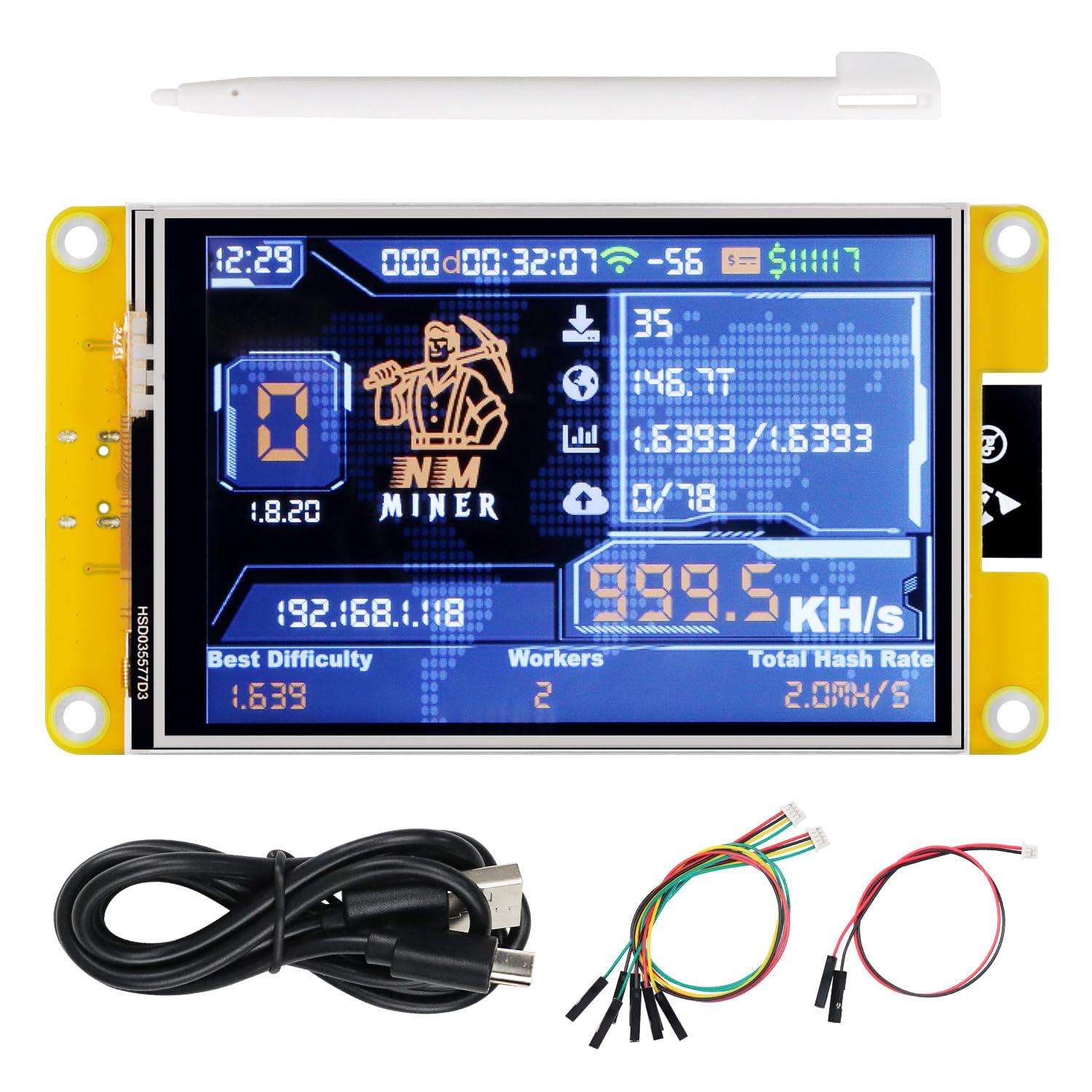
The Freenove ESP32 CYD 3.5 Inch Touch Display, a compact development board with an integrated screen.
Setup
1. Unboxing and Initial Inspection
Carefully unpack the contents of the box. Ensure all components are present and undamaged. The package typically includes the ESP32 board with the integrated display, a USB-C cable, and various jumper wires for connectivity.

The Freenove ESP32 CYD 3.5 Inch Touch Display and its included accessories, shown within its protective case and with dimensions.
2. Connecting the Device
Connect the Freenove ESP32 board to your computer using the provided USB-C cable. This connection supplies power and enables communication for firmware flashing and serial monitoring.
3. Firmware Installation / Upgrade
The device does not come with miner software pre-installed. You will need to install or upgrade the firmware yourself. Follow these general steps:
- Connect the device to your computer via USB-C.
- Use your phone or computer to join the device's temporary Wi-Fi network for initial setup. The device will display the Wi-Fi name (SSID) and password.
- Once connected to the device's Wi-Fi, a configuration page will appear in your browser. Configure your home Wi-Fi network details (SSID and password) and save them.
- Access the Freenove flasher web page (refer to the product box for the specific URL) to install or upgrade the miner software.

Visual guide for installing or upgrading the miner firmware, showing connection to a computer and Wi-Fi configuration steps.
For a detailed step-by-step tutorial, please refer to the link provided on the product box.
Operation
1. Display Overview
The device features a 3.5-inch, 320x480 pixel, TN type TFT LCD screen with an ST7796 driver IC. It utilizes 4-wire SPI communication and includes a single-point resistive touch screen. Note that resistive touch screens require a certain amount of pressure for accurate input; using a nail or the provided stylus is recommended for best results.

The 3.5-inch resistive touch screen in operation, demonstrating interaction with a stylus.
2. Miner Software Interface
Once the miner firmware is installed, the display will show real-time mining statistics. The compatibility with different miner software varies:
- NMMiner: Fully compatible.
- NerdMiner: Incompatible in screen display, but a tutorial is provided for installation.

The display showing examples of NMMiner and NerdMiner interfaces, illustrating their visual differences.
3. ESP32 Module Features
The core of the device is an ESP32 module, featuring a dual-core 32-bit microprocessor operating up to 240 MHz. It includes 4 MB flash, 520 KB SRAM, and 448 KB ROM. Integrated 2.4 GHz Wi-Fi and Bluetooth 4.2 (LE) provide robust wireless communication capabilities.

An annotated diagram of the ESP32 module, showing key components like the Wi-Fi chip and various ports.
The board also includes various ports and devices for expanded functionality:
- Memory card slot
- USB-C port
- Serial port
- SPI port
- I2C port
- Input pin port
- Speaker port
- Battery port
- RGB LED
- BOOT key
- RESET key
Maintenance
To ensure the longevity and proper functioning of your Freenove ESP32 CYD 3.5 Inch Touch Display, follow these maintenance guidelines:
- Cleaning: Use a soft, dry cloth to gently wipe the display and board. Avoid using harsh chemicals or abrasive materials that could damage the screen or components.
- Handling: Handle the board by its edges to prevent damage to sensitive electronic components. Avoid applying excessive force to the screen.
- Storage: Store the device in a cool, dry environment, away from direct sunlight, extreme temperatures, and high humidity. Keep it in its original packaging or a protective case when not in use.
- Power Supply: Always use a stable and appropriate power supply (via the USB-C port) to prevent electrical damage.
Troubleshooting
If you encounter issues with your Freenove ESP32 CYD 3.5 Inch Touch Display, consider the following common troubleshooting steps:
- Device Not Powering On: Ensure the USB-C cable is securely connected to both the device and a working power source (e.g., computer USB port or a 5V power adapter). Try a different USB-C cable or power source.
- Display Not Showing Anything: After connecting power, the display should show some activity. If not, ensure the firmware has been correctly flashed. Refer to the 'Firmware Installation / Upgrade' section.
- Wi-Fi Connection Issues: Double-check the Wi-Fi SSID and password entered during the configuration process. Ensure the device is within range of your Wi-Fi router.
- Touch Screen Unresponsive: Remember that this is a resistive touch screen. Use a stylus or your fingernail with a slight pressure. If still unresponsive, ensure the display ribbon cable is properly seated.
- Firmware Flashing Errors: Ensure you have the correct drivers installed for your operating system. Try a different USB port or computer. Consult the online tutorials for specific flashing instructions and error codes.
For more in-depth troubleshooting and specific error messages, please refer to the detailed tutorials available online (link provided on the product box).
Specifications
| Feature | Specification |
|---|---|
| Brand | FREENOVE |
| Model Number | FNK0103N |
| Screen Size | 3.5 Inches |
| Screen Resolution | 320 x 480 pixels |
| Screen Type | TN TFT LCD |
| Driver IC | ST7796 |
| Touch Screen | Single-point Resistive Touch |
| Microprocessor | Dual-core 32-bit ESP32 |
| Clock Frequency | Up to 240 MHz |
| Flash Memory | 4 MB |
| SRAM | 520 KB |
| ROM | 448 KB |
| Wireless Connectivity | 2.4 GHz Wi-Fi, Bluetooth 4.2 (LE) |
| USB Port | USB-C |
| Item Weight | 3.1 ounces |
| Package Dimensions | 5.63 x 2.83 x 1.26 inches |
Warranty and Support
This product is subject to a 30-day return policy for refunds or replacements, as per standard retail terms.
For technical support, detailed tutorials, and additional resources, please refer to the official Freenove website or contact support directly:
- Tutorials: The tutorial link can be found on the product box.
- Email Support: support@freenove.com
Product Video
Official Freenove video demonstrating the features and functionality of the Touchscreen Display for ESP32.