
1. Product Overview
The Basike Ba-FON231 Bluetooth 5.4 TWS Sport Earphones are designed for an immersive audio experience during physical activities and daily use. They feature Hi-Fi stereo sound, Active Noise Cancellation (ANC) to reduce external noise, and a Transparency Mode to stay aware of your surroundings. With a comfortable open-ear design and resistance to sweat and splashes, these earphones are ideal for sports and outdoor exercises.

Image: Basike Ba-FON231 earphones showcasing the open-ear ergonomic design for comfort and secure fit during activities.
2. What's in the Box
- 1x Basike OWS Sport Bluetooth Earphones
- 1x Charging Case
- 1x USB Type-C Charging Cable
- 1x Detachable Lanyard
- 3x Ear Cushions (Small/Medium/Large)
- 1x User Manual
- 1x Packaging Box
3. Setup
3.1 Initial Charging
Before first use, fully charge the earphones and the charging case. Connect the provided USB Type-C cable to the charging case and a power source. The charging case's indicator light will show the battery status.
3.2 Pairing with a Device
- Ensure your device's Bluetooth is turned on.
- Open the charging case. The earphones will automatically enter pairing mode.
- On your device, search for Bluetooth devices and select "Ba-FON231" to connect.
- Once connected, a confirmation sound will play, and the earphones are ready for use.

Image: Basike Ba-FON231 earphones in their charging case, with a smartphone displaying Bluetooth settings, indicating a stable Bluetooth 5.4 connection.
3.3 Adjusting the Fit
The earphones feature an ergonomic open-ear design for stable and comfortable wear. Select the appropriate ear cushion size (Small, Medium, or Large) for the best fit. The detachable lanyard can be attached for added security during intense physical activities.
4. Operating Instructions
4.1 Basic Controls (Touch Operation)
- Play/Pause Music: Single tap on either earphone.
- Next Track: Double tap on the right earphone.
- Previous Track: Double tap on the left earphone.
- Answer/End Call: Single tap on either earphone.
- Reject Call: Press and hold either earphone for 2 seconds.
- Activate Voice Assistant: Triple tap on either earphone.
4.2 ANC and Transparency Mode
The earphones offer Active Noise Cancellation (ANC) and Transparency Mode. ANC reduces external noise for an immersive audio experience, while Transparency Mode allows you to hear your surroundings clearly without removing the earphones.
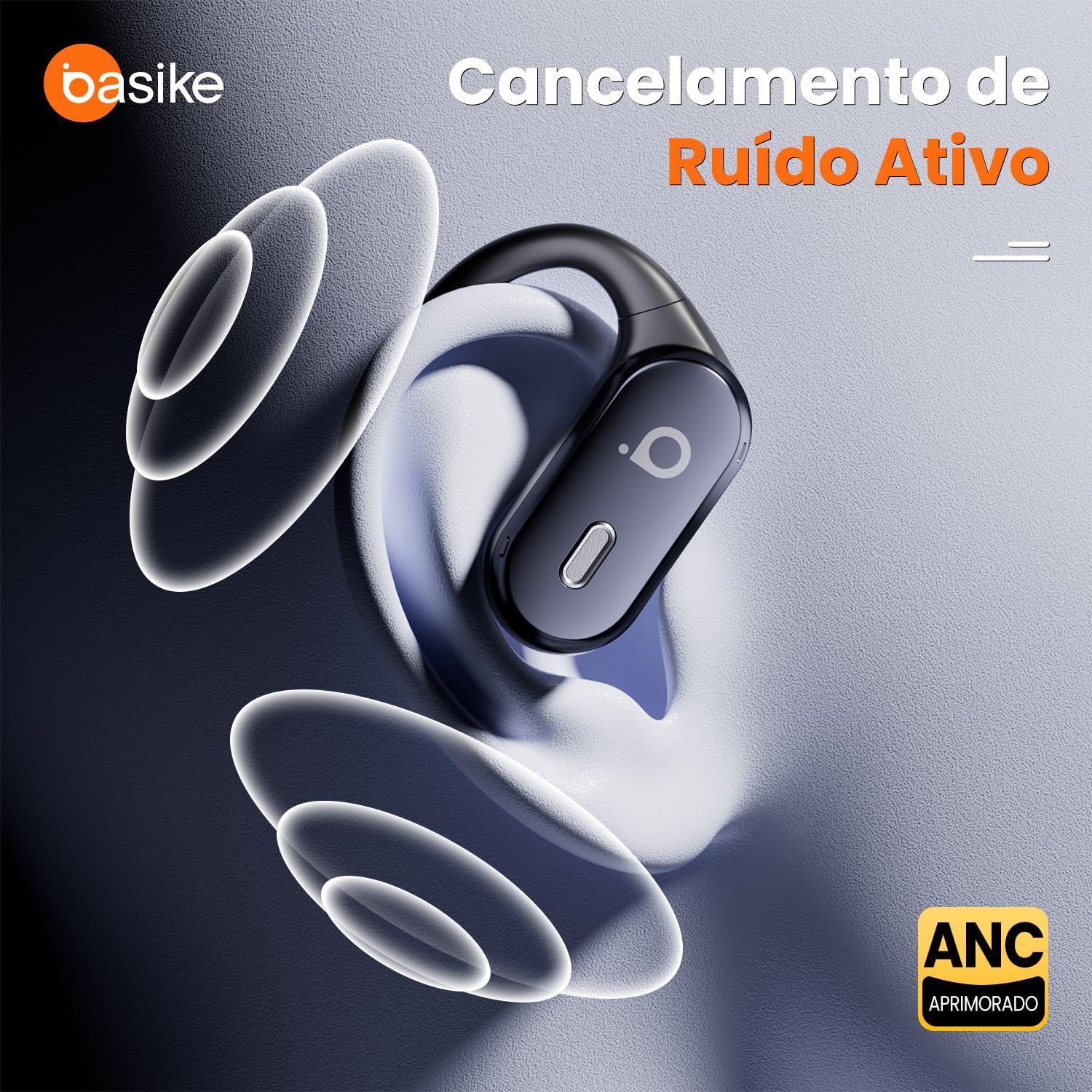
Image: Basike Ba-FON231 earphone in use, demonstrating Active Noise Cancellation (ANC) by visually representing sound waves being blocked.

Image: Two individuals wearing Basike Ba-FON231 earphones, depicting the Transparency Mode feature that allows users to hear ambient sounds.
To switch between modes: Press and hold the touch button on the left earphone.
- 1st press and hold: Activates Transparency Mode.
- 2nd press and hold: Activates ANC Mode.
- 3rd press and hold: Returns to Normal Mode.
4.3 Call Features (ENC)
The earphones are equipped with Environmental Noise Cancellation (ENC) technology. ENC focuses on reducing ambient noise during calls, ensuring your voice is transmitted clearly to the other party, even in noisy environments. This differs from ANC, which primarily affects the audio you hear.

Image: A person using Basike Ba-FON231 earphones during a phone call, highlighting the crystal clear voice transmission enabled by ENC technology.
5. Battery and Charging
The earphones provide up to 6 hours of playback time and up to 5 hours of call time on a single charge. The charging case offers up to 5 additional recharges, extending total autonomy to over 36 hours. The case has an intelligent indicator light to show battery status.
- Earphone Recharge Time: Approximately 1.5 hours
- Case Recharge Time: Approximately 2 hours
- Standby Time: Up to 100 hours
- Earphone Battery Capacity: 2 x 70mAh
- Charging Case Battery Capacity: 600mAh
- Charging Port: USB Type-C

Image: Basike Ba-FON231 earphones inside their charging case, with visual indicators for battery life and details on charging duration.
6. Water Resistance
The Basike Ba-FON231 earphones are resistant to sweat and splashes, making them suitable for workouts, running, cycling, and daily use in light rain. They are not designed to be submerged in water.

Image: Basike Ba-FON231 earphones and their charging case covered in water droplets, visually representing their sweat and splash resistant features.
7. Maintenance
- Clean the earphones and charging case regularly with a soft, dry cloth.
- Avoid using abrasive cleaners or solvents.
- Store the earphones in their charging case when not in use to protect them and maintain battery life.
- Keep away from extreme temperatures and direct sunlight.
8. Troubleshooting
8.1 Common Issues and Solutions
- No Sound/Poor Sound Quality:
- Ensure earphones are properly paired and connected.
- Check volume levels on both earphones and your device.
- Recharge earphones and case.
- Try re-pairing the earphones. - Earphones Not Pairing:
- Ensure earphones are charged.
- Turn off and on Bluetooth on your device.
- Place earphones back in the case, close, then reopen to reset pairing mode.
- Clear previous Bluetooth connections on your device. - ANC/Transparency Mode Not Working:
- Ensure you are correctly pressing and holding the left earphone's touch button to cycle through modes. - Earphones Falling Out:
- Try different sizes of ear cushions for a more secure fit.
- Ensure the open-ear hooks are correctly positioned over your ears.
9. Specifications
| Feature | Detail |
|---|---|
| Model | Ba-FON231 |
| Connectivity | Bluetooth 5.4 |
| Compatibility | Android, iOS, Windows |
| Connection Range | Up to 10 meters |
| Control Type | Sensitive Touch Operation |
| Audio Codecs | AAC, SBC |
| Speaker Size | 15 mm |
| Frequency Response | 20Hz – 20kHz |
| Output Impedance | 32 ohms |
| Playback Duration | Up to 6 hours |
| Call Duration | Up to 5 hours |
| Standby Mode | Up to 100 hours |
| Earphone Battery Capacity | 2 x 70mAh |
| Charging Case Battery Capacity | 600mAh |
| Charging Port | USB Type-C |
| Sweat & Splash Protection | Resistant |
| Weight (each earphone) | 9g (0.32 oz) |
| Weight (charging case) | 50g (1.76 oz) |
| Case Dimensions | 84 × 60 × 32 mm |
| Material | Acrylonitrile Butadiene Styrene (ABS) |
| Certification | ANATEL: 04880-23-14103 |
10. Warranty and Support
Basike offers professional support and a reliable warranty for your purchase. For any issues or questions regarding your Ba-FON231 earphones, please refer to the warranty information provided with your product or contact Basike customer service.