1. Introduction
Thank you for choosing the Inwa MZ-660 Outdoor Bluetooth Speakers. This manual provides comprehensive instructions for the safe and efficient operation of your new active and passive speaker system. Designed for both indoor and outdoor environments, these speakers deliver powerful stereo sound with versatile connectivity options.
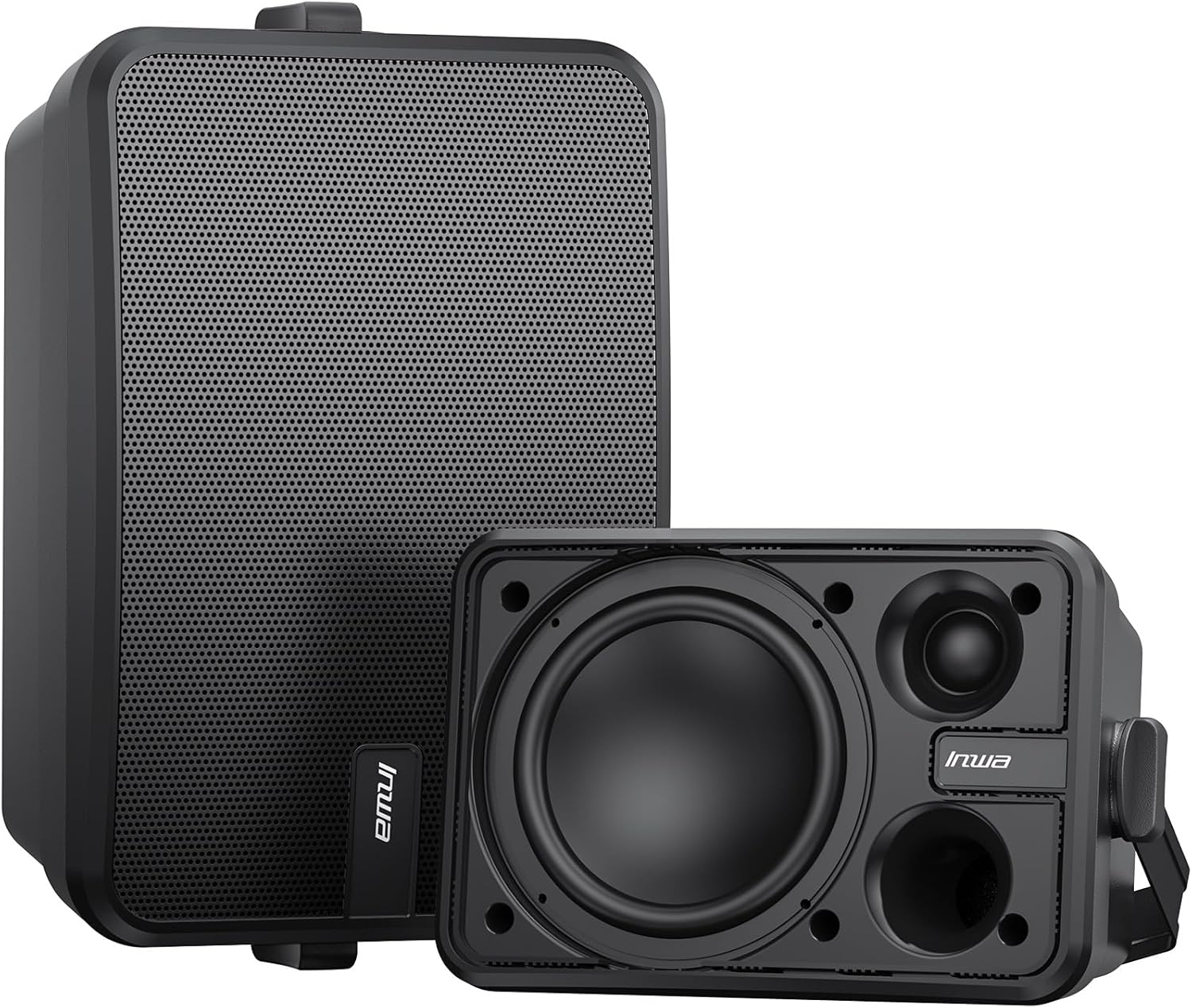
Figure 1.1: Inwa MZ-660 Active and Passive Outdoor Bluetooth Speakers.
Key features of your Inwa MZ-660 speakers include:
- 500W Peak Active + Passive Speaker System: Delivers balanced stereo audio performance.
- Extreme Loud Stereo Sound: Features a 1.5-inch tweeter and 6.5-inch woofer for rich sound and impressive bass.
- Bluetooth 5.2 & Aux In Connectivity: Seamless wireless streaming and wired connections for various devices.
- IPX5 Waterproof Rating: Designed to withstand splashes, spills, and light rain, suitable for outdoor use.
- Easy Operation: Includes a remote control for convenient management.
2. What's in the Box
Please check the contents of your package to ensure all items are present and undamaged:
- 1 x Active Speaker
- 1 x Passive Speaker
- 1 x 22V DC Power Adapter
- 1 x Remote Control
- 1 x Dual RCA Cable (5m)
- Mounting Accessories (screws, expansion screws)
- User Manual (this document)

Figure 2.1: All included components for the Inwa MZ-660 speaker system.
3. Setup and Installation
The Inwa MZ-660 speakers are designed for easy wall mounting. Follow these steps for proper installation and connection:
3.1 Mounting the Speakers
- Choose Location: Select a suitable location for mounting, such as under a porch roof, patio cover, or in a garage. Ensure the surface is sturdy enough to support the speakers.
- Positioning: For optimal stereo sound, position the active and passive speakers at an appropriate distance from each other, typically equidistant from the primary listening area.
- Marking: Use the speaker's mounting bracket to mark the drilling points on the wall.
- Drilling: Drill pilot holes at the marked points. Insert the expansion screws if necessary for a secure fit.
- Secure Speakers: Attach the mounting brackets to the wall using the provided screws. Then, secure the speakers to the brackets. Adjust the angle for desired sound projection.

Figure 3.1: Example of speaker wall mounting.
3.2 Connecting the Speakers
- Connect Passive Speaker: Use the provided Dual RCA Cable to connect the passive speaker to the active speaker. Ensure the red and black terminals match on both speakers.
- Power Connection: Connect the 22V DC Power Adapter to the active speaker's DC IN port, then plug the adapter into a power outlet.
- Audio Input (Optional): If using the Aux-in feature, connect your audio source (e.g., smartphone, laptop, TV) to the 3.5mm AUX IN port on the active speaker using a 3.5mm audio cable (not included).

Figure 3.2: Rear connections of the active and passive speakers.

Figure 3.3: Detailed connection diagram for the speaker system.
4. Operating Instructions
4.1 Power On/Off
Press the power button on the active speaker or the remote control to turn the speakers on or off.
4.2 Bluetooth Pairing
- Ensure the speakers are powered on and in Bluetooth mode (indicated by a specific LED light or voice prompt). If not, press the 'M' button on the remote to switch modes.
- On your device (smartphone, tablet, PC), enable Bluetooth and search for available devices.
- Select "Inwa MZ-660" from the list of devices.
- Once paired, the speakers will confirm the connection, and you can begin streaming audio wirelessly.

Figure 4.1: Wireless audio streaming via Bluetooth.
4.3 Aux-in Mode
If you prefer a wired connection, connect your audio source to the 3.5mm AUX IN port on the active speaker. The speakers will automatically switch to Aux-in mode or can be manually switched using the 'M' button on the remote control.
4.4 Remote Control Functions
The included remote control provides convenient access to various functions:
- Power Button: Turns the speakers on/off.
- 'M' Button: Toggles between Bluetooth and AUX modes.
- Volume Up/Down: Adjusts the master volume.
- Play/Pause: Controls media playback (Bluetooth mode only).
- Previous/Next Track: Skips tracks (Bluetooth mode only).
- Mute: Mutes or unmutes the audio.
- EQ: Cycles through equalizer presets (if available).
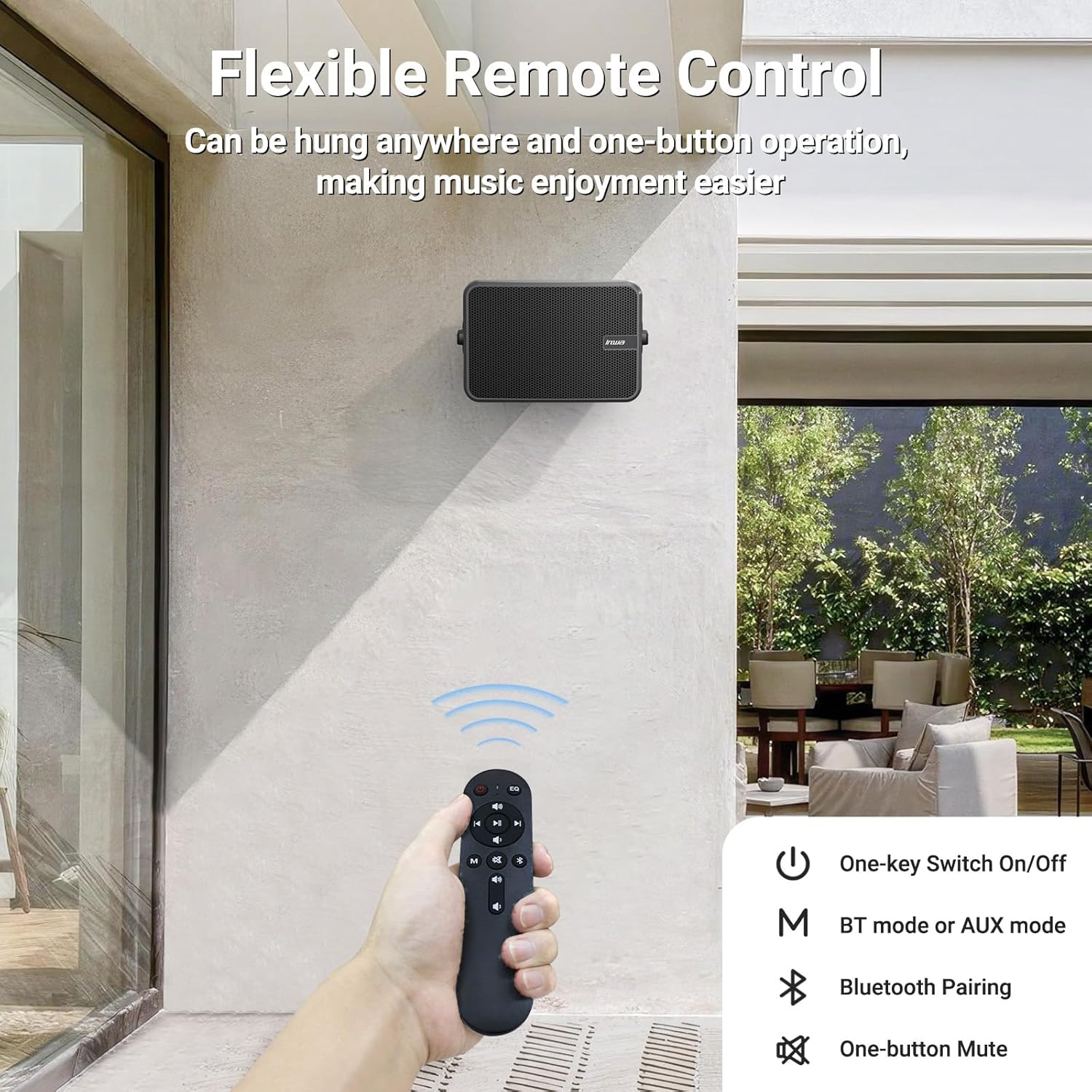
Figure 4.2: Remote control for the Inwa MZ-660 speakers.
5. Maintenance
To ensure the longevity and optimal performance of your Inwa MZ-660 speakers, follow these maintenance guidelines:
- Cleaning: Wipe the speaker surfaces with a soft, damp cloth. Avoid using harsh chemicals or abrasive cleaners.
- Water Resistance: While the speakers are IPX5 waterproof, meaning they can withstand splashes and light rain, they are not designed for submersion. Avoid direct high-pressure water jets.
- Storage: If storing the speakers for an extended period, especially in extreme temperatures, disconnect them from power and store them in a cool, dry place.
- Cable Inspection: Periodically check all cables for any signs of wear or damage. Replace damaged cables immediately.

Figure 5.1: The IPX5 waterproof rating protects against splashes.
6. Troubleshooting
If you encounter any issues with your Inwa MZ-660 speakers, please refer to the following common problems and solutions:
| Problem | Possible Cause | Solution |
|---|---|---|
| No Sound |
|
|
| Bluetooth Pairing Failure |
|
|
| Distorted Sound |
|
|
| Remote Control Not Working |
|
|
7. Specifications
| Feature | Detail |
|---|---|
| Model Name | MZ-660 |
| Speaker Type | Active + Passive |
| Speaker Maximum Output Power | 500 Watts |
| Connectivity Technology | Bluetooth 5.2, Auxiliary (3.5mm) |
| Audio Output Mode | Stereo |
| Mounting Type | Wall Mount |
| Product Dimensions | 6"D x 11"W x 7"H |
| Item Weight | 13.51 pounds (Pair) |
| Is Waterproof | IPX5 |
| Included Components | Active Speaker, Passive Speaker, 22V DC Power Adapter, Remote, Dual RCA Cable |
| Manufacturer | Inwa |
8. Warranty and Support
Your Inwa MZ-660 Outdoor Bluetooth Speakers come with a Limited Warranty from the manufacturer, Inwa. Please retain your proof of purchase for warranty claims.
For technical support, troubleshooting assistance, or warranty inquiries, please contact Inwa customer service through the retailer's platform or visit the official Inwa website for contact information.
Online Resources:
- Inwa Store on Amazon: Visit Inwa Store


