
LifePro VibraPulse (LP-VBRPLS-BLU)
Contents
Lifepro VibraPulse Instruction Manual
Model: VibraPulse (LP-VBRPLS-BLU)
Brand: LifePro
Introduction
Welcome to your Lifepro VibraPulse. This manual provides essential information for the safe and effective use of your new vibration plate. The VibraPulse is designed to support muscle toning, improve circulation, and aid in recovery through advanced vibration and built-in footpad pulse technology.
Important Safety Information
- Consult a healthcare professional before starting any new exercise regimen, especially if you have pre-existing medical conditions.
- Ensure the device is placed on a stable, level surface before use.
- Do not exceed the maximum weight capacity of 265 lbs.
- Keep children and pets away from the device during operation.
- Unplug the device when not in use and before cleaning.
Package Contents
- Lifepro VibraPulse Vibration Plate
- Remote Control
- 2 Resistance Bands
- User Manual (This document)
Product Features
- Built-in Pulse Technology: Delivers pulsing sensations via the footpad to support muscle engagement, natural range of motion, and comfort.
- Total-Body Support & Balance: Advanced vibration technology activates routines for a more toned, invigorated experience.
- Customizable Sessions: 99 speed levels and 9 pre-set modes for personalized intensity.
- Muscle Strengthening & Toning: Use with resistance bands and various positions to engage core, arms, legs, and glutes.
- Quiet, Compact, and Portable: Designed for home/office use with whisper-quiet operation, non-slip surface, remote control, and slim profile for easy storage. Dimensions: 19.69" L × 12.2" W × 4.92" H.

The Lifepro VibraPulse Vibration Plate, shown with its included resistance bands, features a sleek blue and black design, an integrated control panel, and a compact form factor for easy home use.
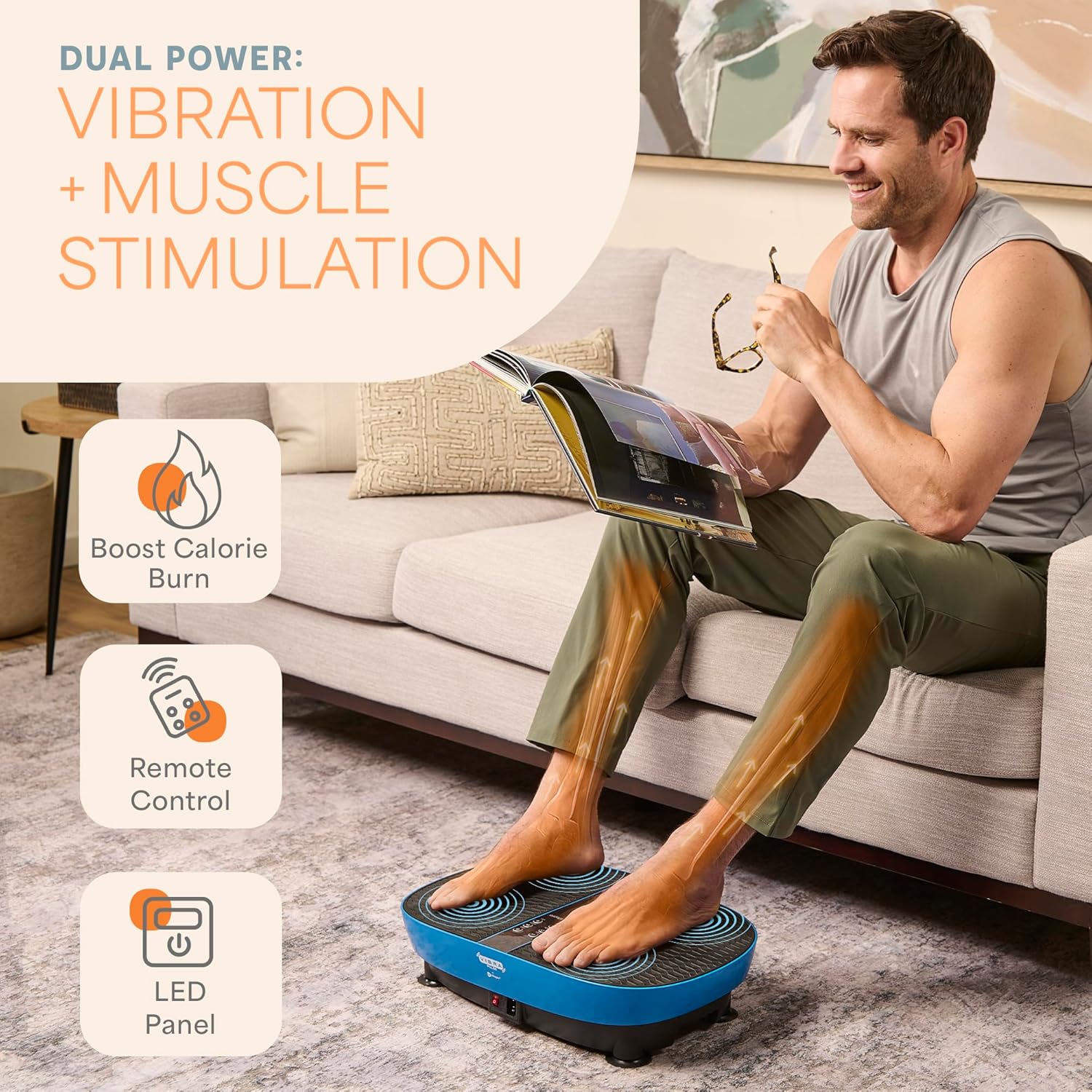
This image highlights the dual power of the VibraPulse: vibration and muscle stimulation. A man is shown comfortably using the device while seated, emphasizing its ease of use and the benefits of boosted calorie burn, remote control operation, and an LED panel.
Setup
- Unpack the Lifepro VibraPulse and all accessories from the packaging.
- Place the vibration plate on a firm, level, and non-slip surface. Ensure there is adequate space around the device for safe operation.
- Connect the power cord to the device and then to a suitable electrical outlet.
- If using the resistance bands, locate the attachment points on the sides of the vibration plate and securely clip the bands into place.
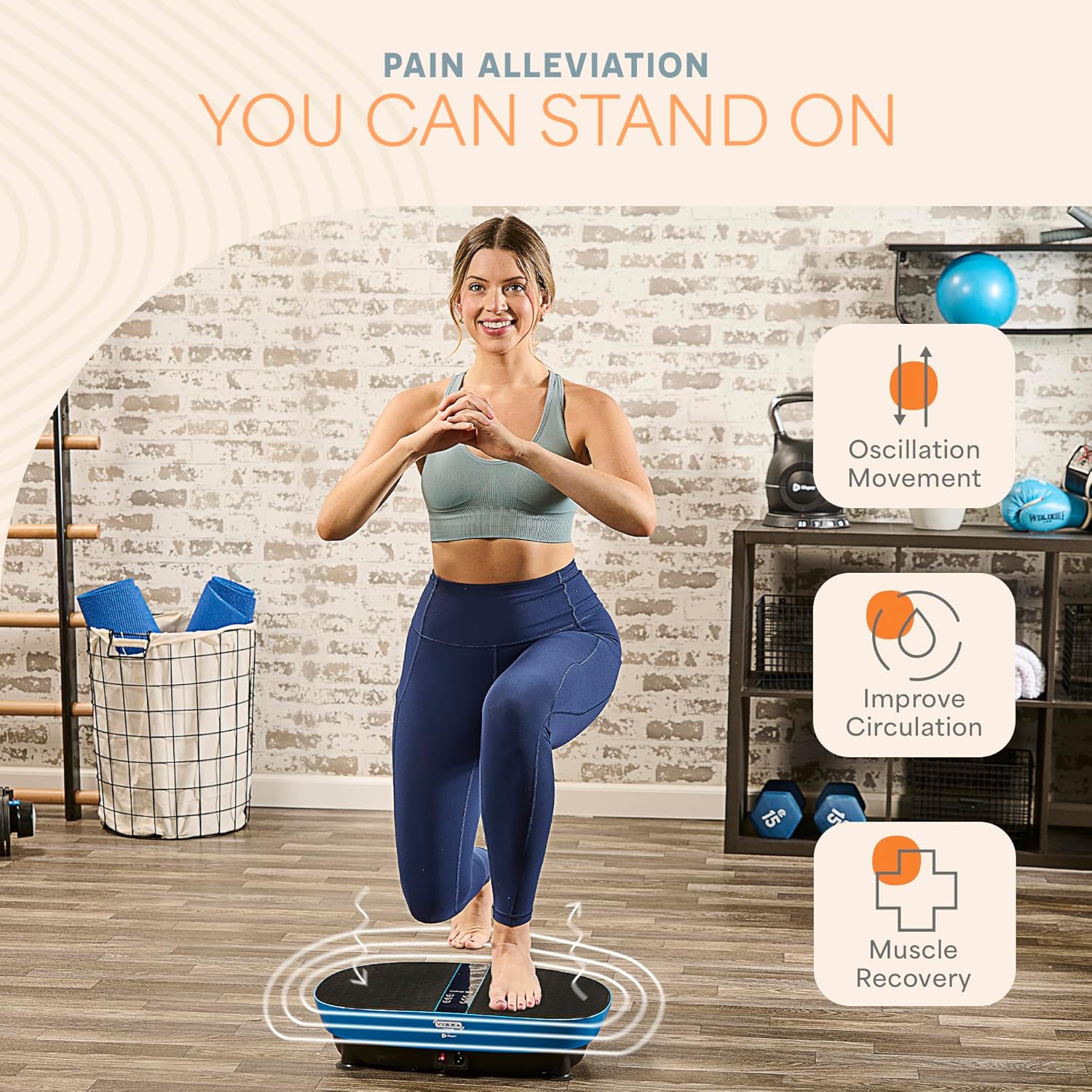
A user is shown attaching the resistance bands to the side of the Lifepro VibraPulse, demonstrating the simple setup process for incorporating upper body exercises.
Operating Instructions
Getting Started
- Flip the Power switch on the front of the machine to the ON position. The control panel will turn on automatically, and the display will show "HA", indicating that manual mode is selected by default.
- Use the remote control or the control panel buttons to navigate settings.
Choosing a Workout Program
The VibraPulse offers 9 preset workout programs (P1-P9) and a manual mode. Each preset program is 15 minutes long and varies in vibration speed and intensity. The optimal electrical muscle stimulation (EMS) function can be turned on and its intensity level adjusted in any preset program.
Starting a Preset Workout
- Press the Program/Mode button to toggle through the preset programs (P1-P9) and manual mode (HA). The selected program/mode shows on the display.
- Press the Start button to begin the selected preset program. The display will alternate between showing the vibration speed and the remaining workout time.
Adjusting Vibration Speed
- Press the Speed High and Low buttons to increase or decrease the speed from level 1 to 99.
- Press the Speed Toggle (M) button to toggle the speed between 20, 50, and 80.
EMS Mode Operation
- Press the EMS Mode button to toggle through the EMS modes (1, 2, and 3).
- Press the EMS Intensity Higher (H) and Lower (L) buttons to adjust the EMS intensity in one-level increments, from 0 to 6. The default EMS mode is 1, and the default EMS intensity is 0 (EMS function is off), which is shown as "0".
Creating a Custom Workout
In manual mode, you can create a custom workout from 1 to 20 minutes. The default vibration speed is level 1. You may adjust the speed from level 1 to 99 at any time.
Ending a Workout
- The workout will stop automatically when the 15-minute preset workout time ends.
- Press the Power button to turn off the control panel, flip the power switch to the OFF position, and unplug the VibraPulse after each use.
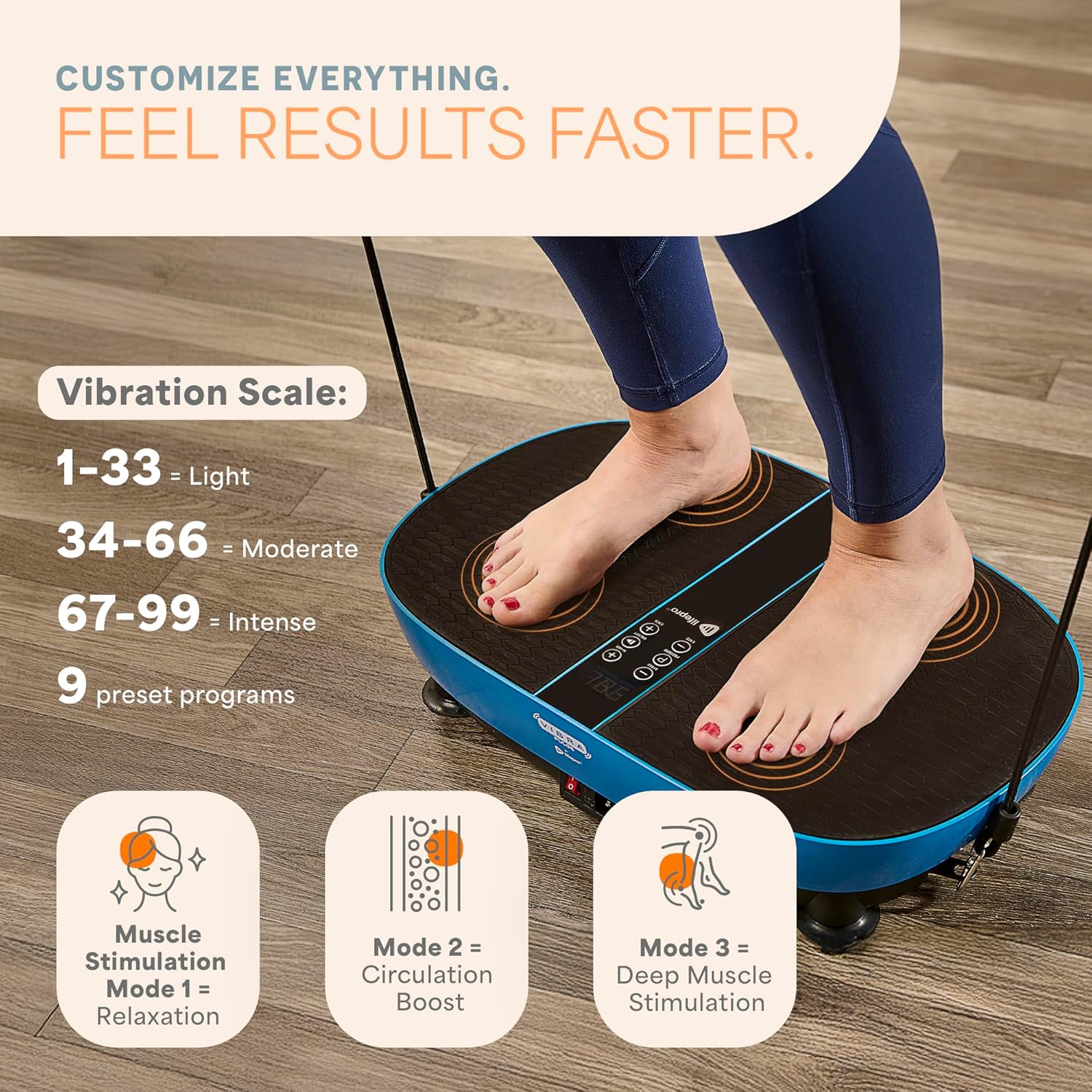
This image illustrates the customizable settings of the VibraPulse, including a vibration scale (1-33 Light, 34-66 Moderate, 67-99 Intense) and three distinct preset modes: Muscle Stimulation (Relaxation), Circulation Boost, and Deep Muscle Stimulation.

The remote control for the Lifepro VibraPulse allows users to easily activate pulsed muscle stimulation and adjust settings, providing convenience for post-workout recovery or deep relaxation.
This video provides a comprehensive overview of the Lifepro VibraPulse, showcasing its oscillation vibration and electrical muscle stimulation (EMS) capabilities. It demonstrates how the device promotes pain relief, relaxation, muscle activation, and improved circulation in the legs, ankles, and feet. The video also highlights the full exercise guide, 9 preset programs with varying intensity levels, and the use of resistance bands for a complete gym experience.
Maintenance
- Clean the surface of the vibration plate with a soft, damp cloth after each use. Avoid abrasive cleaners or solvents.
- Store the device in a cool, dry place away from direct sunlight and moisture.
- Regularly check the power cord for any damage. Do not use the device if the cord is frayed or damaged.
Troubleshooting
Device Not Turning On
- Ensure the power cord is securely plugged into both the device and a working electrical outlet.
- Check that the power switch on the device is in the ON position.
- Verify the electrical outlet is functional by plugging in another appliance.
No Vibration/Weak Vibration
- Ensure the device is on a flat, stable surface.
- Check the selected speed and program settings. Increase the intensity if needed.
- If using EMS, ensure your bare feet are placed directly on the EMS zones.
Specifications
| Feature | Detail |
|---|---|
| Brand | LifePro |
| Model Name | VibraPulse |
| Model Number | LP-VBRPLS-BLU |
| Maximum Weight Recommendation | 265 Pounds |
| Controls Type | Remote |
| Display Type | LED |
| Maximum Speed | 99 RPM |
| Number of Programs | 9 |
| Power Source | Corded Electric |
| Product Dimensions (LxWxH) | 19.69" x 12.2" x 4.92" |
| Item Weight | 12.1 Pounds |
| Included Components | 2 resistance bands, Vibration Plate |
Warranty and Support
The Lifepro VibraPulse comes with a Lifetime warranty.
For product support, warranty claims, or to access additional training videos and community resources, please visit the official LifePro store or contact customer service.
Ask a question about this manual
Ask about setup, troubleshooting, compatibility, parts, safety, or missing instructions. Manuals+ will review the question and use this page’s manual context to help answer it.