
1. Introduction and Overview
The Google Pixel 10 is an advanced Android smartphone featuring the Google Tensor G5 chip, an incredible camera system, and integrated Gemini AI for enhanced productivity and creativity. This manual provides essential information to help you get the most out of your device.
Key Features:
- Google Tensor G5: Pixel’s most powerful chip for optimal performance.
- Advanced Triple Rear Camera: Features a new 5x telephoto lens with up to 20x Super Res Zoom, Night Sight for low-light photography, and Camera Coach for improved shots.
- Gemini AI Assistant: Built-in AI for natural conversations, brainstorming, and app integration.
- Unlocked Android Phone: Provides flexibility to choose carriers and data plans.
- Durable Design: Scratch-resistant Corning Gorilla Glass Victus 2 and IP68 water and dust protection.
- Actua Display: 6.3-inch display with 3,000-nit peak brightness for clear visibility in direct sunlight.
- Long-lasting Battery: Fast-charging 24+ hour battery life.

Image: Google Pixel 10 showcasing its design and Gemini AI integration.
Video: An overview of the Google Pixel 10 Pro XL, highlighting key features and design elements.
2. What's in the Box
Upon unboxing your Google Pixel 10, you should find the following items:
- Google Pixel 10 Cell Phone
- USB Cable (USB-C to USB-C, USB 2.0)
- Warranty Booklet (not shown)

Image: The Google Pixel 10 smartphone and its included USB-C cable.
Video: An unboxing of the Google Pixel 10 base model, showing the phone and its accessories.
3. Setup
Initial Device Activation:
- Power on your Pixel 10 by pressing and holding the power button.
- Follow the on-screen prompts to select your language and region.
- Connect to a Wi-Fi network to proceed with setup.
eSIM Activation:
The Pixel 10 is eSIM-only, meaning it does not use a physical SIM card. You will activate your cellular plan digitally during the phone setup process. This allows for digital plan switching and storing multiple numbers.

Image: Close-up of the Google Pixel 10 highlighting its eSIM capability for digital plan management.
Data Transfer from Old Phone:
The Pixel 10 is designed for easy data transfer from your previous device. Follow the on-screen instructions during initial setup to migrate your contacts, photos, apps, and other data. This process typically takes about 20 minutes.
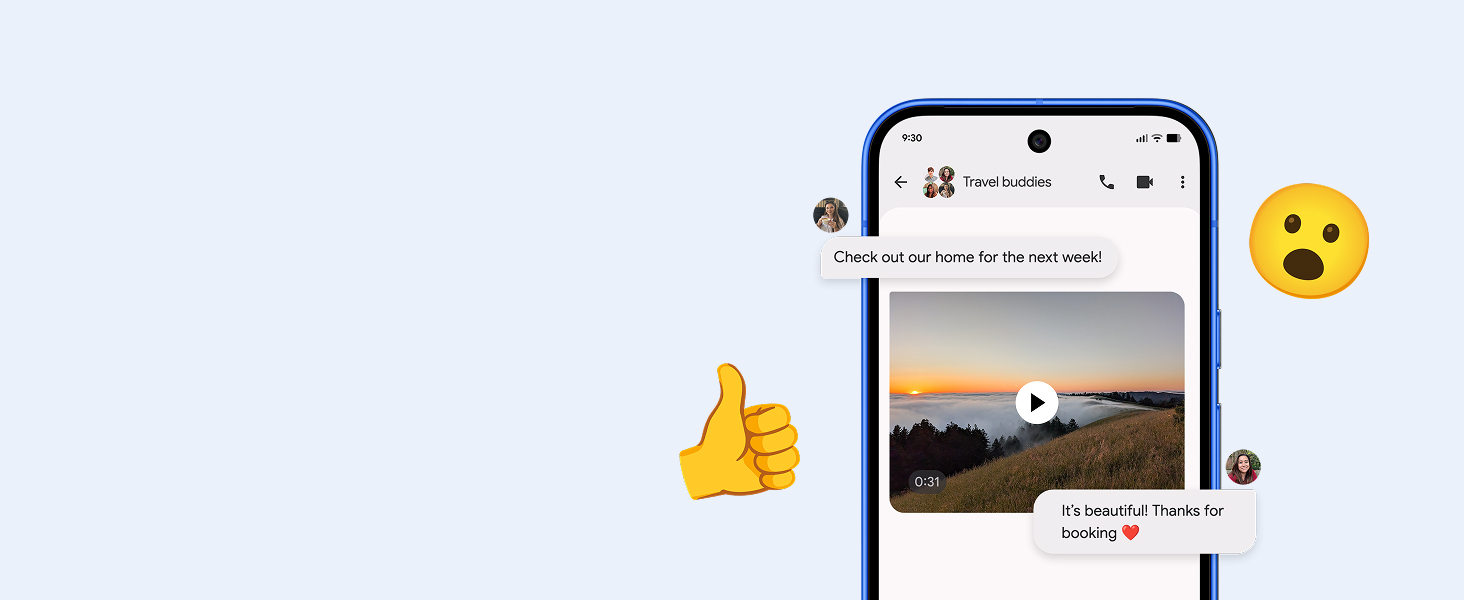
Image: Illustration of seamless data transfer and messaging compatibility when switching to Pixel.
4. Operating Your Pixel 10
Camera Features:
The Pixel 10 features an upgraded triple rear camera system:
- 5x Telephoto Lens: Achieve up to 20x Super Res Zoom for detailed distant shots.
- Night Sight: Capture crisp, clear photos in low-light conditions.
- Camera Coach: Receive guidance to improve your photography skills.
- Video Boost: Enhance video quality for smoother, more vibrant footage.

Image: Demonstrates the 20x Super Res Zoom and Night Sight capabilities of the Pixel 10 camera.
Video: A demonstration of the Pixel 10's Camera Coach feature, guiding users to capture better photos.
Gemini AI Assistant:
Gemini is integrated into your Pixel 10 to assist with various tasks:
- Gemini Live: Engage in natural, free-flowing conversations.
- Visual Search: Point your camera at objects to get information or brainstorm ideas.
- Multitasking: Use Gemini across apps to get things done efficiently.

Image: A user interacting with Gemini Live by pointing the Pixel 10 camera at a sea creature in an aquarium.
Video: A short demonstration of the Pixel Drop Nano Banana feature in Gemini, showcasing AI capabilities.
Actua Display:
The 6.3-inch Actua display offers a 3,000-nit peak brightness, ensuring content is easy to view even in direct sunlight.

Image: Close-up of the Pixel 10's Actua display, emphasizing its clarity and brightness.
5. Maintenance
Durability and Protection:
The Pixel 10 is built with scratch-resistant Corning Gorilla Glass Victus 2 and has an IP68 rating for water and dust protection. This means the device is designed to withstand splashes, spills, and dust exposure.

Image: Illustrates the Pixel 10's durable design, including its water and dust protection.
Cleaning Your Device:
To clean your Pixel 10, use a soft, lint-free cloth. Avoid abrasive materials or harsh chemicals that could damage the screen or finish. For stubborn smudges, lightly dampen the cloth with water.
6. Troubleshooting
Common Issues and Solutions:
- Notification Issues: If you experience problems with notifications, check your phone's notification settings. Ensure all relevant app notifications are enabled. Sometimes, toggling notification settings off and on can resolve the issue.
- Slow or Troublesome Start/Restart: If your device is slow to start or restart, try holding the power button for 20 seconds or more. Ensure your device is updated to the latest software version, as updates often include performance improvements.
- Face Unlock/Fingerprint Sensor Issues: Ensure your environment is well-lit for face unlock. For fingerprint issues, re-register your fingerprints in the settings. Clean the sensor area to ensure no debris is interfering.
- Battery Drain: Monitor app usage in battery settings to identify power-hungry applications. Adjust screen brightness and background app refresh settings to conserve battery life.
7. Specifications
| Feature | Specification |
|---|---|
| Model Name | Pixel 10 |
| Item Model Number | GLBW0 |
| Operating System | Android 16 |
| CPU Model | Google Tensor |
| CPU Speed | 3.78 GHz |
| Screen Size | 6.3 Inches |
| Display Technology | OLED |
| Resolution | 2340 x 1330 |
| Refresh Rate | 120 Hz |
| RAM Memory Installed Size | 12 GB |
| Memory Storage Capacity | 128 GB |
| Battery Capacity | 4970 mAh |
| Phone Talk Time | 24 Hours |
| Connectivity Technologies | Bluetooth, NFC, Wi-Fi |
| GPS | True |
| Product Dimensions | 6 x 2.8 x 0.3 inches |
| Item Weight | 10.8 ounces |

Image: A comparison table showing specifications for Pixel 10, Pixel 10 Pro, and Pixel 10 Pro Fold.
8. Warranty and Support
Warranty Information:
The Google Pixel 10 comes with a standard manufacturer's warranty. Please refer to the Warranty Booklet included in your product packaging for detailed terms and conditions.
Customer Support:
For additional support, troubleshooting, or service inquiries, please visit the official Google Support website or contact Google customer service directly. You can find more information at gstore.com.
9. Legal Information
Certain features and services, including Gemini AI, may require internet connection and may not be available in all regions or languages. 5G service requires a compatible data plan and network coverage. Battery life estimates are based on typical usage and may vary. Trial offers for Google One Premium, Fitbit Premium, and YouTube Premium are subject to eligibility, terms, and expiration dates (October 31, 2026). A valid form of payment is required for sign-up, and subscriptions will auto-renew unless canceled. Return of the purchased device may affect trial offers. Fitbit Premium content and features may vary by country and language. For full legal details, please refer to the documentation provided with your device or visit the Google Store website.


