
1. Introduction
This manual provides detailed instructions for the installation, operation, and maintenance of your Onelap Vidsure 3K Dashcam. Please read this manual thoroughly before using the device to ensure proper functionality and to maximize your driving safety and recording experience. The Onelap Vidsure dashcam is designed to capture high-resolution video footage of your journeys, offering both front and rear camera capabilities for comprehensive coverage.
2. Package Contents
Verify that all items listed below are present in your package:
- 1 Unit of Dashcam (Front Camera)
- Backcam (Rear Camera, included in Front + Rear Cam model)
- Car Charger
- Electrostatic Film
- User Manual
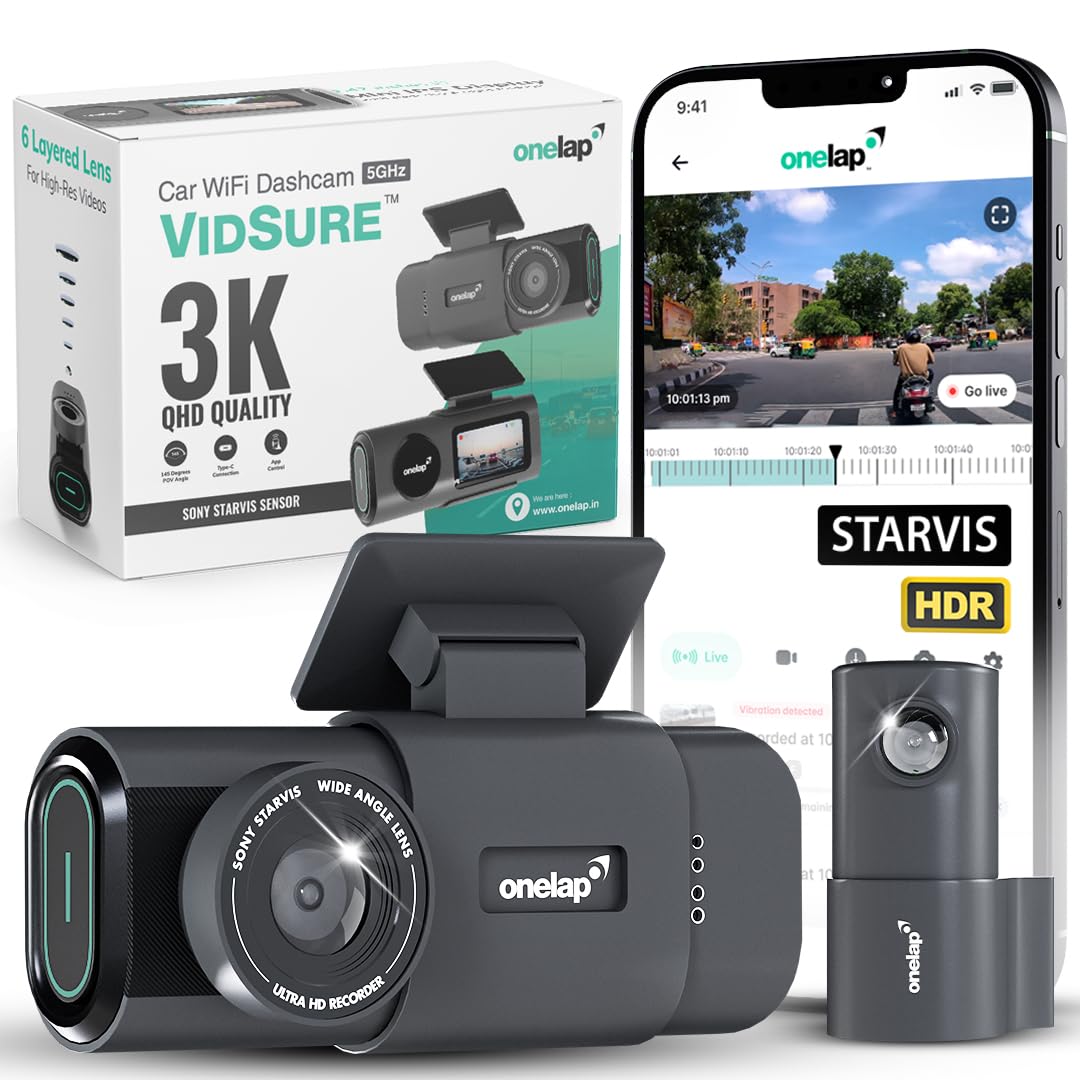
Image: The Onelap Vidsure dashcam (front unit) and the included rear camera.
3. Setup and Installation
3.1. Prepare the Memory Card
The dashcam supports Micro SD cards up to 512GB. For optimal performance, use a Class 10, U3, A2, or higher speed Micro SD card. Insert the Micro SD card into the designated slot on the dashcam until it clicks into place.

Image: Illustration of inserting a Micro SD card into the dashcam and recommended card types.
3.2. Install the Front Dashcam
- Clean the windshield area where the dashcam will be mounted.
- Apply the electrostatic film to the cleaned area. This helps in easy removal and prevents residue.
- Attach the dashcam mount to the electrostatic film, ensuring a secure fit.
- Mount the dashcam onto the bracket. Adjust the lens angle to capture the road ahead clearly.
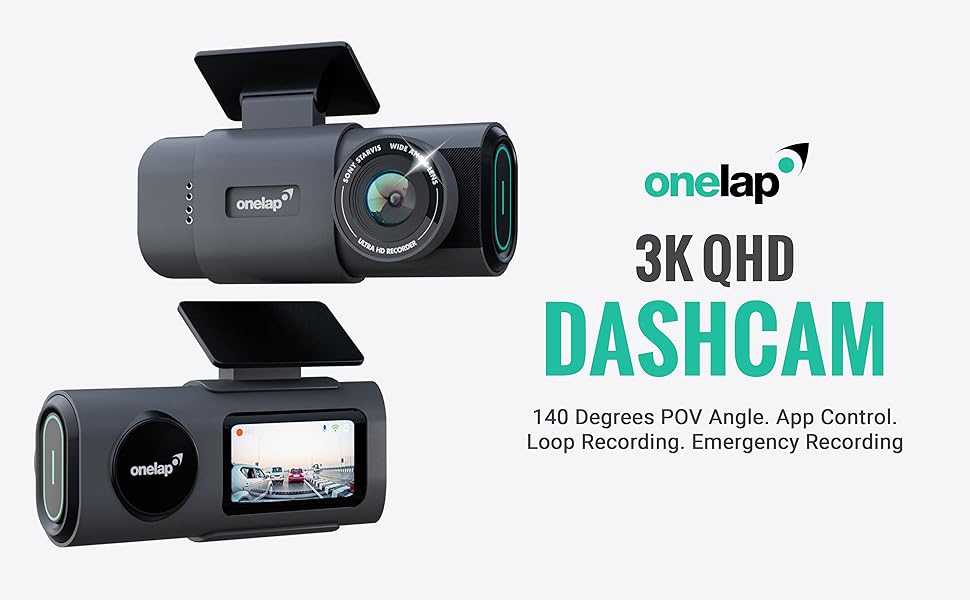
Image: Front dashcam mounted on the car windshield, showing optimal placement.
3.3. Install the Rear Camera (if applicable)
- Connect the rear camera cable to the main dashcam unit.
- Route the cable neatly along the car's headliner and pillars to the rear windshield.
- Mount the rear camera on the rear windshield, ensuring a clear view of the road behind.
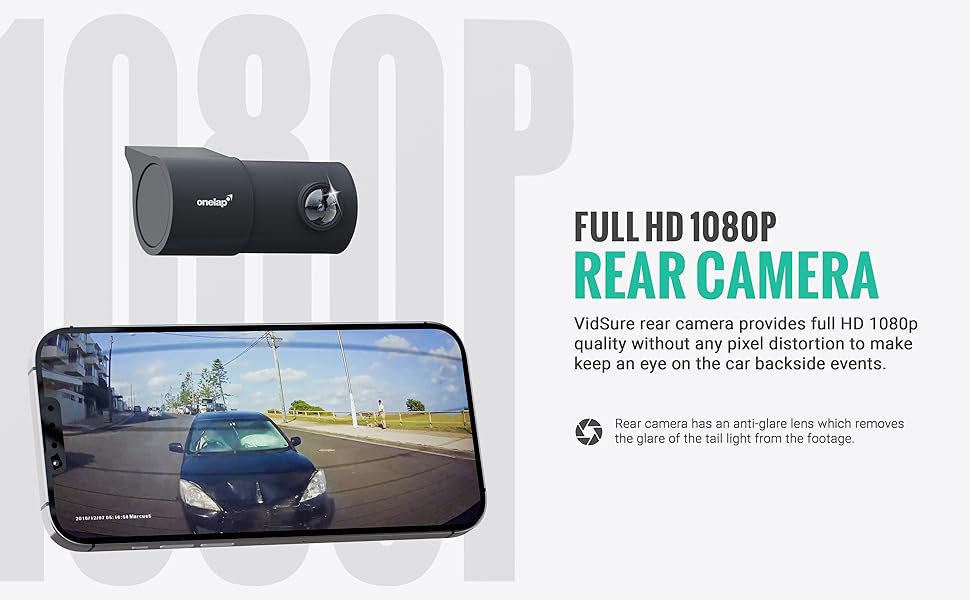
Image: The compact rear camera unit for the Onelap Vidsure dashcam.
3.4. Power Connection
Connect the provided car charger to the dashcam and plug it into your vehicle's 12V power outlet (cigarette lighter socket). The dashcam will automatically power on and begin recording when the vehicle starts.
4. Operating Instructions
4.1. Automatic Recording
Once powered on, the dashcam automatically starts continuous loop recording. Older files are overwritten by new recordings when the memory card is full, ensuring continuous operation.
4.2. Emergency Recording (G-Sensor)
The built-in G-sensor detects sudden impacts or collisions. When triggered, the current video segment is automatically locked and saved to a separate "Emergency" folder, preventing it from being overwritten by loop recording. This feature ensures critical footage is preserved.
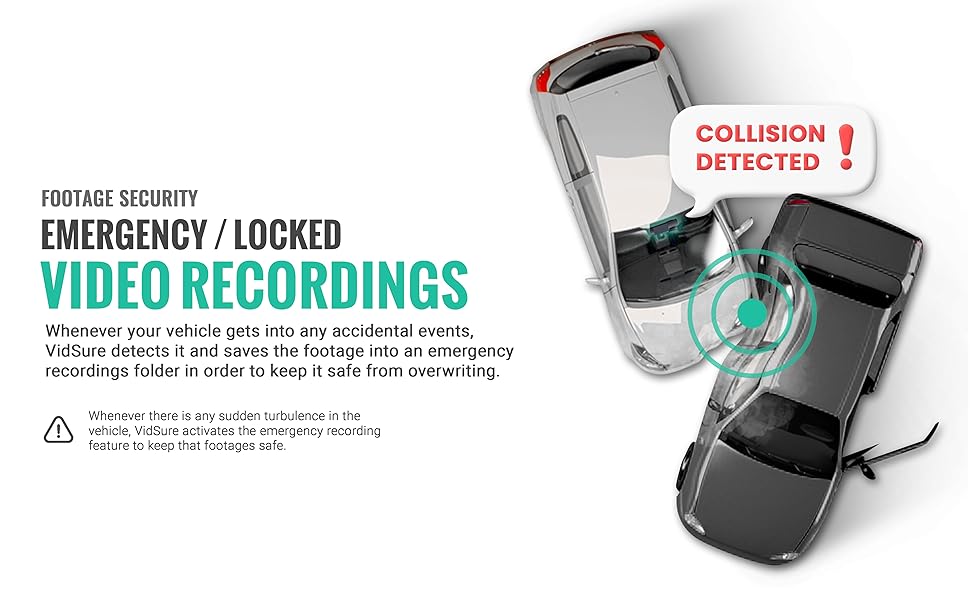
Image: Visual representation of the dashcam detecting a collision and activating emergency recording.
4.3. Wi-Fi Connectivity and Mobile App
The Onelap Vidsure dashcam features 5.8GHz Wi-Fi for faster data transfer. Download the dedicated mobile application (available on Google Play Store and Apple App Store) to connect to your dashcam. This allows you to:
- View live footage from the dashcam.
- Browse and playback recorded videos.
- Download videos directly to your smartphone.
- Adjust dashcam settings.

Image: Dashcam connected to a smartphone via 5GHz Wi-Fi, showing faster download speeds.

Image: Screenshot of the Onelap mobile application interface for viewing and managing footage, also showing customer support contact.
4.4. Display Operation
The 1.47-inch IPS LCD display provides a real-time view of the recording and allows for basic navigation through menus and settings directly on the device. The display can enter screen saver mode after a period of inactivity, showing the date and time.
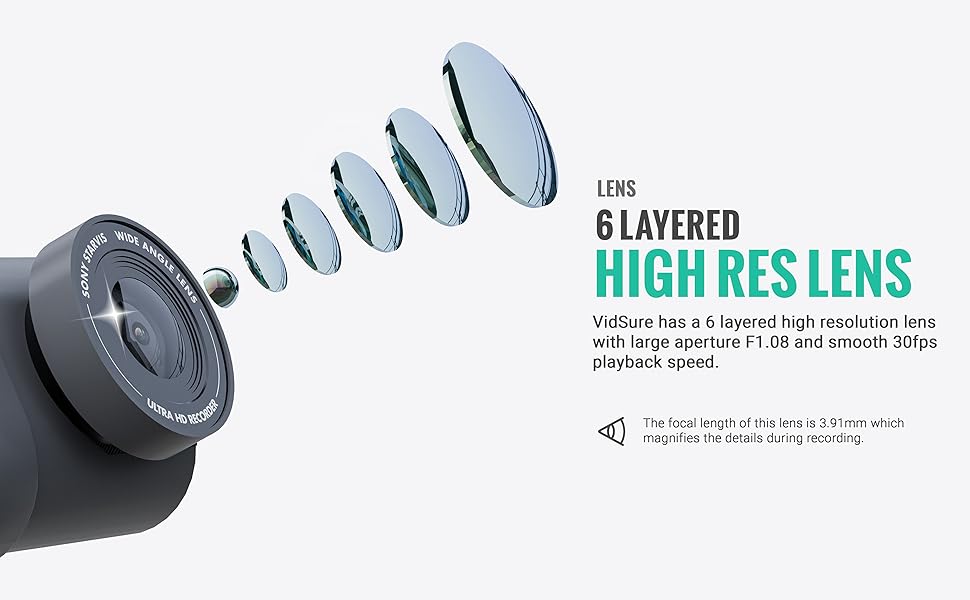
Image: Close-up of the dashcam's 1.47-inch IPS display showing live footage.
5. Key Features Overview
5.1. High-Resolution Video Capture
The front camera records in 3K QHD (3840p) resolution, providing clear and detailed footage. The rear camera records in 1080p Full HD, ensuring comprehensive coverage. This high resolution aids in capturing important details like license plates.

Image: Diagram illustrating the front 3K (5MP) and rear 1080p (2MP) recording capabilities.

Image: Example of clear license plate capture during daytime conditions.

Image: Example of clear license plate capture during nighttime conditions.
5.2. Sony STARVIS IMX335 Sensor
Equipped with a real Sony STARVIS IMX335 image sensor, the dashcam delivers superior video quality, especially in low-light conditions, ensuring clear recordings day and night.

Image: Highlighting the Sony Starvis IMX335 sensor and multi-layered lens for enhanced image quality.
5.3. 6-Layered High-Resolution Lens
The dashcam features a 6-layered high-resolution lens with a large aperture (F1.08) and 30fps playback speed, which magnifies details during recording and minimizes blind spots.

Image: Exploded view of the 6-layered high-resolution lens design.
5.4. 140-Degree Ultra-Wide Angle
A 140-degree field of view captures a wide perspective of the road, reducing blind spots and ensuring more comprehensive event recording. Anti-glare technology provides clear, distortion-free footage in various lighting conditions.
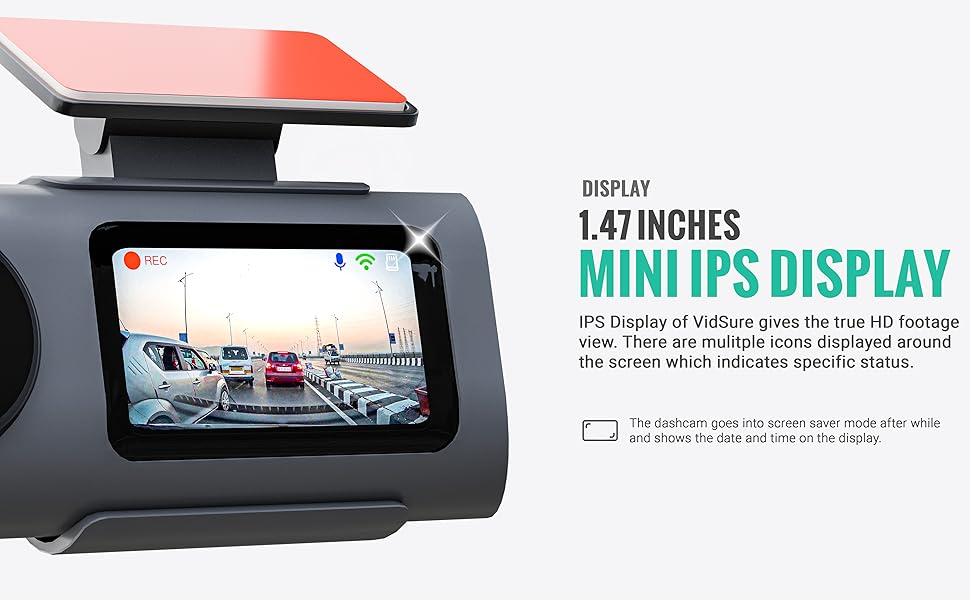
Image: Overhead view illustrating the 140-degree ultra-wide angle coverage of the dashcam.
5.5. HDR Video Recording
High Dynamic Range (HDR) technology balances exposure in both bright and low-light environments, ensuring details are visible across the entire frame, crucial for accurate incident documentation.
5.6. Optional GPS Logger Antenna
The Vidsure 3K supports an optional GPS logger antenna (purchased separately) to embed GPS coordinates into your video footage, providing location data alongside the timestamp. This is not a GPS tracking device but an add-on for video metadata.
5.7. Sample Footage
View sample day and night footage to assess the video quality:
Video: Sample Day & Night Footage from Onelap VidSure Dashcam (Sony Starvis IMX335, 3K).
6. Maintenance
- Memory Card Formatting: Regularly format your Micro SD card (at least once a month) to prevent data corruption and ensure optimal recording performance. This can usually be done through the dashcam's settings menu or the mobile app.
- Lens Cleaning: Keep the camera lenses clean using a soft, lint-free cloth. Avoid abrasive materials that could scratch the lens.
- Firmware Updates: Check the Onelap website or mobile app periodically for firmware updates to ensure your dashcam has the latest features and bug fixes.
- Operating Temperature: Avoid exposing the dashcam to extreme temperatures for extended periods.
7. Troubleshooting
7.1. Dashcam Not Powering On
- Ensure the car charger is securely plugged into both the dashcam and the vehicle's 12V power outlet.
- Check if the vehicle's 12V power outlet is functioning (e.g., by plugging in another device).
- Verify the car's ignition is on, as some outlets only receive power when the engine is running.
7.2. Recording Issues
- "Memory Card Full" Error: Format the Micro SD card. If the issue persists, the card may be faulty or too slow. Replace with a recommended Class 10, U3, A2 card.
- Intermittent Recording: Ensure the memory card is properly inserted and formatted. Check for firmware updates.
- Poor Video Quality: Clean the camera lens. Ensure the protective film has been removed. Check settings for resolution and HDR.
7.3. Wi-Fi Connection Problems
- Ensure Wi-Fi is enabled on the dashcam and your smartphone.
- Be within close proximity to the dashcam for a stable connection.
- Restart both the dashcam and your smartphone.
- If using Apple CarPlay or Android Auto, some users report conflicts. Try disconnecting CarPlay/Android Auto if experiencing issues.
7.4. G-Sensor Too Sensitive/Not Sensitive Enough
Adjust the G-sensor sensitivity setting via the dashcam's menu or mobile app. Lower sensitivity for fewer false triggers on bumpy roads, higher for more immediate detection.
8. Specifications
| Feature | Detail |
|---|---|
| Brand | Onelap |
| Model Name | Vidsure |
| Model Number | OnelapDash01 |
| Front Camera Resolution | 3K QHD (3840p) |
| Rear Camera Resolution | 1080p FHD (2MP) |
| Image Sensor | Sony STARVIS IMX335 |
| Display Size | 1.47 Inches IPS LCD |
| Field of View | 140 Degrees |
| Connectivity | 5.8GHz Wi-Fi |
| Special Features | App Control, Built-In Display, Built-In Microphone, Built-In Speaker, Loop Recording, HDR, G-Sensor |
| Compatible Media Type | MP4 |
| Memory Card Support | Up to 512GB (Class 10, U3, A2 recommended) |
| Mounting Type | Windshield Mount |
| Product Dimensions | 2 x 9.5 x 3.8 cm |
| Item Weight | 150 g |
| Country of Origin | India |
9. Warranty and Support
Your Onelap Vidsure Dashcam comes with a standard warranty. For specific warranty terms and conditions, please refer to the warranty card included in your package or visit the official Onelap website.
For any technical assistance, troubleshooting, or customer support, please contact Onelap Customer Care:
- WhatsApp Support: +91 72177 60961
- Manufacturer: Onelap Telematics Private Limited
Image: Illustration showing customer support contact details, including WhatsApp number.