
1. Introduction
Thank you for choosing the Siindoo JH-ANC923 Active Noise Cancelling Wireless Headset. This manual provides detailed instructions for the proper use, setup, and maintenance of your new headphones. Please read this manual thoroughly before use to ensure optimal performance and longevity of the product.

Image: Siindoo JH-ANC923 Active Noise Cancelling Wireless Headset, black color, over-ear design.
2. Package Contents
Please check the package contents upon unboxing to ensure all items are present:
- Siindoo JH-ANC923 Wireless Headset
- User Manual
- Storage Bag
- 3.5mm Wired Audio Cable
- Type-C Charging Cable

Image: Contents of the product box, including the headset, user manual, storage bag, 3.5mm audio cable, and Type-C charging cable.
Video: Unboxing and overview of the Siindoo JH-ANC923 headset and its accessories.
3. Product Overview
3.1 Key Features
- Active Noise Cancelling (ANC) technology to reduce ambient noise by up to 90%.
- Comfortable and foldable design with soft memory foam earmuffs and adjustable headband.
- Hi-Fi Stereo Sound with dual 40mm dynamic sound units and deep bass.
- Bluetooth 5.3 for stable transmission, lower latency, and improved audio.
- Built-in microphone for clear hands-free calls.
- Up to 35 hours of playtime in Bluetooth mode.
- Wired connection option via 3.5mm audio cable.
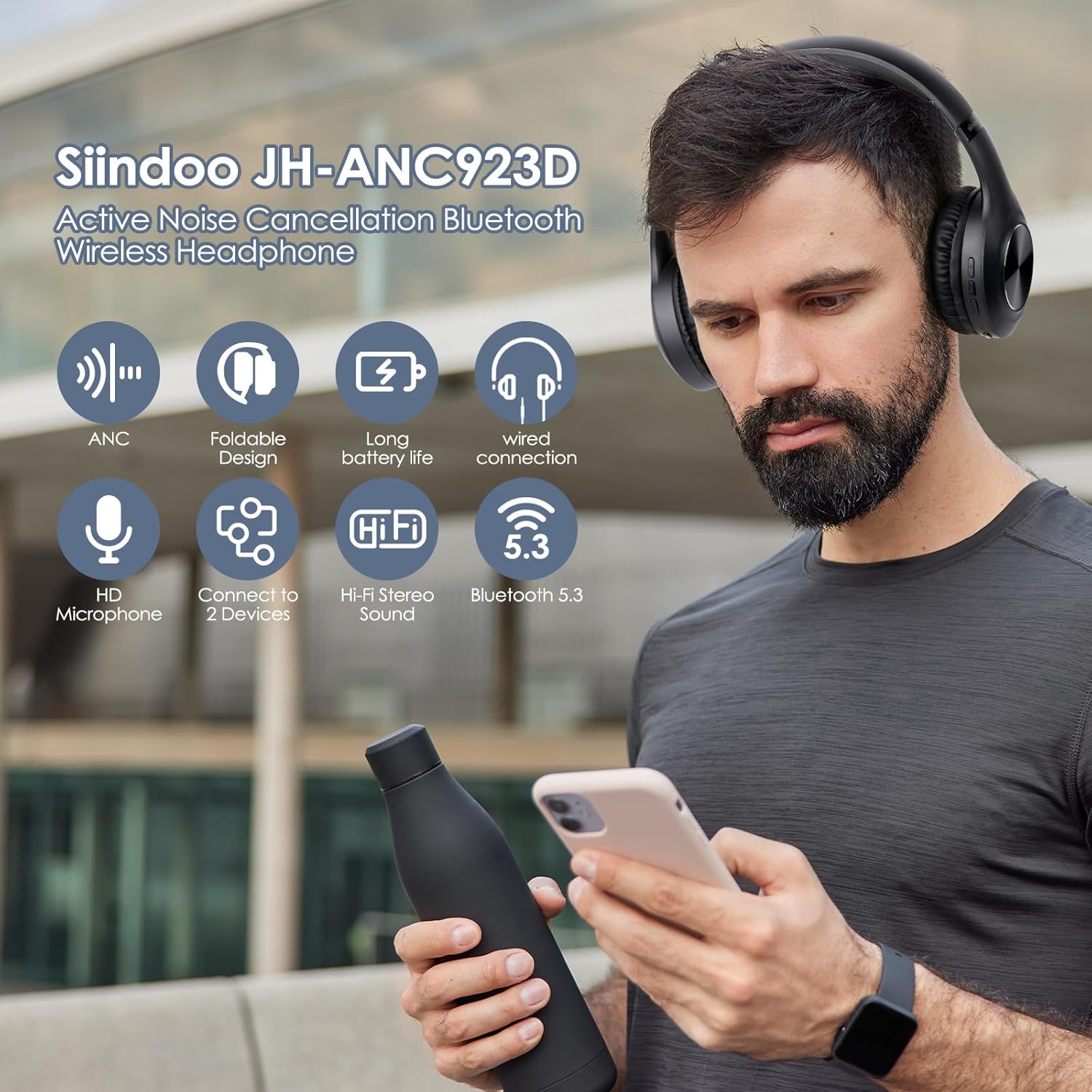
Image: Visual representation of key features including ANC, foldable design, long battery life, wired connection, HD microphone, connect to 2 devices, Hi-Fi stereo sound, and Bluetooth 5.3.
3.2 Controls and Ports
Familiarize yourself with the buttons and ports on your headset:
- Power Button: Used to power on/off and for Bluetooth pairing.
- Volume Up Button (+): Increases volume.
- Volume Down Button (-): Decreases volume.
- ANC Button: Activates or deactivates Active Noise Cancellation.
- 3.5mm Headphone Jack: For wired audio connection.
- Charging Interface (Type-C): For charging the headset.

Image: Close-up of the headset showing the 3.5mm audio jack and the Type-C charging port, alongside a visual of Bluetooth pairing on a smartphone.
Video: Demonstrates the location and function of the volume buttons, power button, ANC button, 3.5mm headphone jack, and charging interface.
4. Setup and Connection
4.1 Charging the Headset
Before first use, fully charge the headset. Connect the provided Type-C charging cable to the headset's charging port and the other end to a USB power source (e.g., computer USB port, wall adapter). The indicator light will show charging status and turn off when fully charged. Charging time is approximately 2.49 hours.
4.2 Bluetooth Pairing
- Ensure the headset is powered off.
- Press and hold the Power Button for a long time until the indicator lights flash, indicating it's in pairing mode.
- On your device (smartphone, tablet, computer), open Bluetooth settings.
- Search for "siindoo-ANC3" in the list of available devices.
- Select "siindoo-ANC3" to connect. Once connected, the indicator light may change or stop flashing.
Video: Demonstrates how to power on the headset and connect it via Bluetooth to a mobile device.
4.3 Wired Connection
To use the headset with a wired connection, plug one end of the 3.5mm audio cable into the headset's 3.5mm jack and the other end into your audio device's headphone jack. The headset can be used in wired mode even if the battery is depleted.
5. Operating Instructions
5.1 Power On/Off
- Power On: Press and hold the Power Button until the indicator light illuminates.
- Power Off: Press and hold the Power Button until the indicator light turns off.
5.2 Music Playback
- Play/Pause: Press the Power Button once.
- Volume Up: Press the Volume Up (+) Button.
- Volume Down: Press the Volume Down (-) Button.
- Next Track: Press and hold the Volume Up (+) Button.
- Previous Track: Press and hold the Volume Down (-) Button.
5.3 Call Management
- Answer/End Call: Press the Power Button once.
- Reject Call: Press and hold the Power Button for 2 seconds.
- Redial Last Number: Double-press the Power Button.
Image: A man engaged in a video conference call, demonstrating the clear hands-free calling capability of the headset.
5.4 Active Noise Cancellation (ANC)
The ANC feature reduces ambient noise, providing a more immersive listening experience.
- Activate/Deactivate ANC: Press the ANC Button once. An indicator light may show when ANC is active.

Image: Side view of the headphone earcup with a graphic indicating 20dB noise reduction and sound waves being blocked, illustrating the active noise cancellation feature.
Image: A man wearing the headphones while working on a laptop outdoors, with text "Take control of what you hear" and "Turn down the world's noise and enjoy the music."
Image: Three separate images showing individuals using the headphones in different environments: relaxing at home, exercising outdoors, and traveling on a train, highlighting tailored noise cancellation.
6. Comfort and Portability
The Siindoo JH-ANC923 headset is designed for extended wear and easy transport.
- Adjustable Headband: The scalable design allows you to adjust the headband to fit various head shapes comfortably.
- Soft Earmuffs: Made with soft memory foam and protein earpads for a comfortable, non-pressurizing fit during long listening sessions.
- Foldable Design: The headset can be folded for compact storage and portability, saving space when traveling or not in use.

Image: A woman with closed eyes, smiling, wearing the headphones, conveying a sense of comfort and enjoyment.
Video: Demonstrates the soft earcups, adjustable headband, and foldable design of the headset.
7. Maintenance and Care
To ensure the longevity and optimal performance of your headset, follow these care instructions:
- Keep the headset dry. Do not expose it to water or excessive moisture.
- Clean the headset with a soft, dry cloth. Do not use abrasive cleaners or solvents.
- Store the headset in the provided storage bag when not in use to protect it from dust and scratches.
- Avoid extreme temperatures.
- Do not attempt to disassemble or modify the headset, as this will void the warranty.
8. Troubleshooting
| Problem | Possible Cause | Solution |
|---|---|---|
| Headset does not power on. | Low battery. | Charge the headset fully. |
| Cannot pair via Bluetooth. | Headset not in pairing mode; Bluetooth disabled on device; device too far. | Ensure headset is in pairing mode (flashing lights). Enable Bluetooth on your device. Move headset closer to device (within 10 meters). |
| No sound or low volume. | Volume too low; incorrect audio source; headset not connected. | Increase volume on both headset and device. Check audio source. Reconnect headset. |
| ANC not working effectively. | ANC feature not activated; specific noise frequencies. | Press the ANC button to activate. ANC is most effective for low and mid-frequency noises. |
9. Specifications
| Feature | Detail |
|---|---|
| Model Name | Siindoo-ANC3 (JH-ANC923) |
| Noise Control | Active Noise Cancellation |
| Connectivity Technology | Wired, Wireless (Bluetooth 5.3) |
| Frequency Response | 20000 Hz |
| Sensitivity | 115 dB |
| Headphones Jack | 3.5 mm Jack |
| Ear Placement | On Ear |
| Form Factor | Over Ear |
| Impedance | 32 Ohm |
| Material | Plastic |
| Charging Time | 2.49 Hours |
| Playtime (Bluetooth) | Up to 35 Hours |
| Item Weight | 10.9 ounces |
| Package Dimensions | 6.5 x 5.2 x 3.6 inches |
10. Warranty and Support
For warranty information and customer support, please refer to the warranty card included in your package or contact Siindoo customer service directly. Keep your purchase receipt for warranty claims.
