
1. Introduction
Thank you for choosing the Kemot SER-10000-S Automatic Voltage Regulator. This device is designed to provide stable and reliable power to your electronic equipment by automatically adjusting fluctuating input voltages to a consistent output. This manual provides essential information for the safe and efficient installation, operation, and maintenance of your voltage regulator. Please read it thoroughly before use and retain it for future reference.
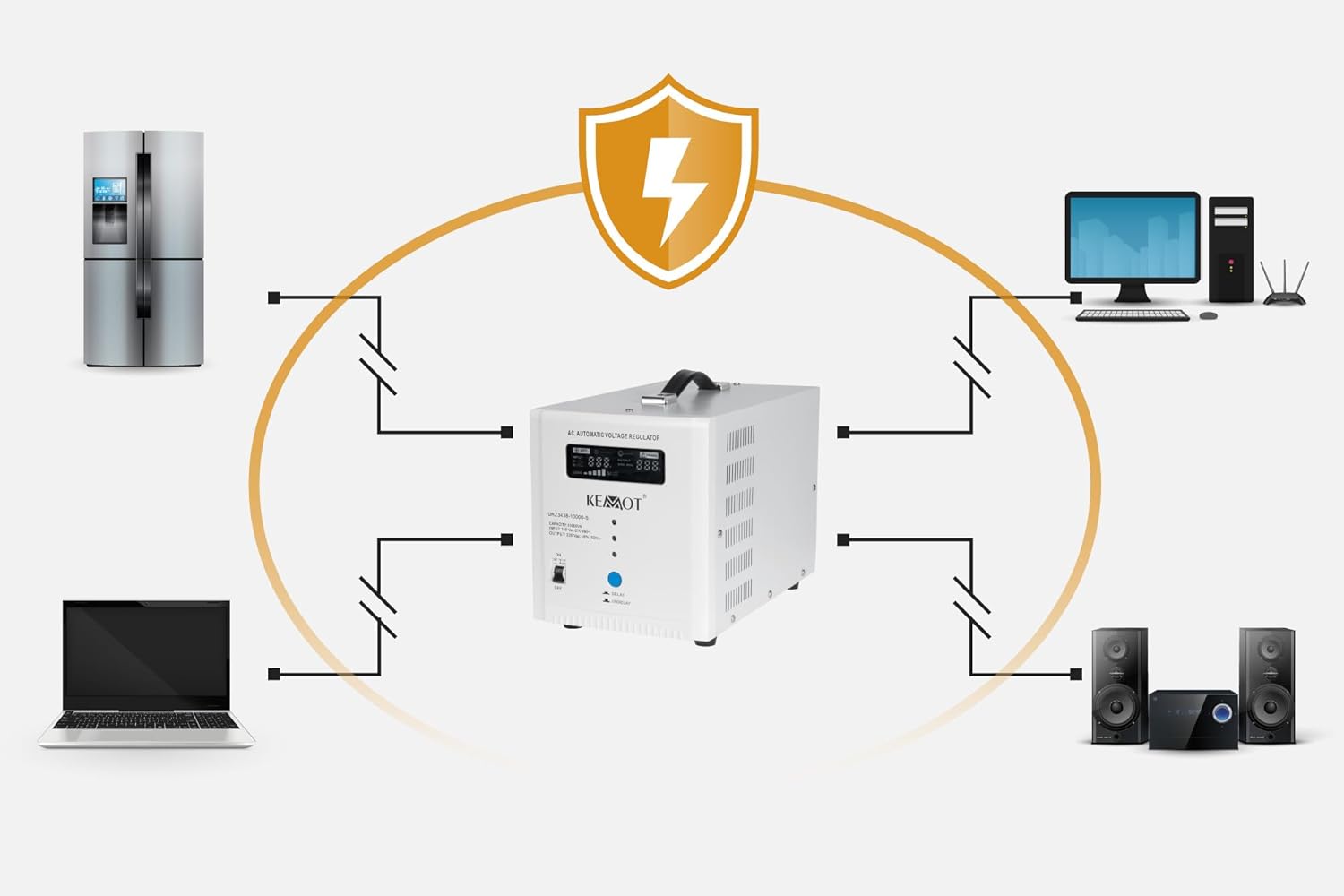
Figure 1: The Kemot SER-10000-S protecting various electronic devices from voltage fluctuations.
2. Safety Instructions
To prevent injury or damage to the device and connected equipment, always observe the following safety precautions:
- Indoor Use Only: This unit is designed for indoor use in a dry environment. Do not expose it to rain, moisture, or excessive humidity.
- High Voltage: This unit operates with high voltage. Only qualified personnel should open or attempt to service the device. There are no user-serviceable parts inside.
- Proper Grounding: Ensure the voltage regulator is connected to a properly grounded electrical outlet.
- Ventilation: Do not block the ventilation openings. Ensure adequate airflow around the unit to prevent overheating.
- Overload Protection: Do not exceed the maximum load capacity of the regulator. Overloading can cause damage to the unit and connected devices.
- Connection Sequence: Always switch on the regulator before switching on any connected appliances.
- Liquid and Foreign Objects: Keep liquids and foreign objects away from the unit.
- Children and Pets: Keep the device out of reach of children and pets.
3. Product Overview
3.1 Key Features
- Automatic Voltage Regulation: Maintains output voltage at 230 V ±8%.
- Wide Input Voltage Range: Operates effectively with input voltages from 150 V AC to 270 V AC.
- Toroidal Transformer: Utilizes a C.R.G.O. toroidal transformer for stable operation and precise voltage adaptation.
- Comprehensive Protections: Includes protection against overvoltage, undervoltage, overload, overheating, and short-circuit.
- Delay Function: Features a selectable delay function (180/6 seconds) to protect connected equipment during power fluctuations.
- High Efficiency: Achieves an efficiency of 98%.
- Digital Display: Clear LED display for real-time monitoring of input voltage, output voltage, and load level.
3.2 Components and Indicators

Figure 2: Front Panel of the Kemot SER-10000-S.
The front panel features a digital display and various indicators:
- Digital Display: Shows input voltage (VI), output voltage (VO), and load level.
- NORMAL WORKING Indicator: Illuminates when the unit is operating normally.
- TIME DELAY Indicator: Illuminates when the delay function is active.
- OVERHEAT Indicator: Illuminates if the unit is overheating.
- UNUSUAL Indicator: Illuminates for other abnormal operating conditions.
- ON/OFF Switch: Main power switch for the unit.
- DELAY/UNDELAY Button: Toggles the delay function (180 seconds / 6 seconds).

Figure 3: Rear Panel with European Sockets.

Figure 4: Rear Panel with Terminal Block.
The rear panel includes:
- Input/Output Connections: Depending on the model variant, either standard European sockets or a terminal block for direct wiring.
- Cooling Fan: For thermal management.
- Circuit Breaker: A resettable circuit breaker for overload protection. Press to reset after an overload event.
- Caution Label: Reminds users to switch on the regulator before connected appliances and that the unit contains high voltage.
4. Setup
- Placement: Place the voltage regulator on a stable, flat surface in a well-ventilated area. Ensure there is sufficient space around the unit for proper airflow, especially around the cooling fan. Avoid direct sunlight, heat sources, and areas with high humidity or dust.
- Power Off: Ensure the ON/OFF switch on the front panel is in the "OFF" position before making any connections.
- Connect Input Power:
- If your model has a power cord, plug it into a grounded wall outlet.
- If your model has a terminal block (Figure 4), connect the main AC input power cable to the "INPUT" terminals (L, N, G for Line, Neutral, Ground) according to local electrical codes. Ensure all connections are secure.
- Connect Appliances:
- For models with output sockets (Figure 3), plug your electronic devices into the "OUTPUT" sockets.
- For models with a terminal block (Figure 4), connect your appliances' power cables to the "OUTPUT" terminals (L, N, G for Line, Neutral, Ground). Ensure the total power consumption of all connected devices does not exceed the regulator's capacity (10000 VA).
- Initial Check: Double-check all connections to ensure they are secure and correctly wired.
5. Operation
- Power On: Flip the ON/OFF switch on the front panel to the "ON" position. The unit will perform a self-test.
- Delay Function: Upon powering on, the TIME DELAY indicator may illuminate. This indicates the delay function is active, providing a protective delay (default 180 seconds or 6 seconds) before supplying stable power to connected devices. This protects equipment from rapid power fluctuations during startup or after a power outage. You can toggle between the 180-second and 6-second delay using the DELAY/UNDELAY button.
- Monitoring: The digital display will show the input voltage (VI), output voltage (VO), and the current load level. The NORMAL WORKING indicator should illuminate once the output voltage is stable.
- Connect Appliances: After the delay period, and once the NORMAL WORKING indicator is steady, you can switch on your connected appliances.
- Power Off: To turn off the unit, first switch off all connected appliances, then flip the ON/OFF switch on the front panel to the "OFF" position.

Figure 5: Voltage Regulation Curve (AVR performance).
6. Maintenance
- Cleaning: Regularly clean the exterior of the unit with a soft, dry cloth. Do not use liquid cleaners or solvents.
- Ventilation: Ensure the ventilation openings and cooling fan remain clear of dust and obstructions to maintain proper cooling.
- No User Serviceable Parts: Do not attempt to open the unit. Refer all servicing to qualified service personnel.
- Storage: If storing the unit for an extended period, disconnect it from power, clean it, and store it in a dry, cool place.
7. Troubleshooting
If you encounter issues with your Kemot SER-10000-S, refer to the following table:
| Problem | Possible Cause | Solution |
|---|---|---|
| Unit does not power on. | No input power; ON/OFF switch is off; Circuit breaker tripped. | Check power outlet; Ensure ON/OFF switch is "ON"; Press the circuit breaker reset button on the rear panel. |
| UNUSUAL indicator is lit. | Input voltage is outside the operating range (150-270V AC); Internal fault. | Check input voltage with a multimeter; Disconnect all loads and restart. If the problem persists, contact support. |
| OVERHEAT indicator is lit. | Overload; Insufficient ventilation. | Reduce connected load; Ensure ventilation openings are clear and unit is in a cool, well-ventilated area. Allow unit to cool down before restarting. |
| Output voltage is unstable or incorrect. | Extreme input voltage fluctuations; Internal fault. | Ensure input voltage is within the specified range. If the issue persists, contact support. |
8. Technical Specifications
| Parameter | Value |
|---|---|
| Model | SER-10000-S (URZ3438-10000-S) |
| Capacity | 10000 VA |
| Input Voltage Range | 150 - 270 V AC |
| Input Frequency | 50/60 Hz |
| Output Voltage | 230 V AC |
| Output Frequency | 50/60 Hz |
| Output Precision | ±8% |
| Output Phase | Single Phase |
| Transformer Type | C.R.G.O. Toroidal Transformer |
| Efficiency | 98% |
| Protections | Overvoltage, Undervoltage, Overload, Overheating, Short-circuit |
| Delay Function | Selectable (180 seconds / 6 seconds) |
| Operating Temperature | 0°C ~ 40°C |
| Relative Humidity | 10% ~ 90% |
| Storage Temperature | -15°C ~ 45°C |
| Dimensions (W x D x H) | 182 x 312 x 203 mm |
| Weight | 12.85 kg |
9. Warranty and Support
The Kemot SER-10000-S Automatic Voltage Regulator comes with a 2-year warranty from the date of purchase, covering defects in materials and workmanship under normal use. Please retain your proof of purchase for warranty claims.
For technical support, service, or warranty inquiries, please contact your retailer or the authorized Kemot service center. Do not attempt to repair the unit yourself, as this may void your warranty and pose a safety risk.


