
1. Introduction
This manual provides essential instructions for the safe operation, setup, and maintenance of your FINOTI K11 SE 4K Dual-Camera Drone. Please read this manual thoroughly before operating the drone to ensure proper function and to prevent damage or injury. Retain this manual for future reference.
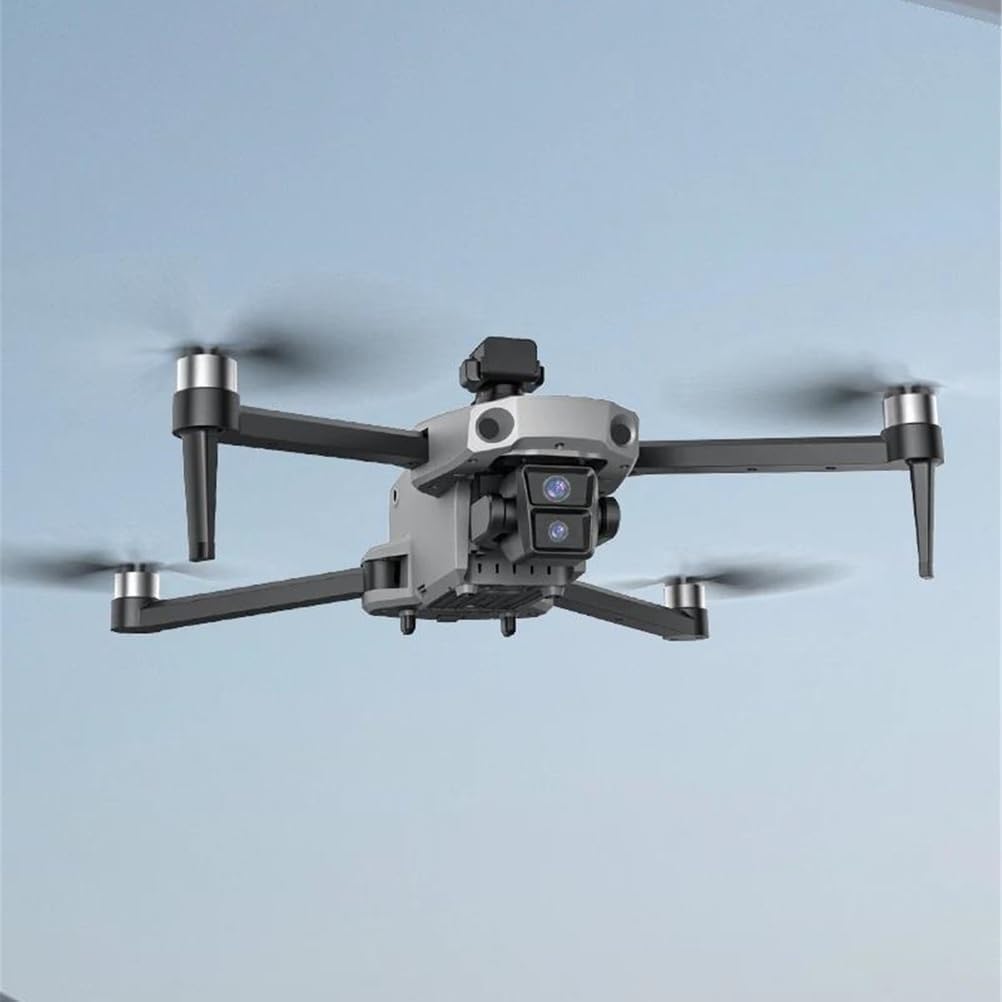
Image 1.1: The FINOTI K11 SE drone in flight, showcasing its compact and aerodynamic design with four propellers and a central camera module.
2. Safety Guidelines
Adherence to these safety guidelines is crucial for preventing accidents, injuries, and property damage. Always operate the drone responsibly.
- Pre-Flight Check: Before each flight, ensure the drone, remote control, and batteries are fully charged and in good working condition. Check propellers for damage.
- Flight Environment: Fly in open areas, away from people, animals, buildings, and power lines. Avoid flying in strong winds, rain, or fog.
- Line of Sight: Always maintain visual line of sight with the drone during flight.
- Battery Safety: Use only approved chargers and batteries. Do not overcharge or puncture batteries. Store batteries in a cool, dry place.
- Respect Privacy: Be mindful of privacy laws and regulations when using the camera.
- Age Restriction: This product is not suitable for children under 14 years old. Adult supervision is recommended for all users.
3. Package Contents
Verify that all items are present in the package:
- FINOTI K11 SE Drone
- Remote Control with Built-in Screen
- Aircraft Battery (7.4V 3500mAh)
- USB Charging Cable
- Spare Propellers
- Screwdriver
- Instruction Manual
- Storage Backpack
4. Component Identification
4.1 Drone Components

Image 4.1: The FINOTI K11 SE drone and its remote control, highlighting key features such as the 4K dual camera, brushless motors, and LED night vision lights.
- Propellers: Four foldable propellers for flight.
- Brushless Motors: Provide efficient and quiet operation.
- 4K Dual-Camera: Front-facing camera for high-resolution photo and video capture.
- EIS Anti-Shake: Electronic Image Stabilization for smoother footage.
- 360° Obstacle Avoidance Sensor: Located on top, detects obstacles in all directions.
- LED Night Vision Lights: For improved visibility during low-light conditions.
- Battery Compartment: Located at the rear of the drone.
4.2 Remote Control Components
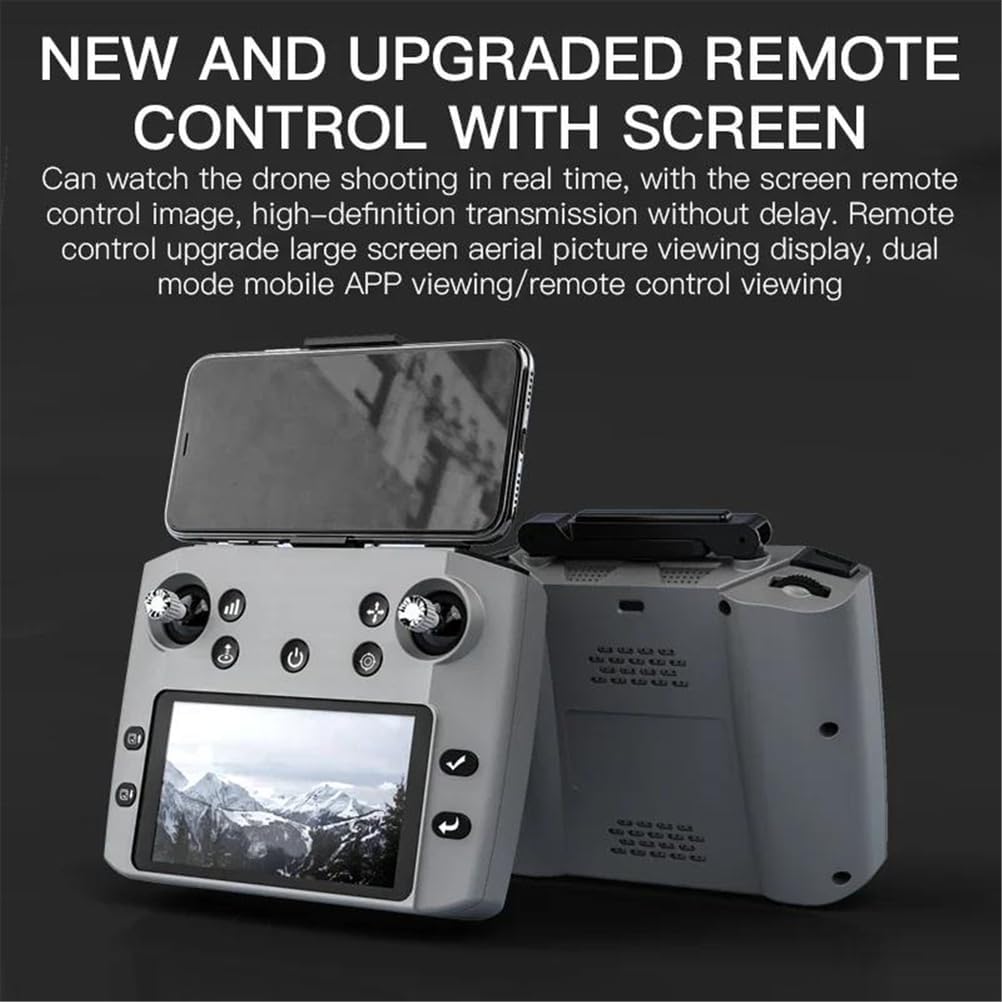
Image 4.2: The FINOTI K11 SE remote control, featuring an integrated screen for real-time FPV viewing and various control sticks and buttons.
- Control Sticks: Left stick for throttle/yaw, right stick for pitch/roll.
- Integrated Screen: Displays real-time FPV video feed and flight data.
- Power Button: To turn the remote control on/off.
- Photo/Video Buttons: Dedicated buttons for camera functions.
- Return Home Button: Initiates automatic return to takeoff point.
- Speed Mode Button: Adjusts flight speed.
- Obstacle Avoidance Toggle: Activates/deactivates the obstacle avoidance system.
5. Setup
5.1 Charging Batteries
- Aircraft Battery: Insert the 7.4V 3500mAh aircraft battery into the drone's battery compartment. Connect the USB charging cable to the drone and a suitable USB power adapter (not included). The charging time is approximately 3 hours. The charging indicator light will turn off when fully charged.
- Remote Control Battery: The remote control has a built-in 3.7V 800mAh battery. Connect the USB charging cable to the remote control and a USB power adapter.
5.2 Unfolding the Drone
Gently unfold the drone arms until they lock into position. Ensure all arms are fully extended before flight.
5.3 Propeller Installation (if required)
If propellers are not pre-installed, attach them according to the markings (A and B) on the propellers and motor shafts. Ensure they are securely fastened.
5.4 App Installation and Connection
Download the dedicated drone application from your mobile device's app store. Power on the drone and remote control. Connect your mobile device to the drone's 5G Wi-Fi network. Open the app to establish a connection and view the FPV feed.
5.5 Calibration
Before the first flight and after any significant change in location, perform compass and gyroscope calibration as instructed in the app or remote control interface. This ensures stable flight and accurate GPS positioning.
6. Operating Instructions
6.1 Basic Flight Controls
- Takeoff: Press the one-key takeoff button or push both control sticks simultaneously to the bottom-outer corners to start motors, then push the left stick up.
- Landing: Press the one-key landing button or pull the left stick down until the drone lands.
- Throttle (Left Stick Up/Down): Controls altitude.
- Yaw (Left Stick Left/Right): Rotates the drone horizontally.
- Pitch (Right Stick Up/Down): Moves the drone forward/backward.
- Roll (Right Stick Left/Right): Moves the drone left/right.
6.2 Camera Operation
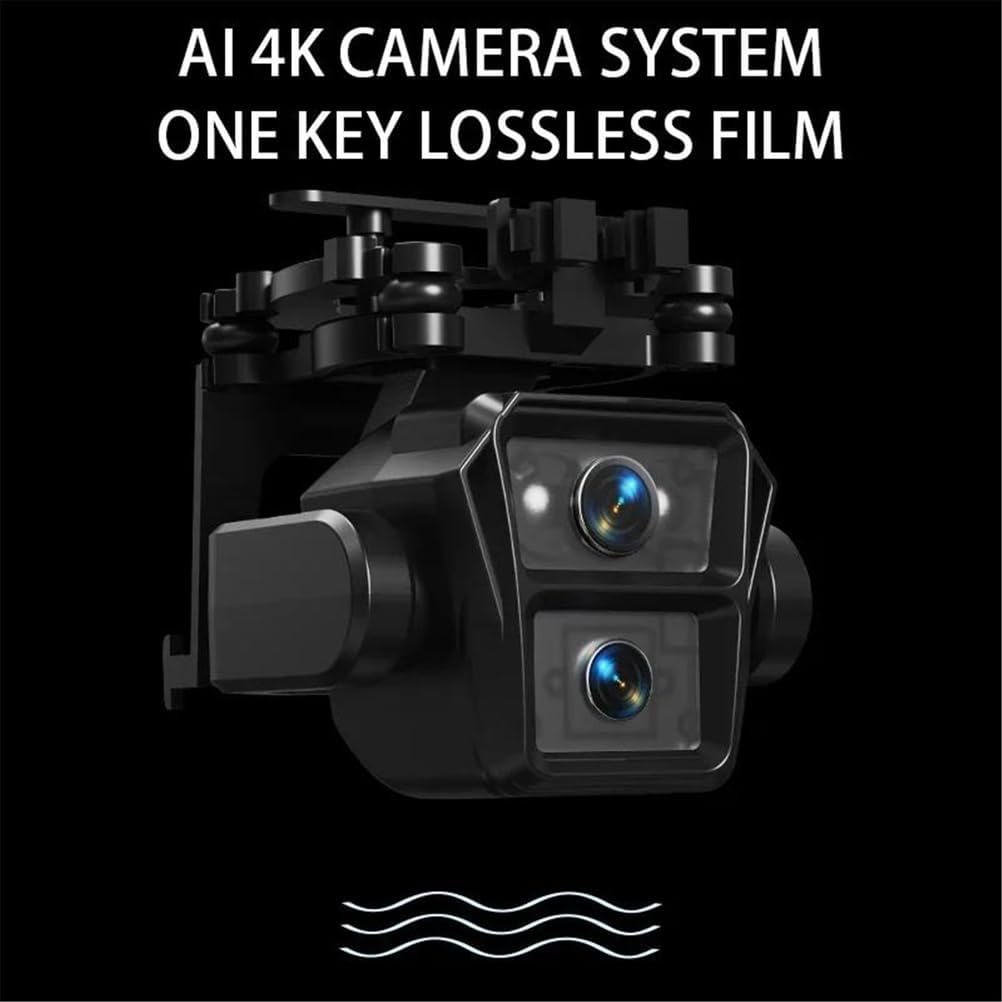
Image 6.1: A detailed view of the drone's AI 4K dual camera system, designed for high-quality image and video capture.
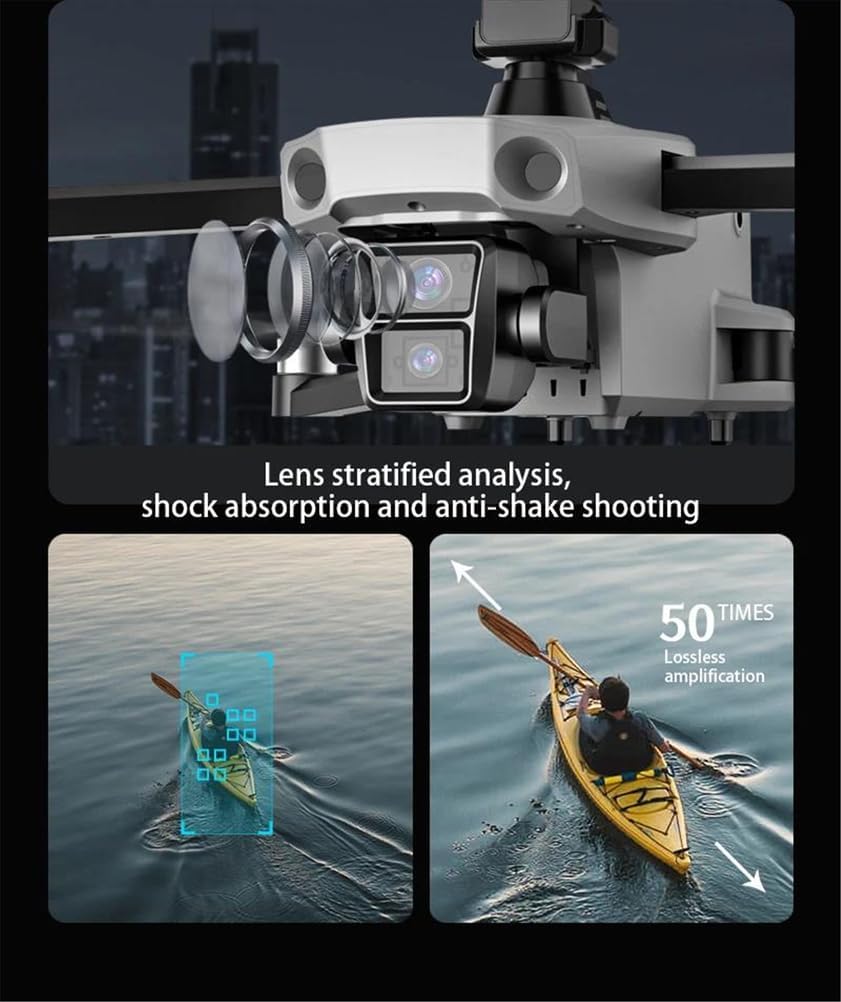
Image 6.2: Illustration of the drone's camera lens technology, featuring stratified analysis for enhanced image quality and shock absorption for anti-shake shooting.
- Photo/Video Capture: Use the dedicated buttons on the remote control or the app interface to take photos or start/stop video recording.
- EIS Anti-Shake: The Electronic Image Stabilization system automatically reduces blur and shakiness in your footage.
- Adjustable Camera Angle: The camera angle can be adjusted remotely via the app or remote control for optimal framing.
- Gesture Control: Perform specific hand gestures within 1-3 meters of the drone to trigger photo or video capture. Refer to the app for specific gesture commands.
6.3 Intelligent Flight Modes
- GPS Follow Me: The drone will automatically follow the remote control or connected mobile device, maintaining a set distance and altitude.
- Waypoint Flying: In the app, draw a path on the map, and the drone will fly autonomously along the designated route.
- Point of Interest Circle: Select a point on the map, and the drone will orbit around it at a specified radius and altitude, keeping the subject centered.
- One-Key Return Home: Press the RTH button, and the drone will automatically return to its takeoff point. This feature also activates automatically upon low battery or signal loss.
6.4 Obstacle Avoidance

Image 6.3: The drone's 360-degree intelligent obstacle avoidance system, illustrating its ability to detect and navigate around objects.
The 360° intelligent obstacle avoidance system uses infrared sensors to detect obstacles in all directions. When an obstacle is detected, the drone will automatically adjust its flight path to avoid collision. This feature can be toggled on/off via the remote control.
6.5 Night Flight

Image 6.4: The drone illuminated by its high-light LED night vision lights, enabling flight and visibility in dark conditions.
The drone is equipped with high-light LED night vision lights, allowing for improved visibility and flight in low-light conditions. Ensure local regulations permit night drone operation.
7. Maintenance
7.1 Cleaning
Regularly clean the drone body, propellers, and camera lens with a soft, dry cloth. Avoid using harsh chemicals or solvents.
7.2 Storage
When not in use, store the drone and remote control in the provided backpack in a cool, dry place. Remove batteries if storing for extended periods.
7.3 Battery Care
To prolong battery life, avoid fully discharging the batteries. Charge them to approximately 50-60% for long-term storage. Do not expose batteries to extreme temperatures.
7.4 Propeller Replacement
If propellers are damaged, replace them with genuine FINOTI K11 SE spare parts. Ensure correct propeller (A or B) is installed on the corresponding motor shaft.
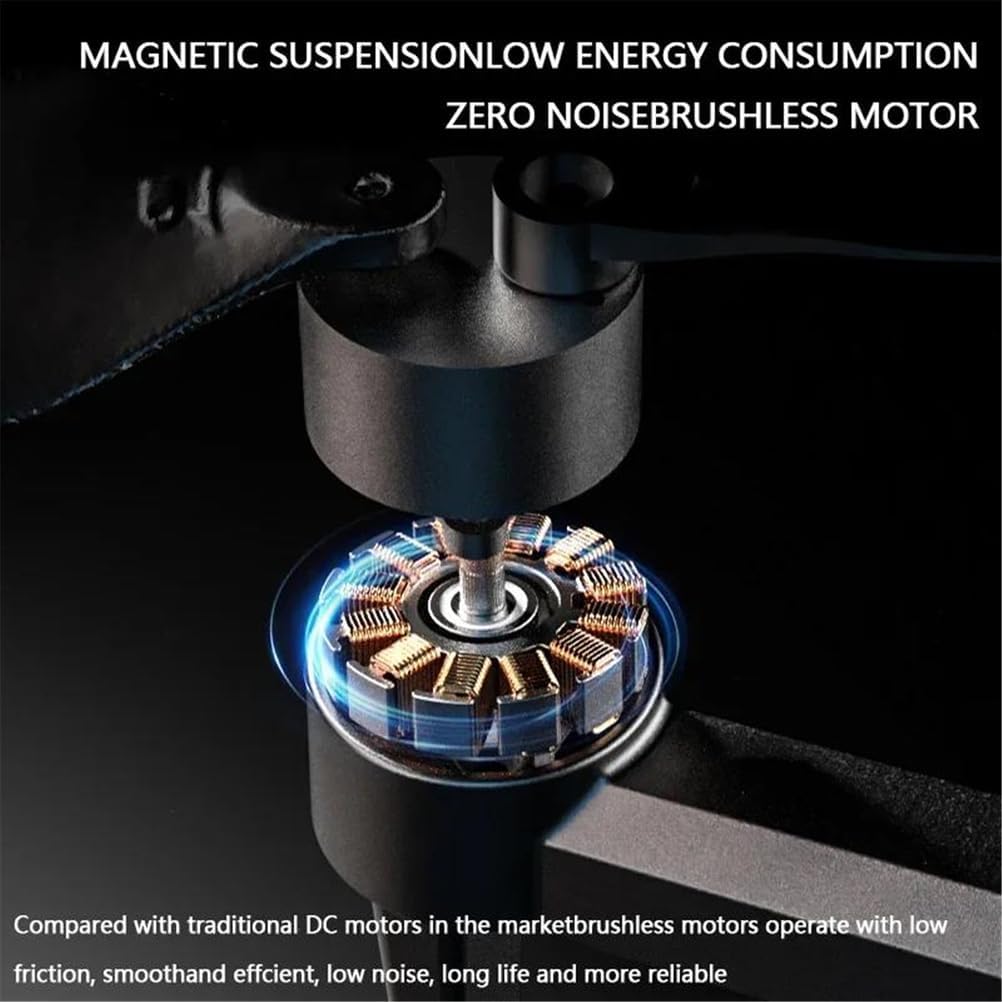
Image 7.1: A detailed view of the drone's brushless motor, highlighting its design for low energy consumption and quiet operation.
8. Troubleshooting
| Problem | Possible Cause | Solution |
|---|---|---|
| Drone does not power on. | Battery not charged or improperly inserted. | Ensure battery is fully charged and correctly inserted. |
| Remote control does not connect. | Remote battery low; not paired; interference. | Charge remote control. Re-pair drone and remote. Move to an area with less interference. |
| Unstable flight/Drifting. | Improper calibration; strong winds; damaged propellers. | Perform compass and gyroscope calibration. Avoid flying in strong winds. Replace damaged propellers. |
| No FPV video feed. | App not connected to drone Wi-Fi; poor signal. | Ensure mobile device is connected to the drone's 5G Wi-Fi. Fly closer to the drone. |
| Obstacle avoidance not working. | Feature disabled; sensor blocked/dirty. | Ensure obstacle avoidance is enabled. Clean sensors. |
9. Specifications
| Product Model | K11 SE |
| Brand | FINOTI |
| Aircraft Dimensions (Folded) | 15.5 x 9 x 9.5 cm |
| Aircraft Dimensions (Unfolded) | 31.5 x 29 x 9.5 cm |
| Unit Weight (with battery) | 350g |
| Working Frequency | 5G |
| Aircraft Battery | 7.4V 3500mAh |
| Remote Control Battery | 3.7V 800mAh (built-in) |
| Flight Time | Approximately 21 minutes |
| Charging Time | Approximately 3 hours |
| Image Return Distance (FPV) | Up to 500 meters (GPS version) |
| Flying Distance | Up to 800 meters |
| Charging Mode | USB Charging Cable |
| Lens Angle | 110° |
| Item Model Number | SINGLEBATTERY-66500581 |
10. Warranty and Support
For warranty information, technical support, or service inquiries, please refer to the contact information provided with your purchase or visit the official FINOTI website. Keep your proof of purchase for warranty claims.