1. Introduction
The NEEWER Basics Z120 SE Mini Camera Flash Speedlite is a compact and portable lighting solution designed for various photography needs. This manual provides essential information for the proper setup, operation, and maintenance of your device.
Key features include a guide number of 12 (ISO 100, meters), a consistent 5600K color temperature, and a built-in 2000mAh lithium battery providing up to 500 full power flashes with a rapid recycle time of 0.1-1.8 seconds. It supports Manual (M), S1, and S2 flash modes and is compatible with standard hot shoe cameras from brands like Canon, Fujifilm, Sony, and Nikon.
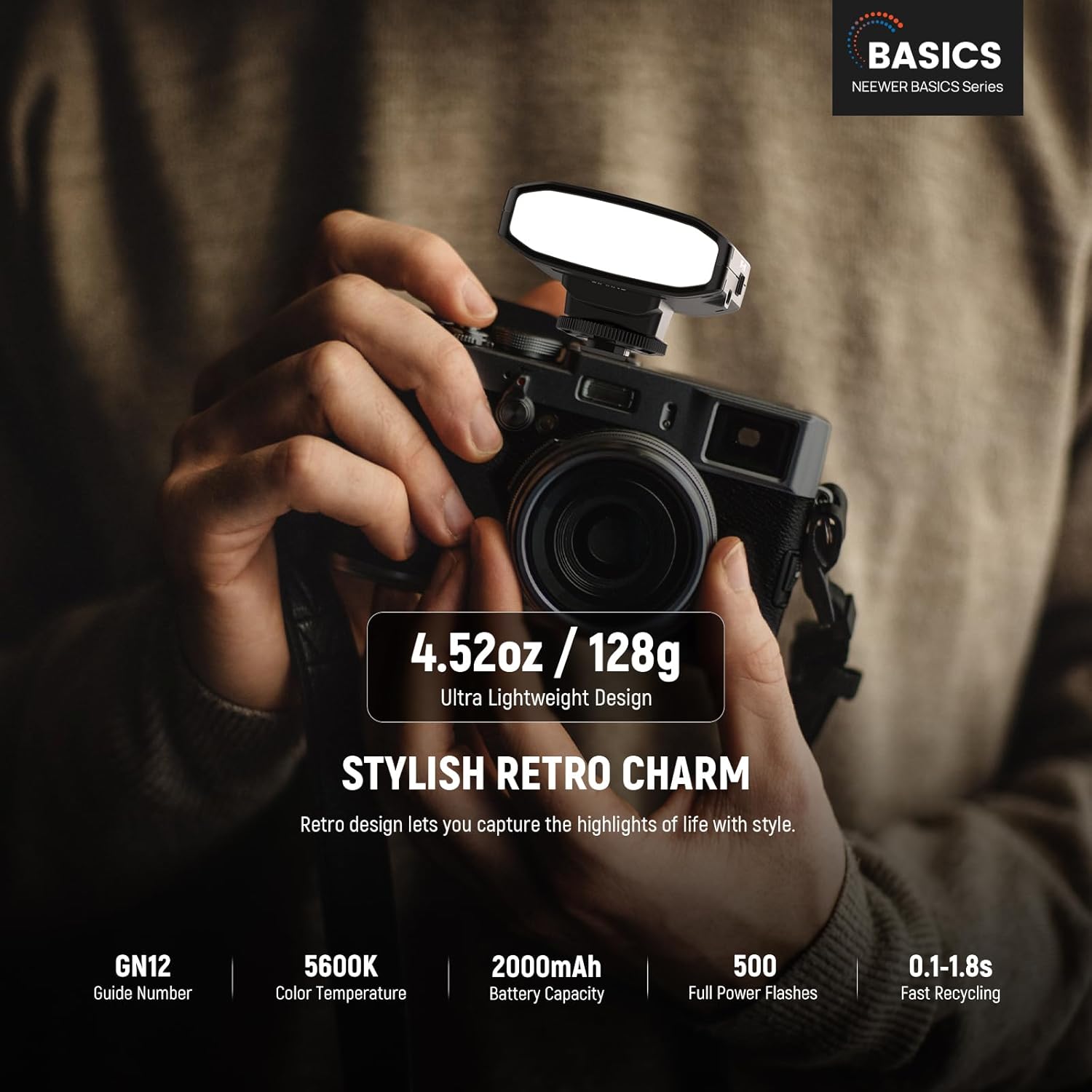
Image: The NEEWER Z120 SE Mini Camera Flash Speedlite mounted on a camera, demonstrating its compact and lightweight design (4.52oz / 128g).
Video: An overview of the NEEWER Basics Z120 SE Mini Camera Flash Speedlite, showcasing its retro style, compact design, and key features like flash modes and quick recycling.
2. Package Contents
Verify that all items are present in the package:
- 1 x Speedlite (NEEWER Basics Z120 SE)
- 1 x Diffuser
- 1 x USB to Type C Cable
- 1 x Storage Bag

Image: Visual representation of the package contents, including the Z120 SE Speedlite, diffuser, USB-C cable, and storage bag.
3. Product Overview
The Z120 SE features a user-friendly interface with essential controls for efficient operation.
- Type C Charging Port: For recharging the built-in battery.
- Power Switch: Turns the flash unit ON or OFF.
- Test Flash Button: Triggers a test flash and indicates readiness.
- Mode Selection Button: Cycles through M, S1, and S2 flash modes.
- Display Screen: Shows current settings such as flash output and mode.
- Power Adjustment Buttons (-/+): Adjusts flash output levels.
- Hot Shoe Mount: For attaching the flash to a camera.

Image: Labeled diagram illustrating the various components and controls of the NEEWER Z120 SE Speedlite.
4. Setup
4.1 Charging the Battery
The Z120 SE features a built-in 2000mAh lithium battery. For optimal battery longevity, fully charge the device before its first use.
- Connect the provided USB to Type C cable to the charging port on the flash unit.
- Connect the other end of the cable to a USB power source (e.g., wall adapter, computer USB port).
- The charging indicator will show the charging status. Once fully charged, disconnect the cable.

Image: The Z120 SE flash connected to a Type-C charging cable, illustrating the charging process.
4.2 Mounting the Flash
The Z120 SE is designed for cameras with a standard single-contact hot shoe.
- Ensure the flash unit is turned OFF.
- Slide the hot shoe mount of the flash into your camera's hot shoe slot.
- Secure the flash by tightening the locking ring or lever on the hot shoe mount.
- Turn the flash ON using the power switch.
Note: This flash does not support TTL function or high-speed synchronization (HSS). It is best used with lenses of 88mm focal length or shorter to avoid underexposure in the lower portion of the frame.

Image: Visual guide to hot shoe compatibility, showing the single-contact design required for the Z120 SE.
5. Operating Modes
The Z120 SE supports three triggering modes: Manual (M), S1, and S2.
5.1 Manual (M) Mode
In Manual mode, you have precise control over the flash output. This mode is ideal for photographers who prefer to set their lighting parameters manually.
- Press the MODE button until 'M' is displayed on the screen.
- Use the + and - buttons to adjust the flash output from 1/128 to full power (1/1) in 1/3 stop increments.
5.2 S1 Mode (Optical Slave)
S1 mode is an optical slave mode used for wireless triggering. The flash will fire in sync with the first flash from a master unit.
- Press the MODE button until 'S1' is displayed.
- Ensure the master flash unit is set to manual mode.
- The Z120 SE will trigger simultaneously with the master flash.
5.3 S2 Mode (Optical Slave with Pre-flash Cancellation)
S2 mode is also an optical slave mode, but it ignores the pre-flash from a master unit and syncs with the second flash. This is useful in environments where the master unit uses TTL metering with pre-flashes.
- Press the MODE button until 'S2' is displayed.
- The Z120 SE will ignore the pre-flash and trigger with the main flash.

Image: The Z120 SE flash on a camera, highlighting its compact design and available flash modes.
6. Maintenance
6.1 Battery Care
- To prolong battery life, avoid completely draining the battery frequently.
- Store the flash with a partial charge (around 50%) if not used for extended periods.
- Recharge the battery at least once every three months to prevent deep discharge.
6.2 Cleaning
- Use a soft, dry cloth to clean the exterior of the flash unit.
- For the flash tube and diffuser, use a lens cleaning cloth to gently wipe away dust or smudges.
- Avoid using harsh chemicals or abrasive materials, as they may damage the surface.
6.3 Storage
- When not in use, store the flash in the provided storage bag to protect it from dust and scratches.
- Keep the unit in a cool, dry place away from direct sunlight and extreme temperatures.
7. Troubleshooting
7.1 Flash Not Firing
- Check Battery: Ensure the battery is sufficiently charged.
- Hot Shoe Connection: Verify the flash is securely mounted on the camera's hot shoe.
- Power On: Confirm the flash unit is powered on.
- Mode Selection: Ensure the correct flash mode (M, S1, or S2) is selected. In S1/S2 modes, ensure the master flash is firing correctly.
7.2 Underexposed Images
- Flash Output: Increase the flash output in Manual mode.
- Camera Settings: Adjust camera ISO or aperture settings to allow more light.
- Lens Focal Length: If using lenses with focal lengths longer than 88mm, some underexposure may occur in the lower portion of the frame. Consider adjusting composition or using additional lighting.
7.3 Shutter Banding
- The Z120 SE does not support High-Speed Sync (HSS).
- Ensure your camera's shutter speed does not exceed the maximum flash sync speed (typically 1/200s or 1/250s, depending on your camera model) to avoid shutter banding.
8. Specifications
| Feature | Specification |
|---|---|
| Model | Z120 SE |
| Item Type | Camera Speedlite |
| Color | Black |
| Compatibility | For Cameras with Hot Shoe (Standard Center Trigger Pin) |
| Application | Portrait/Indoor Photography |
| Main Features | Compact/Lightweight/Bright |
| Main Material | Plastic |
| Guide Number (GN) | 12 (ISO 100, meters) |
| Power Levels | 8 (1/128-1/1) |
| Recycling Time | 0.1-1.8s |
| Supported Camera Shutter Speed | up to 1/250s |
| Modes | 3 (M/S1/S2) |
| Color Temperature | 5600K |
| Built-in Battery Capacity | 2000mAh, 3.7V |
| Number of Flashes | 500 (Full Power Flashes) |
| Dimensions | 2.9"x2.8"x1.84" / 73.7x71.1x46.8mm |
| Weight | 4.52oz / 128g |
9. Warranty and Support
NEEWER products are designed and manufactured to the highest quality standards. For information regarding warranty coverage, technical support, or service inquiries, please refer to the warranty card included with your product or visit the official NEEWER website. You may also contact NEEWER customer service directly for assistance.


