1. Product Overview
The KETOTEK Wireless Pool Thermometer E0166 provides accurate water temperature readings for various aquatic environments, along with indoor temperature and humidity monitoring. It features a floating sensor with solar power and a wireless base station for convenient remote monitoring.
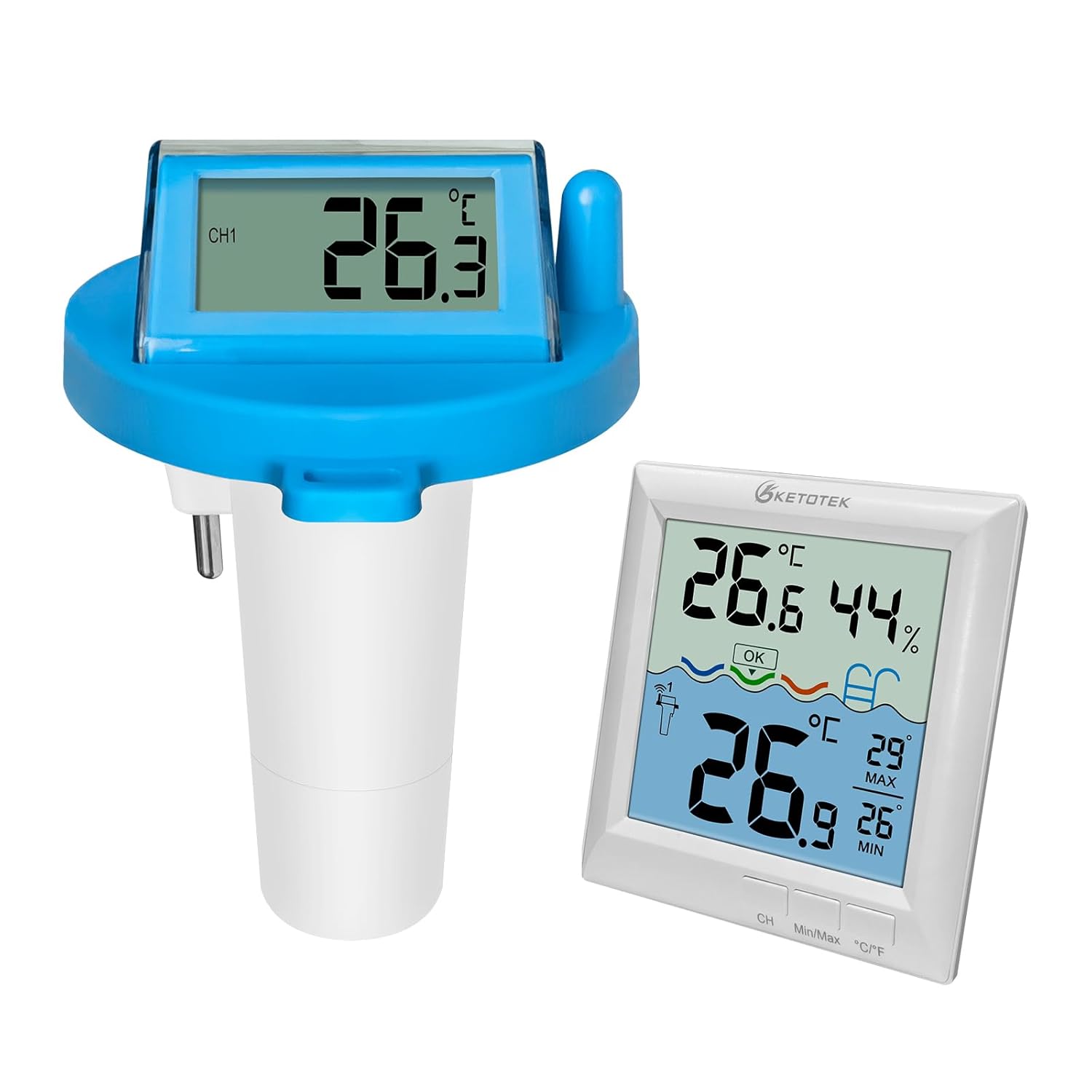
Figure 1: KETOTEK Wireless Pool Thermometer (Floating Sensor and Base Station)
2. Package Contents
- 1 x Wireless Floating Pool Thermometer Sensor
- 1 x Wireless Base Station (Indoor Monitor)
- 1 x Plastic Key for Battery Compartment
- 1 x Tethering Wire
- 1 x Instruction Manual
3. Setup Instructions
3.1. Battery Installation for Base Station
- Locate the battery compartment on the back of the base station.
- Open the battery cover.
- Insert 3 x AAA batteries, ensuring correct polarity (+/-).
- Close the battery cover securely.

Figure 2: Base Station Battery Installation
3.2. Battery Installation for Floating Sensor
- Twist the bottom cap of the floating sensor counter-clockwise to open it.
- Use the provided plastic key to gently pry open the metal contact inside the battery compartment.
- Insert 2 x AAA batteries, ensuring correct polarity (+/-).
- Close the metal contact.
- Align the arrows on the sensor body and the bottom cap, then twist clockwise to tighten and ensure a waterproof seal.
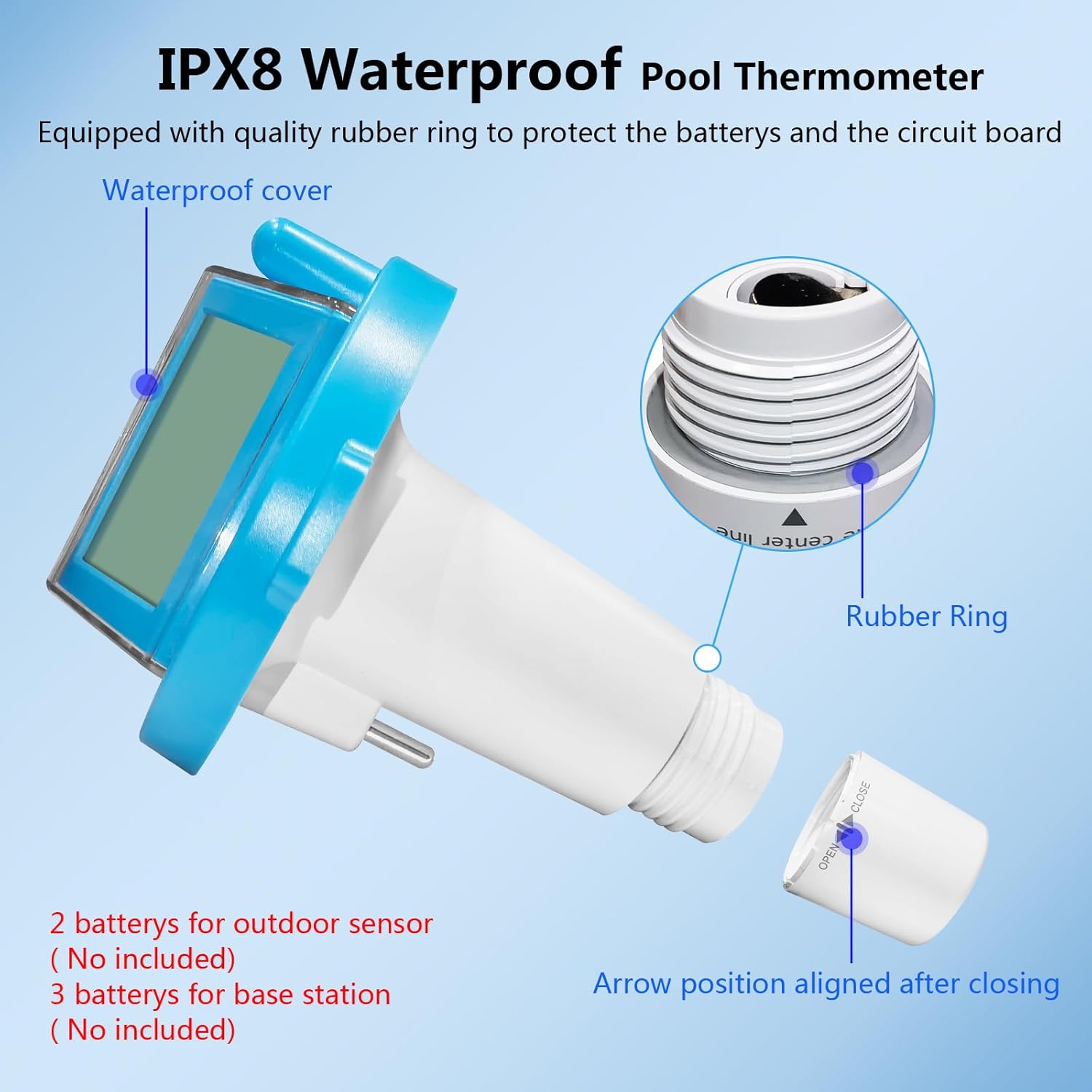
Figure 3: Floating Sensor Battery Installation and Waterproof Sealing
Video 1: Battery Installation for KETOTEK Wireless Pool Thermometer. This video demonstrates how to install batteries in both the base station and the floating sensor, and how to properly seal the sensor for waterproofing.
3.3. Initial Pairing
After installing batteries in both units, place the floating sensor in the water. The base station and sensor should automatically pair within one minute. Ensure both units are within the effective wireless range.
4. Operating Instructions
4.1. Placing the Floating Sensor
Place the floating sensor in your pool, bathtub, pond, or aquarium. For larger bodies of water, you may use the included tethering wire to secure the sensor and prevent it from drifting away.
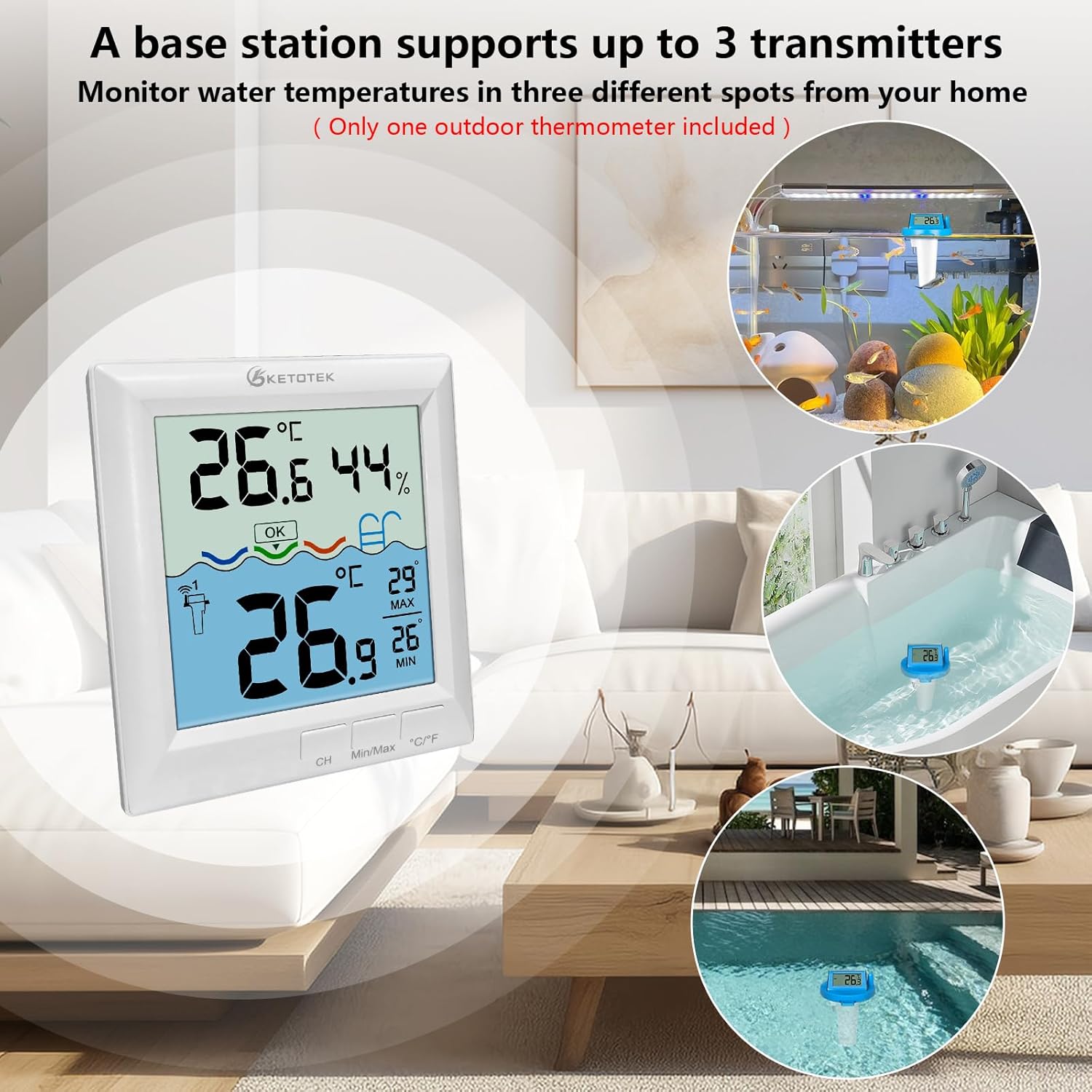
Figure 4: Floating Sensor Placement and Wireless Range
4.2. Understanding the Base Station Display
The base station displays the following information:
- Indoor Temperature: Current ambient temperature at the base station's location.
- Indoor Humidity: Current ambient humidity at the base station's location.
- Water Temperature: Current temperature reported by the floating sensor.
- Temperature Indicators: Visual cues for water temperature status:
- LOW: Below 75°F (24°C)
- OK: 75°F - 84°F (24°C - 29°C)
- HIGH: Above 84°F (29°C)
- Max/Min Temperatures: Highest and lowest recorded temperatures for both indoor and water readings.
- Backlight: Touch the button to activate a 10-second backlight for clear reading in dim light.

Figure 5: Base Station Display Features
Figure 6: LCD Display with Backlight Function
4.3. Multiple Sensor Connection (Optional)
The base station can connect to up to 3 outdoor floating sensors (only one sensor is included with the product). Press the "CH" button on the base station to cycle through the readings from different connected sensors.

Figure 7: Monitoring Multiple Sensors
Video 2: KETOTEK Pool Thermometer in Use. This video demonstrates the floating sensor in a bathtub and the base station displaying the water temperature, along with indoor temperature and humidity.
5. Maintenance
5.1. Power Management
The floating sensor is primarily powered by its integrated solar panel when sufficient sunlight is available. In low light conditions or at night, it automatically switches to 2 x AAA batteries. This dual-mode system helps conserve battery life.

Figure 8: Floating Sensor with Solar Panel
5.2. Waterproofing
The floating sensor has an IPX8 waterproof rating. To maintain this, always ensure the bottom cap is tightly sealed after battery replacement. The rubber ring inside the cap is crucial for preventing water ingress.
6. Troubleshooting
- No Reading on Base Station:
- Check if batteries are correctly installed in both the base station and the floating sensor.
- Ensure batteries have sufficient charge.
- Verify that the floating sensor's bottom cap is tightly sealed to activate the unit and prevent water damage.
- Make sure the base station and sensor are within the 197ft/60m wireless range and there are no significant obstructions.
- Allow a few minutes for initial pairing after battery installation.
- Inaccurate Temperature Readings:
- Ensure the sensor is fully submerged in the water to get an accurate water temperature.
- Avoid placing the base station in direct sunlight or near heat sources, as this can affect indoor temperature/humidity readings.
7. Specifications
| Feature | Detail |
|---|---|
| Model Number | E0166 |
| Brand | KETOTEK |
| Power Source | Sensor: Solar powered with 2 x AAA battery backup; Base Station: 3 x AAA batteries |
| Waterproof Rating (Sensor) | IPX8 |
| Wireless Range | Up to 197ft (60m) in open area |
| Display Type | Digital LCD with backlight |
| Water Temperature Range | -40°C to 70°C (-40°F to 158°F) |
| Indoor Temperature Range | 9.9°C to 50°C (14.2°F to 122°F) |
| Indoor Humidity Range | 20% to 95% |
| Material | Plastic |
| Dimensions (Package) | 6.18 x 4.29 x 4.25 inches |
| Item Length (Sensor) | 6.3 Inches |
8. Warranty and Support
Information regarding product warranty and customer support was not provided in the source data.


