
Introduction
This manual provides essential information for the safe and effective use of your UMAY Fitness Treadmill with Incline. Please read it thoroughly before assembly, operation, or maintenance to ensure proper function and longevity of your equipment. Retain this manual for future reference.

Image: The UMAY Fitness Treadmill in a home environment, highlighting its modern design and a user engaged in exercise.
Important Safety Information
Before using the treadmill, please review the following safety precautions:
- Consult a physician before starting any new exercise program.
- Keep children and pets away from the treadmill during operation.
- Ensure the safety key is properly attached to your clothing before beginning a workout.
- Place the treadmill on a flat, stable surface with adequate clearance around it.
- Do not operate the treadmill if it is damaged or malfunctioning.
- Wear appropriate athletic footwear and clothing.
- Do not step on or off the treadmill while the belt is moving.
- Maximum user weight capacity is 400 lbs. Do not exceed this limit.
Product Components
Familiarize yourself with the main parts of your UMAY Fitness Treadmill:
- Running Deck/Belt: The surface on which you walk or run. Features multi-layer construction and shock absorption.
- Console/Display: Touchscreen interface for controlling speed, incline, and monitoring workout data.
- Handrails: Provide support and house integrated controls for speed, incline, and heart rate sensors.
- Safety Key: Magnetic key that must be in place for the treadmill to operate. Pulling it disconnects power for emergency stops.
- Incline Mechanism: Allows for manual adjustment of the running deck's angle (2%, 16%, 20%).
- Motor: 3.5HP quiet brushless motor for smooth and consistent performance.
- Transport Wheels: Located at the base for easy relocation when folded.
- Cup Holders: Integrated into the console for beverages.

Image: The treadmill's control panel and handrails, illustrating the touchscreen display, integrated buttons for speed and incline, heart rate sensors, and cup holders.
Setup and Assembly
Your UMAY Fitness Treadmill is designed for quick setup, arriving 90% pre-assembled. Follow these steps to complete the assembly:
- Unpacking: Carefully remove all components from the packaging. Retain packaging materials for potential future transport or returns.
- Positioning: Place the treadmill on a level, solid surface. Ensure there is at least 2 feet of clearance on the sides and 6 feet at the rear for safe operation.
- Unfolding: Gently lift the console and secure it in the upright position. Refer to the folding mechanism diagram for proper locking.
- Connecting Cables: Connect any loose cables according to the diagram in the included quick start guide.
- Securing Components: Tighten any pre-installed screws that may have loosened during shipping.
- Power Connection: Plug the power cord into a grounded electrical outlet.

Image: The treadmill in a partially assembled state, showcasing the minimal setup required with included tools and instruction manual.
Operating Instructions
This section details how to operate your treadmill for an effective workout.
Getting Started
- Power On: Ensure the treadmill is plugged in and the main power switch (usually located near the front base) is turned on.
- Attach Safety Key: Clip the safety key to your clothing and place the magnetic end onto the designated area on the console. The display will illuminate.
- Start Workout: Press the 'Start' button on the console or handrail. The belt will begin moving at a low speed.
Adjusting Speed and Incline
- Speed Adjustment: Use the 'Speed+' and 'Speed-' buttons on the console or handrails to increase or decrease the belt speed. Quick-select buttons for 3 MPH, 5 MPH, and 7 MPH are also available on the touchscreen. The maximum speed is 8.7 MPH.
- Incline Adjustment: The treadmill features a 3-level manual incline (2%, 16%, 20%). To adjust, stop the treadmill, lift the rear of the running deck, and manually set the incline support to the desired level. Ensure it is securely locked before resuming your workout.
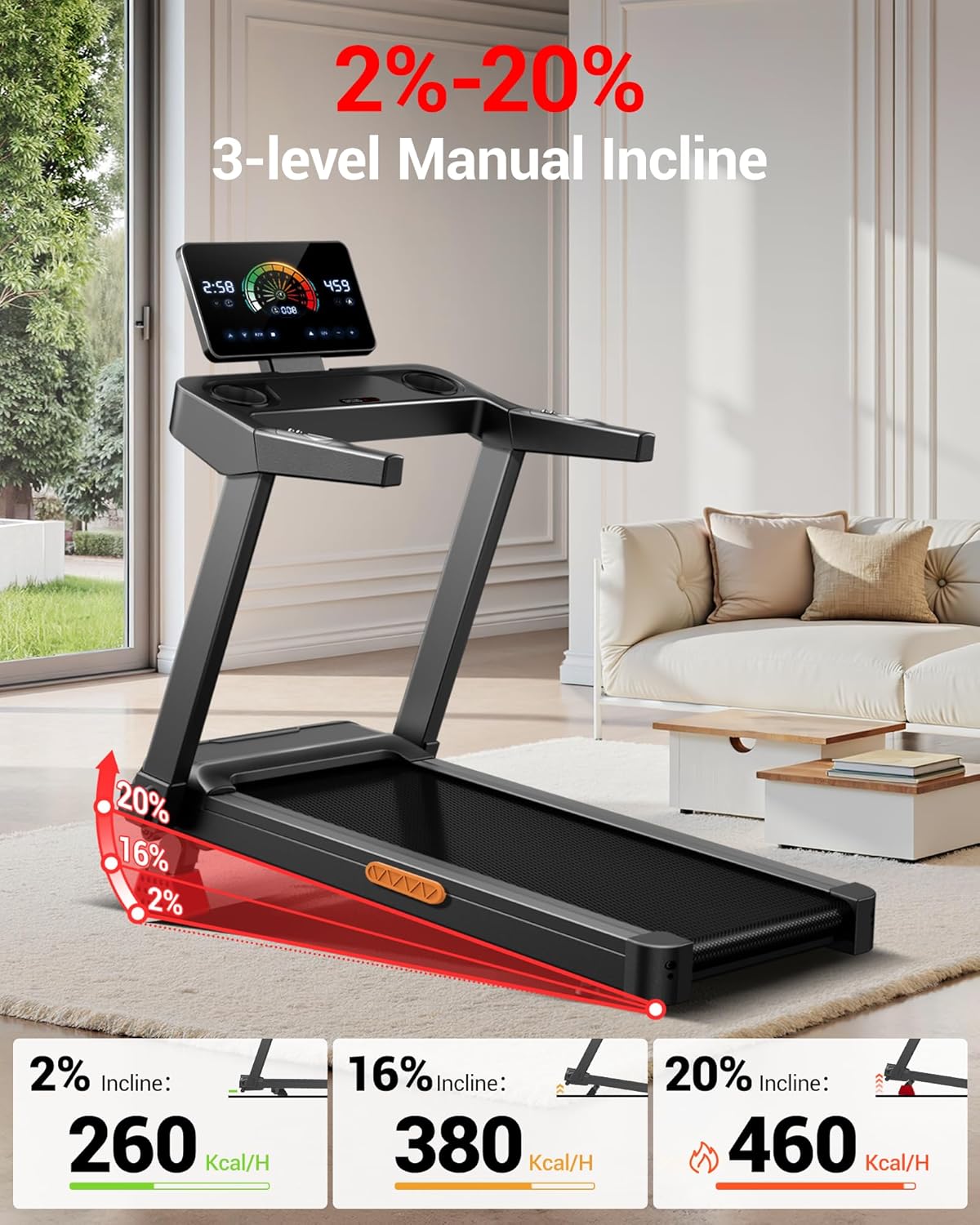
Image: Visual representation of the treadmill's manual incline settings (2%, 16%, 20%) and their impact on calorie expenditure.
Using Workout Programs
The treadmill includes 12 pre-set workout programs. Press the 'P/M' button on the console to cycle through the available programs. Each program offers varying speed and incline profiles to target different fitness goals. Refer to the console display for program details.
Monitoring Heart Rate
Grasp the heart rate sensors on the handrails firmly with both hands. Your heart rate will be displayed on the console after a few seconds. For accurate readings, ensure your hands are clean and dry.
Stopping the Treadmill
Press the 'Stop' button to gradually bring the treadmill belt to a halt. In an emergency, pull the safety key from the console to immediately stop the belt.
Folding and Storage
The UMAY Fitness Treadmill features a fully foldable design for convenient storage in small spaces.
- Stop Treadmill: Ensure the treadmill is completely stopped and powered off.
- Fold Console: The console can be flipped 90 degrees downwards. Gently push the console forward until it locks into its folded position.
- Fold Running Deck: Lift the rear of the running deck upwards until it locks into a vertical position.
- Move for Storage: Once folded, the treadmill can be easily moved using its integrated transport wheels. It collapses from 50"L x 25"W x 47"H to 50"L x 26"W x 4.5"H.
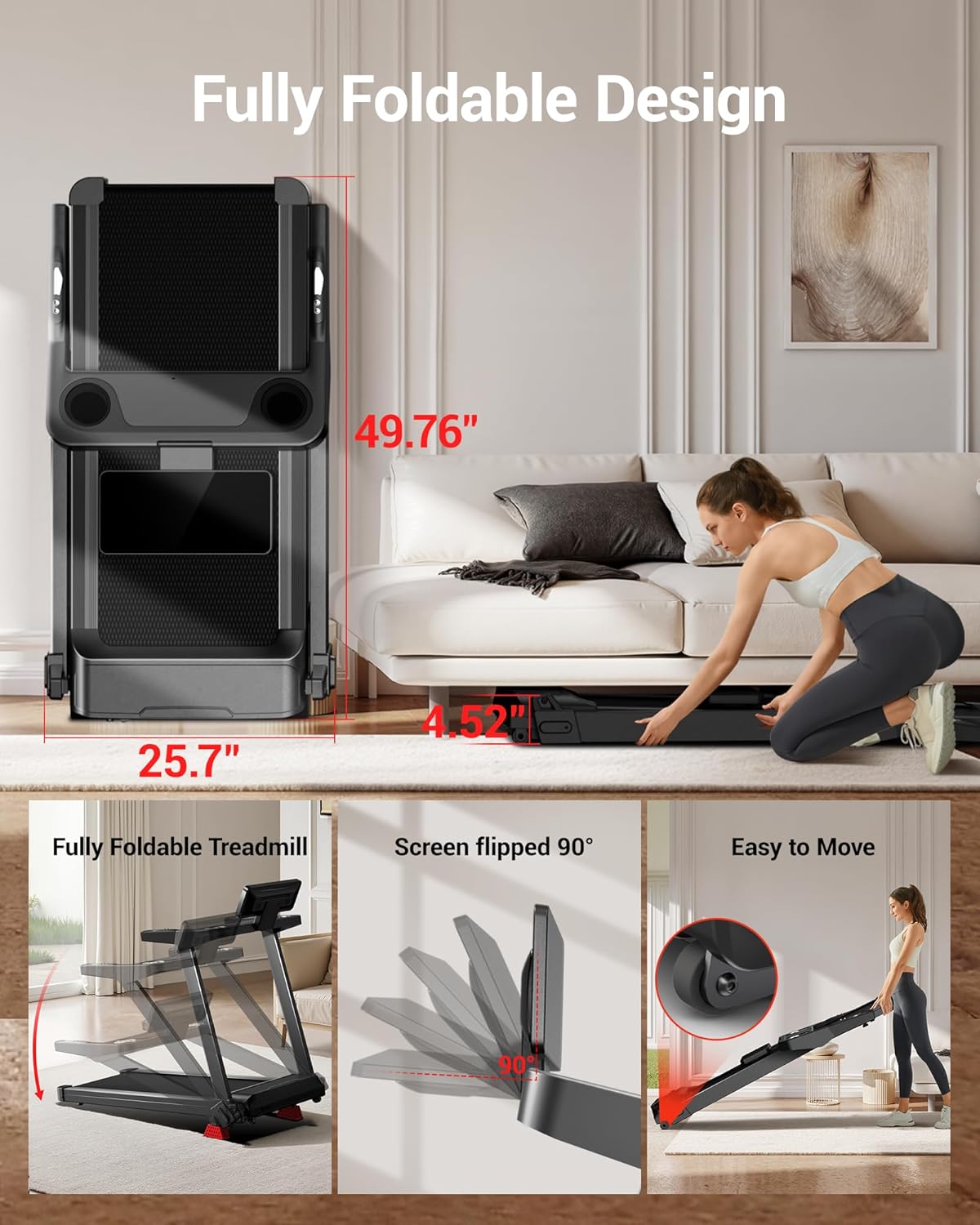
Image: The treadmill illustrating its fully foldable design, including the 90-degree screen flip and transport wheels for easy storage under furniture.
Maintenance
Regular maintenance ensures the longevity and optimal performance of your treadmill.
- Cleaning: Wipe down the console and exterior surfaces with a damp cloth after each use. Avoid abrasive cleaners.
- Belt Lubrication: The running belt requires periodic lubrication to reduce friction. Refer to the quick start guide for specific lubrication intervals and instructions. Use only silicone-based treadmill lubricant.
- Belt Tension and Alignment: Check the running belt tension and alignment regularly. If the belt slips or drifts to one side, adjust it according to the instructions in the quick start guide using the provided hex key.
- Motor Area: Periodically vacuum the area around the motor to prevent dust buildup, which can affect performance. Ensure the treadmill is unplugged before doing so.
Troubleshooting
This section addresses common issues you might encounter with your treadmill.
| Problem | Possible Cause | Solution |
|---|---|---|
| Treadmill does not power on. | Power cord not plugged in; main power switch off; safety key not in place. | Ensure power cord is securely plugged in. Turn on the main power switch. Place the safety key on the console. |
| Running belt slips or hesitates. | Belt tension too loose; belt requires lubrication. | Adjust belt tension as per maintenance instructions. Lubricate the running belt. |
| Belt drifts to one side. | Belt alignment is off. | Adjust belt alignment using the rear roller bolts as per maintenance instructions. |
| Unusual noise during operation. | Loose components; motor area dust buildup; worn parts. | Check and tighten all visible bolts and screws. Clean the motor area. If noise persists, contact customer support. |
| Heart rate monitor is inaccurate. | Hands not firmly placed; hands are wet or dirty. | Ensure firm, clean, and dry contact with the sensors. Maintain consistent contact for several seconds. |
Product Specifications
| Feature | Detail |
|---|---|
| Brand | UMAY |
| Model Name | u60 L20 |
| Color | BLACK WITH 20% Incline |
| Product Dimensions (Unfolded) | 52"D x 26"W x 6"H |
| Item Weight | 30.39 Kilograms |
| Material | Acrylonitrile Butadiene Styrene (ABS) |
| Maximum Speed | 8.7 MPH |
| Special Feature | Adjustable Height (Incline) |
| Maximum Horsepower | 3.5 HP |
| Maximum Weight Recommendation | 400 Pounds |
| Running Belt Dimensions | 42.5" x 16.2" |
| Incline Levels | 2%, 16%, 20% (Manual) |
| Motor Type | Quiet Brushless |
| Noise Level | <45dB |
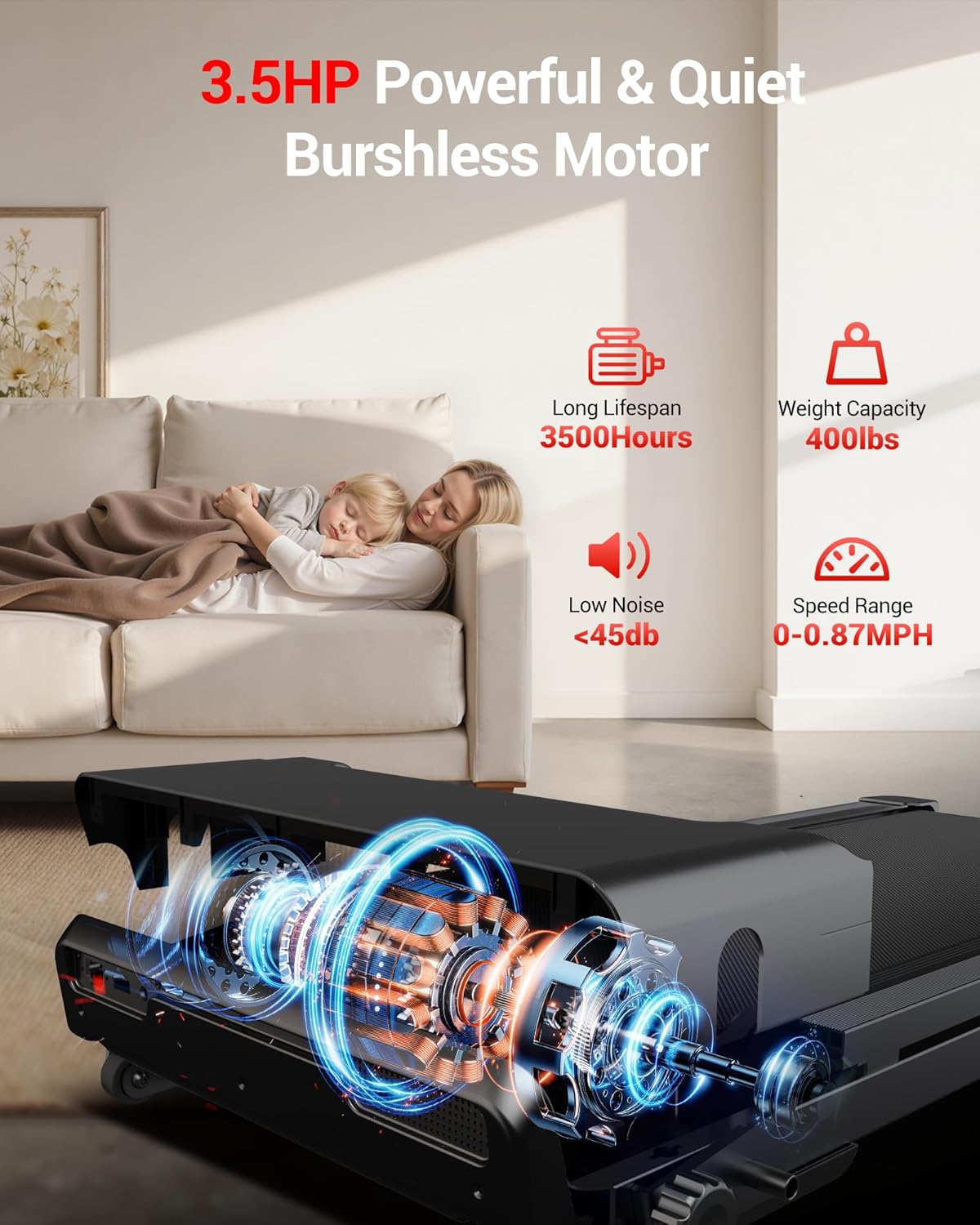
Image: An internal view of the treadmill's 3.5HP brushless motor, emphasizing its quiet operation and durability.
Warranty and Customer Support
Warranty: The UMAY Fitness Treadmill comes with a 2-year warranty. This warranty covers manufacturing defects and ensures your product is free from material and workmanship flaws under normal use.
Customer Support: For any questions, technical assistance, or warranty claims, please contact UMAY customer service. You can find contact information on the official UMAY website or through your purchase platform. Please have your model number (u60 L20) and purchase date ready when contacting support.
For additional resources, visit the UMAY Store on Amazon.


