
1. Product Overview
The FABATO CPT130 Foldable Desk is designed for versatility and space-saving. It features an expandable and foldable structure, integrated RGB LED lighting, a built-in charging station, and two storage shelves. This manual provides instructions for assembly, operation, and maintenance.
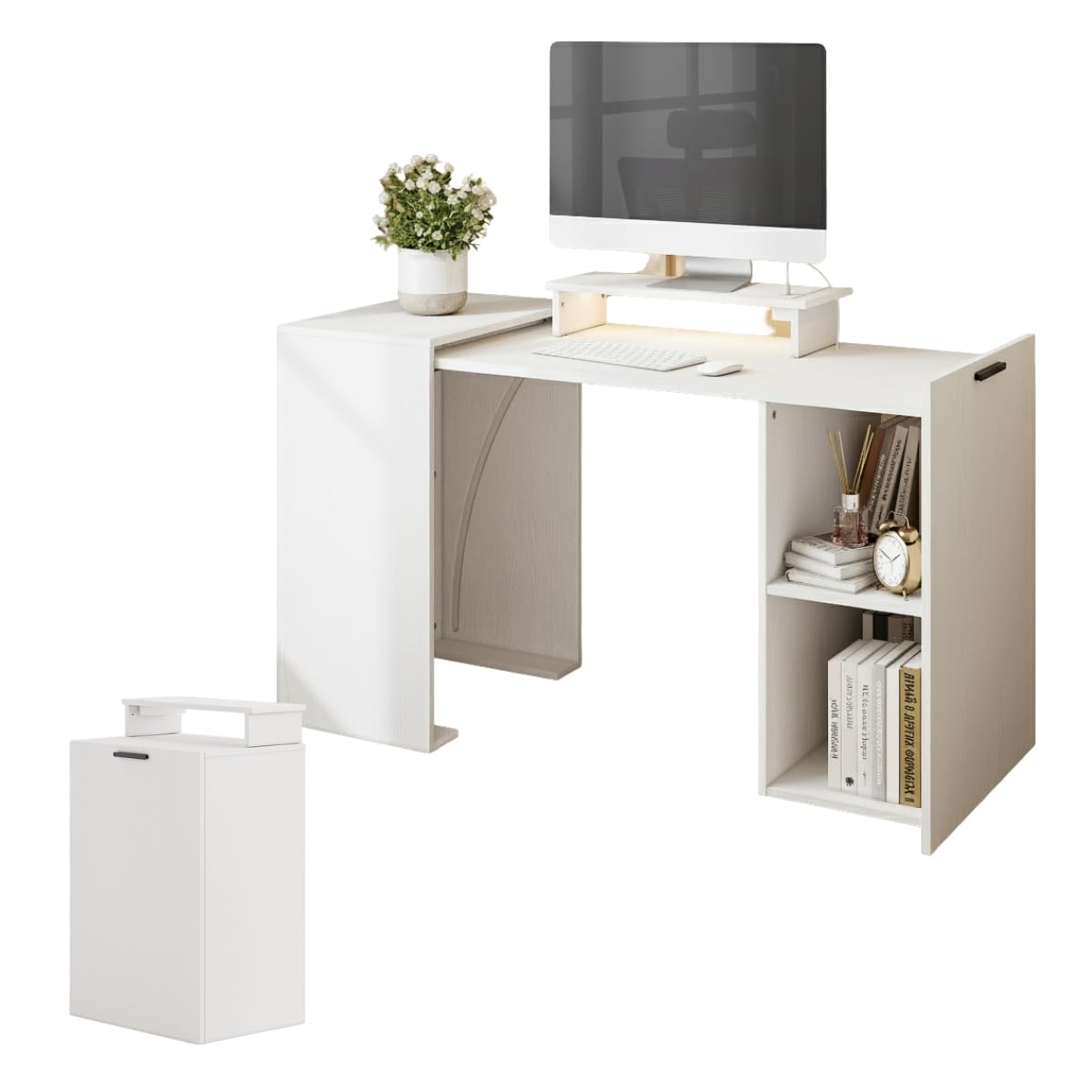
Image 1.1: The FABATO CPT130 Foldable Desk in its expanded configuration, showcasing its use in a home office environment with a monitor and accessories.
2. Safety Information
- Read all instructions carefully before assembly and use.
- Keep small parts away from children during assembly.
- Ensure all connections are secure before placing items on the desk.
- Do not overload the desk or shelves beyond their intended capacity.
- Use only the provided power adapter for the charging station and LED lights.
- Avoid exposing the desk to excessive moisture or direct sunlight.
3. Package Contents
Verify that all components are present before beginning assembly. If any parts are missing or damaged, contact customer support.
- Desk main frame (foldable sections)
- Charging station unit
- RGB LED light strip and remote control
- Assembly hardware (screws, dowels, hinges, etc.)
- Instruction manual
4. Setup and Assembly
Assembly is required for this product. Follow the steps below carefully.
4.1 Unfolding the Desk
The desk arrives in a compact, folded state. To expand it:
- Place the folded desk on a flat, stable surface.
- Gently pull the movable section outwards from the main body.
- Ensure the desk is fully extended and stable before use.

Image 4.1: Visual guide demonstrating the unfolding process of the desk from its compact form to its fully expanded configuration.

Image 4.2: Comparison of the desk in its folded (compact) state and its expanded state, highlighting the space-saving design.
4.2 Securing the Desk Top
Once expanded, ensure the desk top is securely fastened using the integrated locking mechanism.

Image 4.3: Detail of the metal hinge and locking accessory used to secure the movable desk panel in the expanded position.
5. Operating Instructions
5.1 Using the Charging Station
The desk includes a built-in charging station with AC outlets, USB-A, and USB-C ports.
- Connect the desk's power cord to a standard wall outlet.
- Plug your devices into the available AC, USB-A, or USB-C ports on the charging station.
- Ensure devices are compatible with the charging station's output specifications.

Image 5.1: Detailed view of the integrated charging station, showing two AC outlets, two USB-C (PD) ports, and one USB-A (QC) port, with a 6.56ft power line.
5.2 Controlling RGB LED Lights
The integrated RGB LED lights can be controlled using the provided remote control.
- Point the remote control towards the LED light receiver.
- Use the remote to power the lights on/off, change colors (20 static colors), adjust brightness, and select dynamic modes (20 dynamic modes).
Image 5.2: The RGB LED light remote control, illustrating its functions for color selection, brightness adjustment, and dynamic mode activation for the desk's integrated lighting.
6. Maintenance and Care
- Cleaning: Wipe the desk surfaces with a dry, soft cloth. Avoid abrasive cleaners or harsh chemicals that may damage the finish.
- Inspection: Periodically check all screws and connections to ensure they remain tight. Retighten if necessary.
- Storage: When not in use, the desk can be folded into its compact state for space-saving storage.
7. Troubleshooting
- Desk not stable: Ensure all assembly hardware is securely tightened. Verify the folding mechanism is fully engaged and locked in the expanded position.
- LED lights not working: Check if the power cord is properly connected. Ensure the remote control battery is functional and pointed correctly at the receiver.
- Charging station not working: Confirm the desk's power cord is plugged into a live outlet. Test with different devices and cables to rule out device-specific issues.
8. Specifications
| Feature | Detail |
|---|---|
| Model Number | CPT130 |
| Brand | FABATO |
| Material | High-quality MDF |
| Color | White |
| Product Dimensions (Expanded) | 113 cm (L) x 55 cm (W) x 85 cm (H) / 44.49" (W) x 21.65" (D) x 33.46" (H) |
| Item Weight | 34 Kilograms |
| Number of Shelves | 2 |
| Special Features | Foldable, Expandable, RGB LED Lights, Charging Station (AC, USB, Type-C) |
| Charging Station Input | 125V/12A (2*AC Plug), 2*PD USB-C, 1*QC USB-A |

Image 8.1: Detailed product dimensions for both the contracted (folded) and expanded states of the desk, including measurements in centimeters.
9. Warranty and Support
For warranty information or technical support, please contact FABATO customer service directly. Refer to your purchase documentation for specific warranty terms and contact details.
If you have questions regarding assembly, operation, or parts, please reach out to the manufacturer's support team.