1. Introduction
The Warmdance LED Stage Light Bar ZQ06203 is a versatile lighting fixture designed for various applications including stage performances, events, and architectural uplighting. Featuring 666 high-brightness RGB LED beads, it offers 254 dynamic effects, DMX control, sound activation, and master-slave capabilities. This manual provides essential information for safe installation, operation, and maintenance of your LED light bar.
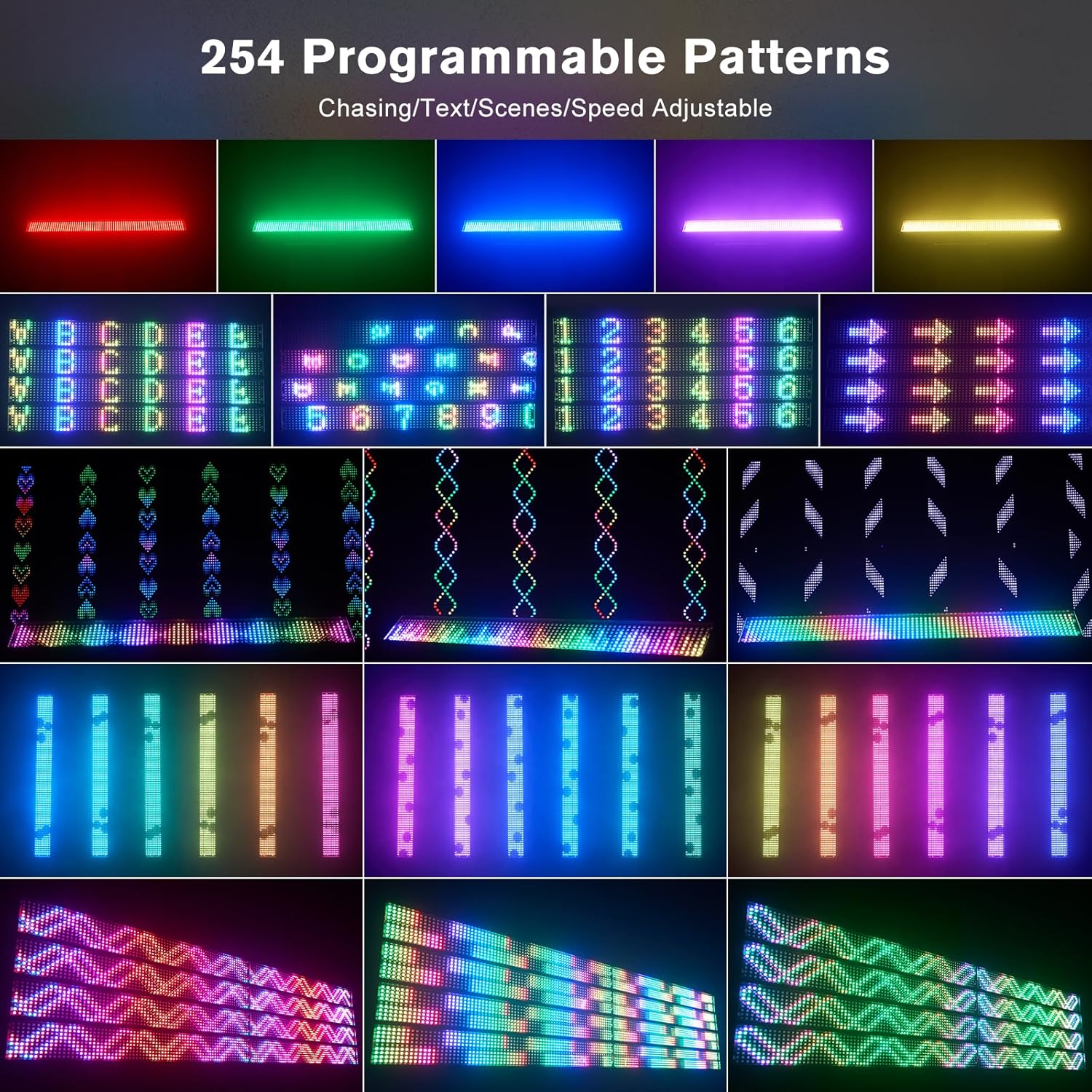
Image: Warmdance LED Stage Light Bar in an event setting.
2. Safety Information
Before operating the Warmdance LED Stage Light Bar ZQ06203, please read and understand all safety instructions.
- Ensure the power supply matches the specified voltage (AC110-240V, 50/60Hz).
- Do not expose the device to rain or moisture.
- Avoid direct eye exposure to the light source.
- Always disconnect power before cleaning or servicing.
- Ensure proper ventilation to prevent overheating.
- Installation should be performed by qualified personnel if mounting at height.
3. Package Contents
Verify that all items listed below are included in your package:
- Wall Washer Light x 1
- Power Cord x 1
- Instruction Manual x 1

Image: Packing list for the LED Stage Light Bar.
4. Product Features
The Warmdance LED Stage Light Bar ZQ06203 is equipped with advanced features for professional lighting applications:
- Powerful RGB Lighting: Features 666 high-brightness full-color LED beads, delivering 120W of vibrant light.
- Dynamic Effects: Offers 254 dynamic effects including chase patterns, text scrolling, marquee, gradient, and strobe.
- Flexible Control Modes: Supports DMX512, Sound Activated, Auto, and Master-Slave modes.
- DMX Compatibility: Operates on 3, 9, or 22 DMX channels for precise control.
- Linear Dimming: Provides 0-100% linear dimming for smooth light intensity adjustments.
- Strobe Function: Adjustable strobe rate from 1-30Hz.
- Durable Construction: Housed in an all-aluminum casing for durability and efficient heat dissipation.
- Seamless Splicing: Quick-lock anchor points allow multiple units to be connected for larger displays.

Image: Overview of product features and components.
5. Setup
Follow these steps for proper setup of your LED Stage Light Bar:
- Unpacking: Carefully remove the light bar and all accessories from the packaging. Inspect for any damage.
- Mounting: The light bar can be mounted on eaves, floors, or walls using the adjustable brackets. Ensure the mounting surface is stable and can support the weight of the fixture.
- Power Connection: Connect the provided power cord to the 'POWER IN' port on the back of the unit. For multiple units, use the 'POWER OUT' port to daisy-chain power to subsequent units.
- DMX Connection (Optional): If using DMX control, connect your DMX controller to the 'DMX IN' port. For daisy-chaining multiple units, connect the 'DMX OUT' of the first unit to the 'DMX IN' of the next.
- Splicing Multiple Units: Utilize the snap-together stitching mechanism and quick-lock anchor points to securely connect multiple light bars for extended displays.

Image: Various mounting options for the LED light bar.

Image: Multiple light bars connected via splicing mechanism and DMX controller.
6. Operating Modes
The Warmdance LED Stage Light Bar offers several operating modes:
Control Panel:
The unit features a 4-digit display and four buttons (MENU, UP, DOWN, ENTER) on the back for mode selection and parameter adjustment.
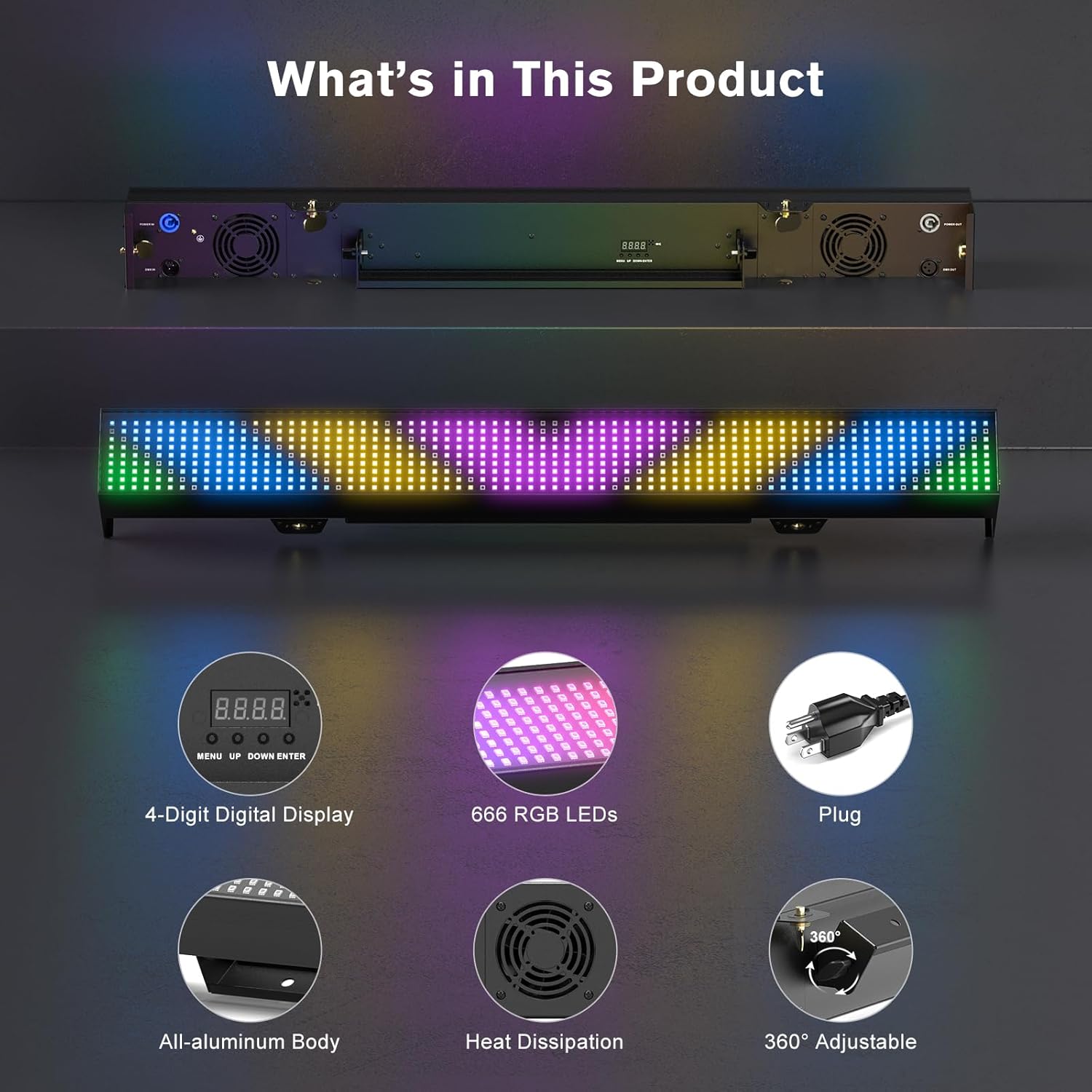
Image: Back panel with 4-digit display and control buttons.
- DMX512 Control Mode:
Connect a DMX controller to the DMX IN port. Use the control panel to set the DMX address and select the desired channel mode (3, 9, or 22 channels). Refer to your DMX controller's manual for specific programming instructions. This mode allows for precise control over individual pixels, colors, dimming, and effects.
- Sound Activated Mode:
In this mode, the light bar reacts to ambient sound. Use the control panel to adjust the sound sensitivity. The lights will change patterns and colors in sync with music or other audio inputs.
- Auto Mode:
The light bar cycles through its pre-programmed 254 dynamic effects automatically. You can adjust the speed of these effects using the control panel.
- Master-Slave Mode:
Connect multiple units via DMX cables. Set one unit as the 'Master' and the others as 'Slave' units. The slave units will mirror the effects and settings of the master unit, creating a synchronized light show without a DMX controller.
Dynamic Effects:
The light bar features 254 programmable patterns, including various chase, text, and gradient effects. These can be adjusted for speed and intensity.

Image: Examples of programmable light patterns.
Video Demonstration:
Video: Official product video demonstrating various lighting effects, control modes, and the splicing mechanism of the Warmdance LED Stage Light Bar.
7. Maintenance
To ensure the longevity and optimal performance of your LED Stage Light Bar:
- Cleaning: Regularly clean the exterior with a soft, dry cloth. Do not use abrasive cleaners or solvents.
- Ventilation: Ensure the cooling fans are free from dust and obstructions. Periodically clean fan grilles.
- Storage: When not in use, store the light bar in a dry, dust-free environment.
- Inspection: Periodically check power and DMX cables for any signs of wear or damage.
8. Troubleshooting
Refer to the table below for common issues and their solutions:
| Problem | Possible Cause | Solution |
|---|---|---|
| Light bar does not power on. | No power supply; faulty power cable; unit malfunction. | Check power connection; test power cable; contact support. |
| No DMX control. | Incorrect DMX address; faulty DMX cable; DMX controller issue. | Verify DMX address and channel mode; check DMX cable connections; test with another DMX controller. |
| Lights are not synchronized in Master-Slave mode. | Incorrect Master/Slave setting; faulty DMX connection between units. | Ensure one unit is set as Master and others as Slave; check DMX cable integrity. |
| Light output is dim or inconsistent. | Dimming setting too low; power supply issue; internal fault. | Adjust dimming settings; verify stable power supply; contact support. |
9. Specifications
Detailed technical specifications for the Warmdance LED Stage Light Bar ZQ06203:
| Specification | Detail |
|---|---|
| Brand | Warmdance |
| Model Number | ZQ06203 |
| Power Source | Corded Electric |
| Light Source Type | Light Emitting Diode (LED) |
| Material | Aluminum |
| Color | Black |
| Item Weight | 8.8 Pounds (3.99 kg) |
| Product Dimensions | 39.37"L x 4.52"W x 4.92"H (100cm x 11.48cm x 12.5cm) |
| LED Beads | 666 RGB Pixels |
| Dynamic Effects | 254 (Chase, Marquee, Gradient, Strobe, Text Scrolling) |
| Control Channels | 3/9/22 DMX Channels |
| Dimming | 0-100% Linear |
| Strobe Rate | 1-30Hz |
| Manufacturer | Shenzhen Zhuoqiong Technology Co., Ltd. |
10. Warranty and Support
For warranty information and technical support, please contact the seller, QHL STAGE, or refer to the product's purchase documentation. Keep your proof of purchase for any warranty claims.