
Introduction
Thank you for choosing the nipify Solar Spot Lights. This manual provides detailed instructions for the proper installation, operation, and maintenance of your new solar landscape lights. Please read this manual thoroughly before use to ensure optimal performance and longevity of the product.
Product Features
- Solar Powered & Energy Saving: Utilizes solar energy for charging, automatically turning on at night and charging during the day. This design saves electricity and reduces energy consumption, eliminating the need for wiring.
- 3 Lighting Modes & Motion Sensor: Equipped with a sensitive PIR motion sensor to detect movement. Features three distinct lighting modes:
- 1. Sensor Light Mode: Full brightness when motion is detected, turns off when no motion is present.
- 2. Dim Light Sensor Mode: Low brightness when no motion, switches to full brightness upon motion detection.
- 3. Constant Light Mode: Automatically powers on at night and powers off during the day, maintaining a consistent light output.
- Waterproof & Durable: Constructed with high-quality LED cores for bright, soft light and a long lifespan. Designed with a waterproof rating (IP65) to withstand outdoor weather conditions.
- Multiple Applications: Ideal for illuminating gardens, yards, driveways, porches, patios, sidewalks, swimming pools, lawns, and other outdoor areas. Enhances the aesthetic appeal of your landscape.
- Easy to Install & 2-in-1 Design: Supports both ground insertion and wall mounting installation. No wiring or external power support is required, offering flexible placement options.
Package Contents
Please check the package contents upon receipt to ensure all items are present:
- nipify Solar Spot Light Unit (1 Pack)
- Ground Stake
- Wall Mounting Screws and Anchors
- User's Manual
Setup & Installation
The nipify Solar Spot Light offers two installation methods: ground insertion and wall mounting.
1. Ground Insertion
- Attach the ground stake to the bottom of the solar light unit.
- Choose a location with ample direct sunlight exposure for the solar panel (6-8 hours recommended for full charge).
- Insert the assembled light firmly into the ground.
2. Wall Mounting
- Select a wall location that receives sufficient direct sunlight.
- Mark the positions for drilling using the light's mounting bracket as a guide.
- Drill holes and insert the provided anchors.
- Secure the light unit to the wall using the provided screws.

Image: The nipify solar spotlight can be installed using a ground stake or mounted on a wall.
Operating Instructions
The solar spot light features a push button controller to cycle through its three lighting modes.
- Initial Activation: Before first use, ensure the solar panel is exposed to direct sunlight for at least 6-8 hours to fully charge the battery.
- Power On/Mode Selection: Locate the switch button on the light unit. Press the button to cycle through the following modes:
- Press 1x: Activates Sensor Light Mode (full brightness with motion, off without).
- Press 2x: Activates Dim Light Sensor Mode (low brightness without motion, full brightness with motion).
- Press 3x: Activates Constant Light Mode (auto on at night, auto off during day).
- Press 4x: Turns the light off.
- Automatic Operation: Once a mode is selected, the light will operate automatically based on ambient light conditions and motion detection (depending on the chosen mode).
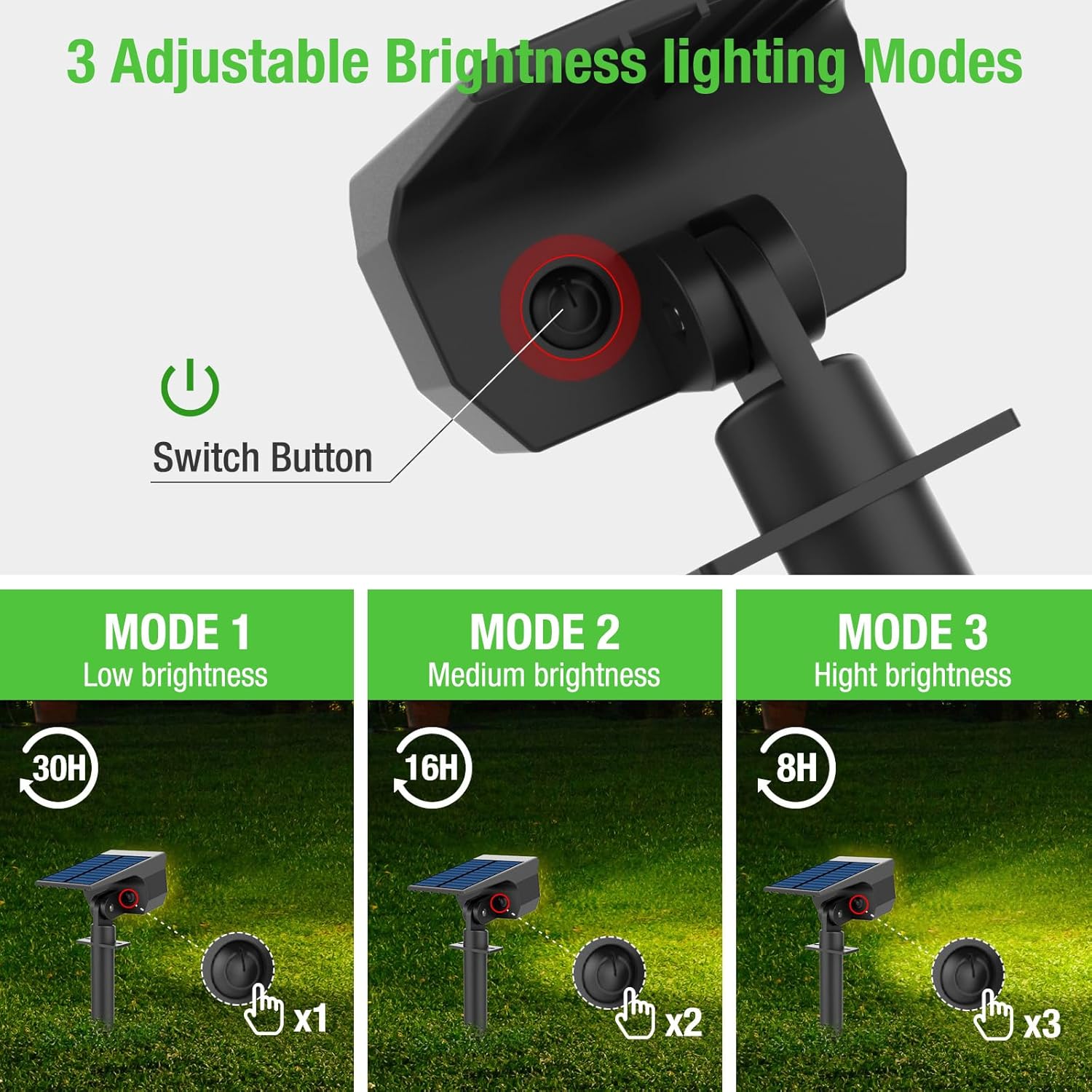
Image: The switch button allows selection of three lighting modes with varying brightness and motion sensor behavior.

Image: The solar light features automatic charging during the day and automatic operation at night, providing up to 8-12 hours of light.
Maintenance
To ensure the best performance and extend the lifespan of your nipify Solar Spot Lights, follow these maintenance guidelines:
- Clean Solar Panel: Regularly wipe the solar panel with a soft, damp cloth to remove dust, dirt, or debris. A clean panel ensures efficient charging.
- Clear Obstructions: Ensure no trees, bushes, or structures block direct sunlight from reaching the solar panel, especially during peak charging hours.
- Battery Care: While the battery is designed for longevity, extreme temperatures can affect its performance. If storing the light for an extended period, ensure it is fully charged and stored in a cool, dry place.
- Waterproof Design: The light is IP65 waterproof, meaning it is protected against dust and low-pressure water jets. However, avoid submerging the unit in water.
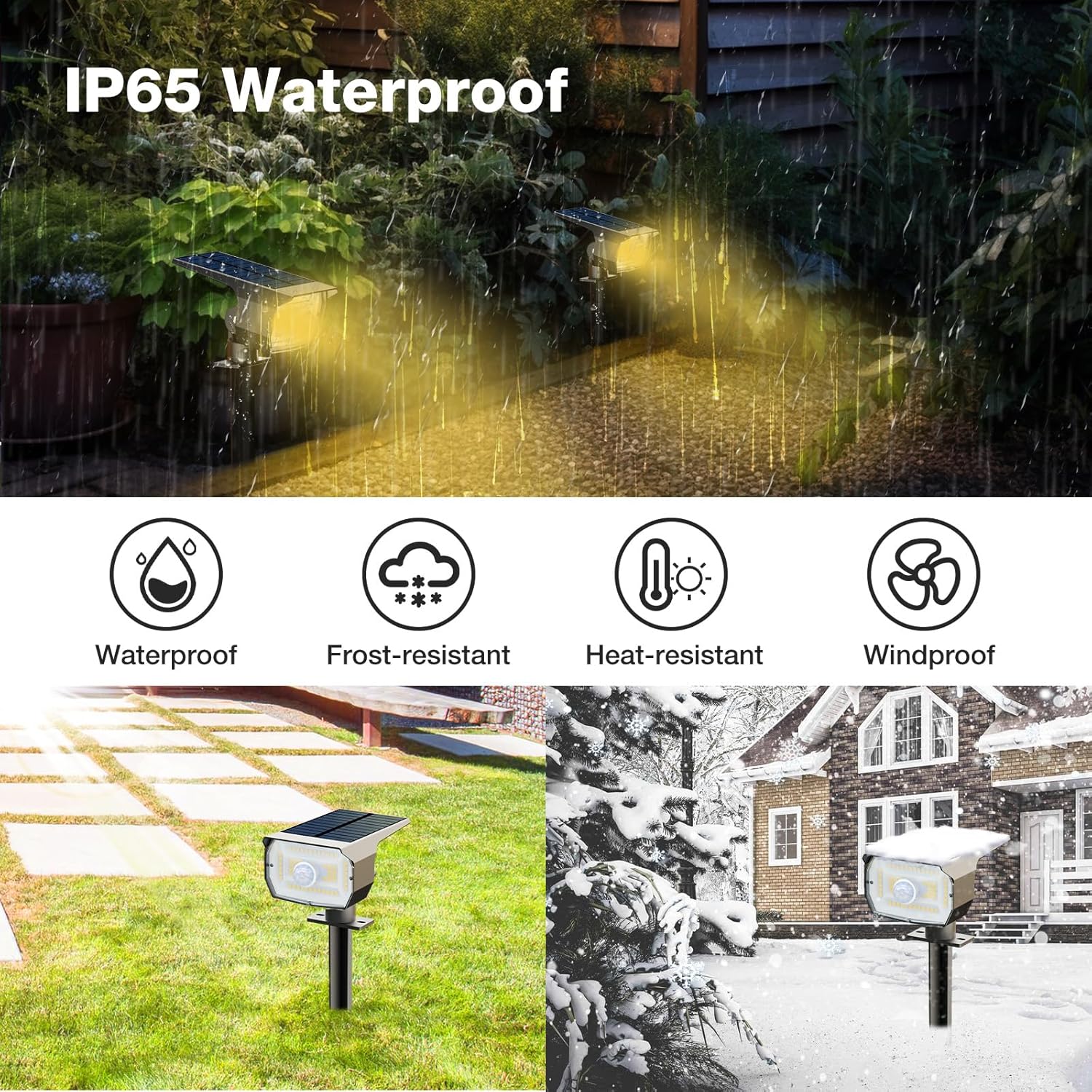
Image: The nipify solar spotlight is designed to be waterproof, frost-resistant, heat-resistant, and windproof for reliable outdoor use.
Troubleshooting
If your nipify Solar Spot Light is not functioning as expected, please refer to the following common issues and solutions:
| Problem | Possible Cause | Solution |
|---|---|---|
| Light does not turn on at night. | Insufficient sunlight exposure; switch is off; battery depleted. | Ensure solar panel receives 6-8 hours of direct sunlight daily. Press the switch button to select a mode. Allow the light to charge for a full day. |
| Light duration is shorter than expected. | Inadequate charging; cloudy weather; solar panel is dirty. | Relocate the light to a sunnier spot. Clean the solar panel regularly. Consider a full day of charging after prolonged cloudy periods. |
| Motion sensor is not detecting movement. | Sensor is obstructed; light is in Constant Light Mode. | Ensure the motion sensor lens is clear of obstructions. Switch to Sensor Light Mode or Dim Light Sensor Mode. |
Specifications
| Feature | Detail |
|---|---|
| Brand | nipify |
| Model | B0FFMVX4S7 |
| Color | Warm White |
| Material | Plastic |
| Style | Modern |
| Light Fixture Form | Spotlight |
| Room Type | Outdoor |
| Power Source | Solar Powered |
| Special Features | Waterproof (IP65) |
| Light Source | LED |
| Number of Light Sources | 1 |
| Light Color | Warm White |
| Brightness | 200 lumen |
| Switch Type | Motion Sensor, Push Button |
| Installation Type | Wall Mount, Ground Insertion |
| Item Dimensions (L x W x H) | 4.5"L x 3.1"W x 11.2"H |
Warranty and Support
For any questions, concerns, or support needs regarding your nipify Solar Spot Lights, please refer to the contact information provided with your purchase or visit the official nipify store on Amazon. Keep your purchase receipt for warranty claims.