
Milavan TK20

Milavan Smart Health Ring 2.0 User Manual
Model: TK20
1. Introduction
The Milavan Smart Health Ring 2.0 is a sophisticated fitness tracker designed to monitor various health metrics. This manual provides essential information for setting up, operating, and maintaining your device to ensure optimal performance and accurate health insights.
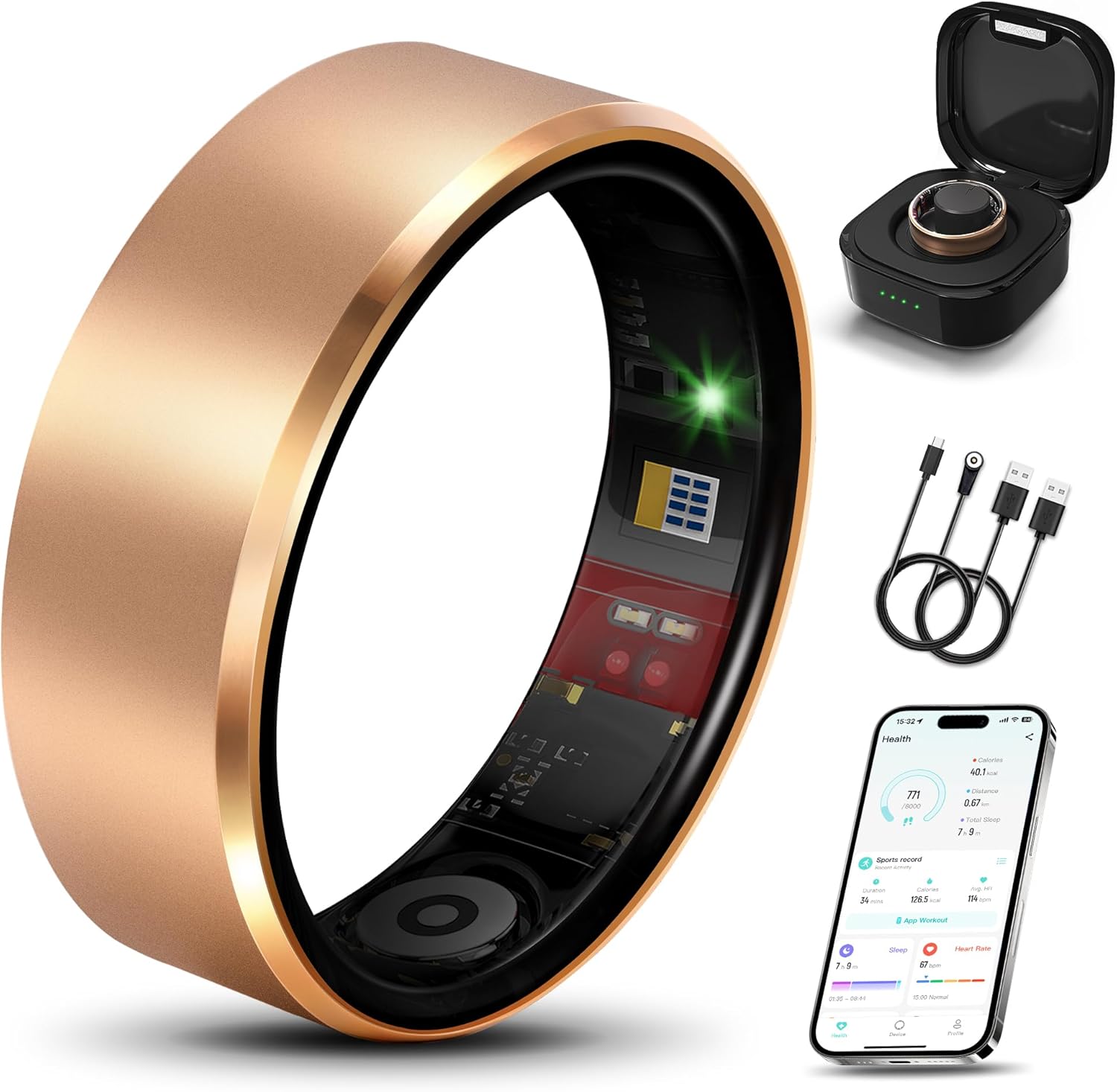
Image: The Milavan Smart Health Ring 2.0, its charging case, and the mobile application interface.
2. What's in the Box
Upon unboxing your Milavan Smart Health Ring 2.0, verify that all the following items are included:
- Smart Ring x 1
- Charging Case x 1
- USB Type-C charging cable x 1
- Magnetic USB charging cable x 1
- User Manual x 1
3. Sizing Guide
Accurate sizing is crucial for comfortable wear and precise data collection. It is recommended to use a sizing kit for the best fit. If a sizing kit is not available, follow these steps to measure your finger circumference:
- Use a thin, inelastic string and wrap it around the finger where you intend to wear the ring.
- Mark the point where the string overlaps.
- Measure the length of the string up to the mark to determine your finger's circumference.
Refer to the size chart below to find the corresponding ring size.

Image: Size chart for Milavan Smart Health Ring 2.0, detailing inner diameter and circumference measurements for various ring sizes.
4. Setup
4.1 Charging the Ring
Before initial use, fully charge your Milavan Smart Health Ring 2.0. Place the ring into its charging case. Connect the charging case to a power source using the provided USB Type-C or magnetic USB charging cable. The ring typically charges in 1-2 hours.

Image: The Milavan Smart Health Ring 2.0 charging case, illustrating how the ring is placed for charging.
4.2 Downloading the App
The Milavan Smart Health Ring 2.0 requires the companion "H RING" app for full functionality. The app is compatible with both iOS and Android devices.
- For iOS devices: Search for "H RING" in the Apple App Store.
- For Android devices: Search for "H RING" in the Google Play Store.
Download and install the app on your smartphone.

Image: Instructions for downloading the Milavan 2.0 companion app from the App Store and Google Play Store.
4.3 Pairing the Ring
After installing the app, open it and follow the on-screen instructions to pair your Milavan Smart Health Ring 2.0 via Bluetooth. Ensure your phone's Bluetooth is enabled and the ring is sufficiently charged.

Image: A visual guide for Step 3 of the setup process, showing the Milavan 2.0 ring being worn and the H RING app icon for download.
5. Operating the Milavan Smart Health Ring 2.0
5.1 Health Monitoring
The ring continuously monitors various health parameters using its advanced 5.0 sensor and AB2026B3 chip:
- Heart Rate & HRV: Automatically measures heart rate and Heart Rate Variability (HRV) every 30 minutes.
- Blood Oxygen (SpO2): Continuously tracks blood oxygen levels.
- Blood Pressure: Monitors blood pressure at regular intervals.
- Stress Levels: Provides real-time stress level tracking.
All data is synced to the app for comprehensive wellness insights.

Image: The Milavan 2.0 app interface showing detailed graphs for heart rate and Heart Rate Variability (HRV) monitoring.
5.2 Intelligent Sleep Tracking
The Milavan Smart Health Ring 2.0 offers 24-hour automatic sleep monitoring, providing detailed analysis of your sleep stages:
- Deep Sleep
- Light Sleep
- Rapid Eye Movement (REM) stages
- Wake times
This comprehensive tracking helps you understand and improve your sleep quality.

Image: The Milavan Smart Health Ring 2.0's sleep monitoring capabilities, illustrating how it tracks sleep patterns across various times of the day.
5.3 Sports Modes Tracking
The ring supports 187 sports modes, including running, walking, boxing, ball games, water sports, and ice sports. It automatically records exercise data and syncs it to the app. Activate sport mode within the app for more effective workout guidance.
Note:
- Turn off sport mode after use to prevent excessive battery drain.

Image: The Milavan Smart Health Ring 2.0 demonstrating its ability to track various sports activities, including running, golf, skiing, climbing, and yoga.
5.4 Remote Shooting & Friends Feature
- Remote Camera Control: The app supports remote control of your smartphone camera.
- Device Finding: Use the app's device-finding function to locate your ring if misplaced.
- Health Data Sharing: Share your health data with friends and family through the app, promoting collective wellness.
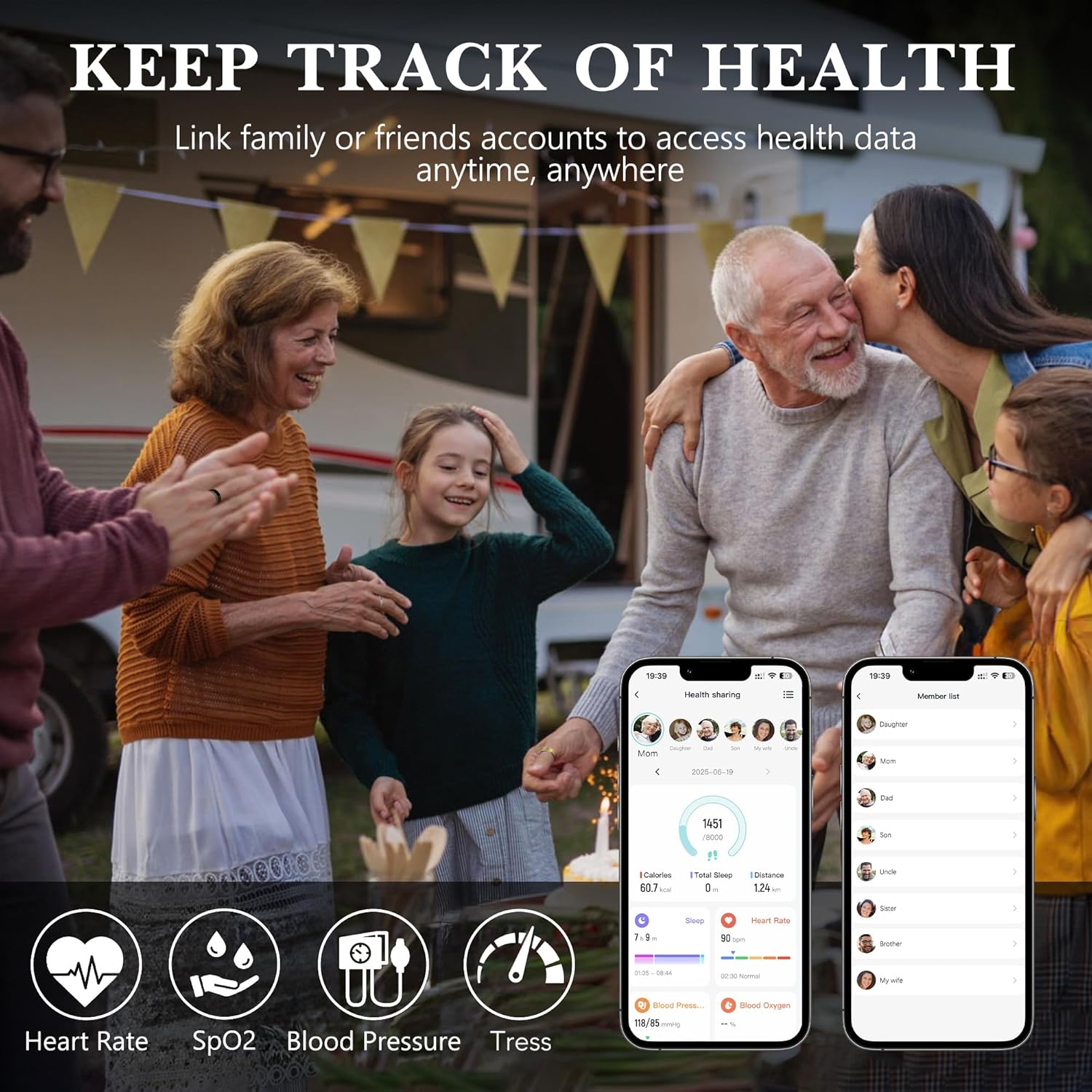
Image: The Milavan Smart Health Ring 2.0 app interface, illustrating the feature for sharing health data with family and friends.
5.5 Women's Health Management
When the female gender option is selected in the app, you can access an exclusive women's health management feature. This allows manual recording of menstrual cycles, pregnancy preparation plans, and pregnancy status, aiding in tracking body changes and managing daily life more effectively.

Image: The Milavan 2.0 app's women's health management feature, showing a calendar interface for tracking menstrual cycles.
6. Maintenance
6.1 Cleaning and Care
The Milavan Smart Health Ring 2.0 features a micro-matte finish designed to resist fingerprints and scratches. To clean the ring, gently wipe it with a soft, damp cloth. Avoid using harsh chemicals or abrasive materials that could damage the finish or sensors.

Image: The Milavan Smart Health Ring 2.0, showcasing its micro-matte finish and resistance to scratches and fingerprints.
6.2 Waterproof Performance
The ring has an IP68 rating and is water-resistant up to 50 meters, making it suitable for daily routines such as washing hands, showering, and swimming. However, it is not recommended for diving or high-pressure water activities.

Image: The Milavan 2.0 Smart Ring demonstrating its waterproof capabilities by being partially submerged in water.
6.3 Battery Life
The ring's battery lasts 3-5 days on a single charge. The upgraded charging case, with a 500mAh battery, provides additional charges, extending the total battery life to over 75 days when used together. Charge the ring regularly to ensure continuous tracking.
7. Troubleshooting
7.1 Ring Not Connecting to App
- Ensure the ring is charged.
- Verify Bluetooth is enabled on your smartphone.
- Restart the app and your smartphone.
- Try unpairing and re-pairing the device in your phone's Bluetooth settings and the app.
7.2 Inaccurate Readings
- Ensure the ring is worn correctly and snugly on your finger.
- Clean the sensors on the inside of the ring.
- Avoid extreme temperatures or rapid changes in environment during measurements.
- Ensure the app is updated to the latest version.
7.3 Short Battery Life
- Ensure all sports modes are turned off when not in use.
- Reduce the frequency of continuous monitoring if possible (check app settings).
- Ensure the ring is fully charged each time.
- The charging case should also be charged to provide extended power.
8. Specifications
| Feature | Detail |
|---|---|
| Model Number | TK20 |
| Dimensions | 2.99 x 2.95 x 1.73 inches (Package) |
| Item Weight | 3.52 ounces |
| Battery Type | Lithium Polymer (15 mAh) |
| Charging Case Battery | 500 mAh |
| Operating System Compatibility | Android, iOS |
| Connectivity Technology | Bluetooth |
| Water Resistance | IP68 (up to 50 meters) |
| Special Features | Activity Tracker, Heart Rate, Blood Oxygen, Blood Pressure, Sleep, Stress, 187 Sports Modes |
9. Warranty and Support
For warranty information and technical support, please refer to the documentation included with your purchase or contact Milavan customer service. You may also visit the official Milavan website for frequently asked questions and support resources.
If purchased through a retailer, please contact the seller directly for specific warranty details and return policies.
Ask a question about this manual
Ask about setup, troubleshooting, compatibility, parts, safety, or missing instructions. Manuals+ will review the question and use this page’s manual context to help answer it.