
Introduction
The Milavan Smart Health Ring 2.0 is a compact and advanced device designed to monitor various health and fitness metrics. This manual provides detailed instructions for setting up, operating, and maintaining your Smart Health Ring 2.0 to ensure optimal performance and accurate data collection.

Image: The Milavan Smart Health Ring 2.0, its charging case, charging cables, and a smartphone displaying the companion app interface.
What's in the Box
Please verify that all items are present in the package:
- Smart Ring x 1
- Charging Case x 1
- USB Type-C charging cable x 1
- Magnetic USB charging cable x 1
- User Manual x 1
Setup
Follow these steps to set up your Milavan Smart Health Ring 2.0:
Step 1: Determine Your Ring Size
Before purchasing, it is recommended to use a Milavan sizing kit to find your optimal ring size for comfort and accurate readings. Alternatively, refer to the size chart provided in this manual and measure your finger circumference.

Image: Illustration of Step 1, recommending the use of a sizing kit to find the correct ring size.
Step 2: Charge the Ring
Place the Smart Health Ring into its charging case. Connect the charging case to a power source using the provided USB Type-C or magnetic USB charging cable. Ensure the ring is fully charged before first use. Charging typically takes 1-2 hours.

Image: Comparison of Milavan 1.0 and Milavan 2.0 charging cases, highlighting upgrades in stability, battery capacity, and data cables.
Step 3: Download the Companion App
Download the "H RING" app from your device's app store (available for iOS and Android). Search for "H RING" and install the application.

Image: Illustration of Step 3, showing the H RING app icon and logos for iOS and Android.
Step 4: Pair the Ring with the App
Open the H RING app on your smartphone. Follow the on-screen instructions to pair your Milavan Smart Health Ring 2.0 via Bluetooth. Once paired, you can begin your health monitoring journey.

Image: Illustration of Step 4, showing screenshots of the app's health dashboard and device settings after pairing.
Operation
Health Monitoring
The Smart Health Ring 2.0 is equipped with advanced 5.0 sensors and an upgraded AB2026B3 chip for precise health insights. It automatically measures the following metrics:
- Heart Rate: Real-time monitoring.
- HRV (Heart Rate Variability): Provides insights into your nervous system activity.
- Blood Oxygen (SpO2): Manual checks available via the app.
- Blood Pressure: Automatically measured every 30 minutes.
- Stress: Continuous tracking for comprehensive wellness insights.
View real-time data and daily, weekly, and monthly trends within the H RING app.
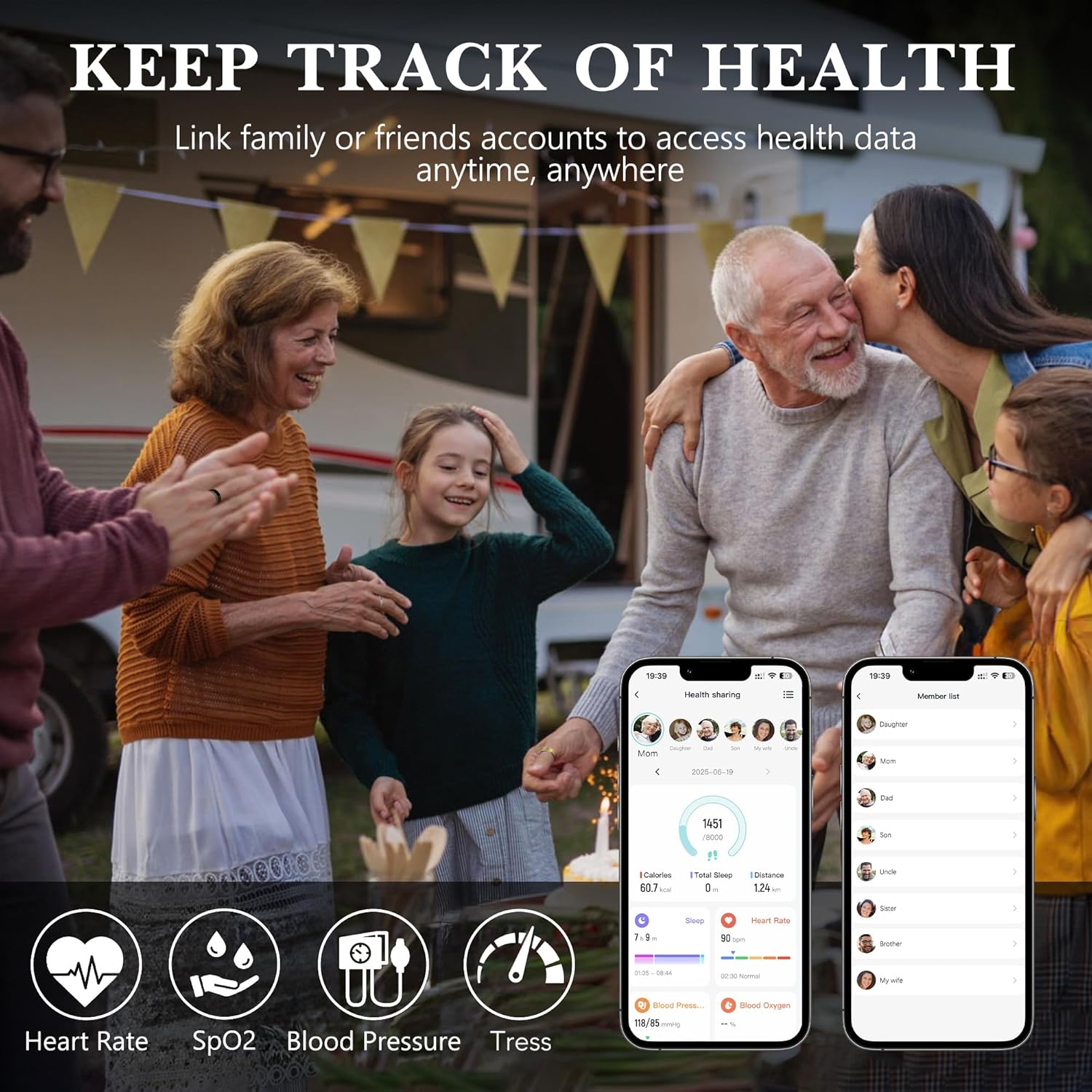
Image: A family scene illustrating the concept of tracking health data, with icons representing Heart Rate, SpO2, Blood Pressure, and Stress monitoring.
Sleep Tracking
The ring offers 24-hour automatic sleep monitoring, providing detailed analysis of your sleep patterns, including:
- Sleep onset and wake-up times.
- Deep sleep, light sleep, and REM stages.
- Wake times during the night.
Access daily, weekly, and monthly sleep data in the H RING app to help adjust habits for improved sleep quality.

Image: Visual representation of the ring's 24-hour sleep monitoring capability, showing different sleep states and a comparison between old and new tracking methods.
Activity Tracking & Sports Modes
The ring automatically records daily activity metrics and supports 187 sports modes:
- Automatic Tracking: Steps, calories burned, and walking distance.
- Sports Modes: Includes running, cycling, walking, hiking, boxing, ball games, water sports, ice sports, and more.
Activate a sport mode in the app to receive detailed workout data and guidance. Remember to turn off sport mode after use to conserve battery.

Image: A collage showing individuals participating in various sports such as running, golf, skiing, climbing, and yoga, highlighting the ring's multiple sports modes.
Smart Photo-Taking & Friends Feature
- Remote Shooting: Use the app to control your phone's camera remotely with the ring.
- Friends Function: Add friends within the app to view and share health data, fostering a social aspect to health tracking.
Charging
The Milavan Smart Health Ring 2.0 charges using its dedicated charging case. The case features an upgraded 500mAh battery for extended use.
- Charging Time: Approximately 1-2 hours for a full charge.
- Battery Life: The ring typically lasts 3-5 days on a single charge.
- Charging Cables: Includes both USB Type-C and magnetic USB charging cables.
To charge, place the ring securely in the charging case and connect the case to a power source. The charging case itself can be charged via the provided cables.
Image: A detailed view of the Milavan 2.0 charging case, highlighting its upgraded features such as increased charging stability, a larger 500mAh battery, and improved durability.
App Usage (H RING App)
The H RING app is your central hub for all data collected by your Smart Health Ring 2.0. It offers a faster, smarter, and more intuitive interface.
- Dashboard: View an overview of your daily steps, calories, distance, sleep, heart rate, blood pressure, and blood oxygen.
- Detailed Reports: Access in-depth reports for sleep, heart rate, HRV, blood oxygen, blood pressure, and stress over time.
- Sports Records: Review data from your tracked workouts, including duration, calories burned, and average heart rate.
- Device Management: Use the app to find your device, control the camera remotely, and manage other ring settings.
- Friends Feature: Connect with friends and family to share and view health data.

Image: A comparison of the old and new Milavan H RING app interfaces, highlighting improved performance, a modern design, and added tracking panels for Stress, HRV, and Wellness.
Sizing Guide
Accurate sizing is crucial for comfort and precise data collection. Refer to the table below to determine your ring size. It is recommended to measure your finger circumference using a thin, inelastic string.

Image: A size comparison chart for the Milavan Smart Health Ring 2.0, detailing inner diameter and circumference measurements for various ring sizes (6# to 14#).
| Model Size | Inner Diameter | Circumference |
|---|---|---|
| 6# | 16.5mm | 49-51mm |
| 7# | 17.3mm | 52-54mm |
| 8# | 18.1mm | 55-57mm |
| 9# | 18.9mm | 58-60mm |
| 10# | 19.8mm | 61-62mm |
| 11# | 20.6mm | 63-65mm |
| 12# | 21.4mm | 66-67mm |
| 13# | 22.2mm | 68-70mm |
| 14# | 23.4mm | 71-74mm |
Maintenance
Proper care and maintenance will extend the life of your Milavan Smart Health Ring 2.0.
- Cleaning: Wipe the ring with a soft, damp cloth. Avoid harsh chemicals or abrasive materials.
- Water Resistance: The ring is waterproof, allowing for use during hand washing or in light rain. However, prolonged submersion or use in hot water (e.g., hot tubs, saunas) is not recommended.
- Storage: Store the ring in its charging case or a safe, dry place when not in use.
- Anti-Bump Design: The ring features a micro-matte finish designed to resist fingerprints and scratches, contributing to its durability.

Image: Details of the Milavan Smart Health Ring 2.0's craftsmanship, including its stylish exterior, micro-matte finish, fingerprint resistance, and scratch resistance, shown in a tennis player's hand.
Troubleshooting
If you encounter issues with your Milavan Smart Health Ring 2.0, refer to the following common solutions:
- Ring Not Connecting to App:
- Ensure Bluetooth is enabled on your smartphone.
- Make sure the ring is charged.
- Restart the H RING app and try pairing again.
- Restart your smartphone.
- Inaccurate Readings:
- Ensure the ring is worn snugly on your finger.
- Verify your ring size is correct for optimal sensor contact.
- Clean the sensors on the inside of the ring.
- Note that blood pressure readings from wearable devices may vary and should not replace medical equipment.
- Battery Draining Quickly:
- Ensure sport modes are turned off when not actively exercising.
- Reduce the frequency of manual blood oxygen checks if performed excessively.
- Check for app updates, as software improvements can optimize battery usage.
- Ring Not Charging:
- Ensure the ring is correctly seated in the charging case.
- Check that the charging cable is securely connected to both the case and a power source.
- Try a different charging cable or power adapter.
- App Not Displaying Data:
- Ensure the ring is paired and synchronized with the app.
- Check your phone's internet connection for data synchronization.
- Update the H RING app to the latest version.
Specifications
| Feature | Detail |
|---|---|
| Model Number | TK20 |
| Brand | Milavan |
| Dimensions (Package) | 2.99 x 2.95 x 1.73 inches |
| Item Weight | 0.01 ounces |
| Chipset | Upgraded AB2026B3 |
| Sensor | Advanced 5.0 Sensor |
| Battery | 1 x 9V (included), Lithium Polymer |
| Charging Case Battery | 500mAh (upgraded) |
| Battery Life (Ring) | 3-5 days |
| Charging Time | 1-2 hours |
| Operating System Compatibility | Android, iOS |
| Wireless Communication | Bluetooth |
| Special Feature | Activity Tracker, Health Monitoring |
| GPS | Via Smartphone |
| Memory Storage Capacity | 1 MB |
| Color | Silver |
| Manufacturer | Dongguan Huikang Intelligent Technology Co., Ltd. |
Safety Information
Please read the following safety information carefully before using your Milavan Smart Health Ring 2.0:
- This device is not a medical device and is not intended to diagnose, treat, cure, or prevent any disease. Consult a healthcare professional for any health concerns.
- Keep the device and its accessories out of reach of small children.
- Avoid exposing the device to extreme temperatures, direct sunlight, or fire.
- Do not attempt to disassemble or modify the device. This will void the warranty and may cause damage.
- If you experience skin irritation or discomfort while wearing the ring, discontinue use and consult a doctor.
- Dispose of the device and its battery according to local regulations. Do not dispose of with household waste.
Warranty and Support
For warranty information and customer support, please refer to the contact details provided on the product packaging or the official Milavan website. Keep your purchase receipt as proof of purchase for warranty claims.