Introduction
Thank you for choosing the Pholiten Premium Aluminum Heavy Duty Monitor Arm and Adjustable Thin Client Mini PC Mount Bracket. This manual provides detailed instructions for the safe and efficient installation, operation, and maintenance of your new product. Please read this manual thoroughly before installation and keep it for future reference.
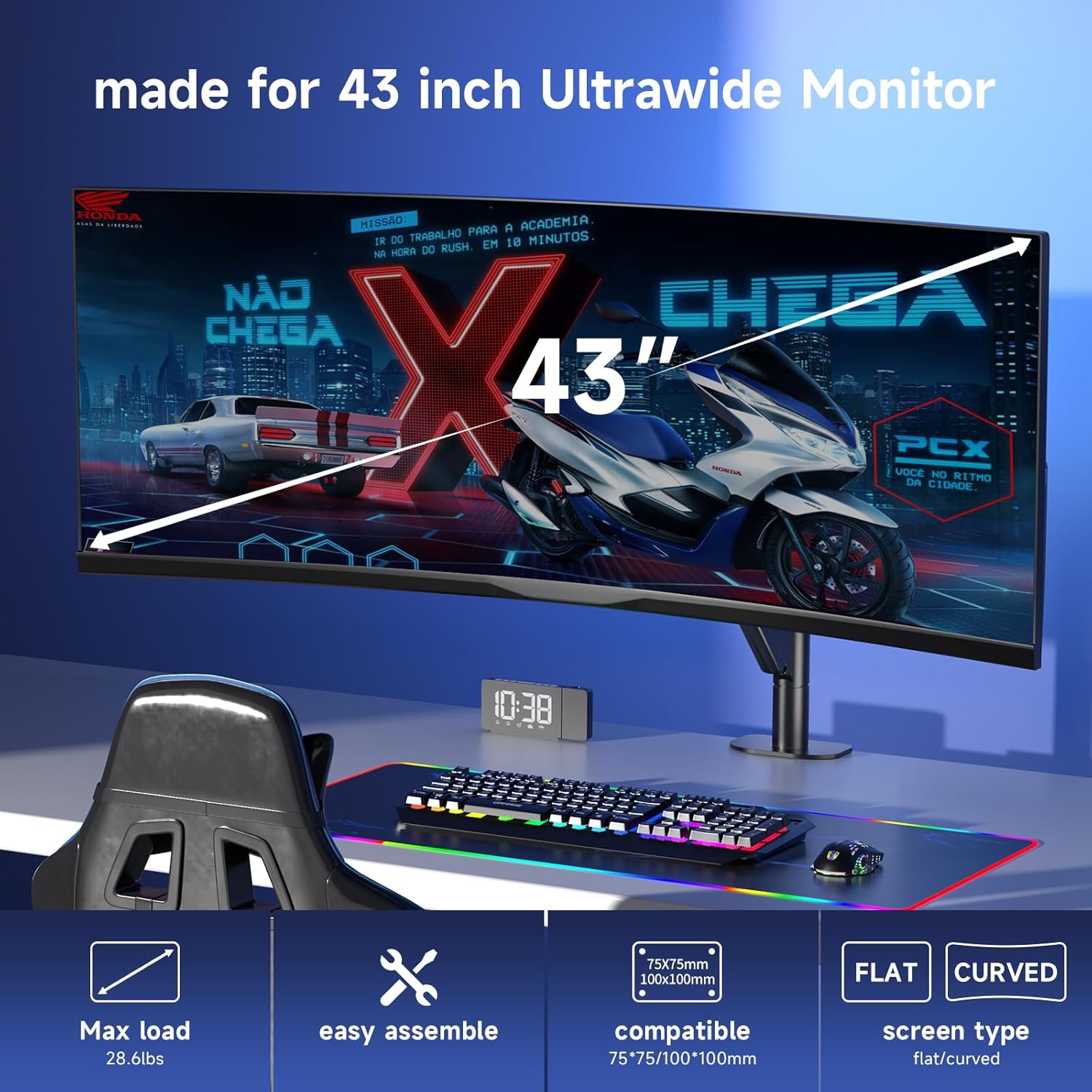
Image: The Pholiten monitor arm supporting a large ultrawide monitor, illustrating its compatibility with 43-inch displays, a maximum load capacity of 28.6 lbs, easy assembly, VESA 75x75mm/100x100mm compatibility, and support for both flat and curved screen types.
Product Components
The Pholiten Monitor Arm and Mini PC Mount are engineered for durability and stability. Familiarize yourself with the main components before proceeding with installation.

Image: An exploded diagram showcasing the internal structure and individual components of the Pholiten monitor arm, emphasizing its robust and durable design, including the gas spring mechanism.
Monitor Arm Features:
- Compatibility: Supports most 27 to 43-inch flat or curved screens, including 1000R curved screens.
- Load Capacity: Maximum load-bearing capacity of 28.6 pounds.
- VESA Standards: Supports VESA installation holes of 75x75mm and 100x100mm.
- Adjustability: Tilt angle adjustment from -45° to +45°, 180° left and right rotation, 180° screen flipping, and 13-inch pneumatic spring height adjustment.
- Installation Options: Dual component C-clip and grommet installation methods.
Mini PC Mount Features:
- Compatibility: Suitable for minicomputers, CPUs, docking stations, and thin clients.
- VESA Standards: Equipped with VESA 75x75mm and 100x100mm mounting patterns.
- Load Capacity: Maximum weight capacity of 11 lbs.
- Flexible Installation: Can be installed under the table, behind the display, on a pole, or on a wall.
Setup and Installation
Carefully follow these instructions to ensure a secure and stable installation of both the monitor arm and the mini PC mount.
1. Monitor Arm Installation
The monitor arm offers two primary installation methods: C-clamp and Grommet mount.
C-Clamp Installation:
- Attach the C-clamp base to the edge of your desk.
- Ensure the clamp is tightened securely to prevent movement.
- Desktop thickness compatibility: 0.4" to 3.3".
Grommet Installation:
- If your desk has a grommet hole, use the grommet base provided.
- Insert the grommet bolt through the hole and secure it from underneath the desk.
- Desktop thickness compatibility: 0.4" to 1.9".
Attaching the Monitor:
- Attach the VESA plate to the back of your monitor using the provided screws. The VESA plate is detachable for easier installation.
- Slide the monitor (with the attached VESA plate) onto the arm's mounting head until it clicks into place.
- Ensure the monitor is securely fastened.

Image: A Pholiten monitor arm mounted on a pole, demonstrating the pole installation method. The image highlights the clamp mechanism and indicates that the pole diameter must be between 1.2 and 1.6 inches for proper fit.
2. Mini PC Mount Installation
The mini PC mount offers versatile installation options to optimize your workspace.
- Identify your desired mounting location: under the table, behind the display (using VESA holes), on a pole, or on a wall.
- Secure the mount using appropriate screws and anchors for your chosen surface.
- Place your mini PC, CPU, docking station, or thin client into the bracket.
- Ensure the device is stable and secure within the mount.

Image: The Pholiten mini PC mount shown installed underneath a desk, effectively holding a thin client or small computer. This setup illustrates how the mount helps create a tidy and organized desktop environment.
Operating and Adjustments
The Pholiten monitor arm provides extensive adjustability for optimal viewing comfort.
Monitor Arm Adjustments:
- Height Adjustment: Utilize the pneumatic spring for smooth vertical movement up to 13 inches.
- Tilt: Adjust the screen tilt from -45° to +45° to reduce glare and optimize viewing angles.
- Swivel: Rotate the monitor 180° left or right for collaborative work or different viewing perspectives.
- Rotation: Flip the screen 180° to switch between landscape and portrait orientations.
- Vertical Stacking: For multi-screen setups, the arm supports stacking two ultrawide displays vertically.

Image: The Pholiten monitor arm showcasing its extensive adjustability. This includes a height range of 8.26 to 19.9 inches, a maximum extension of 19.29 inches, and detailed illustrations of tilt (+20°/-10°), swivel (+90°/-90°), and rotation (+180°/-180°) capabilities.
Adjusting Torque Force:
If your monitor bounces up or down unexpectedly, you may need to adjust the torque force of the gas spring.
- Locate the adjustment screw on the arm, typically marked with "+" and "-" symbols.
- Use the provided tool to turn the screw towards "+" to increase tension (for heavier monitors) or towards "-" to decrease tension (for lighter monitors).
- Adjust until the monitor remains stable at any desired height.

Image: A detailed view of the Pholiten monitor arm's torque adjustment point. A hand is shown using a tool to adjust the screw, which is clearly marked with "+" and "-" indicators, allowing users to set the appropriate tension for their monitor's weight to prevent unwanted movement.
Maintenance
To ensure the longevity and optimal performance of your Pholiten monitor arm and mini PC mount, follow these simple maintenance guidelines:
- Regular Cleaning: Wipe down the surfaces with a soft, damp cloth. Avoid abrasive cleaners or solvents that could damage the finish.
- Check Connections: Periodically inspect all screws and connections to ensure they remain tight. Re-tighten if necessary.
- Gas Spring Adjustment: If the monitor arm's movement becomes too loose or too stiff, refer to the "Adjusting Torque Force" section to fine-tune the gas spring tension.
- Avoid Overloading: Do not exceed the maximum weight capacities specified for the monitor arm (28.6 lbs) and the mini PC mount (11 lbs).
Troubleshooting
If you encounter any issues with your Pholiten product, consult the following common troubleshooting tips:
- Monitor Sags or Rises: Adjust the gas spring tension using the "+" and "-" markings on the arm. Increase tension for heavier monitors, decrease for lighter ones.
- Arm is Loose/Wobbly: Check all mounting screws and connections (C-clamp/grommet, VESA plate) to ensure they are securely tightened.
- Monitor Not Level: Ensure the VESA plate is properly aligned and tightened to the monitor. Some arms may have a small leveling screw for fine adjustments.
- Difficulty Moving Arm: If the arm is too stiff, try adjusting the gas spring tension towards the "-" setting. Ensure no cables are snagging the arm's movement.
- Mini PC Mount Not Holding: Verify that the mount is securely fastened to its surface and that the mini PC is correctly seated within the bracket and not exceeding the 11 lbs weight limit.
If these steps do not resolve your issue, please contact customer support for further assistance.
Specifications
| Feature | Specification |
|---|---|
| Monitor Arm Compatibility | 27-43 inch flat or curved screens (including 1000R curved) |
| Monitor Arm Load Capacity | Max 28.6 lbs (13 kg) |
| Monitor Arm VESA Support | 75x75mm, 100x100mm |
| Monitor Arm Tilt Range | -45° to +45° |
| Monitor Arm Swivel Range | 180° (left/right) |
| Monitor Arm Rotation | 180° (landscape/portrait) |
| Monitor Arm Height Adjustment | 13 inches (pneumatic spring) |
| Monitor Arm Desktop Thickness (C-clamp) | 0.4" to 3.3" |
| Monitor Arm Desktop Thickness (Grommet) | 0.4" to 1.9" |
| Mini PC Mount Compatibility | Mini PCs, CPUs, docking stations, thin clients |
| Mini PC Mount Load Capacity | Max 11 lbs |
| Mini PC Mount VESA Support | 75x75mm, 100x100mm |
| Mini PC Mount Dimensions (Approx.) | Width: 4.75 in, Height: 5.4 in, Depth: 0.6-2.67 in (adjustable) |

Image: A technical diagram detailing the dimensions and VESA mounting patterns of the Pholiten mini PC mount. It clearly labels the maximum weight capacity (11 lbs), width (4.75 in), height (5.4 in), and adjustable depth (0.6-2.67 in), along with VESA 75x75mm and 100x100mm compatibility.
Warranty Information
Pholiten products are manufactured with high-quality materials and craftsmanship. For specific warranty details, please refer to the warranty card included with your product or visit the official Pholiten website. Keep your purchase receipt as proof of purchase for any warranty claims.
Customer Support
If you have any questions, require technical assistance, or need to report a problem, please contact Pholiten customer support. Contact information can typically be found on the product packaging, the official Pholiten website, or through your retailer.
Please have your product model number (Premium Aluminum Heavy Duty Monitor Arm + Adjustable Thin Client Mini PC Mount Bracket) and purchase date ready when contacting support.


