hellibito 19c639ab-3a1a-4ec3-a711-496698f22802

hellibito Advanced Health Smartwatch User Manual

Model: 19c639ab-3a1a-4ec3-a711-496698f22802

Introduction

This manual provides detailed instructions for the setup, operation, and maintenance of your hellibito Advanced Health Smartwatch. This device is designed to assist in monitoring various health metrics and tracking fitness activities. Please read this manual thoroughly to ensure proper use and to maximize the benefits of your smartwatch.

The hellibito Advanced Health Smartwatch is equipped with a high-performance optical sensor for real-time health data tracking, including heart rate, blood oxygen, body temperature, blood pressure, sleep quality, and stress levels. It also offers comprehensive activity tracking with over 150 sports modes and smart communication features like Bluetooth calls and notifications.

What's in the Box

Upon unpacking, please verify that all the following items are included:

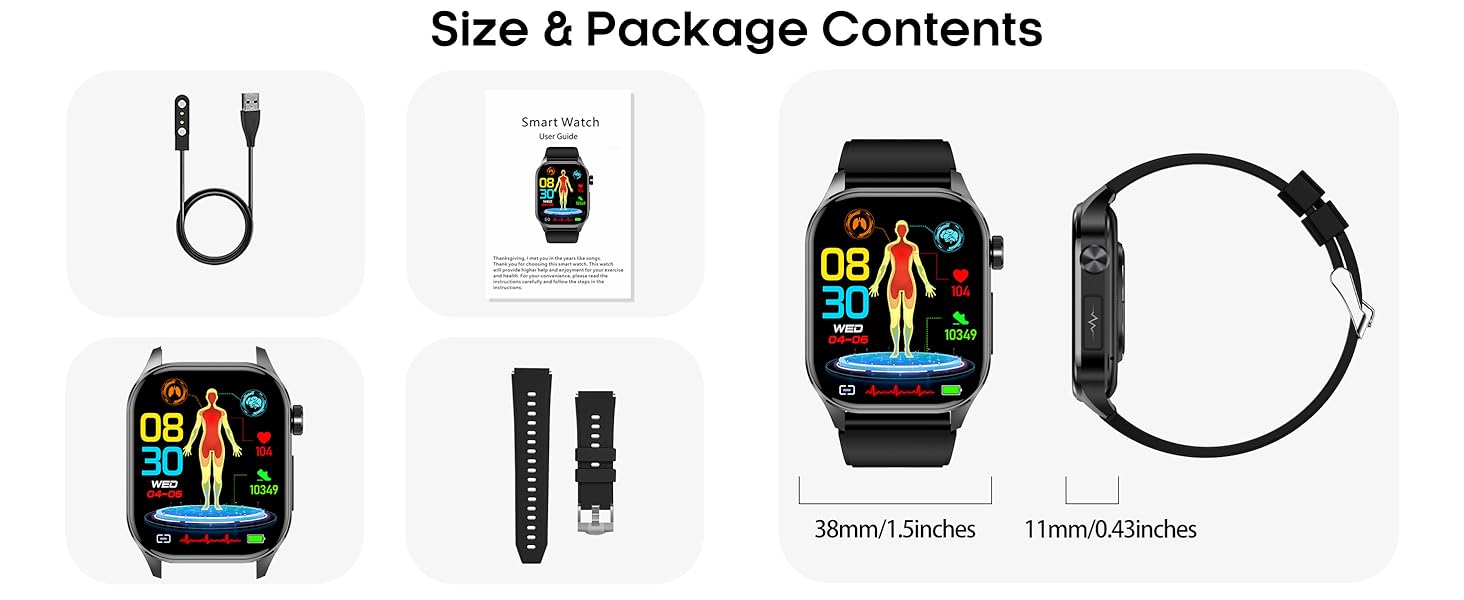
  • hellibito Advanced Health Smartwatch
  • Charging Cable
  • User Manual (this document)
Contents of the hellibito Advanced Health Smartwatch package, including the smartwatch, charging cable, and user manual, with dimensions shown.
Image: Package contents and dimensions of the hellibito Advanced Health Smartwatch. The image displays the smartwatch, charging cable, and user guide, alongside measurements for the watch face (38mm/1.5 inches) and thickness (11mm/0.43 inches).

Setup

1. Charging the Smartwatch

Before initial use, fully charge your smartwatch. Connect the provided charging cable to the charging port on the back of the watch and plug the USB end into a 5V/2A power adapter (not included) or a computer's USB port. A full charge typically takes approximately 2 hours.
Smartwatch charging via USB cable and displaying battery life information.
Image: The smartwatch connected to a charging cable, illustrating the charging process and indicating battery life metrics: 2 hours for charging, 4-7 days of typical use, and over 15 days of standby time.

2. App Download and Pairing

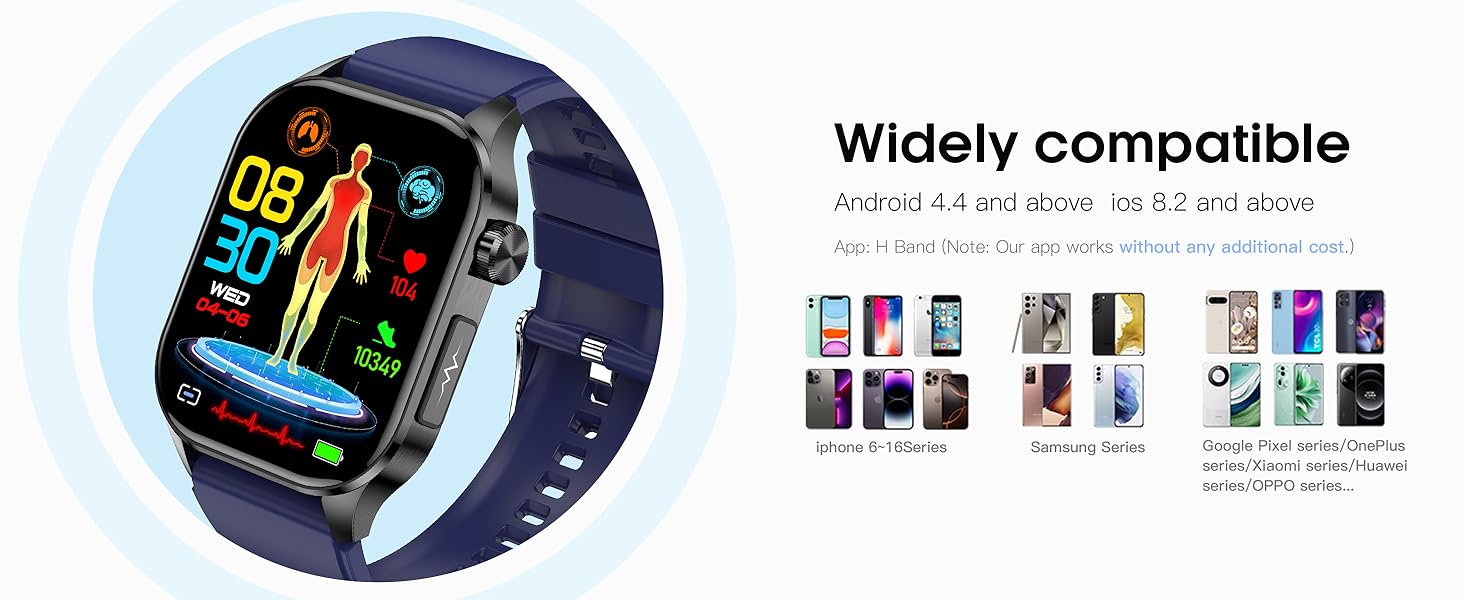
To unlock the full functionality of your smartwatch, download the companion application, "H Band," from your smartphone's app store. The app is compatible with Android 4.4 and above, and iOS 8.2 and above.

  1. Download and install the "H Band" app on your smartphone.
  2. Ensure Bluetooth is enabled on your smartphone.
  3. Open the "H Band" app and follow the on-screen instructions to pair your smartwatch. The pairing process is designed to be fast and stable.
Smartwatch displaying health metrics alongside various smartphone models, indicating wide compatibility.
Image: The smartwatch displaying health data, positioned next to a range of smartphones (iPhone, Samsung, Google Pixel, Xiaomi, Huawei, OPPO), illustrating its wide compatibility with Android 4.4+ and iOS 8.2+ devices.

3. Initial Configuration

After pairing, configure essential settings directly on the watch or through the app.

Setting Time and Date:

  1. Open the watch home screen and tap to enter the "Settings" menu.
  2. Find and tap the "Date & Time" option in "Settings".
  3. Turn on the 24-hour format if desired.
  4. Set the current date.
  5. Set the current time.
  6. Confirm the settings to save changes automatically.
Step-by-step guide on the smartwatch screen for setting time and date.
Image: A visual guide demonstrating how to set the time and date on the smartwatch, showing menu navigation and selection steps.

Turning on All-day Automatic Health Monitoring:

  1. Turn on the watch and go to "Settings".
  2. Find and click "Health & Monitor" in "Settings".
  3. Turn on the required all-day automatic health monitoring functions (e.g., Blood Oxygen, Heart Rate, Blood Pressure, Temperature).
  4. Alternatively, in the app, go to "My Device" and click "Switch Settings" to enable these features.
Screenshots showing how to enable all-day health monitoring features on the smartwatch and companion app.
Image: Instructions for activating continuous health monitoring on the smartwatch, showing menu paths on both the watch interface and the connected smartphone application.

Operating Instructions

Health Monitoring

The smartwatch provides real-time monitoring of several key health indicators.

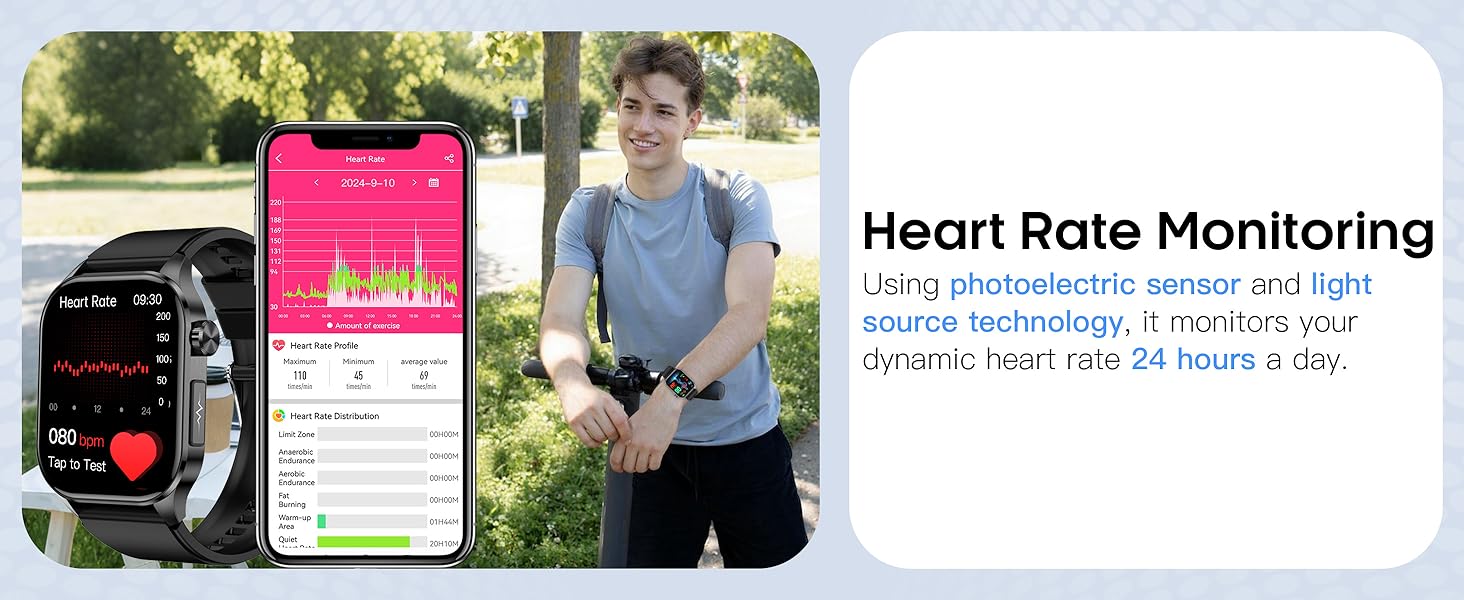
  • Heart Rate Monitoring: Utilizes a photoelectric sensor and light source technology to monitor dynamic heart rate 24 hours a day.
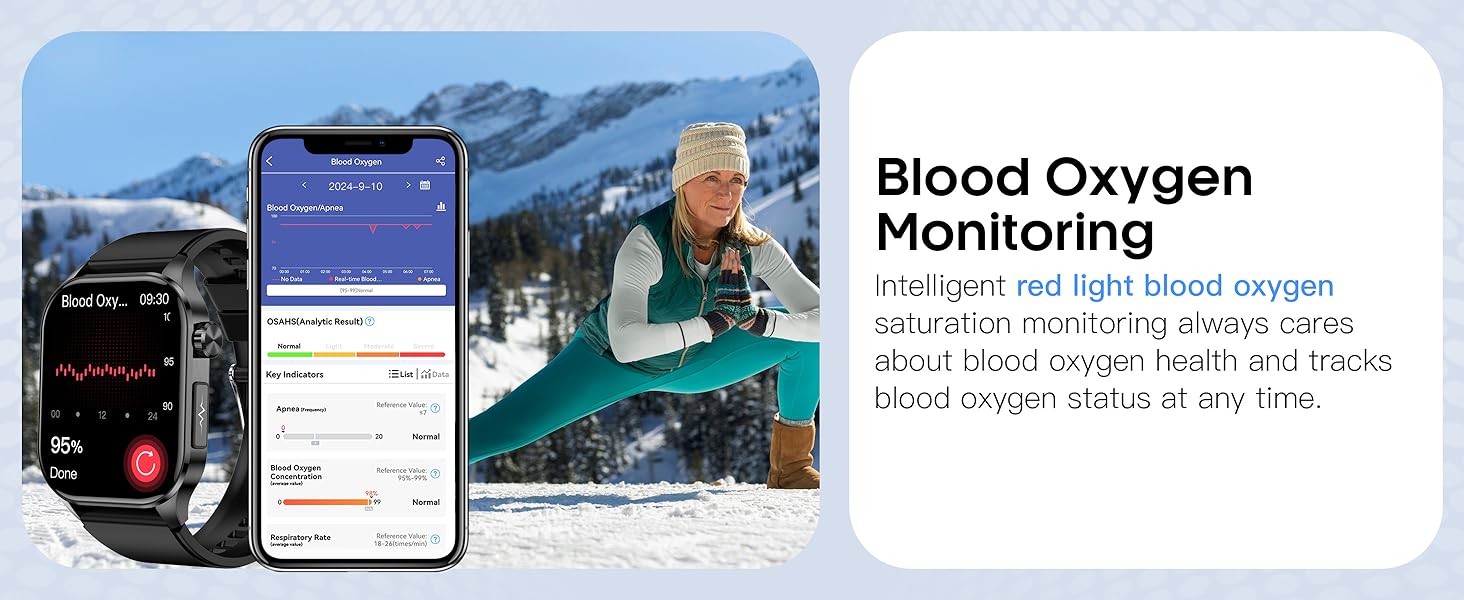
  • Blood Oxygen Monitoring: Intelligent red light blood oxygen saturation monitoring tracks blood oxygen status at any time.
  • Body Temperature Monitoring: Provides real-time body temperature readings.
  • Blood Pressure Monitoring: High-performance real-time monitoring technology and PPG sensors enable dynamic blood pressure monitoring.
  • Sleep Quality Monitoring: An intelligent sleep monitoring algorithm helps manage and improve sleep patterns.
  • Stress Level Monitoring: Tracks body's stress changes in real time to help maintain physical and mental balance.
  • HRV Monitoring: Analyzes Heart Rate Variability data to provide insights into heart health.
  • Blood Glucose Monitoring: Provides blood glucose readings.
Smartwatch displaying various health metrics like sleep, blood oxygen, heart rate, HRV, stress, and blood pressure.
Image: The smartwatch screen showing a dashboard of health insights, including sleep duration, blood oxygen levels, heart rate, HRV, stress levels, and blood pressure readings.
Smartwatch displaying blood pressure data, with a user wearing the watch and a smartphone app showing historical blood pressure trends.
Image: The smartwatch displaying current blood pressure readings, accompanied by a user wearing the watch and a smartphone screen showing a detailed graph of blood pressure monitoring over time.
Smartwatch displaying heart rate data, with a user wearing the watch and a smartphone app showing heart rate trends.
Image: The smartwatch displaying current heart rate, with a user wearing the watch during an outdoor activity and a smartphone screen showing a detailed graph of heart rate monitoring over time.
Smartwatch displaying blood oxygen data, with a user wearing the watch and a smartphone app showing blood oxygen trends.
Image: The smartwatch displaying current blood oxygen levels, with a user wearing the watch during a stretching exercise and a smartphone screen showing a detailed graph of blood oxygen monitoring over time.
Smartwatch displaying sleep data, with a user wearing the watch while sleeping and a smartphone app showing sleep analysis.
Image: The smartwatch displaying sleep duration and quality, with a user wearing the watch while sleeping and a smartphone screen showing a detailed breakdown of sleep stages and efficiency.
Smartwatch displaying stress levels, with users wearing the watch and showing different stress readings.
Image: The smartwatch displaying current stress levels, with two individuals wearing the watch, illustrating how the device tracks and presents stress changes in real-time.

Activity Tracking

The smartwatch supports over 150 sports modes and provides all-day activity tracking.

  • Sports Modes: Select from a wide range of activities like running, cycling, basketball, dancing, and more to record specific exercise data.
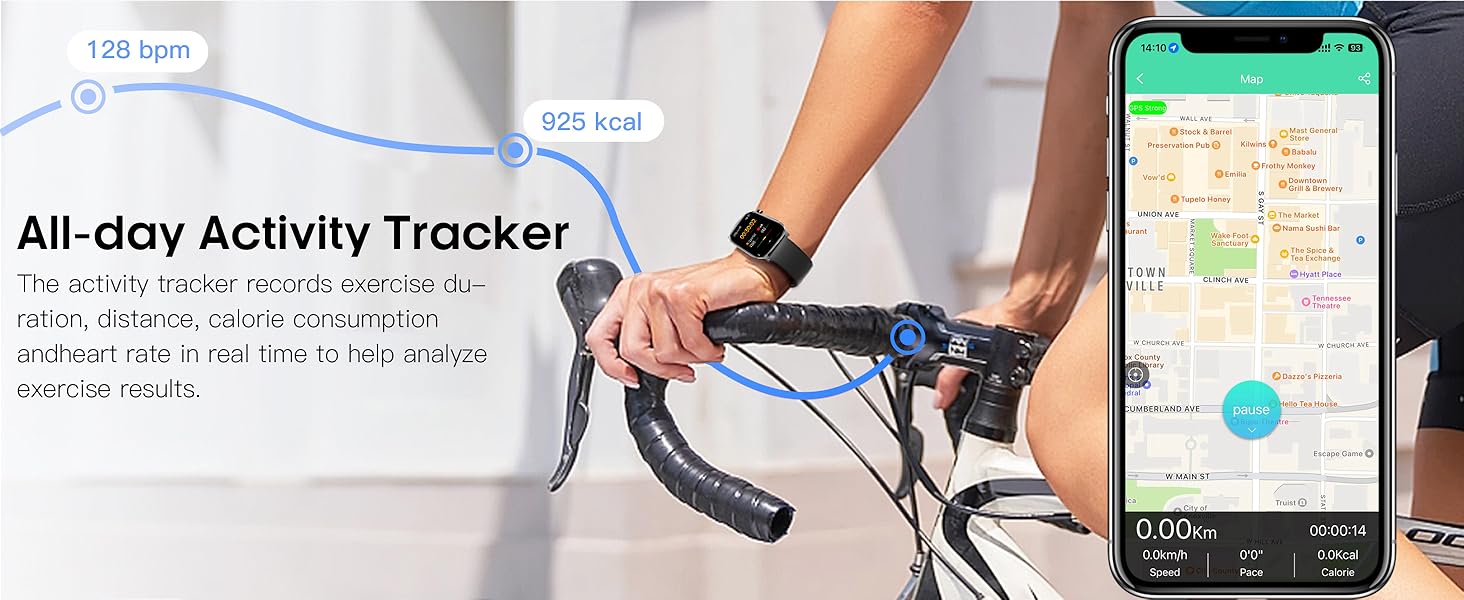
  • All-day Activity: Automatically tracks steps, calories burned, distance, and heart rate throughout the day.
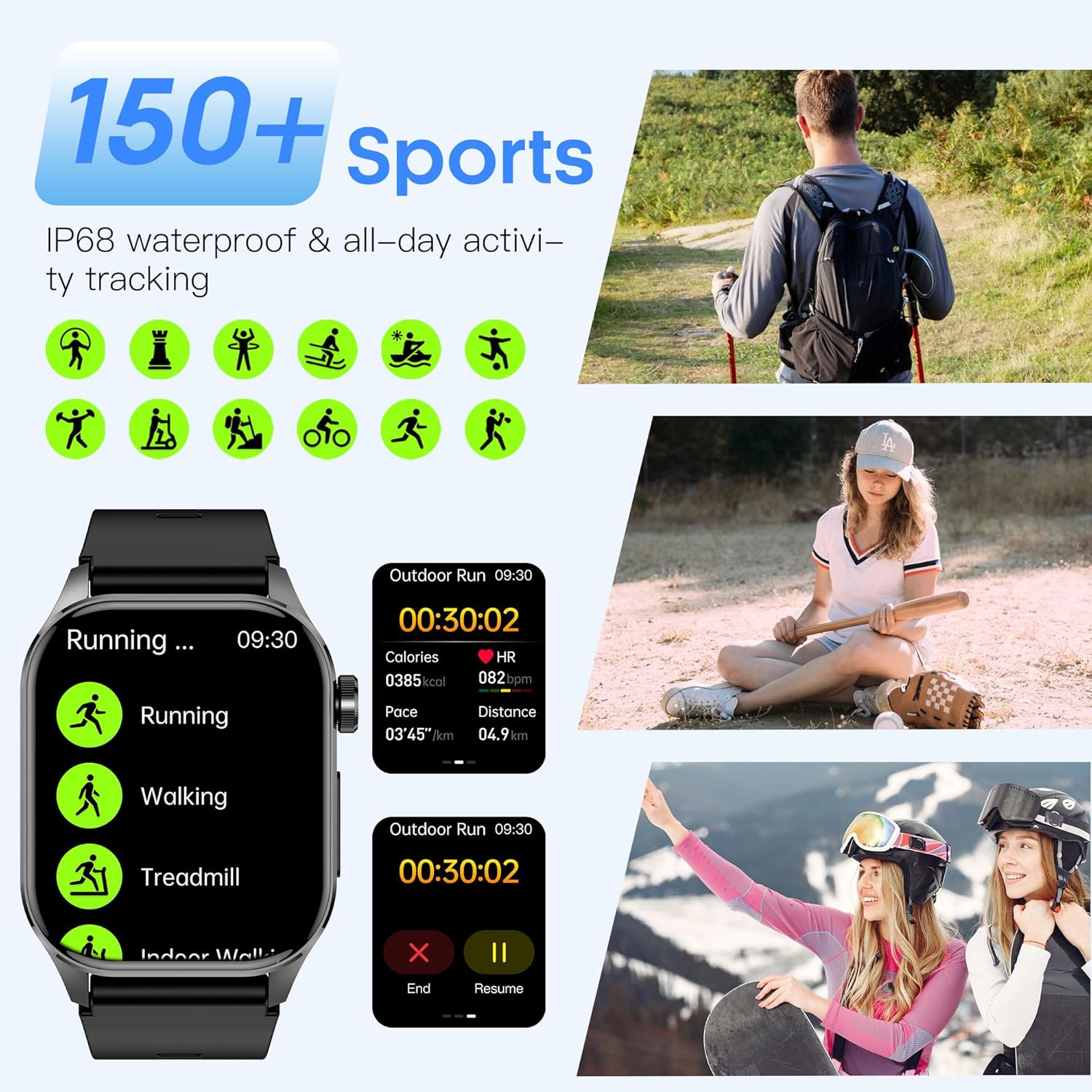
Smartwatch displaying various sports modes and activity tracking data, with images of people engaged in different sports.
Image: The smartwatch interface showing a selection of over 150 sports modes, including running, walking, and treadmill, alongside images of individuals participating in hiking, baseball, and skiing, demonstrating its versatility for various activities.
Smartwatch displaying cycling mode and various sports icons, with images of people engaged in different sports.
Image: The smartwatch displaying its cycling mode and a collection of icons representing over 150 sports, accompanied by images of individuals engaged in cycling, tennis, rock climbing, and mountain biking, highlighting its extensive sport tracking capabilities.
Smartwatch displaying activity tracking data, with a user cycling and a smartphone app showing a map of the route.
Image: The smartwatch displaying activity data such as heart rate and calories, with a user cycling and a smartphone app showing a mapped route, illustrating the all-day activity tracking feature.

Communication Features

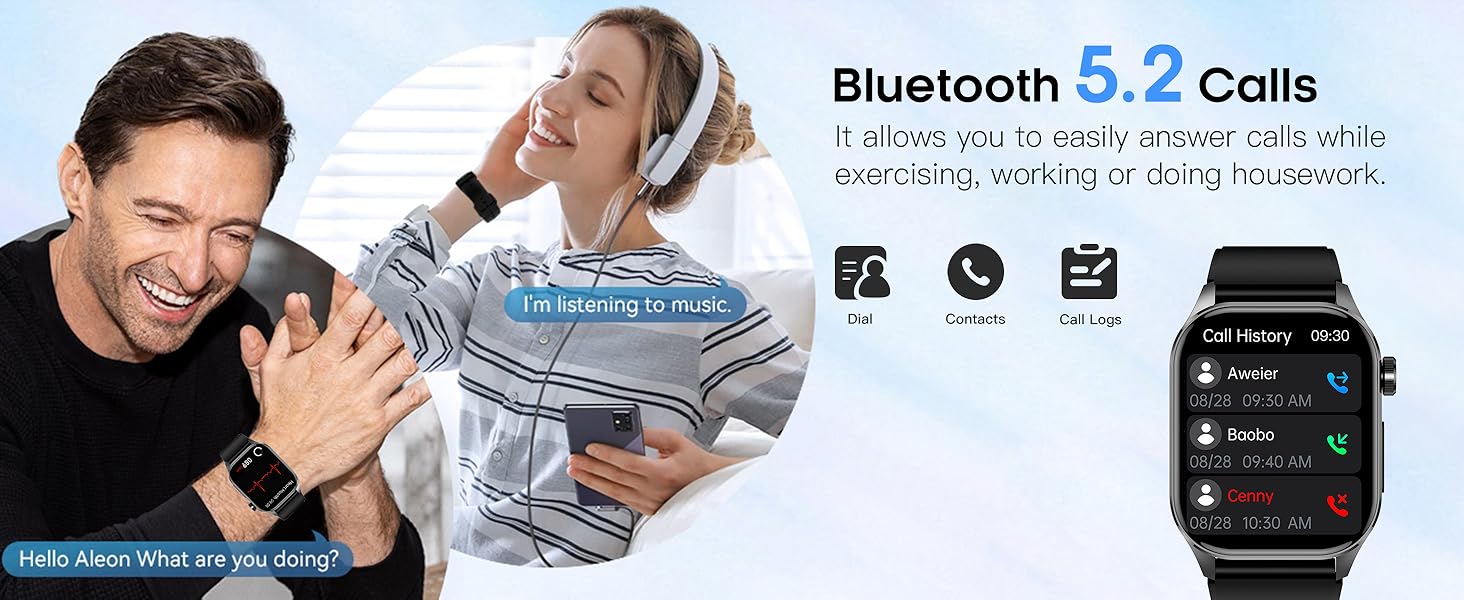
  • Bluetooth 5.2 Calls: After connecting to your phone via Bluetooth, you can answer or make calls directly from your smartwatch.
  • Notifications: Receive real-time APP message notifications (e.g., Facebook, WhatsApp, Instagram) through vibration.
  • AI Voice Assistant: Built-in AI voice assistant allows for easy voice control of music playback, reminder settings, and other operations.
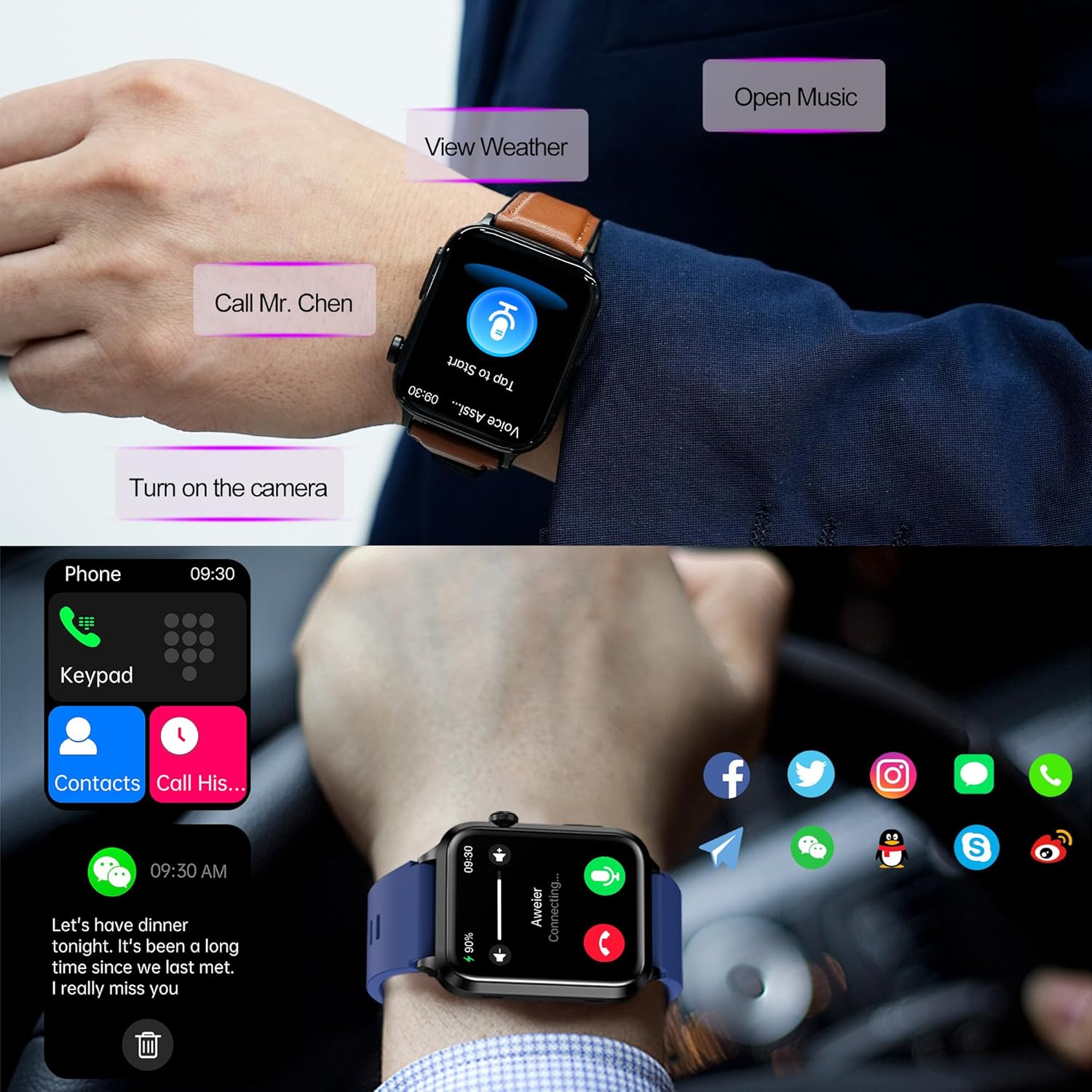
Smartwatch displaying call and notification features, with a user interacting with the watch.
Image: The smartwatch displaying call functions (keypad, contacts, call history) and notification icons for various social media apps, demonstrating its Bluetooth call and message reminder capabilities.
Smartwatch displaying call history, with a user making a call and listening to music.
Image: The smartwatch displaying call history, with a user wearing the watch and a smartphone, illustrating the Bluetooth 5.2 call function for answering and making calls.
Smartwatch displaying message notifications, with a user wearing the watch during exercise.
Image: The smartwatch displaying a message notification from Facebook, with a user wearing the watch during exercise, demonstrating the smart message reminder feature.
Smartwatch displaying voice assistant interface, with various voice commands shown.
Image: The smartwatch displaying its voice assistant interface, with examples of commands like 'Call Mr. Xiao', 'View SMS', 'Find Google Maps', and 'Play music', highlighting its hands-free control capabilities.

Customization

  • Personalized Dials: Choose from over 150 high-definition online dials through the app.
  • DIY Dials: Upload your own photos to customize the watch face.
Smartwatch displaying various watch faces and a smartphone app for customizing watch faces.
Image: The smartwatch displaying multiple watch face options, including customizable ones, alongside a smartphone app interface for selecting and personalizing watch faces with photos.

Other Functions

The smartwatch integrates multiple practical functions for daily life management.

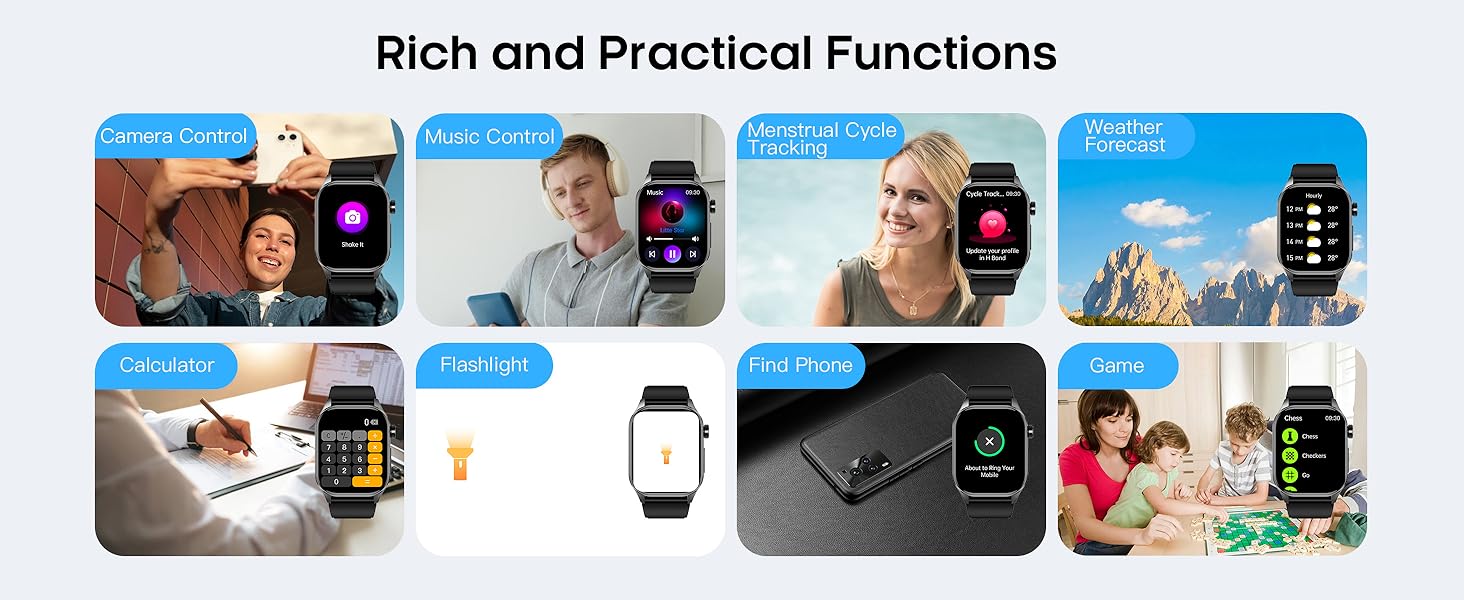
  • Time display and weather forecast.
  • Music and camera control.
  • Alarm setting and phone search.
  • Menstrual cycle tracking.
  • Calculator, flashlight, and games.
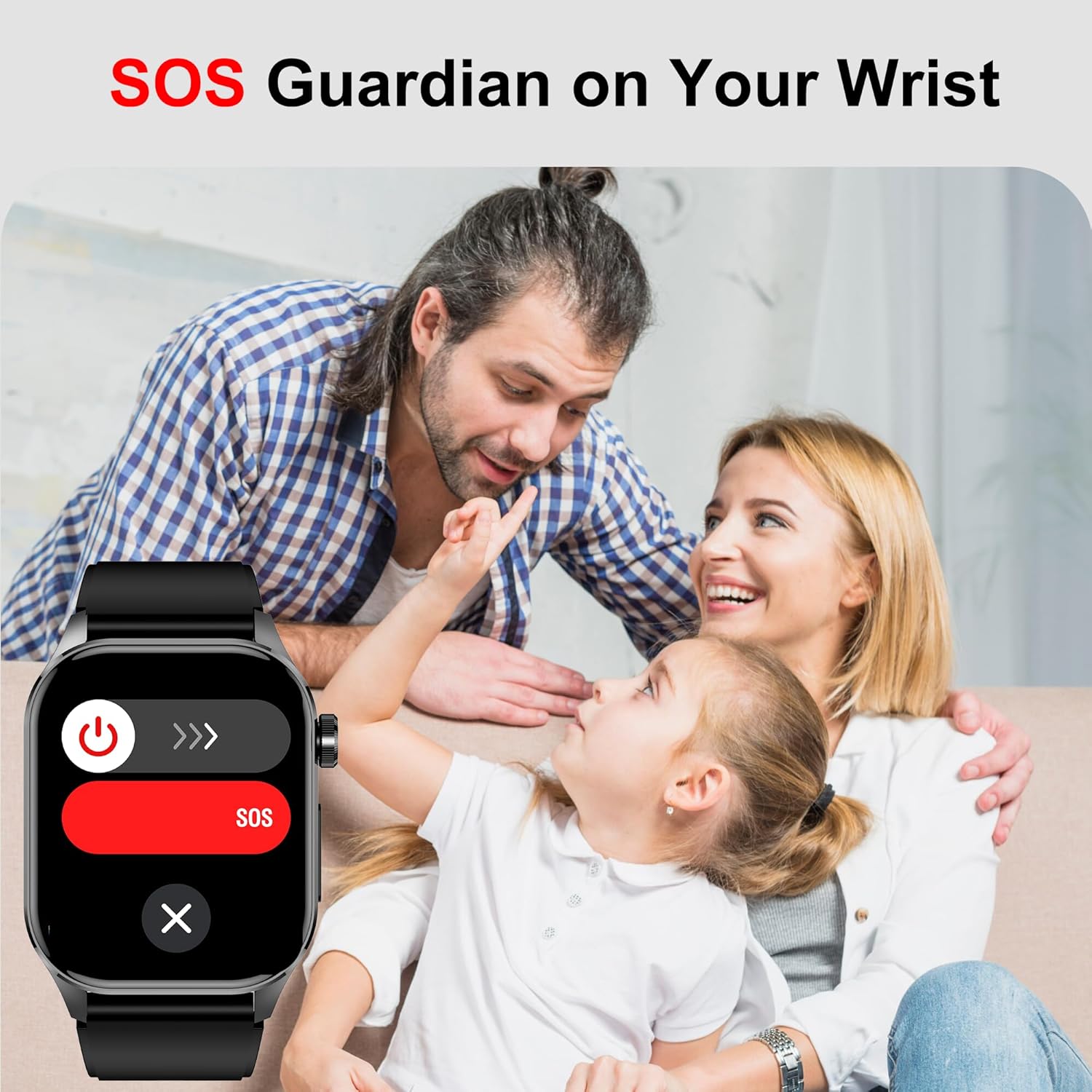
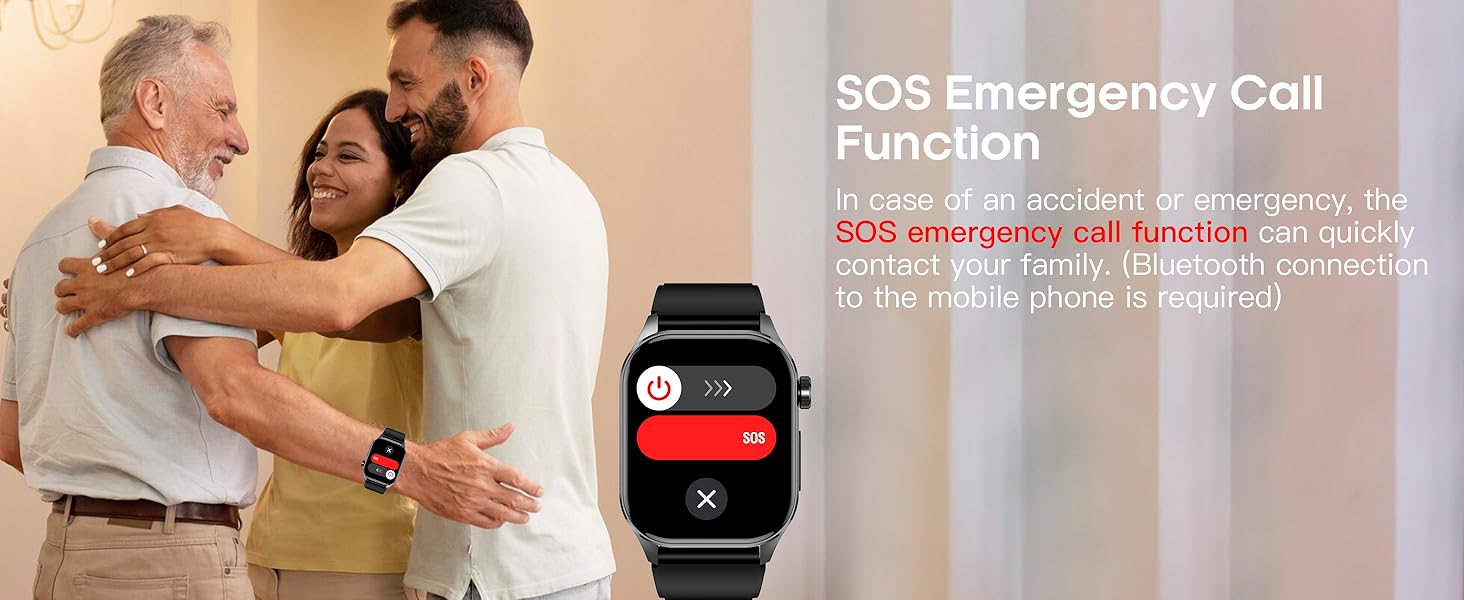
  • SOS Emergency Call Function: In case of an accident or emergency, this function can quickly contact your family (requires Bluetooth connection to the mobile phone).
Smartwatch displaying various functional icons like calculator, stopwatch, camera, timer, alarm clock, music, games, stress, water drinking reminder, weather, flashlight, search, HRV, body temperature, menstrual tracking, respiratory training, do not disturb mode, sedentary reminder, voice assistant, and blood pressure.
Image: The smartwatch displaying a comprehensive array of functional icons, including calculator, stopwatch, camera, timer, alarm clock, music, games, stress monitoring, water drinking reminder, weather, flashlight, search, HRV, body temperature, menstrual tracking, respiratory training, do not disturb mode, sedentary reminder, voice assistant, and blood pressure.
Smartwatch displaying various practical functions like camera control, music control, menstrual cycle tracking, weather forecast, calculator, flashlight, find phone, and games.
Image: A collage illustrating various practical functions of the smartwatch, including camera control, music control, menstrual cycle tracking, weather forecast, calculator, flashlight, find phone, and games.
Smartwatch displaying an SOS emergency screen, with a family in the background.
Image: The smartwatch displaying an SOS emergency call screen, featuring a prominent red SOS button, with a family in the background, emphasizing the safety feature.
Smartwatch displaying an SOS emergency call function, with a family embracing in the background.
Image: The smartwatch displaying its SOS emergency call function, with a family embracing in the background, highlighting the importance of this safety feature for quickly contacting loved ones during emergencies.

Maintenance

To ensure the longevity and optimal performance of your hellibito Advanced Health Smartwatch, follow these maintenance guidelines:

  • Cleaning: Regularly clean the watch screen and strap with a soft, dry cloth. If necessary, use a slightly damp cloth and mild soap, then dry thoroughly. Avoid harsh chemicals or abrasive materials.
  • Water Resistance: The smartwatch is IP68 waterproof, meaning it can withstand splashes, sweat, and brief immersion in water (e.g., washing hands). However, it is not suitable for hot water, diving, or high-pressure water activities. Avoid prolonged exposure to water.
  • Charging Port: Keep the charging contacts clean and dry to prevent corrosion and ensure efficient charging.
  • Storage: Store the smartwatch in a cool, dry place when not in use.
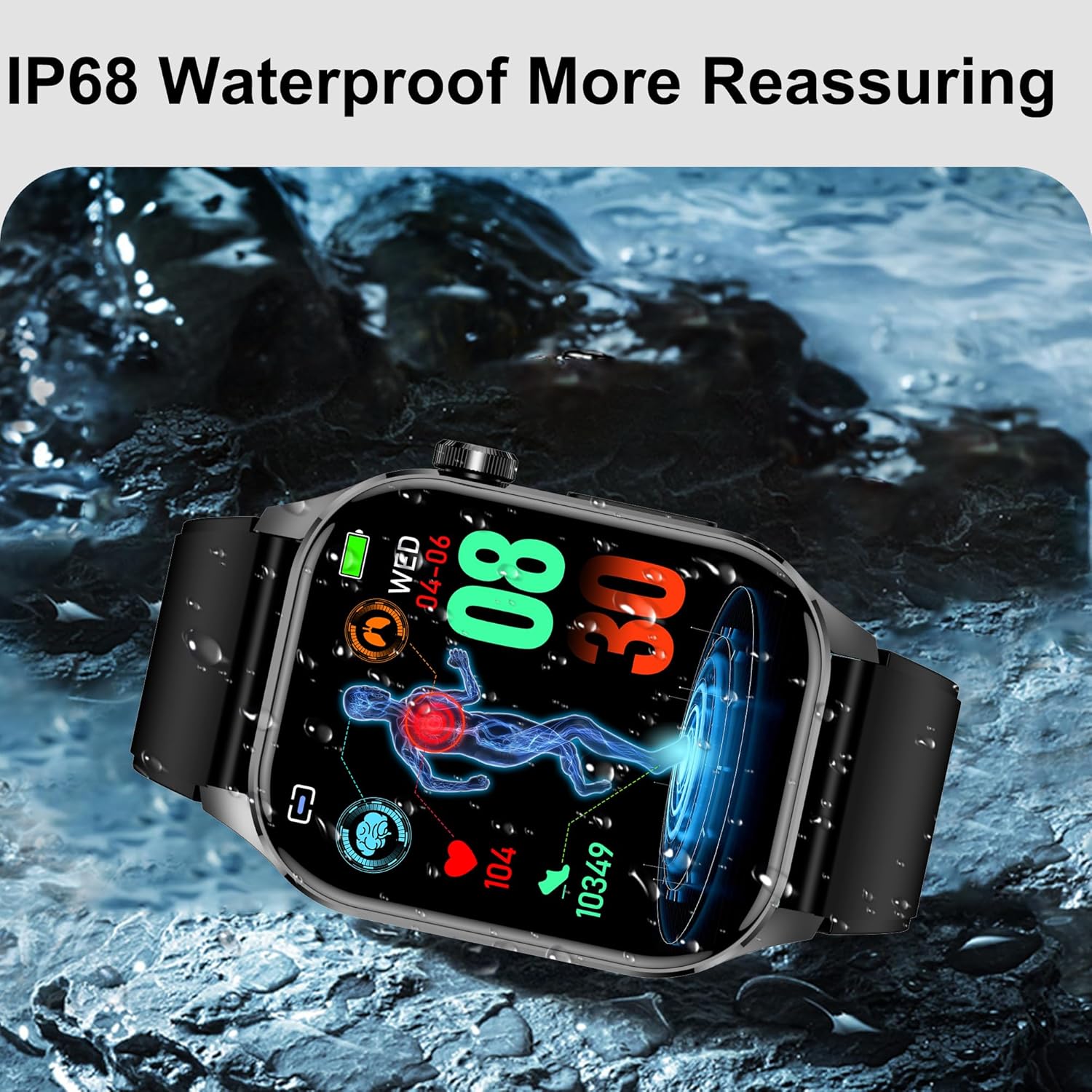
Smartwatch being splashed with water, demonstrating its IP68 waterproof rating.
Image: The smartwatch being splashed with water, illustrating its IP68 waterproof capability, suitable for daily wear and light water exposure.
Smartwatch being splashed with water, emphasizing its IP68 waterproof feature.
Image: The smartwatch being splashed with water, reinforcing its IP68 waterproof rating and suitability for outdoor exercise, sweaty workouts, or daily wear without worry.

Troubleshooting

If you encounter issues with your smartwatch, refer to the following common troubleshooting steps:

  • Watch Not Turning On: Ensure the watch is fully charged. Connect it to the charging cable and a power source for at least 30 minutes.
  • Cannot Pair with Phone: Make sure Bluetooth is enabled on your phone and the watch. Ensure the watch is within range of your phone. Restart both the watch and your phone, then try pairing again through the "H Band" app.
  • Inaccurate Health Readings: Ensure the watch is worn snugly on your wrist, not too tight or too loose. Clean the sensor on the back of the watch. Environmental factors and individual physiology can affect readings. Consult a medical professional for accurate health assessments.
  • Notifications Not Appearing: Check the "H Band" app settings to ensure app notifications are enabled. Verify that your phone's notification permissions are granted to the "H Band" app. Ensure the watch is connected via Bluetooth.
  • Short Battery Life: Reduce screen brightness, disable unnecessary continuous monitoring features, and limit frequent use of power-intensive functions like calls. Ensure you are using a 5V charger.
  • Touch Screen Unresponsive: Restart the smartwatch. If the issue persists, ensure the screen is clean and dry.

Specifications

FeatureDetail
Model Number19c639ab-3a1a-4ec3-a711-496698f22802
Screen Size2.04 Inches
Display Resolution368*448 (AMOLED)
Item Weight6.4 ounces
Battery Capacity380 Milliamp Hours (Lithium Polymer)
Charging TimeApprox. 2 hours
Typical Usage Time4-7 Days
Standby Time15+ Days
Connectivity TechnologyBluetooth 5.2
Water ResistanceIP68
Operating SystemAndroid (compatible with Android 4.4 and above)
iOS CompatibilityiOS 8.2 and above
Memory Storage Capacity64 GB
Special FeaturesActivity Tracker, Alarm Clock, Health Monitor, Notifications, Weather Forecast, AI Voice Assistant, SOS Function
GPSGPS Via Smartphone
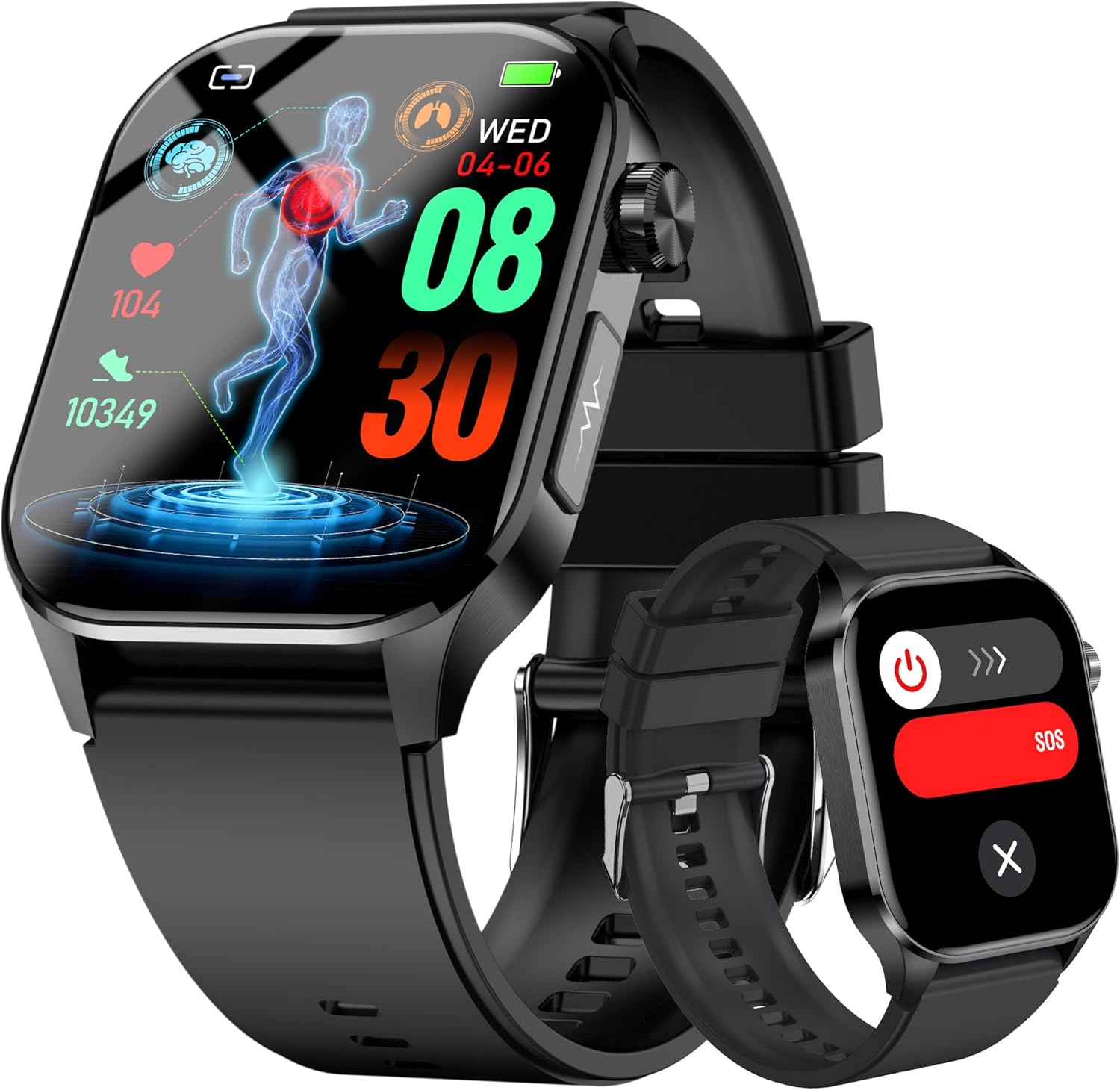
hellibito Advanced Health Smartwatch, black color, displaying health metrics on its screen.
Image: The hellibito Advanced Health Smartwatch in black, showcasing its vibrant display with health monitoring data and activity tracking visuals.

Warranty and Support

For warranty information, technical support, or any inquiries regarding your hellibito Advanced Health Smartwatch, please refer to the contact details provided on the product packaging or the official hellibito website. Keep your purchase receipt as proof of purchase for warranty claims.

© 2025 hellibito. All rights reserved.

Ask a question about this manual

Ask about setup, troubleshooting, compatibility, parts, safety, or missing instructions. Manuals+ will review the question and use this page’s manual context to help answer it.

After a successful submission, we securely hash the supplied account or form email before sending it to Microsoft Advertising for conversion attribution. Privacy details.