
Introduction
This manual provides essential instructions for the safe and efficient operation, maintenance, and troubleshooting of your KERDOM Foldable Electric Wheelchair, Model KD-B02. Please read this manual thoroughly before using the wheelchair to ensure proper understanding and to prevent injury or damage.
Safety Information
Your safety is paramount. Always adhere to the following safety guidelines:
- Always ensure the wheelchair is fully unfolded and locked before use.
- Engage the EABS parking system when stationary.
- Do not exceed the maximum weight capacity of 330 lbs.
- Avoid operating the wheelchair on slopes exceeding 12 degrees.
- Regularly inspect tires, brakes, and electrical connections.
- Keep hands and clothing clear of moving parts.
- Use the seat belt at all times.
- Consult a healthcare professional for guidance on safe operation if you have any medical conditions.
Setup
Unfolding the Wheelchair
The KERDOM electric wheelchair features a 3-second folding design for portability. To unfold:
- Place the folded wheelchair on a flat, stable surface.
- Gently pull the backrest upwards until the frame locks into place.
- Press down on the seat cushion until it is flat and secure.
- Ensure all locking mechanisms are engaged before use.

Figure 1: The KERDOM Foldable Electric Wheelchair in its unfolded state, ready for use.
Attaching the Joystick Controller
The 360° joystick controller can be attached to either the left or right armrest for user convenience.
- Locate the mounting bracket on the desired armrest.
- Slide the joystick controller onto the bracket until it clicks into place.
- Secure the controller using the provided screw or locking mechanism.
- Connect the controller cable to the corresponding port on the wheelchair frame.

Figure 2: Detailed view of attaching the joystick controller to the armrest.
Connecting Power Cables
Ensure all power cables are securely connected before operating the wheelchair. Incorrect connections can lead to improper function or charging issues.
- Locate the main power cable connectors near the battery compartment.
- Connect the red power cord securely. Failure to do so may result in the charging indicator lighting up while charging, but not actually charging.
- Verify that all motor cables are correctly plugged in. If the wheelchair operates in the opposite direction, check and correct the left and right motor wire connections.
Video 1: Installation and use of electric wheelchairs and the solution of problems in use. This video demonstrates the setup process, including connecting the joystick and power cables, and addresses common issues like incorrect motor direction.
Operating Instructions
Powering On and Off
- To power on: Press and hold the power button on the joystick controller until the indicator lights illuminate.
- To power off: Press and hold the power button again until the indicator lights turn off.
Driving the Wheelchair
The 360° flexible joystick provides precise control over movement.
- Forward/Backward: Gently push the joystick forward or pull it backward.
- Turning: Push the joystick left or right to steer.
- Stopping: Release the joystick to its neutral position. The EABS parking system will automatically engage, stopping the wheelchair safely.

Figure 3: The intelligent 360° flexible joystick for precise maneuverability, showing controls for balance, steering sensitivity, and safe stopping on inclines.
Speed Adjustment and Horn
- Speed Adjustment: Use the '+' and '-' buttons on the joystick controller to increase or decrease the speed. The LED display will show the current speed setting.
- Horn: Press the horn button on the joystick controller to activate the horn for safety.
Manual Mode Operation
To push the wheelchair manually without power, you need to disengage the motors.
- Ensure the handbrake is in the down position.
- Pull out the clutches on both sides of the wheelchair (located near the rear wheels). This disengages the motors, allowing the wheels to move freely.
- To re-engage electric power, push the clutches back in.

Figure 4: Location of the manual brake and clutches for switching between electric and manual modes.
Maintenance
Battery Care and Charging
- Charge the battery fully before first use.
- Use only the provided charger.
- Do not overcharge the battery. Disconnect the charger once the battery is full.
- Store the wheelchair and battery in a cool, dry place.
- If storing for extended periods, charge the battery every 1-2 months to maintain its lifespan.
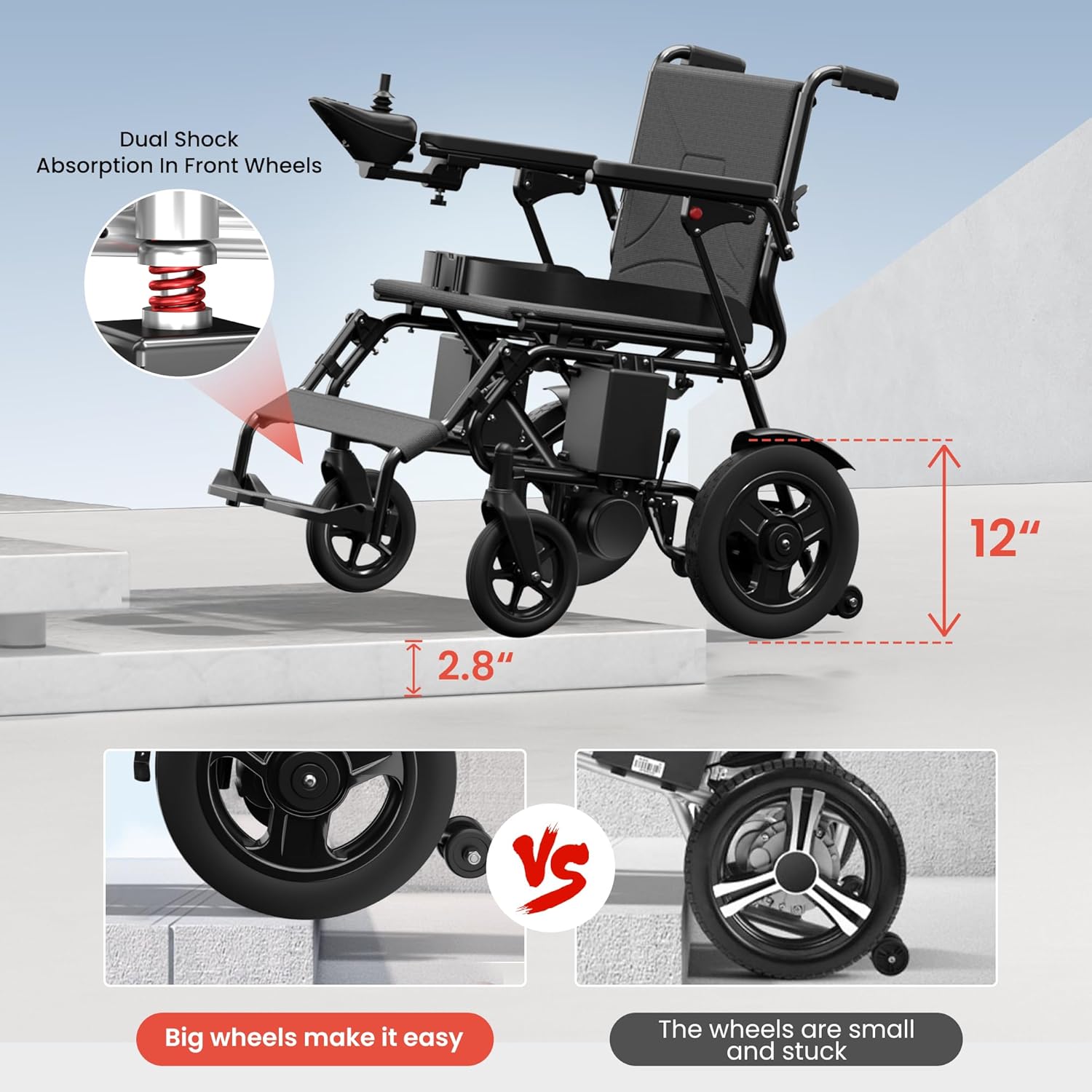
Figure 5: The LED display on the joystick shows battery life and speed clearly, aiding in timely charging.
Cleaning and Storage
- Wipe down the frame with a damp cloth. Avoid using abrasive cleaners.
- The breathable seat cushion can be removed for cleaning.
- For storage, fold the wheelchair as demonstrated in the setup section.
- Store in a dry, protected area away from direct sunlight and extreme temperatures.

Figure 6: The compact, folded electric wheelchair fits easily into a car trunk for convenient transport and storage.
Tire Care
The wheelchair is equipped with solid, puncture-resistant tires, eliminating the need for inflation. Periodically check for debris embedded in the treads and remove them to maintain traction.
Troubleshooting
If you encounter any issues, refer to the following common problems and solutions:
| Problem | Possible Cause | Solution |
|---|---|---|
| Wheelchair does not power on. | Battery not charged or power cables disconnected. | Ensure battery is charged and all power cables are securely connected. |
| Wheelchair moves in the wrong direction. | Motor wires are plugged in backwards. | Check and correct the left and right motor wire connections. Refer to the setup video. |
| Wheelchair does not move when joystick is pushed. | Clutches are disengaged (manual mode). | Push the clutches on both sides of the wheelchair back in to engage electric mode. |
| Charging indicator lights up but battery doesn't charge. | Red power cord is not securely connected. | Ensure the red power cord is firmly connected. |
Specifications
- Model: KD-B02
- Weight Capacity: 330 lbs
- Product Dimensions: 36.19"D x 24.8"W x 33.4"H
- Weight (without battery): Approximately 57 lbs
- Motor: Dual 250W motors (Total 500W)
- Battery: 24V 12Ah Lithium-ion
- Frame Material: Iron, Plastic
- Control: 360° Joystick
- Braking System: EABS Parking System
- Anti-Tip Wheels: Included
- Slope Capability: ≤12°
- Tires: Puncture-resistant solid tires
Warranty and Support
KERDOM provides a 12-month warranty for this electric wheelchair. For any queries, technical assistance, or warranty claims, please contact KERDOM's 24/7 US-based customer support. Our quick-response team aims to resolve issues within 24 hours.
For more information, visit the KERDOM Store.


