

1. Introduction
Thank you for choosing the X-shop HC025 Foldable Drone. This compact and versatile RC quadcopter is designed for both beginners and experienced pilots, offering a range of features for an enjoyable flight experience and high-quality aerial photography. Please read this manual thoroughly before operating the drone to ensure safe and optimal performance.

Image: Overview of key drone features.
2. Package Contents
Ensure all items listed below are present in your package:
- 1 x RC Drone
- 1 x Transmitter (Remote Controller)
- 2 x 3.7V 600mAh Batteries
- 1 x USB Charging Cable
- 8 x Extra Propellers
- 4 x Propeller Guards
- 2 x Instruction Manual (This document)
- 1 x Screwdriver
- 1 x Carrying Case

Image: All components included in the drone package.
3. Product Overview
3.1. Key Features
- 1080P HD Adjustable Camera: Equipped with a 90° adjustable 1080P HD camera for wide and clear aerial views. Supports real-time FPV transmission via mobile app.
- Beginner-Friendly Controls: Dual control modes (smartphone app or remote controller), Headless Mode, One-Key Takeoff/Landing, Altitude Hold, and three speed modes (Low/Medium/High).
- Interactive Flight Functions: Gesture Selfies, Waypoint Flight, Follow Me, 3D Flips, and Gravity Control.
- Extended Flight Time: Two rechargeable batteries provide up to 30 minutes of total flight time.
- Portable Design: Foldable design and weight under 249g (no FAA registration required). Includes a carrying case for easy transport.
3.2. Drone Components
Familiarize yourself with the drone's main parts:

Image: Drone with 1080P HD WiFi Camera and FPV capability.
The drone features a compact, foldable design for easy storage and transport. The camera is located at the front, and propellers are on each arm.
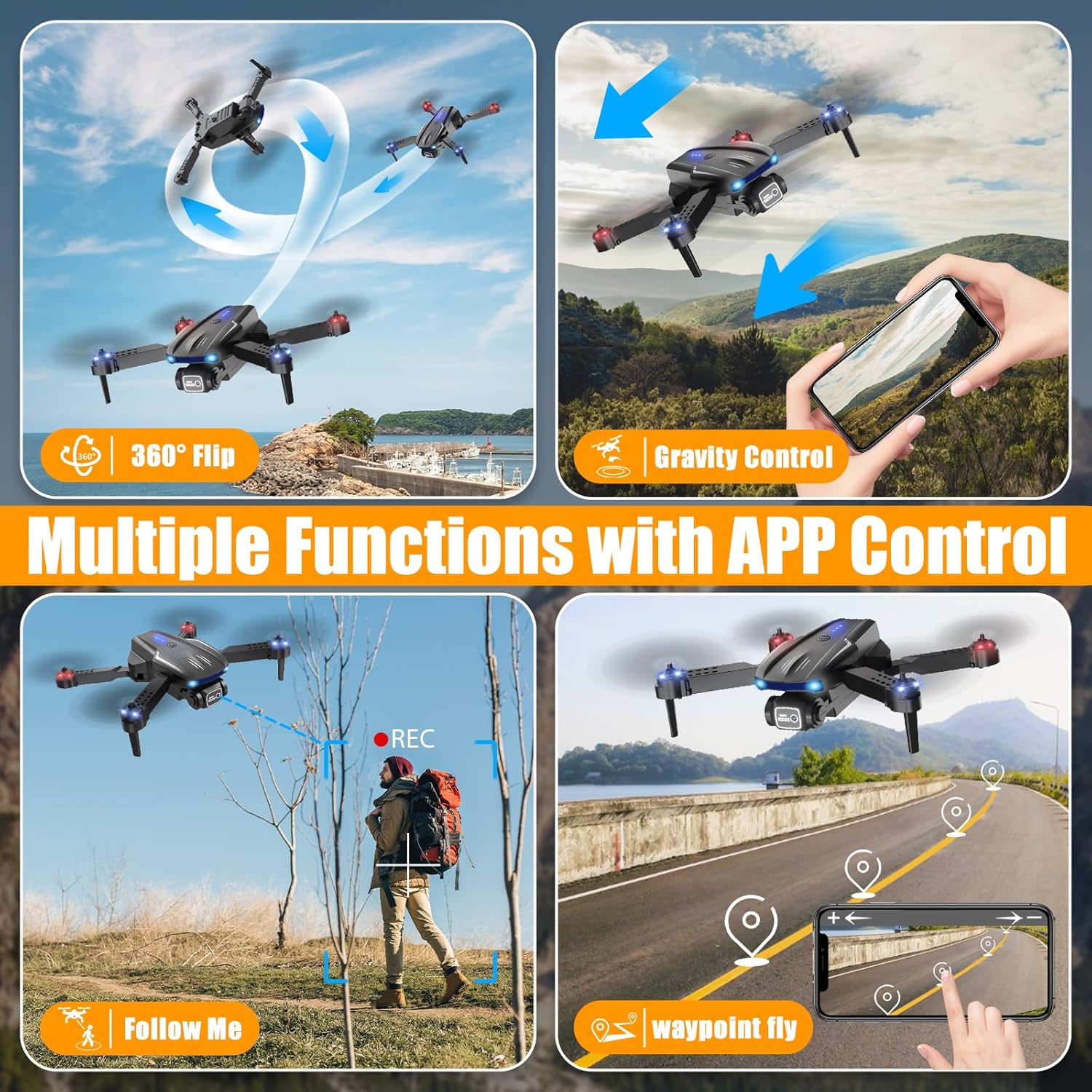
Image: Drone dimensions and portability features.
4. Setup
4.1. Battery Installation and Charging
- Drone Battery: Insert the provided 3.7V 600mAh battery into the drone's battery compartment. Ensure it clicks securely into place.
- Charging: Connect the drone battery to the USB charging cable. Plug the USB end into a 5V/1A USB power adapter (not included) or a computer USB port. The LED indicator on the cable will show charging status (e.g., red for charging, off for fully charged). Charging typically takes 60-90 minutes.
- Controller Batteries: The remote controller requires 3 AAA batteries (not included). Open the battery compartment on the back of the controller using the provided screwdriver, insert the batteries with correct polarity, and close the compartment.

Image: Drone batteries and their capacity.
4.2. Propeller Guards Installation
For added safety, especially for beginners, attach the propeller guards to the drone's arms. Align the guards with the designated slots and press firmly until they snap into place.
4.3. App Connection (Wi-Fi)
- Download the dedicated drone app from your smartphone's app store (iOS or Android). Refer to the manual for the specific app name or QR code.
- Power on the drone.
- On your smartphone, go to Wi-Fi settings and connect to the drone's Wi-Fi network (usually named 'Drone-XXXXXX').
- Open the app. You should see a live feed from the drone's camera, indicating a successful connection.
5. Operating Instructions
Always ensure you are in a wide, calm, and wind-free area for your first flight. Keep the drone within your line of sight.
5.1. Basic Flight Controls
- Pairing: Turn on the drone and then the remote controller. Push the left joystick up and then down to pair the devices. The drone's lights will stop flashing and become solid.
- One-Key Takeoff/Landing: Press the One-Key Takeoff button (usually an arrow icon) on the controller or in the app to automatically launch the drone to a stable hovering altitude. Press it again to land the drone automatically.
- Altitude Hold: The drone maintains its current altitude automatically, making it easier to control direction and capture stable footage.
- Speed Modes: The drone offers Low, Medium, and High-speed modes. Press the speed button on the controller to cycle through them. Start with Low speed for beginners.

Image: Beginner-friendly flight features.

Image: Speed modes and propeller guards.
5.2. Advanced Flight Functions (App Control)
These features are typically accessed via the mobile app once connected.
- Gesture Selfie: Perform specific hand gestures in front of the camera to trigger photo or video capture. Refer to the app for specific gestures.
- 3D Flips: Press the 3D Flip button on the controller and move the right joystick in any direction to perform an aerial flip.
- Follow Me: Select a target person in the app, and the drone will automatically follow and record them.
- Waypoint Flight: Draw a path on your smartphone screen, and the drone will fly along the designated route.
- Headless Mode: In Headless Mode, the drone's orientation is relative to the pilot, regardless of the drone's front direction. This simplifies control for beginners.
- Gravity Control: Control the drone's flight by tilting your smartphone.

Image: Multiple functions available via app control.
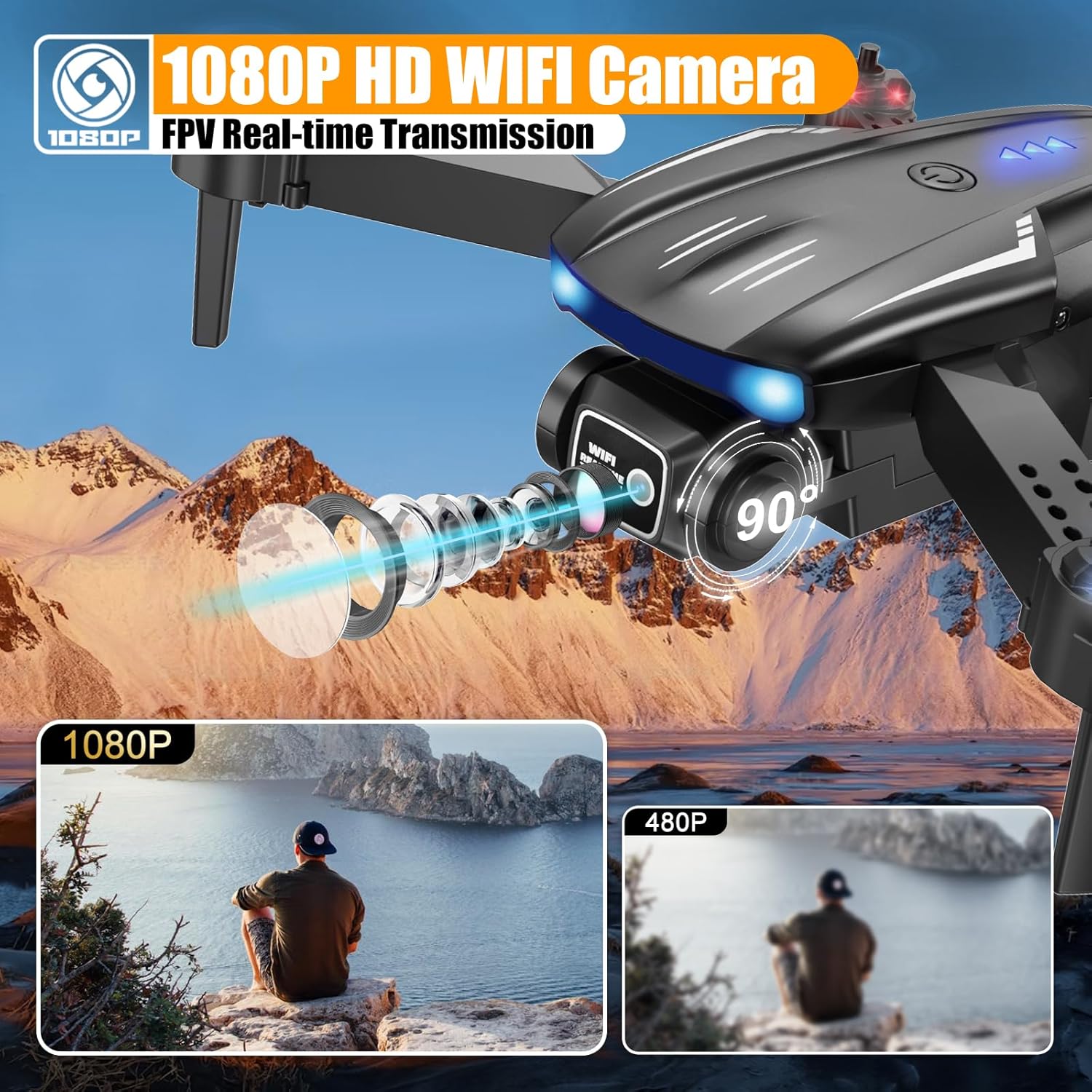
Image: Gesture control for photos and videos.

Image: Drone performing a 360° flip.

Image: Drone utilizing the 'Follow Me' feature.

Image: Drone executing 'Waypoint Fly' based on a drawn path.

Image: Drone operating in Headless Mode.
5.3. Camera Operation
The 1080P HD camera allows for both photo and video capture. Use the dedicated buttons on the remote controller or the corresponding icons within the mobile app to take pictures or start/stop video recording. Captured media is saved to your connected smartphone.
6. Maintenance
- Cleaning: Use a soft, dry cloth to clean the drone body and camera lens. Avoid using harsh chemicals.
- Propeller Inspection: Regularly check propellers for damage (cracks, bends). Replace damaged propellers immediately using the provided spares and screwdriver.
- Battery Care: Store batteries in a cool, dry place. Do not overcharge or over-discharge. If not used for an extended period, charge them to about 50% capacity.
- Storage: When not in use, fold the drone and store it in its carrying case to protect it from dust and damage.
7. Troubleshooting
| Problem | Possible Cause | Solution |
|---|---|---|
| Drone does not respond to controller. | Not paired; low controller batteries; drone battery low. | Re-pair drone and controller; replace controller batteries; charge drone battery. |
| Poor camera feed/Wi-Fi connection. | Interference; too far from drone; app not connected. | Fly in an open area; keep drone closer; reconnect app to drone Wi-Fi. |
| Drone unstable during flight. | Windy conditions; damaged propellers; calibration needed. | Fly in calm conditions; replace damaged propellers; perform gyroscope calibration (refer to app/manual for steps). |
| Short flight time. | Battery not fully charged; old battery. | Ensure batteries are fully charged; consider replacing old batteries. |
8. Specifications
- Brand: X-shop
- Model Name: X-shop Drone
- Model Number: HC025
- Color: Black
- Video Capture Resolution: 1080p
- Effective Still Resolution: 1.92 MP
- Connectivity Technology: Wi-Fi
- Skill Level: Beginner
- Item Weight: 445 Grams (approx. 15.7 ounces)
- Video Capture Format: MP4
- Remote Control Technology: Radio Frequency
- Control Type: Remote Control
- Material: Plastic
- Battery Cell Composition: Lithium Ion
- Batteries: 2 Nonstandard Battery batteries required (included)
- Supported Image Format: JPEG
- Video Output Resolution: 1080 pixels
- Optical Sensor Technology: CMOS
- Product Dimensions: 8.86"L x 6.97"W x 2.56"H
9. Warranty and Support
For the best flying experience, we recommend testing your drone in a wide, calm, and wind-free area for your first flight, and using the propeller guards for added safety. If you have any questions or need assistance, please feel free to contact our customer support team. We are here to help with prompt and friendly service.
Please refer to the product packaging or the official X-shop website for specific warranty details and contact information.

