
1. Product Overview
The Speed Sentinel Radar Detector is designed to provide drivers with advanced warning of radar and laser signals. It offers 360-degree detection across X, K, and Ka bands, as well as laser signals, to help users stay informed while driving. The device features distinct operating modes for city and highway environments, along with voice alerts and false alert filtering to enhance the driving experience.
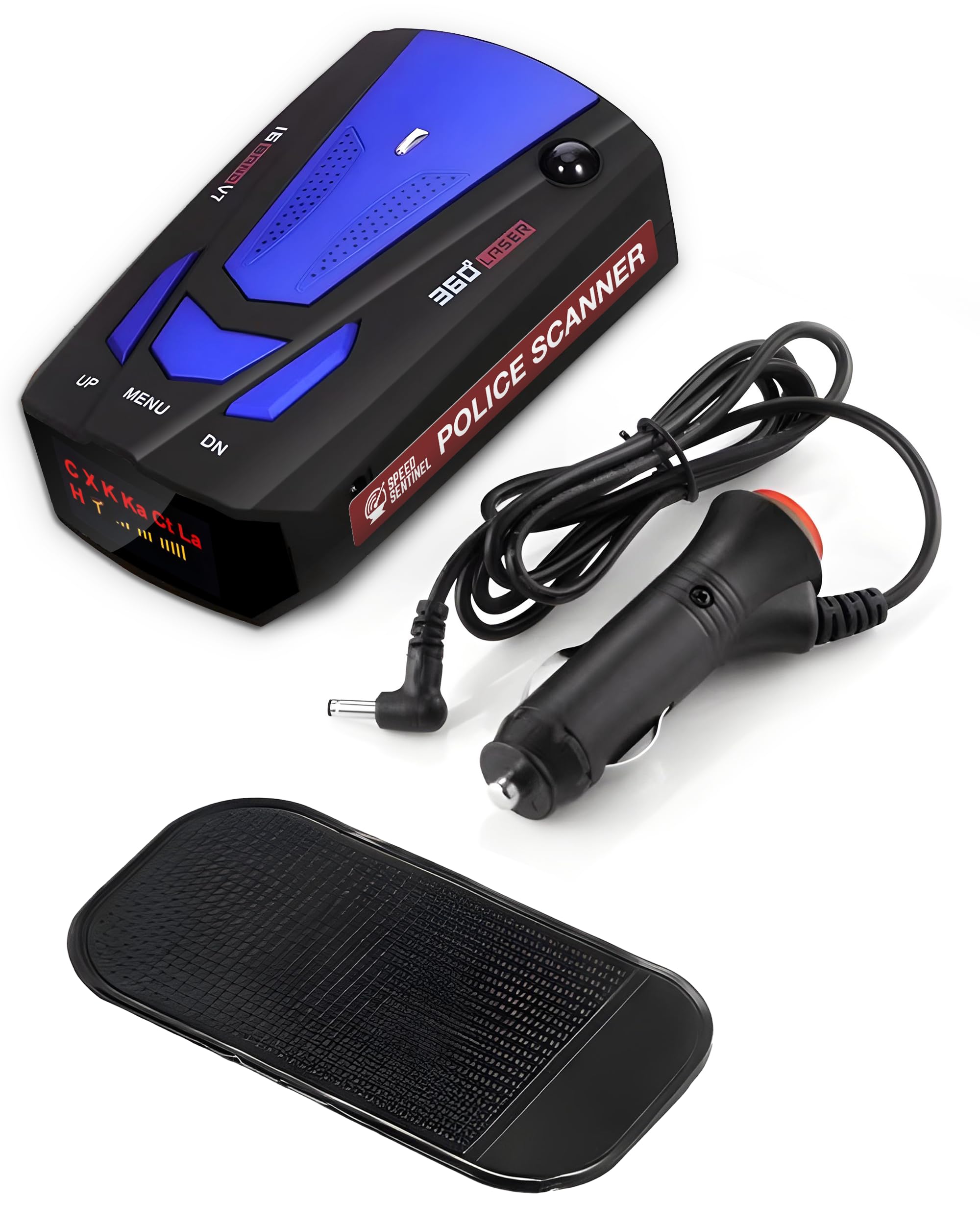
Figure 1: Overview of the Speed Sentinel Radar Detector's capabilities.
2. Package Contents
- Speed Sentinel Radar Detector Unit
- 12V Power Cable
- Anti-slip Dash Mat
- User Manual (this document)
3. Setup and Installation
The Speed Sentinel Radar Detector is designed for quick and easy installation without the need for special tools or complex wiring.
- Choose a Mounting Location: Select a flat, unobstructed area on your dashboard that provides a clear view of the road ahead and allows the detector to receive signals from all directions. Ensure the location does not interfere with your driving visibility or airbag deployment.
- Secure the Device: Place the included anti-slip dash mat on your chosen dashboard location. Position the Speed Sentinel Radar Detector firmly on the mat. The mat is designed to hold the device securely during vehicle operation.
- Connect Power: Insert the small end of the 12V power cable into the power port on the side of the radar detector. Plug the larger end of the 12V power cable into your vehicle's 12V accessory outlet (cigarette lighter socket).
- Power On: Once connected, the device should power on automatically or can be turned on using the designated power button (if available). The LED display will illuminate, indicating it is active and scanning.

Figure 2: Speed Sentinel Radar Detector placed on a vehicle dashboard.
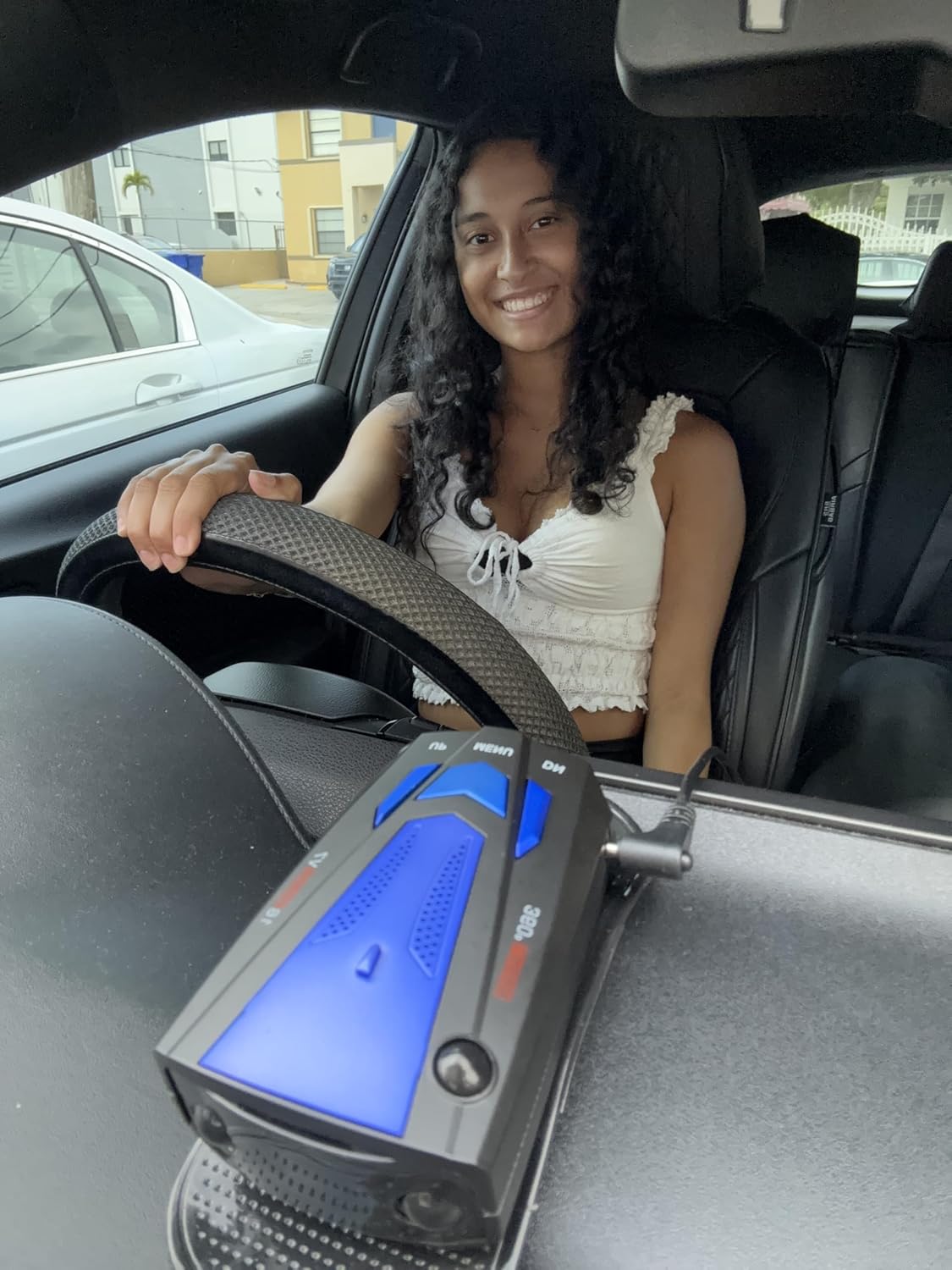
Figure 3: Speed Sentinel Radar Detector installed in a car's center console area.
Video 1: Product Overview and Setup Guide. This video demonstrates the physical features of the Speed Sentinel Radar Detector and how to connect it in a vehicle.
4. Operating Instructions
4.1 Power On/Off
The Speed Sentinel powers on automatically when connected to a 12V power source in most vehicles. To manually power off, disconnect the power cable. Some models may feature a dedicated power button.
4.2 Mode Selection (City/Highway)
The device offers two primary operating modes:
- City Mode: Designed for urban environments, this mode reduces sensitivity to minimize false alerts from common city signal sources such as automatic doors and traffic flow sensors.
- Highway Mode: Provides maximum detection range and sensitivity for open road driving, offering early warnings for radar and laser signals up to 220 yards.
To switch between modes, press the MENU button. The current mode will be displayed on the LCD screen.
4.3 Voice Alerts
The Speed Sentinel provides clear voice alerts that announce the detected radar band (X, K, Ka) and signal strength. This allows you to keep your eyes on the road while receiving critical information. Adjust the volume using the UP and DN buttons.
4.4 False Alert Filtering
The device incorporates advanced filtering technology to reduce non-threat alerts from sources like blind-spot monitoring systems in other vehicles and traffic sensors. This ensures that alerts are primarily for actual radar and laser threats.
5. Specifications
| Feature | Detail |
|---|---|
| Brand | FREEZE2TRIM |
| Model Number | r3 radar detector |
| Detection Bands | X, K, Ka, Laser (360° coverage) |
| Frequency Bands Supported | 10,500–10,550 MHz (X-band), 24,050–24,250 MHz (K-band), 33,400–36,000 MHz (Ka-band) |
| Power Source | Corded Electric (12V) |
| Display Type | LCD |
| Product Dimensions (L x W x H) | 3.9"L x 2.5"W x 1.4"H |
| Item Weight | 2.26 Ounces |
6. Troubleshooting
If you experience issues with your Speed Sentinel Radar Detector, please refer to the following common troubleshooting steps:
- No Power:
- Ensure the 12V power cable is securely plugged into both the detector and the vehicle's 12V accessory outlet.
- Check your vehicle's fuse box for a blown fuse related to the 12V outlet.
- Verify the vehicle's ignition is on, as some 12V outlets are only active with the ignition.
- Frequent False Alerts:
- Switch the device to City Mode to reduce sensitivity in urban areas.
- Ensure the detector is not obstructed by metallic objects or other electronic devices that might cause interference.
- False alerts can sometimes be triggered by other vehicles' blind-spot monitoring systems or adaptive cruise control. This is normal behavior for radar detectors.
- No Alerts for Known Threats:
- Ensure the detector is in Highway Mode for maximum sensitivity on open roads.
- Verify the detector has a clear line of sight to the front and rear of the vehicle. Obstructions can block signals.
- Check that the volume is turned up and not muted.
- Voice Alerts Unclear:
- Adjust the volume using the UP and DN buttons.
- Ensure the speaker on the device is not obstructed.
If these steps do not resolve your issue, please contact customer support.
7. Maintenance
To ensure the longevity and optimal performance of your Speed Sentinel Radar Detector, follow these maintenance guidelines:
- Cleaning: Use a soft, dry cloth to clean the exterior of the device. Do not use abrasive cleaners, solvents, or chemical sprays, as these can damage the unit.
- Storage: When not in use for extended periods, store the detector in a cool, dry place away from direct sunlight and extreme temperatures.
- Avoid Obstructions: Regularly check that the front and rear sensors of the detector are not obstructed by dirt, debris, or other objects.
- Cable Care: Handle the power cable gently. Avoid kinking, pinching, or placing heavy objects on the cable to prevent damage.
8. Warranty and Support
This product is covered by the standard Amazon Return Policy. For details regarding returns, replacements, or warranty claims, please refer to the Amazon Return Policy page.
For additional support or inquiries, please visit the FREEZE2TRIM Store on Amazon.