
QAONIE E88 GT
QAONIE E88 GT Drone User Manual
Model: E88 GT
1. Introduction
The QAONIE E88 GT Drone is designed for aerial photography and flight, featuring a 720P HD camera and a brushless motor for performance. It includes a screen controller for real-time footage and precise control. Key features include Waypoint Fly, Optical Flow Localization, Active Obstacle Avoidance, and One Key Take Off/Landing for simplified operation.

Image 1.1: The E88 GT Drone with its integrated screen remote control.
2. What's in the Box
Verify that all components are present in the package:
- E88 GT Drone
- Screen Controller
- 2 x Drone Batteries
- Airdrop Module
- Camera
- Handbag
- SD Card
- USB Charging Cable (not explicitly listed but implied for charging)
- Spare Propellers (not explicitly listed but common for drones)
3. Setup Guide
3.1. Charging Batteries
Before first use, fully charge the drone batteries and the screen controller. Use the provided USB charging cable. The drone batteries are Lithium Ion.
- Connect the charging cable to the battery and a suitable USB power source.
- Charging indicators on the battery or charger will show charging status.
- Allow sufficient time for a full charge before operation.
3.2. Propeller Installation
Ensure propellers are correctly installed on the motor shafts. Match the propeller type (A or B) to the corresponding motor. Incorrect installation can affect flight stability.
3.3. Controller Setup and Pairing
- Power on the screen controller by pressing the ON/OFF button.
- Power on the drone. Place the drone on a flat, level surface.
- The controller and drone will automatically attempt to pair. Indicators on both devices will confirm successful pairing.
- Calibrate the drone's gyroscope by moving both joysticks to the bottom-outer corners simultaneously until indicator lights flash and then become solid.
4. Operating Instructions
4.1. Basic Flight Controls
The screen controller provides intuitive control over the drone.
- Left Joystick: Controls throttle (up/down) and yaw (rotate left/right).
- Right Joystick: Controls pitch (forward/backward) and roll (sideways left/right).

Image 4.1: The 4.92-inch screen remote control for real-time image transmission.
4.2. One Key Take Off/Landing
Press the dedicated One Key Take Off button on the controller to initiate an automatic takeoff. The drone will ascend to a stable hovering altitude. Press the One Key Landing button to initiate an automatic landing sequence.

Image 4.2: Visual representation of one-touch control and optical flow positioning.
4.3. Optical Flow Localization
The Optical Flow Localization system assists the drone in maintaining a stable hover, especially in indoor environments or areas with clear ground patterns. This technology uses a downward-facing sensor to detect ground movement and adjust the drone's position for precise hovering.
4.4. Active Obstacle Avoidance
The drone is equipped with Active Obstacle Avoidance sensors to detect obstacles in its flight path. When an obstacle is detected, the drone will automatically adjust its trajectory to prevent collisions. This feature enhances flight safety, particularly for new pilots.
4.5. Waypoint Fly
The Waypoint Fly feature allows you to pre-program a flight path for the drone. Using the controller's interface, you can set multiple waypoints, and the drone will automatically navigate along the specified route, capturing footage as it flies.
4.6. Aerial Delivery System
The E88 GT drone includes an aerial delivery system. This module can be attached to the drone to carry and release small, lightweight items during flight. Ensure the payload does not exceed the drone's maximum carrying capacity to maintain stable flight.
4.7. Camera Operation (ESC Dual Camera)
The drone features an ESC dual camera with 720P HD video capture resolution and 1920x1080 pixels video output resolution. The screen controller displays real-time camera feed. You can remotely switch between viewing angles using the controller. Photos and videos are saved to the inserted SD card.
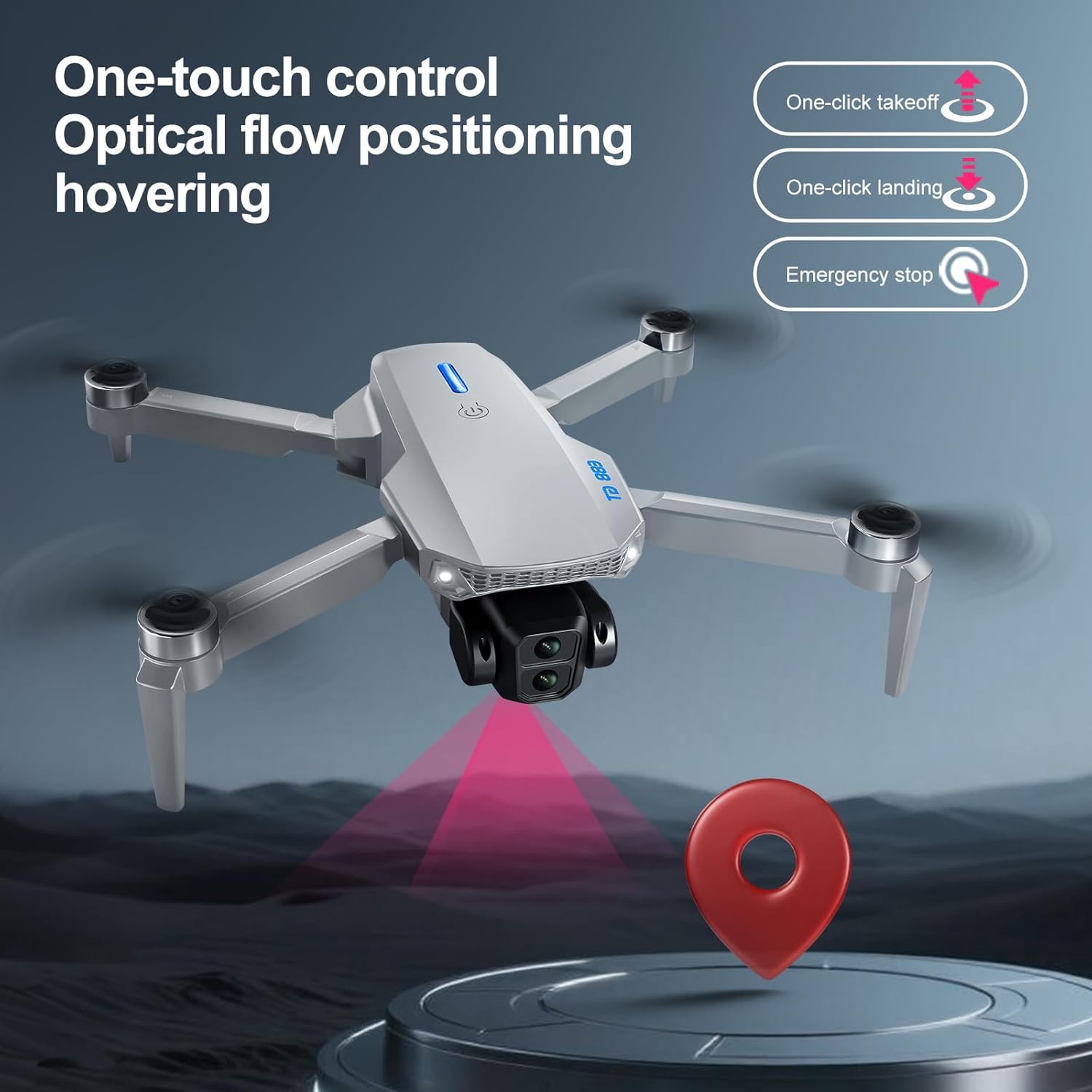
Image 4.3: Close-up view of the ESC dual camera, allowing remote switching of viewing angles.
5. Maintenance
5.1. Battery Care
- Always use the original charging cable.
- Do not overcharge or over-discharge batteries.
- Store batteries in a cool, dry place away from direct sunlight and extreme temperatures.
- If not used for extended periods, charge batteries to approximately 50% for storage.
5.2. Cleaning
- Use a soft, dry cloth to clean the drone body and controller.
- Gently clean the camera lens with a microfiber cloth to ensure clear image quality.
- Avoid using harsh chemicals or solvents.
5.3. Propeller Replacement
Inspect propellers regularly for damage (cracks, bends). Replace any damaged propellers immediately using the spare propellers provided. Ensure correct propeller type (A or B) is installed on the corresponding motor.
6. Troubleshooting
| Problem | Possible Cause | Solution |
|---|---|---|
| Drone does not power on. | Battery is not charged or not properly inserted. | Ensure battery is fully charged and securely inserted. |
| Drone is unstable during flight. | Gyroscope not calibrated; damaged propellers; strong winds. | Recalibrate gyroscope; replace damaged propellers; fly in calm conditions. |
| Controller not connecting to drone. | Drone or controller not powered on; pairing failed; low battery. | Ensure both devices are on; repeat pairing process; charge batteries. |
| Poor camera feed or no image on screen. | Weak signal; camera lens dirty; SD card issue. | Ensure drone is within range; clean lens; check SD card insertion/format. |
| Short flight time. | Battery not fully charged; old battery; aggressive flying. | Fully charge batteries; consider replacing old batteries; fly more conservatively. |
7. Specifications

Image 7.1: The brushless motor, providing efficient and durable performance.
- Brand: QAONIE
- Model Name: E88 GT
- Model Number: E88 PRO
- Special Features: Active Obstacle Avoidance, Optical Flow Localization, Waypoint Fly, Aerial Delivery System
- Age Range (Description): Adult
- Color: Black
- Video Capture Resolution: 720p
- Video Output Resolution: 1920x1080 pixels
- Connectivity Technology: Bluetooth, Wi-Fi
- Included Components: Airdrop, Camera, Handbag, SD Card, Screen Controller
- Item Weight: 7.68 ounces
- Video Capture Format: MP4
- Control Type: Remote Control
- Battery Cell Composition: Lithium Ion
- Optical Sensor Technology: Optical Flow, CMOS
- Material: Aluminum
- Item Dimensions (L x W x H): 12.95"L x 3.74"W x 8.89"H
- UPC: 762849377834
8. Warranty and Support
8.1. Warranty Information
Please refer to the product packaging or the retailer's website for specific warranty details. Typically, products come with a limited manufacturer's warranty covering defects in materials and workmanship under normal use.
8.2. Customer Support
For technical assistance, troubleshooting, or warranty claims, please contact QAONIE customer support. Contact information can usually be found on the product packaging or the official QAONIE website.
Ask a question about this manual
Ask about setup, troubleshooting, compatibility, parts, safety, or missing instructions. Manuals+ will review the question and use this page’s manual context to help answer it.