
QAONIE E88 PRO
E88 GT Drone User Manual
Model: E88 PRO | Brand: QAONIE
1. Introduction
The E88 GT Drone is an advanced aerial companion designed for stunning photography and seamless flight experiences. It features a high-resolution 720P HD camera, ensuring every shot captures incredible detail and vibrancy. Equipped with a robust brushless motor, the E88 GT delivers exceptional performance and durability, suitable for both beginners and seasoned pilots.
Experience the convenience of the innovative screen controller, which provides real-time footage and precise control for an unparalleled flying experience. The E88 GT Drone comes with two long-lasting batteries, allowing you to extend your flight time and explore more without interruptions.
Key features include Waypoint Fly for automated navigation, Optical Flow Localization for stable hovering, and Active Obstacle Avoidance that ensures a safe and smooth journey. The One Key Take Off/Landing functionality simplifies operations, making it easier than ever to start and end your flight.
Elevate your aerial adventures with the E88 GT Drone – where cutting-edge technology meets user-friendly design. Whether you’re capturing breathtaking landscapes or filming memorable moments, this drone promises to deliver outstanding results every time.

Figure 1.1: The E88 GT Drone showcasing its brushless motor, which provides powerful and stable flight performance.
2. What's in the Box
Carefully unpack all components and check against the list below:
- E88 GT Drone
- Screen Controller
- 2 Lithium Ion Batteries (for drone)
- Handbag
- SD Card
- Airdrop Module
- Camera (integrated)
- USB Charging Cables
- Spare Propellers
- Screwdriver

Figure 2.1: All components included in the E88 GT Drone package.
3. Setup
3.1. Unboxing and Initial Inspection
Before first use, carefully remove all items from the packaging. Inspect the drone, controller, and all accessories for any signs of damage. If any components are missing or damaged, please contact customer support.
3.2. Battery Installation and Charging
- Drone Batteries: Insert the two Lithium Ion batteries into the designated battery compartments on the drone. Ensure they click securely into place.
- Charging Drone Batteries: Connect the drone batteries to the provided USB charging cable. Plug the USB cable into a compatible USB power adapter (not included). The charging indicator light will show the charging status. Charge until fully indicated.
- Controller Battery: The screen controller has an integrated rechargeable battery. Connect the controller to a USB power source using its dedicated charging port.
3.3. Controller Setup
The E88 GT Drone features a dedicated screen controller for an enhanced user experience.
- Power On: Press and hold the power button on the controller until the screen illuminates.
- Pairing: Power on the drone. Place the drone on a flat, level surface. The drone and controller should automatically attempt to pair. Follow any on-screen prompts on the controller for successful connection.
- Calibrate: Perform a gyroscope calibration by moving both joysticks to the bottom-right corner simultaneously until the drone's lights flash rapidly, then release. This ensures stable flight.

Figure 3.1: The E88 GT Drone screen controller, providing real-time video feed and flight information.
4. Operating Your E88 GT Drone
4.1. Basic Flight Controls
Familiarize yourself with the controller's joysticks and buttons:
- Left Joystick (Throttle/Yaw):
- Up/Down: Controls altitude (throttle).
- Left/Right: Controls yaw (rotation).
- Right Joystick (Pitch/Roll):
- Up/Down: Controls pitch (forward/backward movement).
- Left/Right: Controls roll (sideways movement).
4.2. One-Key Takeoff/Landing
The E88 GT Drone simplifies flight initiation and termination with its one-key functions:
- One-Key Takeoff: Press the designated one-key takeoff button (usually indicated by an upward arrow icon). The drone will automatically ascend to a stable hovering height.
- One-Key Landing: Press the designated one-key landing button (usually indicated by a downward arrow icon). The drone will automatically descend and land gently.
- Emergency Stop: In case of an emergency, press the emergency stop button to immediately cut power to the motors. Use with caution.
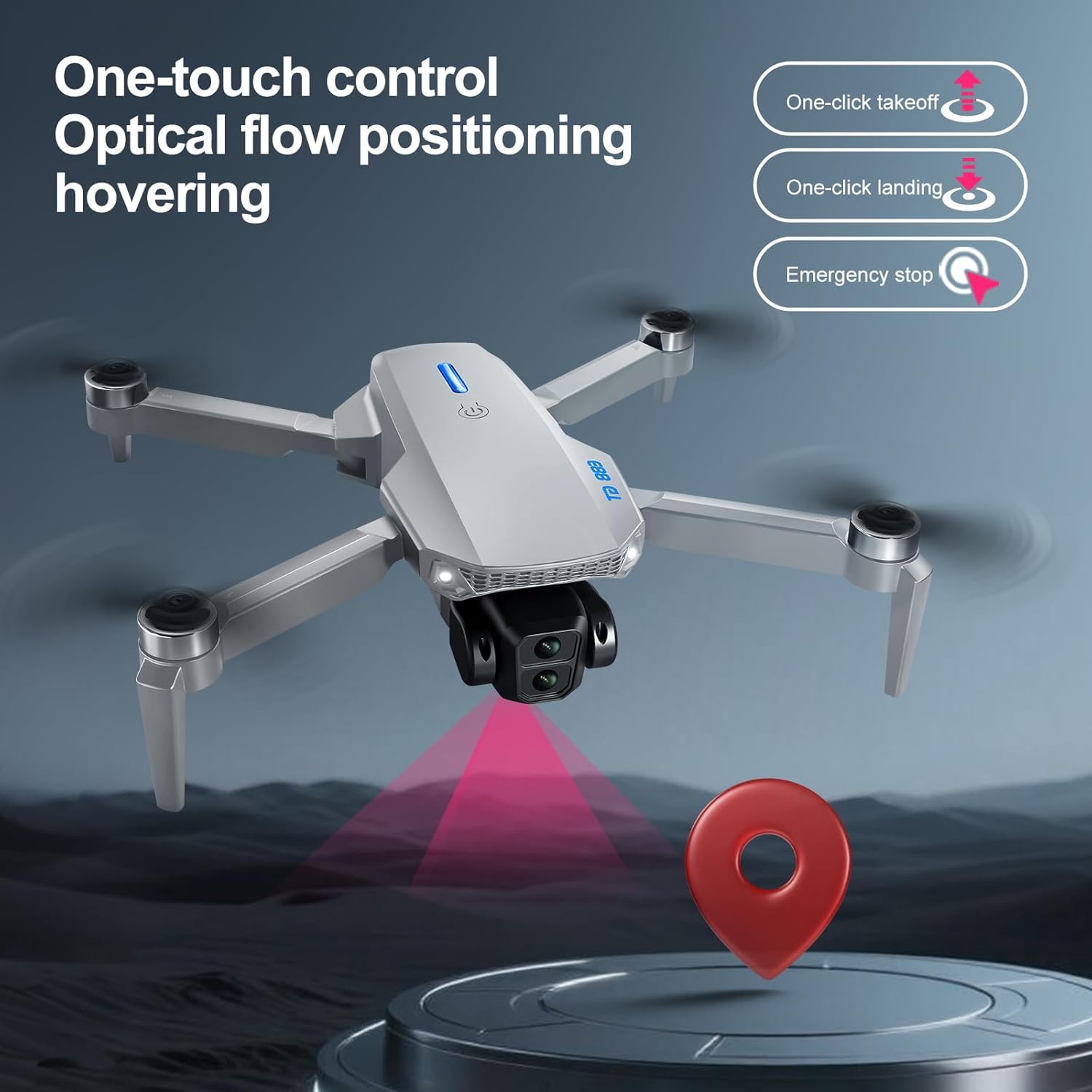
Figure 4.1: Visual representation of the one-touch control features for the E88 GT Drone.
4.3. Optical Flow Localization
The E88 GT Drone is equipped with Optical Flow Localization technology. This feature uses a downward-facing camera to analyze ground patterns, allowing the drone to maintain a stable position and hover accurately, especially in environments where GPS signals may be weak or unavailable.
4.4. Waypoint Fly
Utilize the Waypoint Fly feature for automated flight paths. Through the controller's interface, you can set specific points on a map, and the drone will follow the pre-programmed route, making it ideal for capturing cinematic footage or surveying areas.
4.5. Active Obstacle Avoidance
The drone incorporates Active Obstacle Avoidance sensors to detect obstacles in its flight path. When an obstacle is detected, the drone will automatically adjust its trajectory to avoid collision, enhancing flight safety and reducing the risk of damage.
4.6. Camera Operation
The E88 GT Drone features a 720p HD camera with a video output resolution of 1920x1080 Pixels. The screen controller provides a live feed from the drone's camera.
- Taking Photos: Press the photo button on the controller to capture still images.
- Recording Videos: Press the video button to start and stop video recording.
- Storage: Captured photos and videos are saved to the included SD card. Ensure the SD card is properly inserted before flight.

Figure 4.2: The E88 GT Drone is equipped with a dual camera system for versatile aerial photography and videography.
5. Maintenance
Proper maintenance ensures the longevity and optimal performance of your E88 GT Drone.
- Cleaning: After each flight, gently wipe the drone and controller with a soft, dry cloth to remove dust and debris. Avoid using harsh chemicals or solvents.
- Propeller Inspection: Regularly check the propellers for any cracks, bends, or damage. Replace damaged propellers immediately using the provided spare parts and screwdriver.
- Battery Care: Store batteries in a cool, dry place. Do not overcharge or over-discharge batteries. If storing for extended periods, charge batteries to approximately 50% capacity.
- Motor Inspection: Ensure the brushless motors are free from obstructions and can spin freely.
6. Troubleshooting
If you encounter issues with your E88 GT Drone, refer to the following common problems and solutions:
| Problem | Possible Cause | Solution |
|---|---|---|
| Drone does not power on | Low battery; Incorrect battery installation | Charge drone batteries fully; Reinstall batteries correctly. |
| Controller does not connect to drone | Not paired; Low controller battery | Ensure both are powered on and within range; Recharge controller; Re-attempt pairing process. |
| Unstable flight/Drifting | Improper calibration; Damaged propellers; Strong wind | Perform gyroscope calibration; Replace damaged propellers; Fly in calm conditions. |
| Camera not recording/taking photos | SD card full or not inserted; Camera malfunction | Check SD card, format or replace if necessary; Ensure SD card is properly inserted; Contact support if issue persists. |
| Short flight time | Batteries not fully charged; Old batteries | Ensure batteries are fully charged before each flight; Consider replacing old batteries. |
7. Technical Specifications
| Feature | Specification |
|---|---|
| Brand | QAONIE |
| Model Name | E88 GT |
| Model Number | E88 PRO |
| Color | White- 2batteries |
| Video Capture Resolution | 720p |
| Video Output Resolution | 1920x1080 Pixels |
| Connectivity Technology | Bluetooth |
| Battery Cell Composition | Lithium Ion |
| Number of Batteries | 2 (for drone, included) |
| Item Weight | 0.48 Pounds (approx. 7.7 ounces) |
| Product Dimensions | 12.95"L x 3.74"W x 8.89"H |
| UPC | 762849377841 |
| Manufacturer | Shantou Kehang Intelligent Technology Co., Ltd |
| First Available Date | June 25, 2025 |
8. Warranty and Support
The E88 GT Drone comes with a standard manufacturer's warranty. For specific warranty terms and conditions, please refer to the documentation included with your purchase or visit the official QAONIE website.
For technical support, troubleshooting assistance, or inquiries regarding parts and service, please contact QAONIE customer support through the contact information provided on the product packaging or the official brand website. Please have your model number (E88 PRO) and purchase details ready when contacting support.
Related documentsE88 PRO

Ask a question about this manual
Ask about setup, troubleshooting, compatibility, parts, safety, or missing instructions. Manuals+ will review the question and use this page’s manual context to help answer it.