Introduction
Thank you for purchasing the Paladone Stitch Mini Digital Alarm Clock. This manual provides essential information for the safe and efficient operation of your new alarm clock. Please read these instructions carefully before use and retain them for future reference.
Safety Information
- This product is not a toy. Keep out of reach of very young children.
- Do not mix old and new batteries. Do not mix alkaline, standard (carbon-zinc), or rechargeable (nickel-cadmium) batteries.
- Remove batteries if the product is not to be used for an extended period.
- Dispose of used batteries responsibly according to local regulations.
- Do not expose the clock to extreme temperatures, direct sunlight, or moisture.
Package Contents
- 1 x Paladone Stitch Mini Digital Alarm Clock
- 1 x User Manual (this document)
Product Overview
The Paladone Stitch Mini Digital Alarm Clock is a compact, battery-powered alarm clock featuring a digital display and a Stitch character figure. It is designed to provide a fun and functional way to wake up.
Key Features:
- Musical Alarm: Features a musical alarm to make mornings more enjoyable.
- Compact Design: Pocket-sized for easy portability during travel.
- Battery Powered: Operates on 2 AAA batteries (not included), offering cordless convenience.
- Officially Licensed: Authentic Disney Lilo & Stitch product.
Controls:
The clock typically features buttons on the back or bottom for setting the time and alarm. The Stitch figure on top serves as the snooze function.
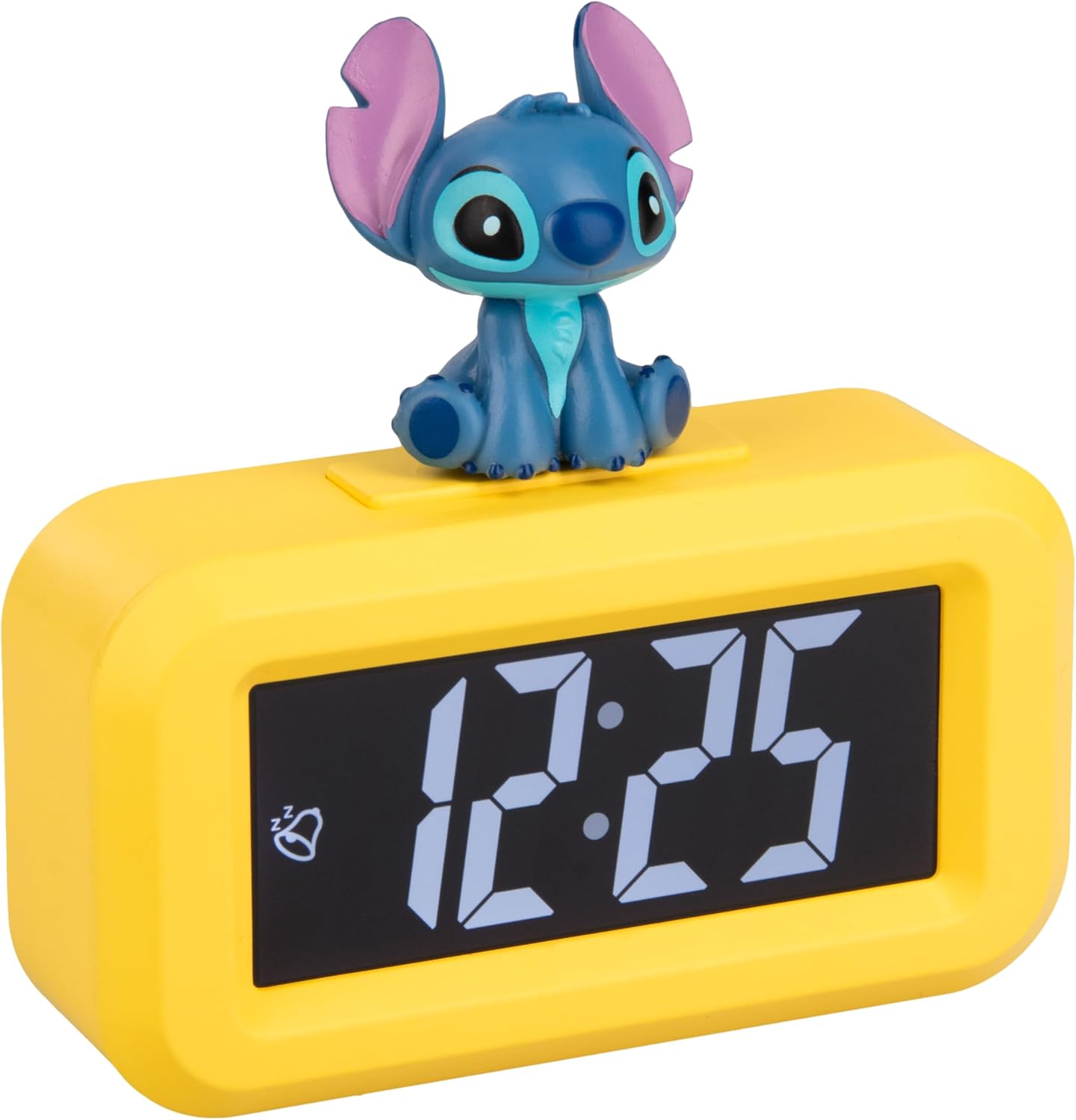
Figure 1: Paladone Stitch Mini Digital Alarm Clock showing 13:00 on its display.
Setup
Battery Installation:
- Locate the battery compartment cover on the back or bottom of the alarm clock.
- Open the battery compartment cover.
- Insert 2 x AAA batteries (not included), ensuring correct polarity (+/-) as indicated inside the compartment.
- Replace the battery compartment cover securely.
Operating Instructions
Setting the Time:
- Press the 'SET' button (or similar, usually on the back). The hour digits will start flashing.
- Use the 'HOUR' button (or '+' button) to adjust the hour.
- Press 'SET' again. The minute digits will start flashing.
- Use the 'MINUTE' button (or '+' button) to adjust the minutes.
- Press 'SET' one more time to confirm and exit time setting mode.
Setting the Alarm:
- Press the 'ALARM SET' button (or similar). The alarm hour digits will start flashing.
- Use the 'HOUR' button to adjust the alarm hour.
- Press 'ALARM SET' again. The alarm minute digits will start flashing.
- Use the 'MINUTE' button to adjust the alarm minutes.
- Press 'ALARM SET' to confirm.
- To activate or deactivate the alarm, locate the 'ALARM ON/OFF' switch or button, usually on the side or back. An alarm icon on the display indicates it is active.
Snooze Function:

Figure 2: Hand pressing the Stitch figure on top of the Paladone Mini Digital Alarm Clock.
- When the alarm sounds, tap the Stitch figure on top of the clock. This will temporarily silence the alarm and activate the snooze function for a short period (typically 5-9 minutes).
- The alarm will sound again after the snooze period ends.
- To turn off the alarm completely, press any other button on the clock (refer to specific button labels if available).
Maintenance
- Clean the clock with a soft, dry cloth.
- Do not use abrasive cleaners, solvents, or harsh chemicals, as these may damage the surface.
- Do not immerse the clock in water or expose it to excessive moisture.
Troubleshooting
| Problem | Possible Cause | Solution |
|---|---|---|
| Clock does not turn on or display is blank. | Batteries are dead or incorrectly inserted. | Check battery polarity and replace with fresh AAA batteries. |
| Alarm does not sound. | Alarm is not set or is deactivated. | Ensure the alarm time is set correctly and the alarm function is activated (check for alarm icon on display). |
| Snooze function not working. | Stitch figure not tapped correctly or alarm was turned off. | Ensure you tap the Stitch figure firmly when the alarm is sounding. If the alarm was turned off, it will not snooze. |
Specifications

Figure 3: Product packaging showing key features and dimensions.
- Brand: Paladone
- Model: 14951
- Color: Multicolor
- Display Type: Digital
- Special Feature: Musical Alarm, Snooze (via Stitch figure)
- Product Dimensions: 9 cm (L) x 3.5 cm (H)
- Power Source: 2 x AAA Batteries (not included)
- Shape: Rectangular
- Usage: Indoor
- Material: Plastic
Warranty and Support
For warranty information, product support, or to inquire about replacement parts, please refer to the original product packaging or contact your retailer directly. Keep your proof of purchase for any warranty claims.