
1. Product Overview
The RIENOK S4 Max is a powerful and versatile portable Bluetooth speaker designed for high-quality audio experiences in various environments. Featuring 40W stereo sound, dynamic LED lighting, and an IPX7 waterproof rating, it is suitable for both indoor and outdoor use. Its robust design, long battery life, and multiple connectivity options ensure your music is always with you.

Image 1.1: The RIENOK S4 Max speaker's internal structure, illustrating its 40W high-power audio system with a 50x90mm mid-bass speaker and a 31mm tweeter for rich, balanced sound.
Key Features:
- Powerful 40W Stereo Sound: Equipped with a tweeter and woofer for clear and rich audio.
- Dynamic LED Lights: Visual effects synchronize with music rhythm, enhancing the listening experience.
- IPX7 Waterproof Rating: Fully protected against water immersion and dust, ideal for outdoor and wet environments.
- Extended Battery Life: 5200mAh battery provides up to 30 hours of playback at 50% volume.
- Bluetooth 5.3: Ensures a fast, stable, and reliable wireless connection.
- Wireless Stereo Pairing (TWS): Connect two S4 Max speakers for an immersive 360° stereo sound experience.
- Multiple Playback Modes: Supports Bluetooth, AUX-in, and TF card playback.
- Built-in Microphone: Enables hands-free calling.
- Anti-Roll Design: Non-slip base prevents the speaker from rolling on surfaces.
2. Package Contents
Please check the package for the following items:
- 1 x RIENOK S4 Max Portable Bluetooth Speaker
- 1 x USB-C Charging Cable
- 1 x AUX Audio Cable
- 1 x User Manual
- 1 x Lanyard

Image 2.1: Contents of the RIENOK S4 Max package, including the speaker, cables, manual, and lanyard.
3. Product Layout and Controls
Familiarize yourself with the speaker's buttons and ports for optimal use.
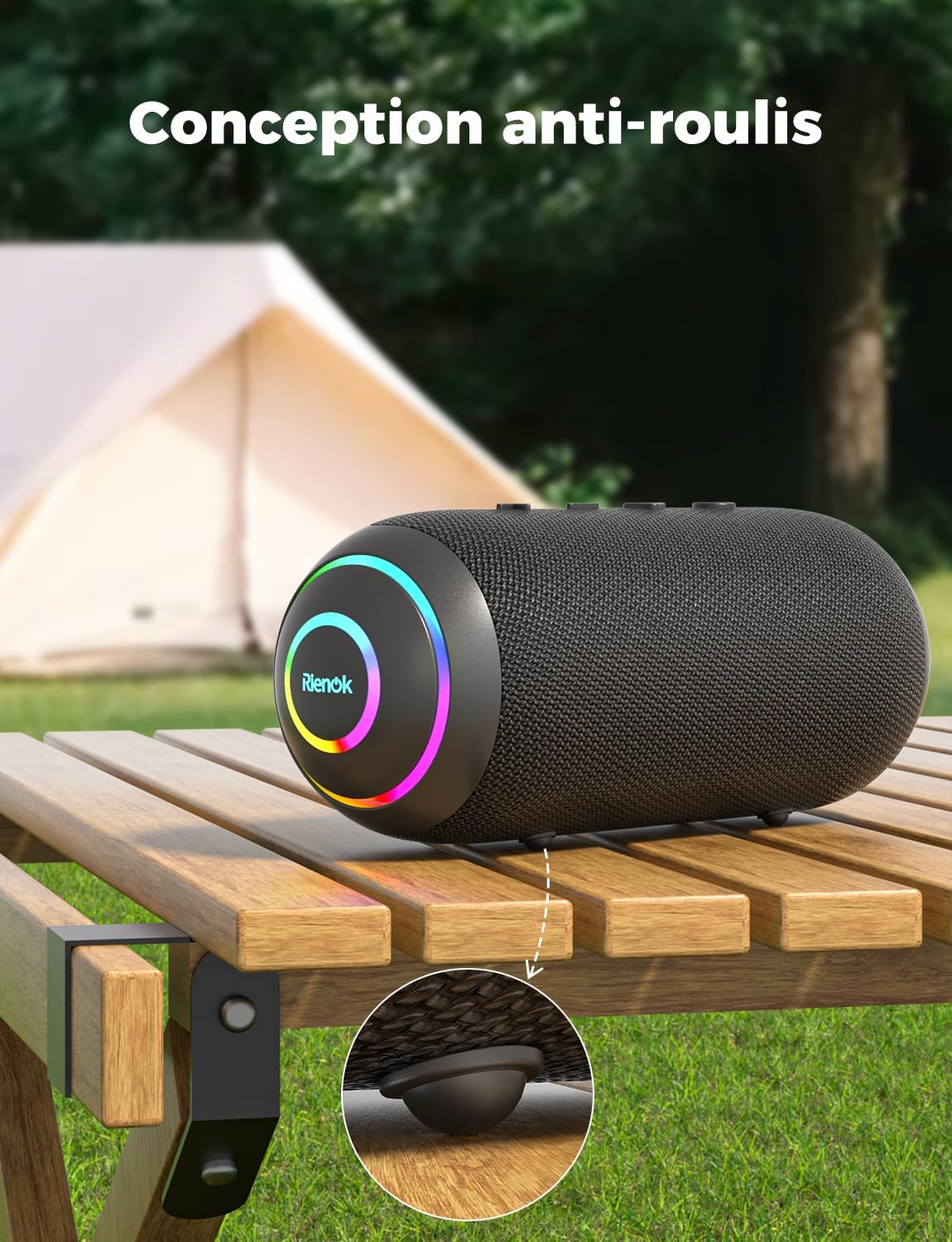
Image 3.1: Top panel controls of the RIENOK S4 Max speaker.
Button Functions:
- Power Button (⏻):
- Press and hold for 2 seconds to Power ON/OFF.
- Short press to switch LED light modes.
- Volume Down / Previous Track Button (-):
- Short press to decrease volume.
- Press and hold for 2 seconds to play the previous track.
- Play / Pause / Call Button (▶):
- Short press to Play/Pause music.
- Short press to Answer/End a call.
- Press and hold for 2 seconds to Reject a call.
- Double press to activate voice assistant.
- Volume Up / Next Track Button (+):
- Short press to increase volume.
- Press and hold for 2 seconds to play the next track.
- Mode Button (M):
- Short press to switch between Bluetooth, AUX, and TF card modes.
- Press and hold for 2 seconds to disconnect Bluetooth.
- Double press to activate TWS pairing.

Image 3.2: Connectivity ports located on the side of the RIENOK S4 Max speaker, protected by a waterproof cover.
Ports:
- USB-C Charging Port: For charging the speaker.
- AUX-in Port: For connecting external audio devices via a 3.5mm audio cable.
- TF Card Slot: For playing music directly from a MicroSD/TF card (supports up to 32GB, FAT/FAT32 format, MP3/WAV/WMA audio formats).
4. Setup and Initial Use
4.1 Charging the Speaker
Before first use, fully charge the speaker. Connect the provided USB-C charging cable to the speaker's charging port and a compatible USB power adapter (not included). The LED indicator will show charging status and turn off when fully charged.

Image 4.1: Charging the RIENOK S4 Max speaker using the USB-C cable.
4.2 Powering On/Off
- To power on, press and hold the Power Button for 2 seconds. You will hear an audible prompt.
- To power off, press and hold the Power Button for 2 seconds. You will hear an audible prompt.
4.3 Bluetooth Pairing
- Power on the RIENOK S4 Max speaker. It will automatically enter Bluetooth pairing mode, indicated by a flashing LED light.
- On your device (smartphone, tablet, laptop), enable Bluetooth and search for available devices.
- Select "RIENOK S4 Max" from the list of devices.
- Once connected, the speaker will emit an audible confirmation, and the LED light will remain solid or display a steady pattern.

Image 4.2: Bluetooth 5.3 pairing process with a smartphone.
Note: The speaker will automatically attempt to reconnect to the last paired device when powered on.
4.4 True Wireless Stereo (TWS) Pairing
To achieve an immersive 360° stereo sound, you can pair two RIENOK S4 Max speakers together.
- Ensure both RIENOK S4 Max speakers are powered on and not connected to any Bluetooth device.
- On one of the speakers (this will be the primary speaker), double press the Mode Button (M). The speaker will enter TWS pairing mode, indicated by a specific LED flash pattern.
- The two speakers will automatically connect to each other. Once connected, you will hear an audible confirmation.
- Now, connect your device to the primary speaker via Bluetooth as described in section 4.3. The audio will play in stereo through both speakers.

Image 4.3: Wireless stereo pairing (TWS) of two RIENOK S4 Max speakers.
Note: TWS pairing only works between two identical RIENOK S4 Max speakers.
5. Operating Instructions
5.1 Playing Music
- Bluetooth Mode: After successful Bluetooth pairing, open your music application on your device and start playback.
- AUX Mode: Insert the 3.5mm AUX audio cable into the speaker's AUX-in port and the other end into your audio device's headphone jack. The speaker will automatically switch to AUX mode. If not, short press the Mode Button (M) to select AUX mode.
- TF Card Mode: Insert a TF card (with supported audio files) into the TF card slot. The speaker will automatically switch to TF card mode and begin playback. If not, short press the Mode Button (M) to select TF card mode.
5.2 Volume and Track Control
- Volume Up: Short press the + Button.
- Volume Down: Short press the - Button.
- Next Track: Press and hold the + Button for 2 seconds.
- Previous Track: Press and hold the - Button for 2 seconds.
- Play/Pause: Short press the Play/Pause Button.
5.3 Hands-Free Calling
When connected via Bluetooth to a smartphone, the speaker can be used for hands-free calls.
- Answer/End Call: Short press the Play/Pause Button.
- Reject Call: Press and hold the Play/Pause Button for 2 seconds.

Image 5.1: Using the integrated microphone for hands-free communication.
5.4 LED Light Control
The RIENOK S4 Max features dynamic LED lights that can be adjusted.
- Change Light Mode: Short press the Power Button to cycle through different LED light modes.
- Turn Off Lights: Continue pressing the Power Button until the lights turn off.

Image 5.2: Dynamic RGB lighting effects of the RIENOK S4 Max speaker.
6. Maintenance
6.1 Cleaning
- Wipe the speaker with a soft, damp cloth.
- Do not use abrasive cleaners, alcohol, or chemical solvents, as these may damage the surface.
- Ensure the charging port and other openings are free of dust and debris.
6.2 Waterproof Considerations (IPX7)
The RIENOK S4 Max is IPX7 waterproof, meaning it can be immersed in water up to 1 meter for 30 minutes. To maintain its waterproof integrity:
- Always ensure the rubber port cover on the side of the speaker is firmly and completely sealed before exposing it to water.
- Do not expose the speaker to saltwater or chlorinated water for extended periods. Rinse with fresh water after exposure to such liquids.
- Do not charge the speaker if it or the charging port is wet. Ensure all ports are completely dry before charging.

Image 6.1: The RIENOK S4 Max speaker's IPX7 waterproof capability, shown submerged in water. Always ensure the port cover is sealed.
6.3 Storage
- Store the speaker in a cool, dry place away from direct sunlight and extreme temperatures.
- If storing for an extended period, charge the battery to approximately 50% every few months to prolong battery life.
7. Troubleshooting
If you encounter issues with your RIENOK S4 Max speaker, please refer to the following common problems and solutions:
| Problem | Possible Cause | Solution |
|---|---|---|
| Speaker does not power on. | Low battery. | Charge the speaker fully. |
| Cannot pair via Bluetooth. | Bluetooth not enabled on device; speaker not in pairing mode; too far from device; interference. |
|
| No sound or low volume. | Volume too low on speaker or device; incorrect input mode; paused playback. |
|
| TWS pairing fails. | Speakers already connected to another device; not in TWS pairing mode. |
|
| Speaker not waterproof. | Port cover not properly sealed. | Always ensure the rubber port cover is firmly and completely sealed before exposing the speaker to water. |
8. Specifications
| Feature | Detail |
|---|---|
| Model Number | S4 Max |
| Speaker Output Power | 40 Watts |
| Bluetooth Version | 5.3 |
| Battery Capacity | 5200 mAh |
| Playback Time | Up to 30 hours (at 50% volume) |
| Waterproof Rating | IPX7 |
| Frequency Response | 20 KHz |
| Audio Channels | 2.0 (Stereo) |
| Control Method | Application, Touch |
| Connectivity | Bluetooth, AUX, TF Card |
| Dimensions (L x W x H) | 21 cm x 10 cm x 10 cm (approx.) |
| Compatible Devices | Smartphones, Laptops, Tablets |
9. Warranty and Support
9.1 Manufacturer's Warranty
The RIENOK S4 Max Portable Bluetooth Speaker comes with a 2-year manufacturer's warranty from the date of purchase. This warranty covers manufacturing defects and workmanship under normal use. It does not cover damage caused by misuse, accidents, unauthorized modifications, or normal wear and tear.
Please retain your proof of purchase for warranty claims.
9.2 Customer Support
For any questions, technical assistance, or warranty claims, please contact RIENOK customer support through the retailer where you purchased the product or visit the official RIENOK website for contact information.
Website: RIENOK Official Store (for general brand information)


