
Introduction
This manual provides essential instructions for the safe and efficient operation, maintenance, and troubleshooting of your Litheli Portable Power Station 300SE. Please read this manual thoroughly before using the product and retain it for future reference.
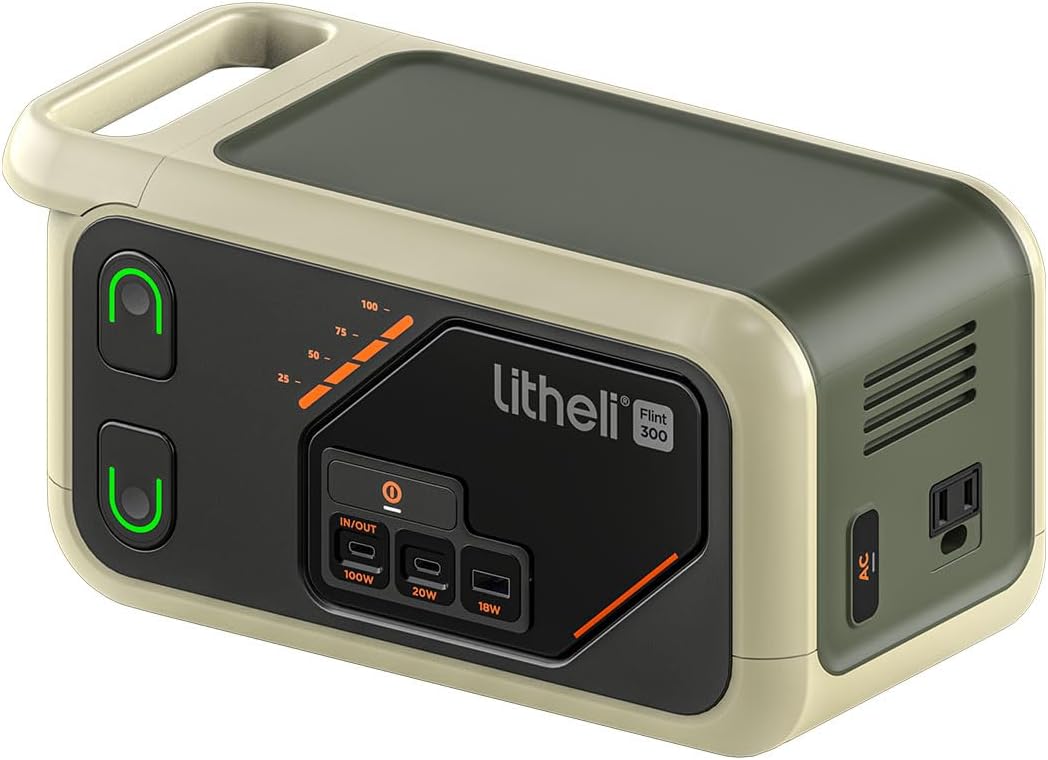
Image: Front view of the Litheli Portable Power Station 300SE, showcasing its compact design and output ports.
Safety Instructions
Observe the following safety precautions to prevent electric shock, fire, or injury:
- Do not disassemble, repair, or modify the unit.
- Do not place the unit near fire or expose it to direct sunlight.
- Do not charge, use, or store the unit in a bathroom or in an area exposed to water.
- Use only the provided or approved accessories.
- Keep the unit away from children and pets.
- Do not use or store the unit in a high-temperature environment.
- Handle with care; avoid dropping or subjecting the unit to strong impacts.
- Ensure proper ventilation during use and charging.
Package Contents
Verify that all items are present in your package. If any items are missing or damaged, contact customer support.
- Litheli Portable Power Station 300SE
- AC Power Adapter
- USB-C to USB-C Cable
- User Manual
Product Overview
Familiarize yourself with the various components and ports of your power station.

Image: Diagram illustrating the Litheli Portable Power Station 300SE with numbered labels pointing to its various features and ports.
- Battery Indicator Light: Displays current battery level.
- Main Power Switch: Turns the unit on/off.
- U-Battery: (Refers to the internal battery system.)
- Type-C Two-way Port (100W): Supports both input and output at up to 100W.
- Type-C Port (20W): Output port for USB-C devices.
- USB-A Port (18W): Output port for USB-A devices.
- Atmospheric Light Strip: Provides ambient lighting.
- AC Branch Switch: Activates/deactivates the AC output.
- AC Output Port: Standard 110V AC outlet.
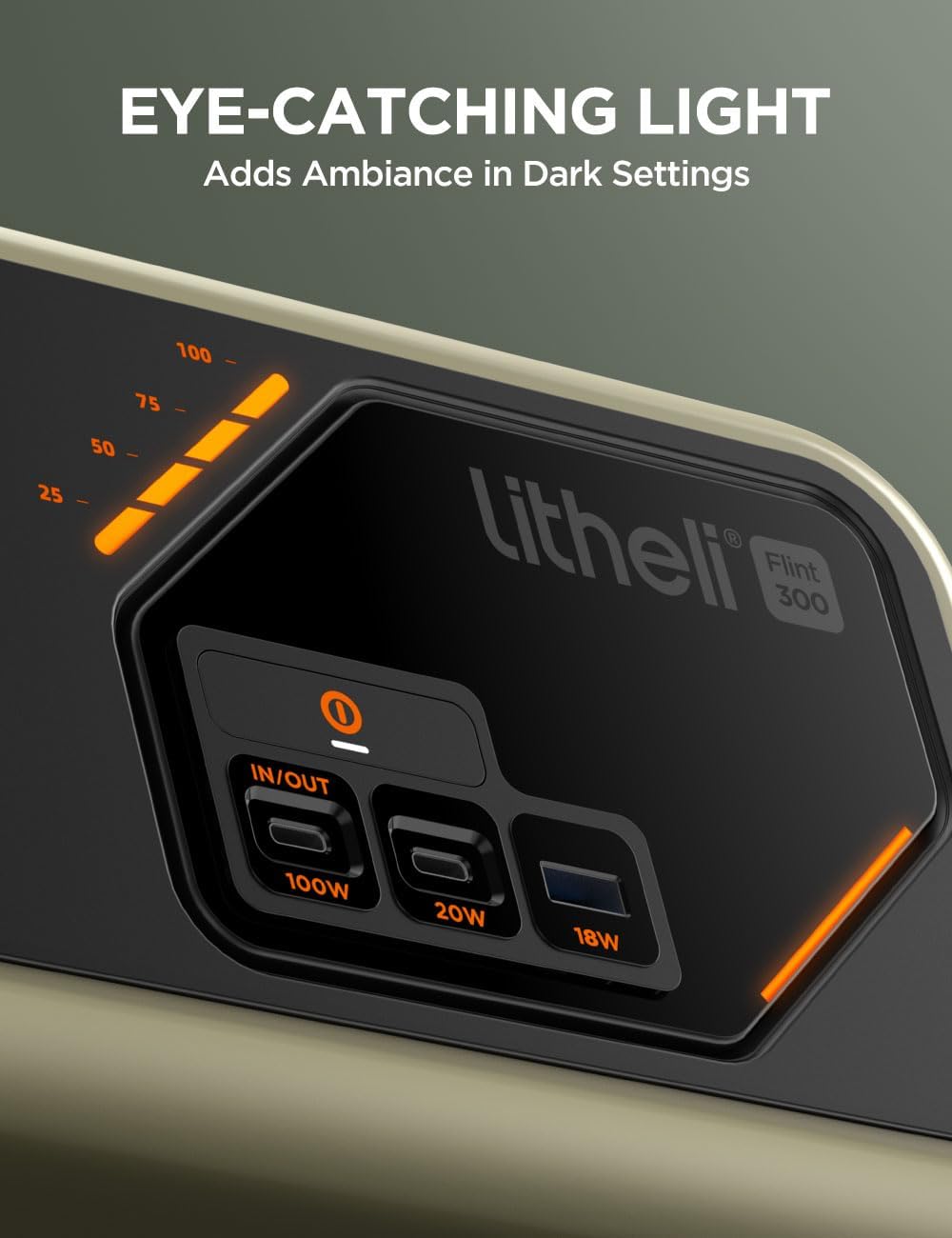
Image: A detailed view of the power station's control panel, highlighting the LED display, USB-C (100W, 20W), and USB-A (18W) ports, along with the atmospheric light strip.
Setup
Before initial use, fully charge the power station. This ensures optimal battery performance and calibration.
- Unpacking: Carefully remove the power station and all accessories from the packaging.
- Initial Charge: Connect the AC power adapter to the power station's input port and then to a wall outlet. Allow the unit to charge until the battery indicator shows 100%.
- Power On: Press and hold the Main Power Switch to turn on the unit. The LED display will illuminate.
Operating Instructions
The Litheli 300SE provides multiple output options for various devices.
Using DC/USB Outputs
- Ensure the main power switch is ON.
- Connect your device to the appropriate USB-A (18W), USB-C (20W), or Type-C Two-way (100W) port.
- The power station will automatically begin charging or powering your device.
Using AC Output
- Ensure the main power switch is ON.
- Press the AC Branch Switch to activate the AC outlet. The AC indicator on the display will light up.
- Plug your AC device into the 110V AC Output Port.
- To turn off the AC output, press the AC Branch Switch again.
- Note: The AC output is a Pure Sine Wave, suitable for sensitive electronics. Do not exceed the maximum output wattage of 300W.

Image: The power station in two scenarios: powering a laptop outdoors on a mountain trail, and providing backup power for a laptop, gaming console, and headphones indoors.

Image: The power station placed on a wooden table outdoors, connected to and powering a drone, a camera, and other devices, demonstrating its multi-device charging capability.
Charging the Power Station
The Litheli 300SE can be recharged using multiple methods.
- AC Wall Outlet: Use the included AC power adapter. Charging time will vary.
- USB-C PD (100W): Connect a compatible USB-C PD charger to the Type-C Two-way port. This port also supports fast input.
- Solar Panel (Optional): Connect a compatible solar panel (not included) to the designated input port. Ensure the solar panel's output voltage and current are within the power station's specifications.
The LED display will show the charging status and current battery percentage during charging.
Maintenance
Proper maintenance ensures the longevity and performance of your power station.
- Storage: Store the unit in a cool, dry place, away from direct sunlight and extreme temperatures. For long-term storage, charge the unit to 50-80% every 3-6 months to preserve battery health.
- Cleaning: Use a dry, soft cloth to clean the exterior of the unit. Do not use abrasive cleaners or solvents.
- Battery Care: Avoid fully discharging the battery frequently. It is recommended to recharge the unit before it drops below 20% capacity.
Troubleshooting
If you encounter issues, refer to the following common problems and solutions:
| Problem | Possible Cause | Solution |
|---|---|---|
| Unit does not turn on. | Battery is depleted; Main Power Switch is off. | Charge the unit; Press and hold the Main Power Switch. |
| AC output not working. | AC Branch Switch is off; Device exceeds 300W; Overload protection activated. | Press AC Branch Switch; Check device wattage; Disconnect device and restart AC output. |
| USB ports not charging. | Main Power Switch is off; Cable is faulty; Device is incompatible. | Turn on unit; Try a different cable; Verify device compatibility. |
| Slow charging. | Using a low-power charger; High ambient temperature. | Use the included AC adapter or a 100W USB-C PD charger; Charge in a cooler environment. |
Specifications
Detailed technical specifications for the Litheli Portable Power Station 300SE.
| Feature | Detail |
|---|---|
| Model Name | B300SE |
| Capacity | 255Wh |
| AC Output | 110V Pure Sine Wave, 300W (Max) |
| USB-C Input/Output | 100W Power Delivery (Two-way) |
| USB-C Output | 20W |
| USB-A Output | 18W |
| Power Source | Battery Powered |
| Product Dimensions | 12.8"L x 7.32"W x 7.32"H |
| Special Feature | Lightweight |
| UPC | 810200213298 |

Image: Diagram showing the length (12.8"), width (7.32"), and height (7.32") dimensions of the Litheli Portable Power Station 300SE.
Warranty Information
The Litheli Portable Power Station 300SE comes with a 2-year warranty from the date of purchase. This warranty covers defects in materials and workmanship under normal use. It does not cover damage caused by misuse, accidents, unauthorized modifications, or natural disasters. Please retain your proof of purchase for warranty claims.
Customer Support
For technical assistance, warranty claims, or general inquiries, please contact Litheli customer support. You can find contact information and additional resources by visiting the official Litheli store or website.


