
1. Introduction
Thank you for choosing the AOSRAU BS01 Wireless Earbuds. These clip-ear earbuds are designed for comfort and high-quality audio, featuring Bluetooth 5.4 connectivity, IP7 waterproofing, and intuitive touch controls. This manual provides essential information for setting up, operating, and maintaining your earbuds to ensure optimal performance.
2. Package Contents
- AOSRAU BS01 Wireless Earbuds (Left and Right)
- Charging Case
- USB-C Charging Cable ×1
- User Manual
3. Product Overview
Familiarize yourself with the components of your AOSRAU BS01 Wireless Earbuds.

Figure 3.1: AOSRAU BS01 Wireless Earbuds and Charging Case. The case features a digital display for battery percentage.

Figure 3.2: Illustration of the ergonomic clip-ear design for comfortable and secure fit, highlighting the foldable earhooks and silicone gasket.

Figure 3.3: Diagram showing the multi-core dynamic coil horn for stereo surround sound, designed for balanced high, middle, and low frequencies.
4. Setup
4.1 Charging the Earbuds and Case
Before first use, fully charge the earbuds and charging case.
- Place the earbuds into the charging case.
- Connect the USB-C charging cable to the charging port on the case and to a power source.
- The digital display on the case will show the charging status. A full charge for the case takes approximately 1.5 hours.

Figure 4.1: Image displaying the earbuds and charging case with battery life indicators: 1.5 hours quick charge, 6 hours play time, 36 hours total battery life with case.
4.2 Bluetooth Pairing
To connect your earbuds to a device:
- Open the charging case. The earbuds will automatically enter pairing mode.
- On your device (smartphone, tablet, etc.), enable Bluetooth.
- Search for available Bluetooth devices and select "BS01" from the list.
- Once connected, you will hear a confirmation tone, and the device will show "Connected."

Figure 4.2: Earbuds and charging case next to a smartphone screen showing Bluetooth connection, illustrating stable and fast connectivity for iOS and Windows devices.
5. Operating Instructions
5.1 Wearing the Earbuds
The BS01 earbuds feature an open-ear, clip-ear design for comfort and situational awareness.
- Gently clip the earbud onto your ear, ensuring the speaker is positioned correctly for optimal sound.
- Adjust the earhook for a secure and comfortable fit.

Figure 5.1: Lifestyle images of individuals using the BS01 earbuds in various settings, highlighting their adaptive design for work, workouts, and daily activities.
5.2 Touch Controls
The BS01 earbuds are equipped with high-precision touch sensors for convenient control:
- Play/Pause: Single tap on either earbud.
- Next Song: Double tap on the right earbud.
- Previous Song: Double tap on the left earbud.
- Volume Up: Triple tap on the right earbud.
- Volume Down: Triple tap on the left earbud.
- Answer/End Call: Single tap on either earbud during an incoming call.
- Reject Call: Press and hold either earbud for 2 seconds during an incoming call.
- Activate Voice Assistant: Press and hold either earbud for 3 seconds.
6. Maintenance
To ensure the longevity and optimal performance of your earbuds:
- Cleaning: Use a soft, dry cloth to clean the earbuds and charging case. Avoid using harsh chemicals or abrasive materials.
- Water Resistance: The earbuds are IPX7 water-resistant, meaning they can withstand light rain and sweat. Do not submerge them in water or expose them to strong jets of water. Ensure they are dry before placing them back in the charging case.
- Storage: Store the earbuds in their charging case when not in use to protect them and keep them charged. Avoid extreme temperatures.
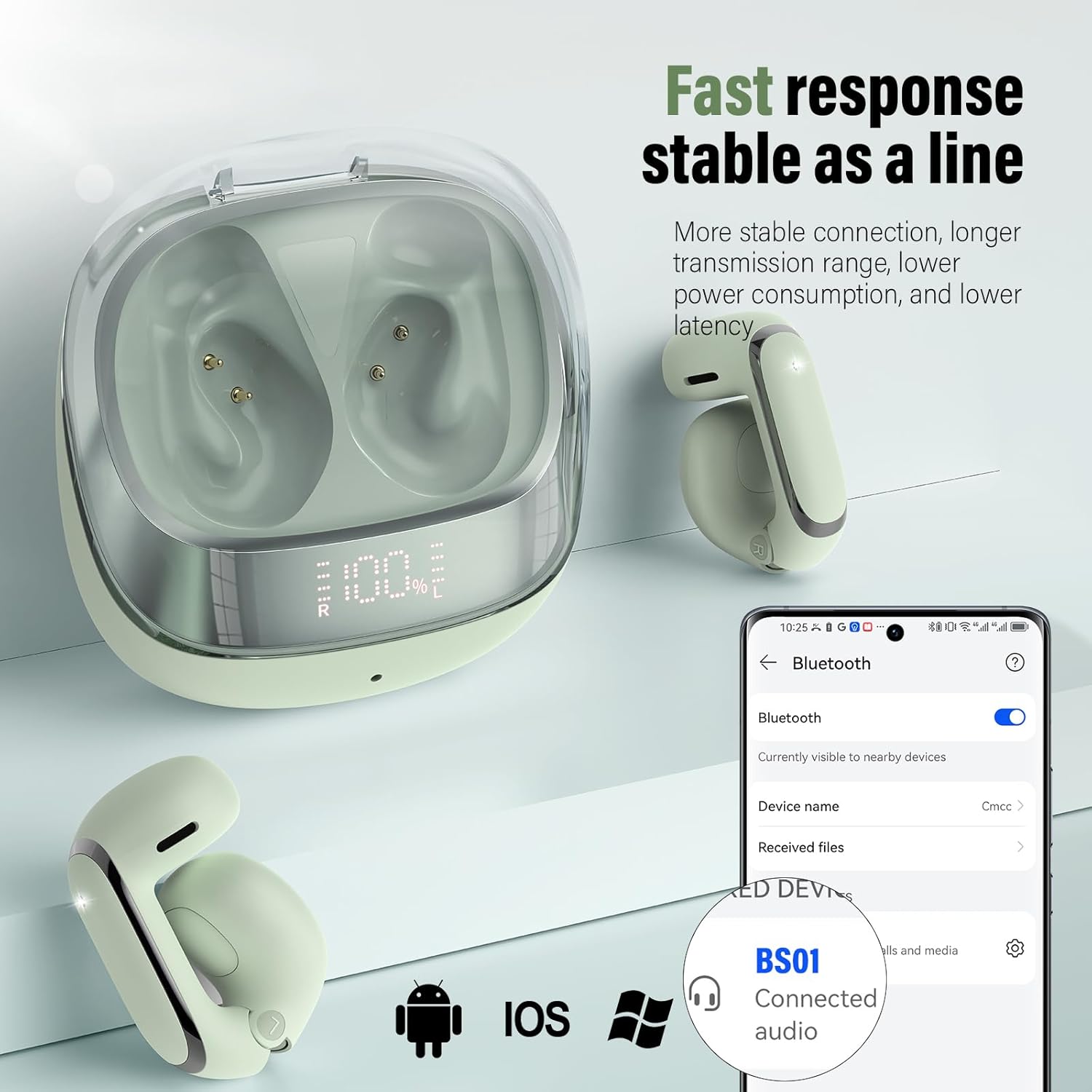
Figure 6.1: Visual representation of IPX7 water resistance, showing earbuds in water droplets, indicating waterproof, rain-proof, and sweat-proof capabilities. Note: Do not soak.
7. Troubleshooting
If you encounter issues with your AOSRAU BS01 Wireless Earbuds, refer to the following common solutions:
- Earbuds not pairing: Ensure both earbuds are charged. Turn off and on your device's Bluetooth. Try resetting the earbuds (refer to manufacturer's website for specific reset instructions if needed).
- No sound from one earbud: Place both earbuds back in the case, close it, then open it again. Re-pair with your device.
- Charging issues: Check the USB-C cable and power adapter. Ensure the charging contacts on the earbuds and case are clean and dry.
- Poor sound quality: Ensure the earbuds are properly seated in your ears. Move closer to your connected device to avoid interference.
8. Specifications
| Model Name | BS01 |
| Brand | AOSRAU |
| Connectivity Technology | Wireless (Bluetooth 5.4) |
| Ear Placement | Open Ear |
| Form Factor | Clip Ear |
| Microphones | 4 HD Microphones |
| Water Resistance Rating | IPX7 |
| Battery Life (Earbuds) | Up to 6 hours (single charge) |
| Total Battery Life (with Case) | Up to 42 hours |
| Charging Time (Case) | Approx. 1.5 hours |
| Battery Type | Lithium Polymer (Rechargeable) |
| Included Components | USB-C cable ×1 |
| Manufacturer | Shenzhen Shengdaren Technology Co.,Ltd |
9. Warranty and Support
For warranty information and customer support, please refer to the documentation provided with your purchase or visit the official AOSRAU website. Keep your proof of purchase for any warranty claims.


