
1. Product Overview
The Donerton Wireless Earbuds Model I66 are designed to provide a high-quality audio experience with advanced features such as Bluetooth 5.4 connectivity, noise cancellation, and an LED power display. These earbuds are suitable for various activities, including sports, and are compatible with a wide range of devices.

Image 1.1: Donerton Wireless Earbuds Model I66 in their charging case, displaying battery percentage.
2. What's in the Box
Upon opening your Donerton Wireless Earbuds package, you should find the following components:
- Charging Case (x1)
- Wireless Earbuds (x2)
- Replacement Ear Caps (x4)
- Type-C Charging Cable (x1)
- Instruction Book (x1)
3. Setup
3.1 Initial Charging
Before first use, fully charge the earbuds and the charging case. Connect the provided Type-C charging cable to the charging port on the case and a suitable USB power source. The LED display on the charging case will indicate the charging status and battery level.

Image 3.1: The charging case and earbuds offer up to 45 hours of total playtime, with USB-C fast charging.
A full charge for the case typically takes 1.5 hours. The earbuds provide 6-8 hours of continuous playback on a single charge, and the charging case offers an additional 37 hours of battery life.
3.2 Pairing with Your Device
- Power On: Open the charging case. The earbuds will automatically power on and enter pairing mode.
- Activate Bluetooth: On your device (smartphone, tablet, laptop), go to the Bluetooth settings and ensure Bluetooth is enabled.
- Select Device: Look for "I66" in the list of available Bluetooth devices and select it to connect.
- Confirmation: Once connected, you will hear an audio prompt, and the earbuds will be ready for use.
After the initial pairing, the earbuds will automatically connect to your device when taken out of the charging case, provided Bluetooth is active on your device.

Image 3.2: Visual representation of the one-step pairing process and smart touch control functions.
The earbuds utilize Bluetooth 5.4 technology for a stable and efficient connection, with a range of up to 15 meters.

Image 3.3: Benefits of Bluetooth 5.4, including increased connection range, stability, and transfer speed.
4. Operating Instructions
4.1 Power On/Off
- Power On: Open the charging case, and the earbuds will automatically power on.
- Power Off: Place the earbuds back into the charging case and close the lid. They will automatically disconnect and power off.
4.2 Touch Controls
The Donerton I66 earbuds feature highly sensitive touch sensors for various functions:
| Function | Action |
|---|---|
| Answer Call | Single tap on either earbud |
| Hang Up Call | Single tap on either earbud during a call |
| Volume Down | Tap and hold left earbud |
| Volume Up | Tap and hold right earbud |
| Play/Pause Music | Single tap on either earbud |
| Previous Track | Double tap left earbud |
| Next Track | Double tap right earbud |
| Activate Voice Assistant (Siri, Google Assistant) | Triple tap on either earbud |
4.3 Call Functionality
The earbuds are equipped with built-in microphones and CVC algorithm technology to filter out surrounding noise, ensuring clear conversations. Refer to the touch controls table for managing calls.
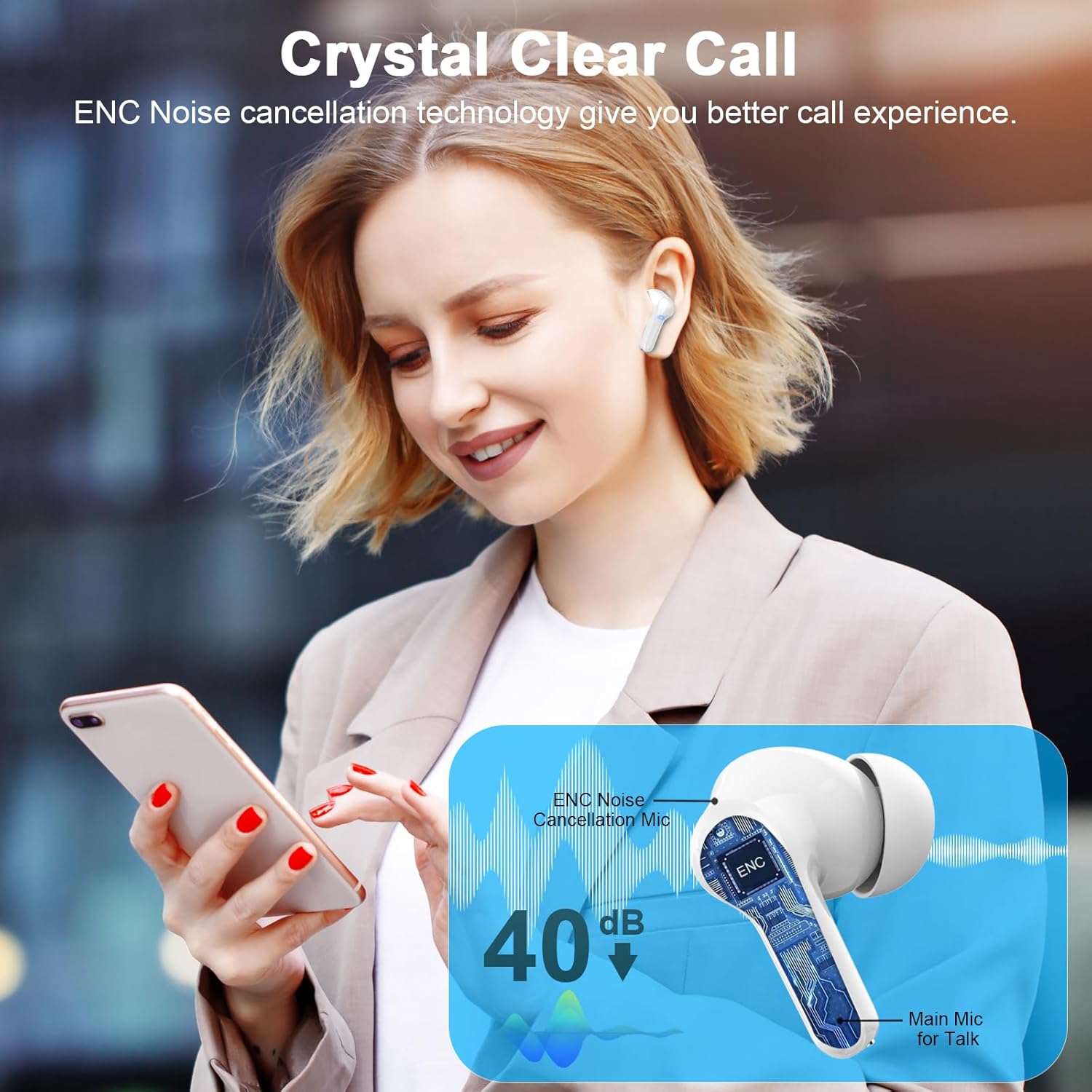
Image 4.1: The earbuds feature ENC noise cancellation for clear calls, reducing ambient noise.
4.4 Audio Experience
The Donerton I66 earbuds feature 13mm dynamic drivers and ultra-sensitive polymer diaphragms, delivering a balanced audio framework for powerful bass and clear treble.

Image 4.2: Internal components of the earbud, highlighting the 13mm dynamic driver responsible for Hi-Fi stereo sound.
5. Maintenance
5.1 Cleaning
- Gently wipe the earbuds and charging case with a soft, dry, lint-free cloth.
- Do not use abrasive cleaners, solvents, or aerosol sprays.
- Remove ear tips and clean them separately with mild soap and water if necessary, ensuring they are completely dry before reattaching.
5.2 Storage
- Store the earbuds in their charging case when not in use to protect them and keep them charged.
- Avoid storing in extreme temperatures or high humidity.
The earbuds feature an IP7 waterproof rating, making them resistant to sweat and light rain, suitable for sports and workouts. However, they are not designed for swimming or submersion in water.

Image 5.1: The earbuds feature an ergonomic design for a secure fit and an IP7 waterproof rating for durability.
6. Troubleshooting
| Problem | Solution |
|---|---|
| Earbuds not pairing |
|
| Only one earbud working |
|
| Low volume or poor sound quality |
|
| Earbuds not charging |
|
7. Specifications
- Model Name: I66
- Brand: Donerton
- Connectivity Technology: Wireless (Bluetooth)
- Bluetooth Version: 5.4
- Bluetooth Range: 15 Meters
- Audio Driver Type: Dynamic Driver
- Audio Driver Size: 13 Millimeters
- Frequency Range: 20 Hz - 20,000 Hz
- Battery Life (Earbuds): 6-8 Hours (continuous playback)
- Total Playtime (with Charging Case): Up to 45 Hours
- Charging Time (Case): 1.5 Hours (USB-C)
- Control Type: Touch Control
- Microphones: 4 (with CVC Noise Cancellation)
- Water Resistance Level: IP7 Waterproof
- Ear Placement: In Ear
- Item Weight: 3.9g per earbud
- Compatible Devices: iOS 9.0/Android 5.0 or later and Bluetooth 5.0 or later devices (e.g., cellphones, tablets, laptops).
8. Warranty and Support
For warranty information and customer support, please refer to the official Donerton website or contact the seller directly. Keep your purchase receipt for warranty claims.
Manufacturer: Donerton


