
1. Introduction
Thank you for choosing the Philips SFL2124 LED Rechargeable Flashlight. This manual provides essential information for the safe and efficient use of your new flashlight. Please read these instructions carefully before use and retain them for future reference.
2. Safety Information
- Do not look directly into the LED light. The intense light can cause temporary vision impairment.
- Keep out of reach of children.
- Do not disassemble or modify the flashlight. This may cause damage and void the warranty.
- Use only the provided Type-C charging cable or a compatible certified cable.
- Avoid exposing the flashlight to extreme temperatures or direct sunlight for prolonged periods.
- Although water-resistant, do not submerge the flashlight in water.
3. Package Contents
Verify that all items are present in your package:
- Philips SFL2124 LED Flashlight
- Type-C USB Charging Cable
- Wrist Lanyard
- User Manual (this document)
- Product Warranty Card

Image: Philips SFL2124 Flashlight, its retail box, Type-C charging cable, and documentation including the warranty card.
4. Product Overview
The Philips SFL2124 features a durable metal body, a rubber power switch, and a telescopic head for zoom functionality.

Image: The Philips SFL2124 flashlight highlighting its telescopic zoom, four light modes, stepless dimming, and Type-C charging port.
5. Setup
Initial Charging
Before first use, fully charge the flashlight. Connect the Type-C charging cable to the flashlight's charging port and plug the other end into a USB power source (e.g., wall adapter, computer USB port). The battery indicator will show red when below 30% charge and green when above 30% or fully charged. Charging typically takes approximately 3 hours.
6. Operating Instructions
Power On/Off and Mode Selection
The flashlight features a rubber switch for easy control.
- First tap: Activates Strong Light mode.
- Second tap: Switches to Soft Light mode.
- Double tap quickly: Activates or deactivates Flash-SOS mode.
- Press and hold: Turns the flashlight off from any mode.

Image: Diagram illustrating the four mode selections (Strong Light, Low Light, Flash, SOS) and the rubber switch for single-hand control.
Telescopic Zoom
Adjust the beam focus by extending or retracting the flashlight head. Extend the head for a focused, long-range beam, and retract it for a wider floodlight illumination.
Stepless Dimming
While the flashlight is on in Strong or Soft Light mode, press and hold the power button to continuously adjust the brightness level from 15% to 100%. Release the button when the desired brightness is reached.
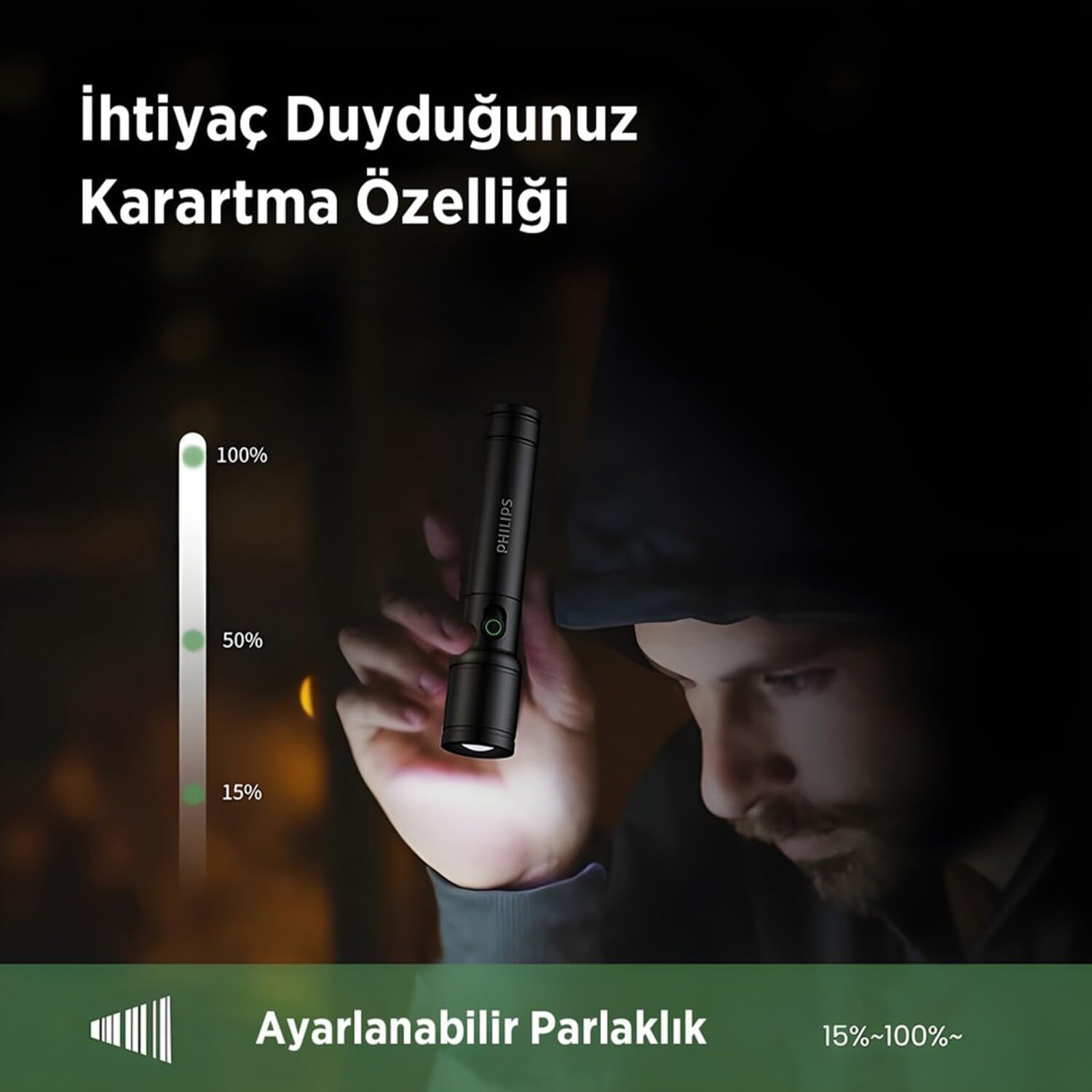
Image: Illustration of the adjustable brightness feature, showing a flashlight beam dimming from 100% to 15% output.
7. Charging
The Philips SFL2124 uses a 18650 Lithium Ion battery (1200 mAh) and charges via a Type-C port. The battery status indicator light provides a visual cue for the charge level:
- Red light: Battery charge is below 30%.
- Green light: Battery charge is 30% or above, or fully charged.
Ensure the flashlight is turned off during charging for optimal performance.
8. Maintenance
Cleaning
Wipe the flashlight with a soft, damp cloth. Do not use abrasive cleaners or solvents. Keep the lens clean for optimal light output.
Storage
Store the flashlight in a cool, dry place away from direct sunlight and extreme temperatures. If storing for an extended period, charge the battery every 3-6 months to maintain battery health.
9. Troubleshooting
| Problem | Possible Cause | Solution |
|---|---|---|
| Flashlight does not turn on. | Low battery or depleted battery. | Charge the flashlight fully. |
| Light is dim or flickers. | Low battery. Dirty lens. | Charge the flashlight. Clean the lens with a soft cloth. |
| Flashlight does not charge. | Faulty charging cable or power source. Charging port obstruction. | Try a different Type-C cable and USB power source. Check the charging port for debris. |
| Zoom function is stiff. | Dirt or debris in the mechanism. | Gently clean the telescopic mechanism. Do not force it. |
10. Specifications
The Philips SFL2124 is designed for reliable performance with the following specifications:

Image: Visual representation of key product features including stepless dimming, telescopic zoom, and aluminum alloy material.
| Feature | Detail |
|---|---|
| Model Number | SFL2124 |
| Light Output | ≤ 250 Lumens (max.) |
| LED Power | 5W |
| Lighting Modes | Strong light, Soft light, Flashing/SOS |
| Zoom Feature | Telescopic zoom (focused and wide illumination) |
| Dimming | Stepless Dimming (15%-100%) |
| Battery Type | 18650 Lithium Ion Battery (1200 mAh) |
| Charging Time | ~3 hours |
| Charging Input | Type-C |
| Battery Status Indicator | Present (red below 30%, green above 30%) |
| Drop Resistance | 1 meter |
| Water Resistance Level | Water Resistant |
| Material | Metal (Aluminum Alloy) |
| Color | Black |
| Product Dimensions (L x W x H) | 140 x 30 x 30 mm |
| Product Weight | 0.16 Kilogram |
| Country of Origin | China |
11. Warranty and Support
Warranty Information
This Philips SFL2124 flashlight comes with a 2-Year Manufacturer Warranty from the date of purchase. Please retain your proof of purchase for warranty claims. The warranty covers defects in materials and workmanship under normal use. It does not cover damage caused by misuse, accidents, unauthorized repairs, or normal wear and tear.
Customer Support
For technical support, warranty claims, or any questions regarding your Philips SFL2124 flashlight, please contact Philips customer service. Refer to the contact information provided on your product warranty card or visit the official Philips website for your region.
