
1. Important Safety Information
Please read all instructions carefully before using the USLIM Under Desk Elliptical Machine. Retain this manual for future reference.
- Electrical Safety: Ensure the power cord is not damaged and is connected to a grounded outlet. Do not operate the machine with wet hands or in damp environments. Unplug the machine when not in use or before cleaning.
- Placement: Place the machine on a flat, stable surface. Ensure adequate space around the machine for safe operation and to prevent obstruction.
- User Safety: This machine is designed for seated use. Do not stand on the pedals. Consult a physician before starting any new exercise program, especially if you have pre-existing medical conditions or are recovering from surgery.
- Weight Limit: Do not exceed the maximum weight recommendation of 500 pounds.
- Children and Pets: Keep children and pets away from the machine during operation.
2. Product Overview
The USLIM Under Desk Elliptical Machine is an electric leg exerciser designed for low-impact cardio and rehabilitation. Its compact and quiet design makes it suitable for use in various settings, including offices and homes.
Included Components:
- ET806 Main Frame ×1
- Manuals ×1
- Remote control ×1
- Power Cord ×1
- Elastic Strip ×2
- Anti-slip Pads ×2
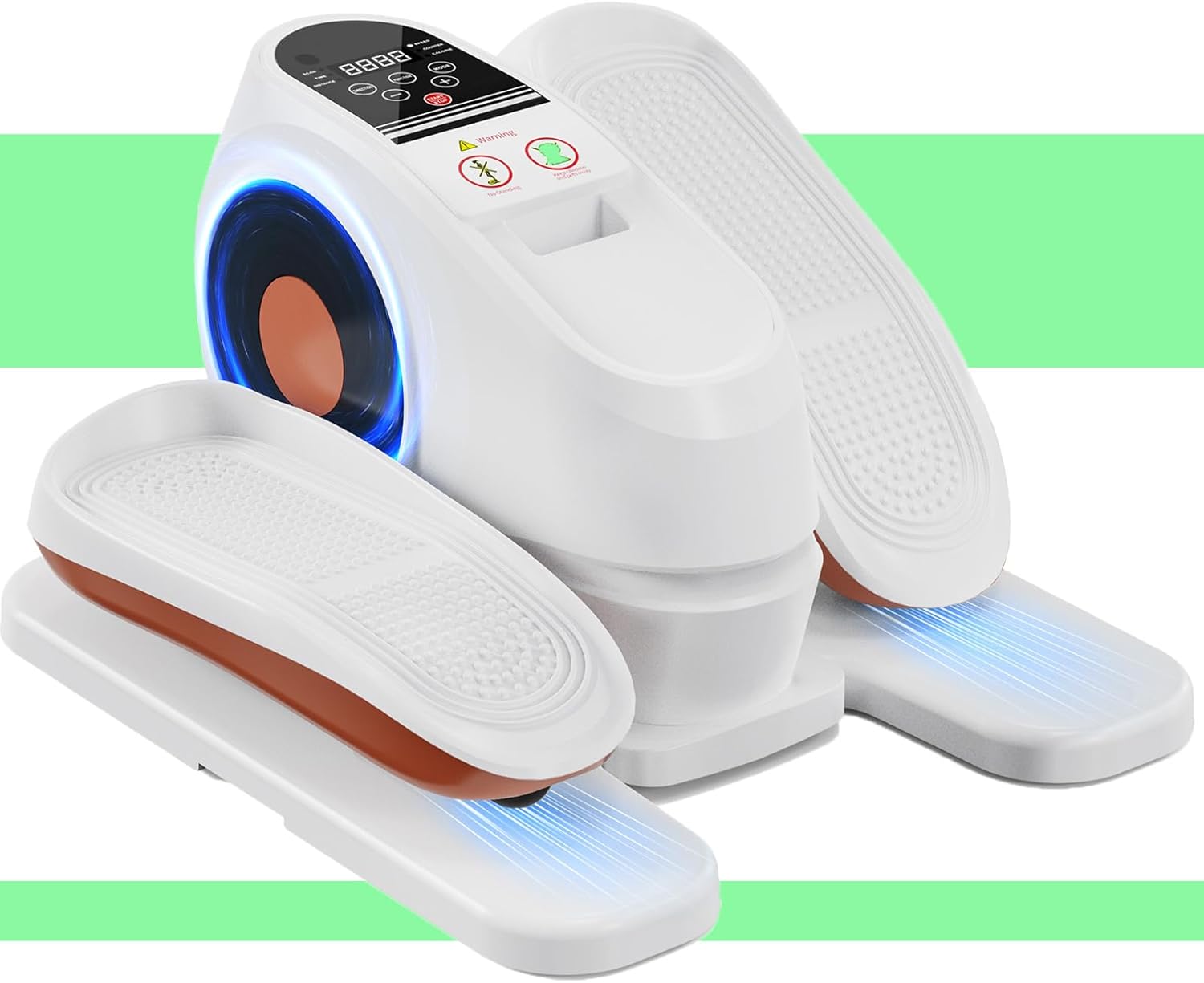
Image: The USLIM Under Desk Elliptical Machine, showcasing its compact design with two foot pedals and a central control unit.

Image: A collage highlighting key features including the added power switch, built-in handles, elastic straps, anti-slip design, raised pedal patterns, and the machine's 100% pre-installed state in its packaging.
3. Setup
The USLIM Under Desk Elliptical Machine comes 100% pre-installed, requiring no assembly.
- Unpacking: Carefully remove the machine from its packaging.
- Placement: Place the machine on a firm, level surface under your desk or in your desired exercise area. Ensure there is enough clearance for your legs to move freely.
- Anti-slip Pads: The machine includes four circular anti-slip pads on the bottom for stability. Two extra pads are provided as a bonus. Ensure these pads are clean and free of debris for optimal grip.
- Power Connection: Locate the power input socket on the machine. Connect the provided power cord to the machine and then plug it into a standard electrical outlet.
- Power Switch: Turn on the bottom-mounted power switch to activate the machine.
4. Operating Instructions
The USLIM Elliptical Machine offers both manual (HA) and automatic (P1-P16) modes with adjustable speed and direction.
Digital Display and Controls:

Image: Close-up of the digital display panel and control buttons, showing 'SCAN', 'TIME', 'DISTANCE', 'SPEED', 'COUNTER', 'CALORIE' indicators, and 'DIRECTION', 'FUNCTION', 'MODE', '-', '+', and 'START/STOP' buttons.
- START/STOP Button: Press to start or stop the machine.
- MODE Button: Press to switch between HA (Manual) mode and Auto modes (P1-P16).
- DIRECTION Button: In HA mode, press to change the direction of pedal rotation (forward or reverse).
- '+' Button: In HA mode, press to increase the speed.
- '-' Button: In HA mode, press to decrease the speed.
- FUNCTION Button: Cycles through display metrics like Time, Distance, Speed, Counter, and Calorie.
- SCAN: Automatically cycles through all display metrics.
Using the Remote Control:
The remote control allows you to adjust settings without bending over. It mirrors the functions of the main control panel.
- Ensure the remote has working batteries.
- Point the remote towards the machine's display panel.
- Use the corresponding buttons on the remote to control speed, direction, mode, and start/stop functions.
Modes of Operation:

Image: Comparison of HA (Manual) Mode and Auto Mode (P1-P16) displays, showing different speed levels and program indicators. Also shows examples of users exercising at different speed levels (P-04, P-08, P-12, P-16).
- HA (Manual) Mode: Offers 16 adjustable speed levels (16-105 RPM). You can manually control the speed using the '+' and '-' buttons and change direction using the 'DIRECTION' button.
- Auto Mode (P1-P16): Features 16 pre-programmed routines. In these modes, the machine automatically adjusts speed and direction every 2 minutes to provide a varied workout. Select your desired program using the 'MODE' button.
Exercise Guidance:
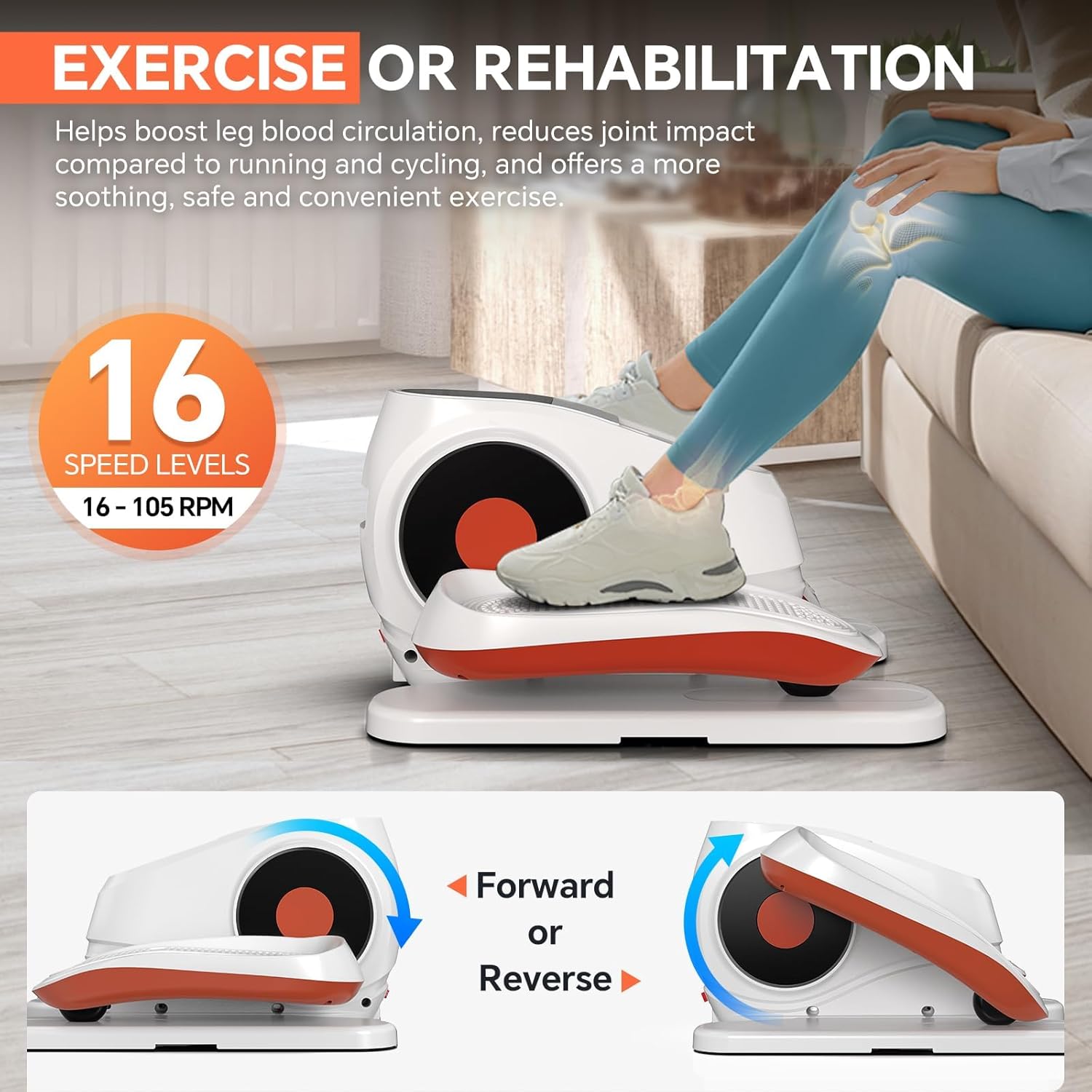
Image: A person using the elliptical machine while seated, with text highlighting its benefits for exercise or rehabilitation and showing the 16 speed levels. Diagrams illustrate forward and reverse motion.
- Sit comfortably with your feet placed securely on the pedals. Use the elastic straps if desired for added foot security.
- The forward and reverse motion effectively targets calf, thigh, and hip muscles without causing joint strain.
- Start with a lower speed and gradually increase as you become comfortable.
5. Maintenance
Regular maintenance ensures the longevity and optimal performance of your USLIM Elliptical Machine.
- Cleaning: Wipe down the machine with a soft, damp cloth after each use. Do not use abrasive cleaners or solvents. Ensure no liquid enters the control panel or motor housing.
- Lubrication: The machine features oil-free friction pads and a professional triangular claw structure designed for smooth, quiet operation without the need for regular lubrication. Do not apply oil or grease to any parts.
- Storage: Store the machine in a cool, dry place away from direct sunlight and extreme temperatures.
- Cord Care: Inspect the power cord regularly for any signs of damage. If damaged, discontinue use and contact customer service.
6. Troubleshooting
If you encounter any issues with your USLIM Elliptical Machine, refer to the following common problems and solutions:
| Problem | Possible Cause | Solution |
|---|---|---|
| Machine does not power on. | Power cord not properly connected; Power switch off; Outlet malfunction. | Ensure power cord is securely plugged into machine and outlet. Check if the bottom-mounted power switch is in the 'ON' position. Test the outlet with another device. |
| Remote control not working. | Low or dead batteries; Obstruction between remote and machine; Remote not pointed correctly. | Replace remote control batteries. Ensure no objects are blocking the signal path. Point the remote directly at the machine's display panel. |
| Unusual noise during operation. | Machine not on a level surface; Foreign object caught in mechanism. | Ensure the machine is placed on a flat, stable surface. Check for any foreign objects around the pedals or internal mechanism. If noise persists, contact customer service. |
| Pedals are not moving smoothly. | Overload; Obstruction. | Ensure the user's weight does not exceed the maximum recommendation. Check for any obstructions under or around the pedals. |
If the problem persists after attempting these solutions, please contact USLIM customer service for assistance.
7. Specifications
| Model Name | FBM-ET806WB-1 |
| Brand | USLIM |
| Product Dimensions | 16.1"D x 15"W x 9.3"H |
| Material | Plastic |
| Resistance Mechanism | Magnetic |
| Maximum Weight Recommendation | 500 Pounds |
| Maximum Stride Length | 6.3 Inches |
| Item Package Dimensions | 18.2 x 16.5 x 11.4 inches |
| Package Weight | 16.5 Pounds |
| ASIN | B0FFBBLP6K |
8. Warranty and Support
Your USLIM Under Desk Elliptical Machine comes with a 12-Month Repair Guarantee.
If you have any questions, require technical assistance, or need to claim warranty service, please contact USLIM customer service through the platform where you purchased the product. Our team is committed to providing a satisfactory solution and fast after-sales handling from local warehouses in the US.
Please have your model name (FBM-ET806WB-1) and ASIN (B0FFBBLP6K) ready when contacting support.