
Introduction
This manual provides detailed instructions for the assembly, operation, maintenance, and troubleshooting of your MOTPK 45-Inch L-Shaped Gaming Desk. Please read this manual thoroughly before assembly and use to ensure proper function and safety.
Safety Information
Important Safety Instructions:
- Always follow the assembly instructions carefully and use the provided tools for a safe setup.
- Do not exceed the weight limit of 17.76 kilograms (approximately 39.15 lbs) for the desk surface.
- Be cautious when using the LED lights and power outlets to prevent electrical hazards.
- Ensure the desk is stable and properly anchored to the floor to prevent tipping, especially in small spaces.
Package Contents
Verify that all components are present before beginning assembly:
- Desk Frame Components
- Desktop Panels (L-shaped)
- Built-in Power Outlet Strip (3 AC outlets, 2 USB ports)
- LED Light Strips (2 units)
- Headphone Hook
- CPU Stand
- Display Storage Shelf
- Assembly Hardware (screws, bolts, etc.)
- Assembly Tools
- Instruction Manual

Setup & Assembly
Assembly of the MOTPK gaming desk is designed to be straightforward. Follow the visual step-by-step instructions provided in the included manual. All necessary tools are supplied.
- Unpack Components: Carefully remove all parts from the packaging and verify against the package contents list.
- Identify Parts: Each part is pre-labeled for easy identification.
- Follow Visual Instructions: Refer to the detailed diagrams in the separate assembly guide for step-by-step instructions.
- Secure Connections: Ensure all screws and fasteners are tightened securely, but do not overtighten.
- Reversible Orientation: The L-shaped design allows for reversible orientation to fit your space. Decide on the desired configuration before final assembly.

Operating Instructions
LED Lighting System
The desk features dual LED strips for customizable ambient lighting. Use the integrated controller to adjust settings.
- Colors: Choose from 10 vibrant static colors.
- Effects: Select from 10 dynamic lighting effects.
- Brightness: Adjust brightness with 6 available levels.
- Memory Function: The system retains your last chosen settings when powered off and on.

Integrated Power Outlet
The built-in power strip provides convenient access to power for your devices.
- AC Outlets: 3 standard AC outlets (125V/12A).
- USB Ports: 2 USB charging ports (5V/2A).
- Power Cord: Features a generous 6.5ft power cord for flexible placement.

Adjustable Tower Platform
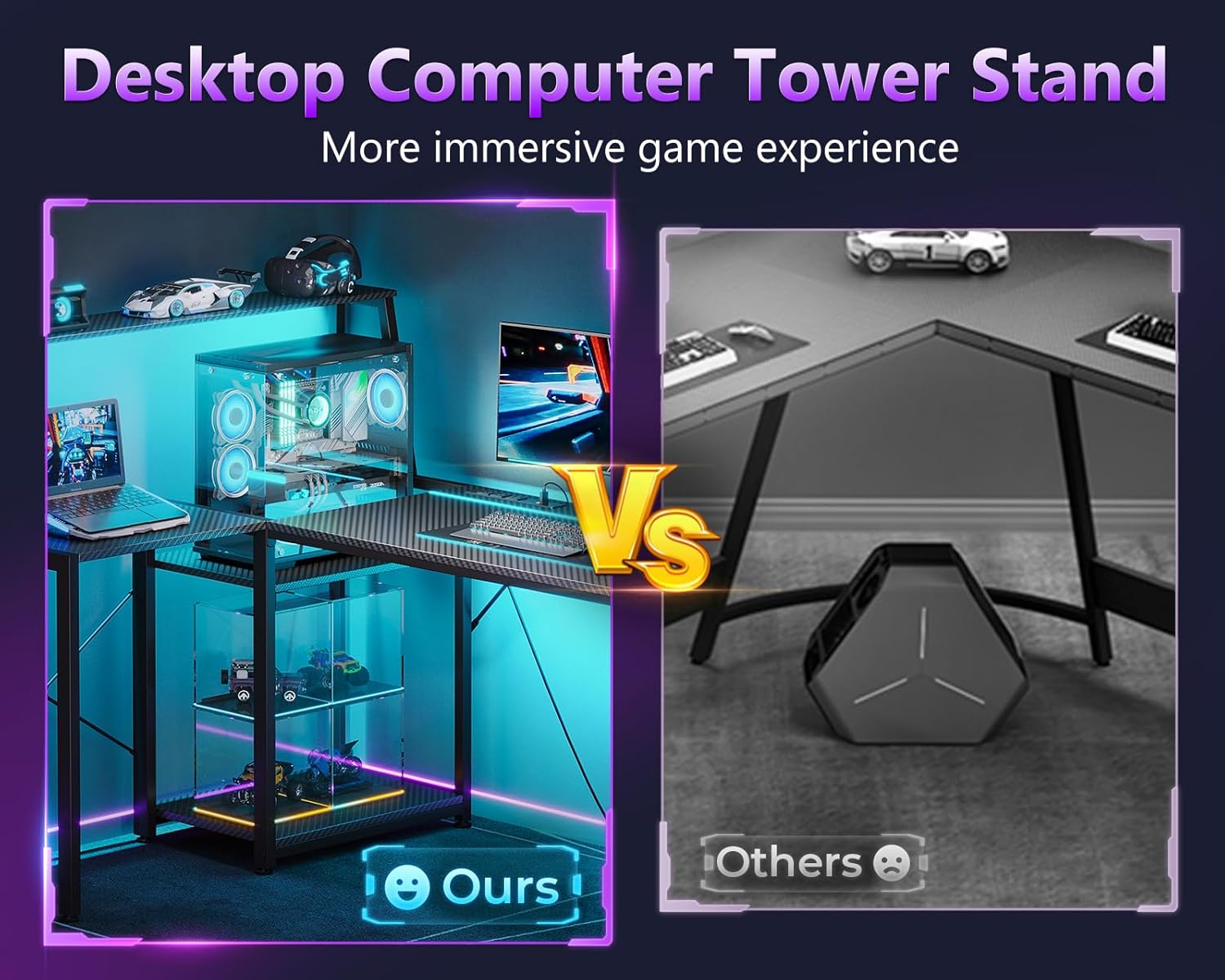
The multi-level corner board can be adjusted to accommodate your CPU tower or provide additional desktop space.
- Adjustment: The platform smoothly adjusts up or down without the need for tools.
- Functionality: Use it to showcase your CPU tower or as extra surface area for accessories.
Headphone Hook
A convenient headphone hook is included for easy storage of your headset, keeping your desktop clear.
Maintenance
To ensure the longevity and appearance of your MOTPK gaming desk, follow these simple maintenance guidelines:
- Cleaning: Wipe surfaces with a soft, damp cloth. Avoid abrasive cleaners or harsh chemicals that may damage the carbon fiber surface or finish.
- Dusting: Regularly dust the desk and LED strips to maintain optimal performance and appearance.
- Inspections: Periodically check all fasteners and connections to ensure they remain tight. Retighten if necessary.
- Electrical Components: Keep liquids away from the power outlet and LED components. If any electrical component appears damaged, discontinue use and contact support.
Troubleshooting
If you encounter any issues with your desk, refer to the following common solutions:
| Problem | Possible Cause | Solution |
|---|---|---|
| Desk is wobbly. | Loose fasteners or uneven floor. | Check and tighten all screws. Ensure the desk is on a level surface. |
| LED lights not working. | Power connection issue or controller malfunction. | Verify the LED strips are securely plugged into the power source and the controller. Check if the power outlet is functioning. |
| Power outlets not providing power. | Desk not plugged in or circuit breaker tripped. | Ensure the desk's main power cord is securely plugged into a working wall outlet. Check your home's circuit breaker. |
| Difficulty adjusting CPU stand. | Obstruction or improper handling. | Ensure no items are blocking the adjustment mechanism. Apply gentle, even pressure. |
If the problem persists, please contact customer support.
Specifications
| Feature | Detail |
|---|---|
| Brand | MOTPK |
| Model | 45 Inch L-Shaped Gaming Desk |
| Shape | L-Shape |
| Product Dimensions (D x W x H) | 35.43"D x 44.88"W x 45.47"H |
| Color | Carbon Fiber Surface, Black |
| Style | Modern |
| Base Material | Alloy Steel |
| Top Material Type | Engineered Wood |
| Finish Type | Powder Coated |
| Special Feature | Reversible |
| Recommended Uses | Gaming, Home Office |
| Included Components | Built-in Outlet, Headphone Hook, CPU Stand, Display Storage Shelf |
| Item Weight | 17.76 Kilograms (approx. 39.15 lbs) |
| Number Of Shelves | 2 (including display storage shelf) |
| Required Assembly | Yes |
| Includes All Assembly Tools | Yes |
| Power Outlet Specs | 3 AC Outlets (125V/12A), 2 USB Ports (5V/2A), 6.5-Feet Power Cord |
| LED Light Features | 10 Static Colors, 10 Dynamic Effects, 6 Brightness Levels, Memory Function |
Warranty & Support
Warranty Information:
The MOTPK 45-Inch L-Shaped Gaming Desk comes with a limited warranty. Please refer to the warranty card included in your package for specific terms and conditions. Keep your proof of purchase for warranty claims.
Customer Support:
For any questions regarding assembly, operation, or if you encounter any issues not covered in the troubleshooting section, our dedicated support team is available to assist you. Please contact us via Amazon Messages. We aim to respond within 24 hours.
Product Videos
There are no official seller videos available for this product at this time. Please refer to the images and written instructions for guidance.

