
1. Introduction
This manual provides essential instructions for the safe operation, setup, and maintenance of your FINOTI K19 MAX GPS Drone. Please read this manual thoroughly before operating the drone to ensure proper function and to prevent damage or injury. Keep this manual for future reference.
2. Product Overview
The FINOTI K19 MAX is a professional-grade GPS drone featuring an 8K camera, 360° laser obstacle avoidance, and a foldable design. It offers advanced flight capabilities and a user-friendly remote control with an integrated screen for an immersive FPV experience.
Key Features:
- 8K Camera (7680x4320) with 2-axis gimbal and Electronic Image Stabilization.
- 360° Laser Obstacle Avoidance for enhanced flight safety.
- Dual GPS + Optical Flow Positioning for stable hover and reliable return functions.
- 5G HD Image Transmission for real-time FPV up to 2.7km.
- Integrated 4.5-inch screen remote control.
- Intelligent Flight Modes: Panoramic Shooting, Subject Tracking, Gradual Distant Mode, One-Click Airdrop.
- Brushless Motors for powerful and efficient flight.
- Foldable design for portability.
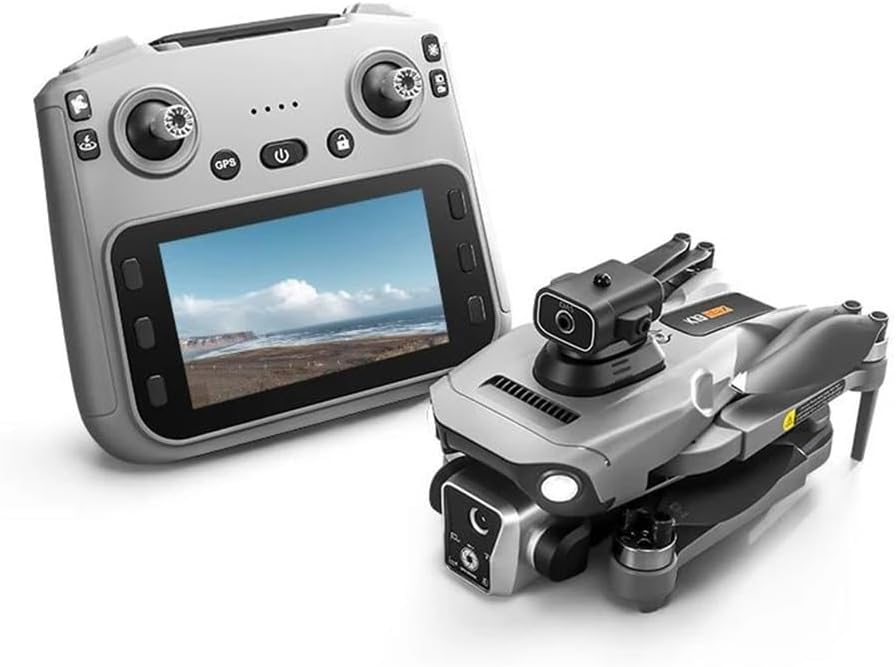
Image 2.1: The FINOTI K19 MAX GPS Drone alongside its remote control with an integrated screen.
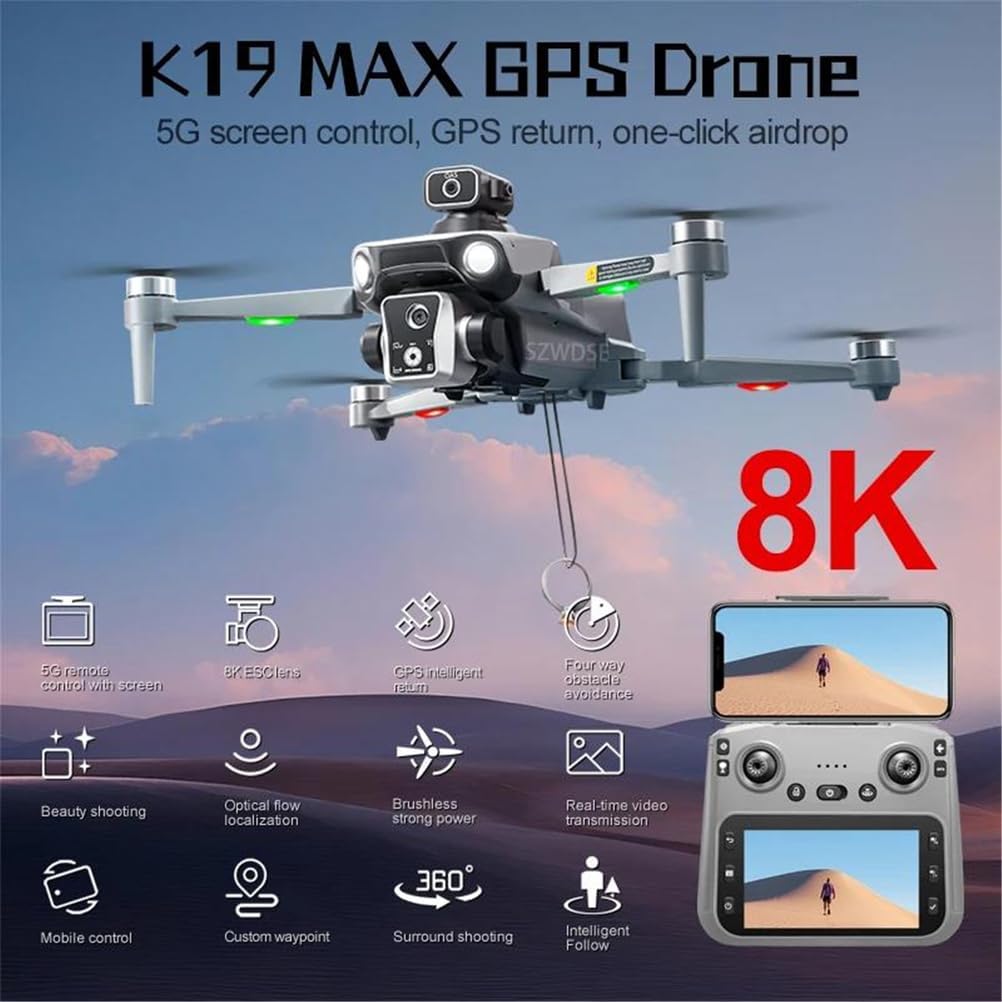
Image 2.2: An infographic highlighting key features of the K19 MAX GPS Drone, including 5G screen control, 8K ESC lens, GPS intelligent return, four-way obstacle avoidance, beauty shooting, optical flow localization, brushless power, real-time video transmission, mobile control, custom waypoint, surround shooting, and intelligent follow.
3. Setup
3.1 Charging the Battery
The drone is powered by a 3.7V 2200mAh battery. Ensure the battery is fully charged before each flight.
- Connect the drone battery to the provided USB charging cable.
- Plug the USB charging cable into a suitable USB power adapter (not included).
- Charging time is approximately 60 minutes. The indicator light on the charger will change to indicate a full charge.
3.2 Installing the Battery
Carefully insert the charged battery into the drone's battery compartment, ensuring it clicks securely into place.
3.3 Remote Control Setup
The remote control features a 4.5-inch HD screen for FPV. Ensure the remote control is also charged or has fresh batteries installed.

Image 3.1: A detailed guide to the remote control layout, showing functions such as speed switching, obstacle avoidance switch, one-click airdrops, throttle stick, unlock, LCD screen, photograph, video, main interface, lens adjustments, gyroscope calibration, geomagnetic calibration, GPS switch, steering sticks, one-click return, power switch, take a photo select on, video/select below, and confirm.
4. Operating Instructions
4.1 Pre-Flight Checklist
- Ensure drone and remote control batteries are fully charged.
- Check propellers for any damage and ensure they are securely attached.
- Select an open, clear area for flight, away from people, animals, and obstacles.
- Perform gyroscope and geomagnetic calibration as per the remote control guide (Image 3.1).
4.2 Takeoff and Landing
The drone supports one-key takeoff and landing functions. Refer to the remote control guide for button locations.
4.3 Flight Modes and Control
The K19 MAX features GPS positioning and optical flow positioning for stable flight. It offers 4-channel control and a 6-axis gyroscope for precise maneuvers.
- GPS Mode: Provides stable hovering and accurate positioning, enabling features like GPS return.
- Optical Flow Mode: Used for stable indoor flight or when GPS signal is weak.
- Intelligent Tracking: The drone can follow a designated subject.
- Surround Shooting: The drone can orbit a point of interest.

Image 4.1: The FINOTI K19 MAX GPS Drone in flight, with a close-up of the 5G remote control featuring a 4.5-inch HD screen. The image highlights optical flow hover, electric control camera, brushless power, obstacle avoidance, and one-click airdrop.
4.4 Camera Operation
The drone is equipped with an 8K HD main camera and supports dual camera switching. It can capture high-resolution images and videos.
- Image Resolution: 7680x4320 pixels.
- Video Resolution: 1920x1280 pixels.
- Use the dedicated buttons on the remote control to take photos or record videos (refer to Image 3.1).
- The remote control screen provides a real-time FPV feed.

Image 4.2: A close-up view of the K19 MAX GPS Drone's 8K HD main camera, illustrating its dual camera switching capability. Features like 25fps HDR video, multiple zoom shooting, 90° remote control angle, and 120° wide angle are highlighted.
4.5 Obstacle Avoidance
The drone features 360° laser obstacle avoidance. This system helps prevent collisions by detecting obstacles in all directions.
4.6 GPS Functions
The GPS system enables several safety and convenience features:
- One-Click Return: The drone will automatically return to its takeoff point.
- Low Power Return: The drone will return automatically when the battery is low.
- Over Distance Return: The drone will return if it flies beyond the set control range.
- Out of Control Return: The drone will return if it loses connection with the remote control.
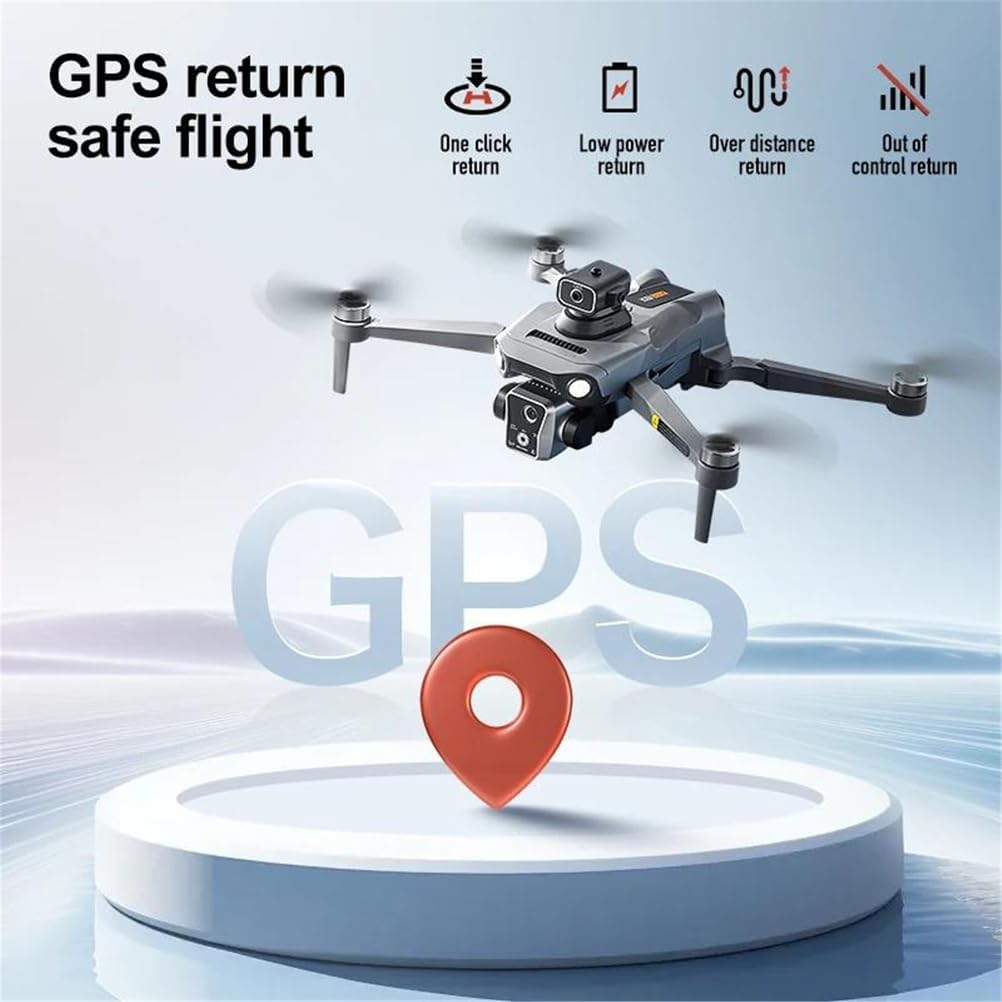
Image 4.3: An illustration of the GPS return safe flight features, including one-click return, low power return, over distance return, and out of control return, all guided by the drone's GPS system.
4.7 Airdrop Function
The K19 MAX includes a unique one-click airdrop device, allowing for small payload delivery.
- Maximum Load Capacity: 20 grams.
- Attach the item securely to the airdrop mechanism.
- Activate the airdrop function via the remote control (refer to Image 3.1).

Image 4.4: The K19 MAX GPS Drone demonstrating its remote one-click airdrop function, showing a small item being released from the drone.
5. Maintenance
- Regularly inspect propellers for cracks or damage. Replace if necessary.
- Keep the camera lens clean using a soft, dry cloth.
- Store the drone and batteries in a cool, dry place, away from direct sunlight.
- Do not overcharge or over-discharge batteries.
- Clean the drone's body with a soft, damp cloth. Avoid using harsh chemicals.
6. Troubleshooting
6.1 Drone Not Responding
- Ensure both drone and remote control are powered on and fully charged.
- Re-pair the drone with the remote control according to the quick start guide.
- Check for any obstructions to the propellers.
6.2 Unstable Flight
- Perform gyroscope and geomagnetic calibration before flight.
- Ensure propellers are correctly installed and undamaged.
- Fly in calm weather conditions (wind speed under 10km/h).
6.3 Poor Image/Video Quality
- Clean the camera lens.
- Ensure sufficient lighting conditions.
- Check if the microSD card is properly inserted and has enough storage.
6.4 GPS Signal Issues
- Fly in an open outdoor area, away from tall buildings or dense foliage.
- Wait for the drone to acquire sufficient GPS satellites before takeoff.
7. Specifications
| Parameter | Value |
|---|---|
| Model | K19 MAX |
| Folding Size | 17 x 10 x 9 cm |
| Expansion Size | 25 x 20 x 9 cm |
| Receiving Frequency | 5G |
| Receiving Channel | 4 channel, 6 axis gyroscopes |
| Battery Capacity | 3.7V 2200mAh |
| Usage Time | 25 minutes |
| Charging Time | 60 minutes |
| Charging Method | USB charging cable |
| Remote Control Distance (Height) | 500 meters |
| Remote Control Distance (Distance) | 5000 meters |
| Return Distance | 2000 meters |
| Video Resolution | 1920 x 1280 pixels |
| Image Resolution | 7680 x 4320 pixels |
| Obstacle Avoidance | 360° Laser |
| Airdrop Max Load | 20 grams |
8. Safety Guidelines
- Always operate the drone in open areas, away from people, animals, and obstacles.
- Do not fly near airports, restricted airspace, or sensitive facilities.
- Maintain visual line of sight with the drone at all times.
- Avoid flying in strong winds, rain, or other adverse weather conditions.
- Ensure all local regulations and laws regarding drone operation are followed.
- Never attempt to catch the drone while its propellers are spinning.
- Keep fingers and loose clothing away from rotating propellers.
- Do not modify the drone or its components.
9. Warranty and Support
For warranty information and customer support, please refer to the documentation provided at the time of purchase or contact your retailer. Keep your proof of purchase for any warranty claims.