
Introduction
Thank you for choosing the LKHLTBF K19 Max GPS Drone. This advanced foldable drone features an 8K camera, FPV capabilities, a 4.5-inch large screen remote control, and 360° obstacle avoidance. Designed for both beginners and experienced pilots, the K19 Max offers intelligent flight modes, stable hovering, and high-definition aerial photography. Please read this manual thoroughly before operating your drone to ensure safe and optimal performance.
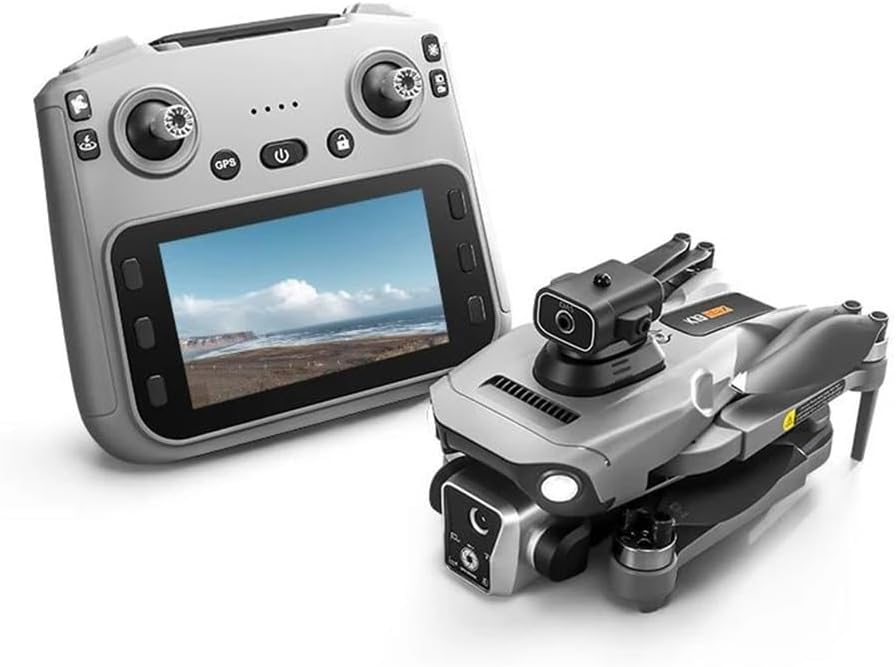
Image: The K19 Max GPS Drone alongside its 4.5-inch screen remote control.
Safety Guidelines
- Read the Manual: Always read the entire user manual before first flight.
- Pre-Flight Check: Ensure all parts are correctly assembled and batteries are fully charged.
- Environmental Conditions: Fly in open areas, away from people, buildings, and obstacles. Avoid flying in strong winds (below 10 km/h recommended).
- Battery Safety: Use only original batteries and chargers. Do not overcharge or short-circuit batteries.
- Respect Privacy: Be mindful of privacy laws when recording videos or taking photos.
- Emergency Procedures: Familiarize yourself with emergency stop and return-to-home functions.
- Age Recommendation: This product is not a toy and is recommended for users aged 14 and above.
Package Contents
Verify that all items are present in your package:
- K19 Max GPS Drone (1)
- 4.5-inch Screen Remote Control (1)
- Infrared Obstacle Avoidance Head (1)
- 3.7V 2200mAh Battery (3 for Triple Battery version)
- Carrying Case (1)
- Color Box (1)
- Memory Card (1)
- Card Reader (1)
- Instruction Manuals (2)
- Spare Fan Blades (4)
- USB Charging Cables (2)
- Screwdriver (1)
Setup
- Charge Batteries: Connect the drone battery and remote control via the provided USB charging cables. Ensure both are fully charged before use. The drone battery capacity is 3.7V 2200mAh, with a charging time of approximately 60 minutes.
- Unfold the Drone: Gently unfold the drone arms until they click into place. Ensure all propellers are securely attached and free from obstruction.
- Install Obstacle Avoidance Head: Attach the infrared obstacle avoidance head to the designated slot on the drone. This enables 360° laser obstacle avoidance.
- Power On:
- Press and hold the power button on the drone until the indicator lights turn on.
- Press and hold the power button on the remote control to turn it on.

Image: The 4.5-inch HD screen remote control, showing its display and controls.
- Pairing: The drone and remote control should automatically pair. If not, refer to the specific pairing instructions in the separate detailed manual.
- GPS Calibration: For optimal GPS performance, perform GPS calibration in an open outdoor area. Follow the on-screen prompts on the remote control.
Operating
Flight Controls
The K19 Max GPS Drone features a 4-channel, 6-axis gyroscope system for stable flight.
- One-Click Launch: Press the designated button on the remote control for automatic takeoff.
- Throttle Stick: Controls altitude (up/down) and rotation (yaw).
- Steering Sticks: Controls forward/backward, left/right movement.
- Optical Flow Hovering: Utilizes optical flow positioning for stable indoor hovering without GPS.
- GPS Positioning: Provides precise outdoor positioning and stable flight.
Intelligent Flight Modes
- 360° Obstacle Avoidance: The laser obstacle avoidance system detects and avoids obstacles in all directions, enhancing flight safety.
- Panoramic Shooting: Enables the drone to capture wide-angle panoramic images.
- Intelligent Tracking: The drone can automatically follow a designated subject.
- One-Click Airdrop: Utilize the airdrop function to release small items (maximum load capacity 20 grams).
- GPS Return:
- One-Click Return: Returns the drone to its takeoff point.
- Low Power Return: Automatically returns when battery is low.
- Over Distance Return: Returns if it flies beyond the control range.
- Out of Control Return: Returns if connection is lost.
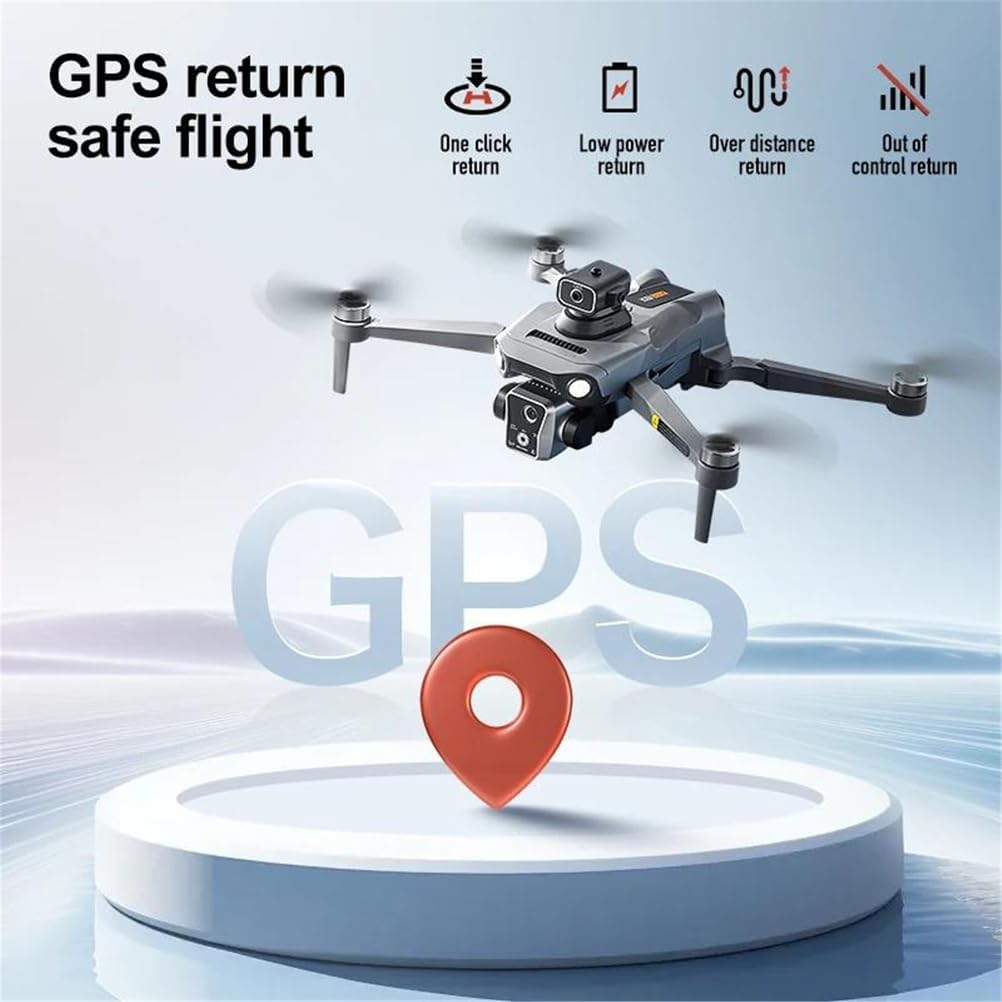
Image: Visual representation of GPS return features including one-click, low power, over distance, and out of control return.
Camera Operation
The K19 Max is equipped with an 8K HD main camera and supports dual camera switching.
- Photo Resolution: 7680x4320 pixels (8K).
- Video Resolution: 1920x1280 pixels (HD).
- FPV Viewing: Real-time image transmission via 5G to the 4.5-inch screen on the remote control.
- Zoom: Supports 50x image zoom.
- Storage: Photos and videos can be stored on the included memory card.

Image: Close-up view of the drone's 8K HD main camera, highlighting its capabilities.
Maintenance
- Battery Care:
- Always fully charge batteries before each flight.
- Do not leave batteries charging unattended.
- Store batteries in a cool, dry place when not in use.
- If storing for extended periods, charge batteries to about 50% capacity.
- Cleaning: Use a soft, dry cloth to clean the drone and remote control. Avoid using liquids or solvents.
- Propeller Replacement: If propellers are damaged, replace them immediately using the provided spare fan blades and screwdriver. Ensure correct orientation.
- Storage: Fold the drone arms and store it in its carrying case to protect it from dust and physical damage. Store in a cool, dry environment.
Troubleshooting
| Problem | Possible Cause | Solution |
|---|---|---|
| Drone does not power on. | Battery is not charged or not installed correctly. | Charge the battery fully. Ensure the battery is securely inserted. |
| Remote control does not connect to drone. | Not paired or out of range. | Ensure both devices are powered on and within pairing range. Re-pair according to manual instructions. |
| Drone drifts during flight. | Not calibrated or strong wind interference. | Perform gyroscope and geomagnetic calibration. Fly in calm conditions. |
| Poor image/video quality or no FPV feed. | Weak 5G signal, camera lens dirty, or memory card issue. | Ensure drone is within 5G transmission range. Clean camera lens. Check memory card for proper insertion and sufficient space. |
| Obstacle avoidance not working. | Obstacle avoidance head not installed or damaged. | Ensure the infrared obstacle avoidance head is correctly attached. Inspect for damage. |
Specifications
| Feature | Detail |
|---|---|
| Model Name | K19 Max GPS Drone |
| Model Number | TRIPLEBATTERY-66495549 |
| Folded Dimensions | 17 x 10 x 9 cm |
| Unfolded Dimensions | 25 x 20 x 9 cm |
| Receiving Frequency | 5G |
| Channels | 4 Channels, 6-Axis Gyroscope |
| Battery Capacity | 3.7V 2200mAh |
| Flight Time | Approximately 25 minutes |
| Charging Time | Approximately 60 minutes |
| Remote Control Distance | Up to 5000 meters (height 500 meters) |
| Return Distance | 2000 meters |
| Video Resolution | 1920Px1280P (HD) |
| Image Resolution | 7680x4320 (8K) |
| Obstacle Avoidance | 360° Laser Obstacle Avoidance |
| Motor Type | Brushless Motor |
| Remote Control Screen | 4.5-inch HD Screen |
| Max Load Capacity (Airdrop) | 20 grams |
Warranty and Support
Warranty: This product comes with a standard manufacturer's warranty. Please refer to the warranty card included in your package for specific terms and conditions. Keep your proof of purchase for warranty claims.
Support: For technical assistance, troubleshooting, or spare parts, please contact LKHLTBF customer support through the retailer where you purchased the product. You may also find additional resources and FAQs on the official LKHLTBF website (if available).